
1. Introduction
This manual provides detailed instructions for the proper use, setup, and maintenance of your DEFENTAC HD1080P Camera and 500 Lumens Flashlight Combo, Model DF-1062D. Please read this manual thoroughly before operating the device to ensure optimal performance and safety.
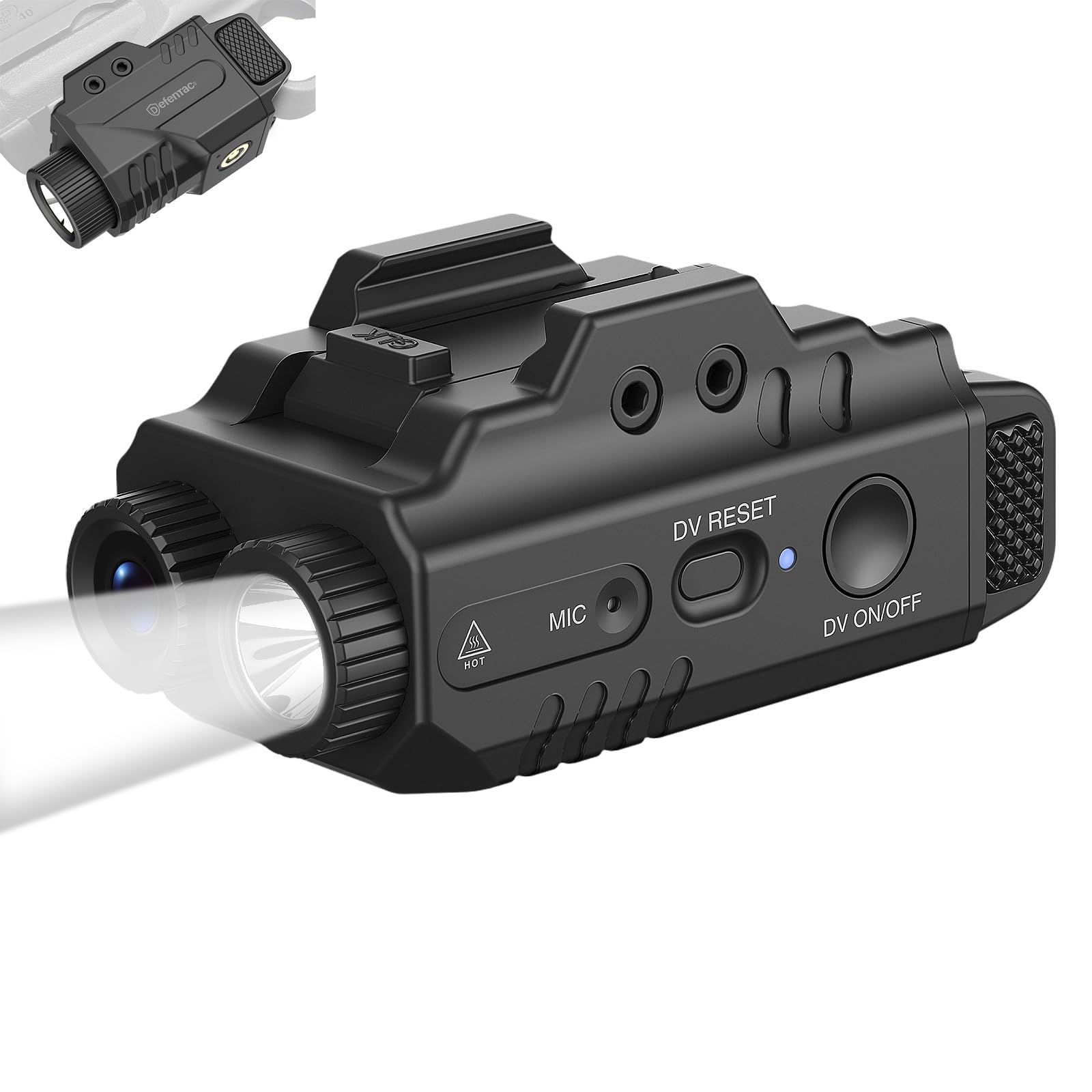
Image 1.1: The DEFENTAC HD1080P Camera and 500 Lumens Flashlight Combo (Model DF-1062D).
2. Safety Information
- Do not look directly into the flashlight beam to avoid eye injury.
- Keep the device away from water and moisture.
- Do not attempt to disassemble or modify the device. This will void the warranty and may cause damage.
- Use only the provided charging cable or a compatible USB cable.
- Store the device in a cool, dry place when not in use.
- Keep out of reach of children.
3. Package Contents
Verify that all items listed below are included in your package:
- DEFENTAC HD1080P Camera and 500 Lumens Flashlight Combo (DF-1062D)
- USB Charging/Data Cable
- Mounting Accessory
- Hex Key
- User Manual

Image 3.1: Included items in the DEFENTAC DF-1062D package, showing the device, USB cable, mounting accessory, hex key, and user manual.
4. Product Overview
Familiarize yourself with the various components and controls of your DEFENTAC DF-1062D device.

Image 4.1: Detailed view of the DEFENTAC DF-1062D, highlighting the Flashlight Switch, Charging/Data Port, Power Indicator, Mounting Bolt, Camera On/Off/Pause Switch, Camera Working Indicator, Camera Reset Button, and Microphone.
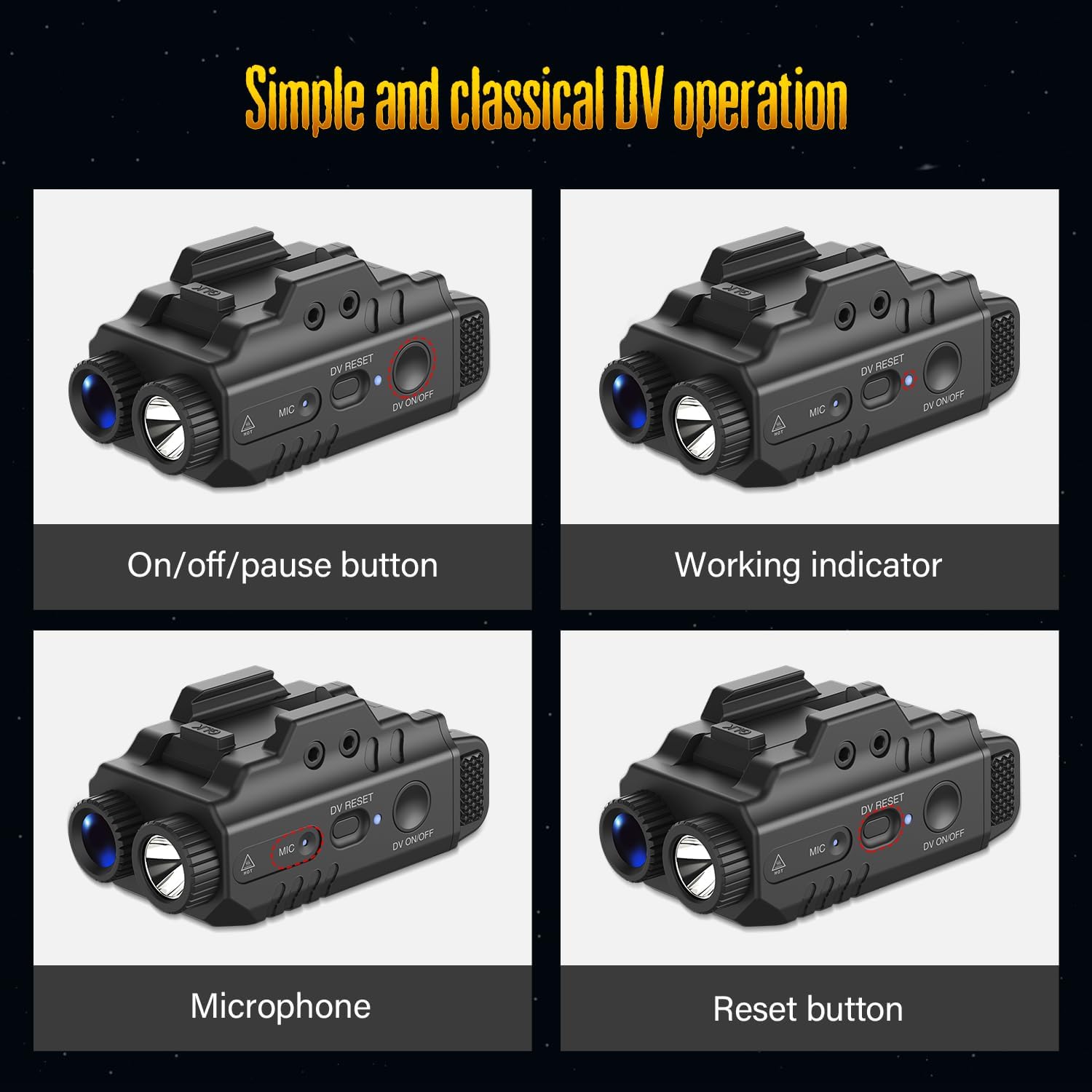
Image 4.2: Close-up of the camera controls, showing the On/Off/Pause button, Working indicator, Microphone, and Reset button.
Key components include:
- Flashlight Switch: Controls the flashlight modes.
- Charging/Data Port: For charging the device and transferring data to a computer.
- Power Indicator: Shows the device's power status.
- Mounting Bolt: For attaching the device to compatible rails.
- Camera On/Off/Pause Switch (DV ON/OFF): Controls video recording.
- Camera Working Indicator: Indicates camera recording status (blue light).
- Camera Reset Button (DV RESET): For resetting the camera.
- Microphone (MIC): For audio recording.
5. Setup
5.1. Charging the Device
Before first use, fully charge the device. Connect the provided USB cable to the Charging/Data Port on the device and plug the other end into a USB power adapter or computer USB port. The Power Indicator will show charging status.
5.2. Mounting the Device
The device features an adjustable rail system for secure attachment. Use the provided hex key to adjust the mounting bolt and secure the device to a compatible rail. Ensure the device is firmly attached before use.
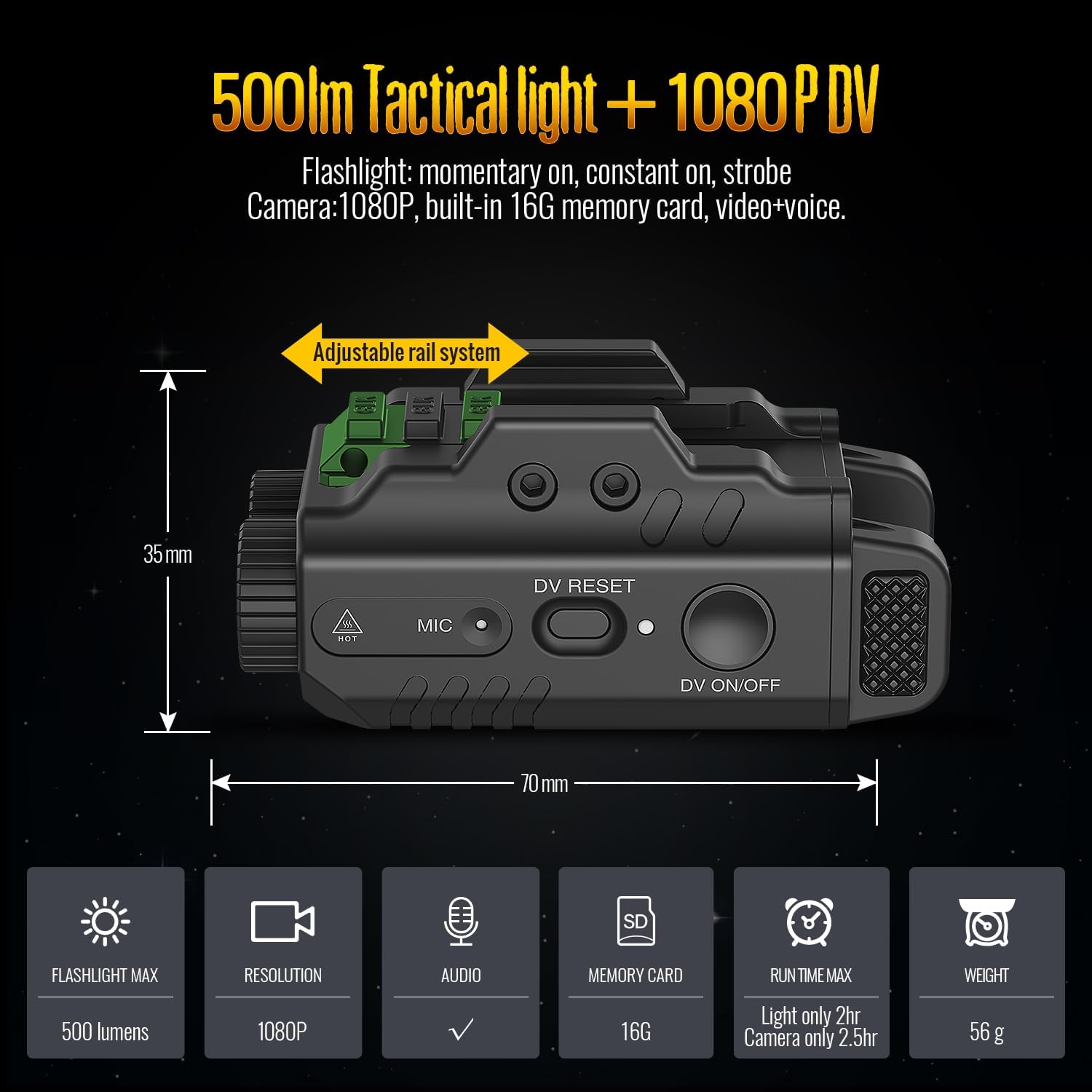
Image 5.1: The DEFENTAC DF-1062D showing its adjustable rail system for mounting and overall dimensions.
6. Operation
6.1. Camera Operation
- On/Off: Press and hold the Camera On/Off/Pause Switch (DV ON/OFF) for approximately 3 seconds. The camera will begin its booting process (approximately 5 seconds). The blue Camera Working Indicator will turn on. When the blue indicator starts flashing, video recording is in progress.
- Pause/Resume Recording: While recording, click the Camera On/Off/Pause Switch (DV ON/OFF) to pause recording (the indicator will remain solid blue). Click it again to resume recording (the indicator will flash blue).
- Activation Time: The total activation time from pressing the camera switch to recording is approximately 8 seconds (3s press + 5s booting).
6.2. Flashlight Operation
Use the Flashlight Switch to cycle through the available flashlight modes:
- Momentary On: Press and hold the Flashlight Switch. The light will turn on while held and turn off when released.
- Constant On: Click the Flashlight Switch once to turn the light on continuously. Click again to turn off.
- Strobe: From Constant On mode, double-click the Flashlight Switch to activate strobe mode. Click once to return to Constant On, or click again to turn off.
6.3. Combined Operation Modes
The device supports various combinations of flashlight and camera operation:

Image 6.1: Illustration of the three primary operation modes: Light and Video, Light Only (Constant On/Strobe), and Only Video.
- Light and Video: Activate both the flashlight and camera simultaneously.
- Light Only: Operate the flashlight independently in Constant On or Strobe modes.
- Only Video: Operate the camera independently without the flashlight.
6.4. Data Transfer
To access recorded video and audio files, connect the device to a computer using the provided USB cable. The device will appear as a removable storage device, allowing you to easily read and download files.
7. Maintenance
- Cleaning: Use a soft, dry cloth to clean the exterior of the device. Do not use abrasive cleaners or solvents.
- Storage: When not in use for extended periods, store the device in a cool, dry environment. Ensure it is fully charged before long-term storage and recharge periodically to maintain battery health.
- Firmware Updates: Check the manufacturer's website periodically for any available firmware updates to ensure optimal performance and new features.
8. Troubleshooting
| Problem | Possible Cause | Solution |
|---|---|---|
| Device does not turn on. | Low battery. | Charge the device fully using the provided USB cable. |
| Camera not recording. | Camera not activated correctly; indicator not flashing. | Ensure you press and hold the DV ON/OFF switch for 3 seconds until the blue indicator flashes. |
| Cannot transfer files to computer. | Incorrect USB connection; driver issue. | Ensure the USB cable is securely connected. Try a different USB port or computer. |
| Flashlight not working. | Low battery; flashlight switch not pressed correctly. | Charge the device. Ensure the flashlight switch is pressed firmly or clicked for constant on. |
| Device unresponsive. | Temporary software glitch. | Press the Camera Reset Button (DV RESET) using a small, pointed object (e.g., a paperclip). |
9. Specifications
| Feature | Detail |
|---|---|
| Model | DF-1062D |
| Flashlight Max Output | 500 Lumens |
| Camera Resolution | 1080P (HD) |
| Audio Recording | Yes (with Microphone) |
| Internal Memory | 16GB (built-in) |
| Flashlight Run Time | Up to 2 hours |
| Camera Run Time | Up to 2.5 hours |
| Weight | 56 grams |
| Dimensions (Approx.) | 70 mm (Length) x 35 mm (Height) |
10. Warranty and Support
DEFENTAC products are designed for reliability and performance. For warranty information, technical support, or service inquiries, please refer to the contact information provided on the DEFENTAC official website or contact your retailer. Please retain your proof of purchase for warranty claims.
For further assistance, please visit: DEFENTAC Store on Amazon