1. Introduction
This manual provides detailed instructions for the installation, setup, and operation of your Hiseeu Solar Wireless Security Camera System. This system includes a 10-channel 2K NVR and 4MP battery-powered cameras, designed for outdoor use with features like AI human detection, color night vision, and two-way audio. Please read this manual thoroughly before use to ensure proper functionality and safety.
2. Product Features
- IP66 Weatherproof & Easy Plug-and-Play Setup: The cameras are built to withstand outdoor conditions with an IP66 rating. The system is pre-paired for immediate use upon connection, requiring no complex setup or monthly fees.
- AI Human Detection & Smart Alerts: Advanced AI technology accurately identifies human motion, reducing false alarms from animals or other moving objects. Instant alerts are sent to your device when human presence is detected.
- Long Battery Life & Solar Support: Equipped with dual 9000mAh rechargeable batteries and solar panel compatibility for extended standby performance and reduced recharging frequency.
- 1TB HDD Storage & Motion-Based Recording: The system includes a pre-installed 1TB hard drive for secure local storage of motion-triggered recordings. Footage can be viewed and played back via the "Hisee Cloud" app when connected to the network.
- Two-Way Audio & Expandable 10-Channel System: Communicate in real-time using the built-in two-way audio feature. The NVR supports up to 10 cameras, allowing for expanded security coverage.
- Color Night Vision: The camera features color night vision for clearer identification in low-light conditions, alongside traditional infrared night vision.
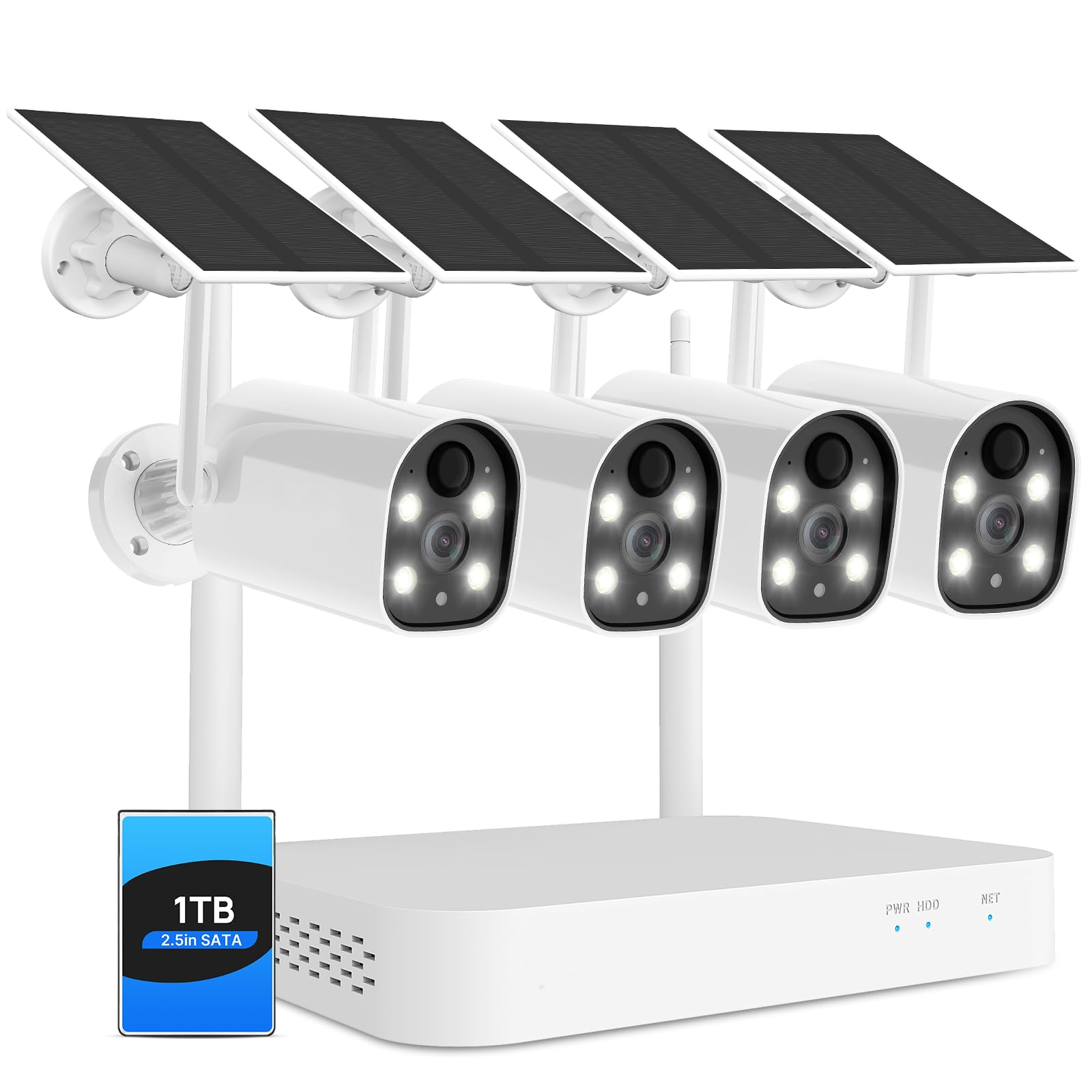
Image: Hiseeu outdoor camera demonstrating IP66 weatherproof capability in rainy conditions, with operating temperature range indicated.

Image: A Hiseeu camera detecting a person approaching a doorway, with a mobile app notification displaying "Device - object movement".

Image: A Hiseeu security camera installed on an outdoor wall, connected to a solar panel for continuous power.

Image: A Hiseeu NVR unit with a transparent overlay showing a 1TB hard drive installed, highlighting its local storage feature.

Image: A user interacting with a delivery person at their door via the Hiseeu mobile app's two-way audio function.

Image: A split image showing the difference between colorful night vision and infrared night vision captured by a Hiseeu camera.
3. What's in the Box
The Hiseeu Solar Wireless Security Camera System includes the following components:
- Camera body (4MP Battery Cameras)
- 10-Channel 2K NVR with 1TB HDD
- Solar Panels (for each camera)
- Mounting accessories
- Power adapter for NVR
- User Manual (this document)
4. Setup and Installation
4.1 NVR Setup
- Connect the NVR to a power source using the provided power adapter.
- Connect the NVR to a monitor (PC or TV) using an HDMI or VGA cable.
- The system is pre-paired; the cameras should automatically connect to the NVR upon power-up.
- For network access and remote viewing, connect the NVR to your router via an Ethernet cable.
4.2 Camera Installation
The cameras are wireless and solar-powered, offering flexible placement options. Ensure the solar panel receives adequate sunlight for continuous charging.
- Choose a suitable outdoor location for each camera, ensuring a clear field of view and good Wi-Fi signal if connecting directly to Wi-Fi (though NVR provides its own wireless network).
- Mount the camera securely using the provided mounting accessories.
- Position the solar panel to maximize sun exposure throughout the day.
- Ensure the waterproof cap is correctly installed on the Ethernet port if not using a wired connection, to protect against moisture.
Video: Instructions on how to properly use and install the waterproof cap for the camera's Ethernet port, ensuring protection from outdoor elements.
5. App Configuration (EseeCloud)
To access and manage your security system remotely, download and configure the EseeCloud app on your smartphone.
- Download the EseeCloud app from your device's app store (iOS or Android).
- Register an account using your phone number or email address.
- Add your device by scanning the QR code on the camera or NVR, or by manually adding it.
- Connect the device to your home Wi-Fi network (2.4GHz only).
- Once connected, you can view live feeds, access recordings, and configure settings.
Video: A detailed guide on how to use the EseeCloud mobile application for setting up and managing your Hiseeu security camera system.
6. Operating Instructions
6.1 Live View and Playback
- Open the EseeCloud app to view live camera feeds.
- Access recorded footage from the 1TB HDD via the app. Recordings are motion-triggered.
6.2 Two-Way Audio
- Use the microphone icon in the app to speak through the camera.
- Ensure your phone's volume is up to hear audio from the camera.
6.3 Night Vision Modes
- The system supports both color night vision and infrared night vision.
- Color night vision activates automatically in low light conditions when the floodlight is enabled.
6.4 AI Human Detection
- The system is configured to detect human shapes, minimizing false alerts.
- Customize detection zones and sensitivity settings within the EseeCloud app to optimize performance.
7. Maintenance
- Cleaning: Periodically clean camera lenses and solar panels to ensure optimal performance. Use a soft, damp cloth.
- Battery Management: The solar panels help maintain battery charge. If cameras are in areas with limited sunlight, occasional manual recharging may be necessary.
- Firmware Updates: Check the EseeCloud app regularly for firmware updates to ensure your system has the latest features and security enhancements.
8. Troubleshooting
If you encounter issues with your Hiseeu security camera system, consider the following:
- No Video Feed: Ensure all cameras and the NVR are powered on and connected. Check network cables and Wi-Fi connections.
- False Alarms: Adjust the AI human detection sensitivity and detection zones within the EseeCloud app to reduce unwanted alerts.
- Poor Night Vision: Ensure camera lenses are clean and free from obstructions. Verify that the floodlight is enabled for color night vision if desired.
- App Connectivity Issues: Confirm your smartphone has a stable internet connection. Restart the EseeCloud app or your phone if necessary.
- NVR Storage: If the 1TB HDD is full, older recordings may be overwritten. Ensure the NVR is recording as expected.
For further assistance, refer to the help section within the EseeCloud app or contact Hiseeu customer support.
9. Specifications
| Feature | Detail |
|---|---|
| Model Name | WK-4C40-ATus |
| Indoor/Outdoor Usage | Outdoor |
| Compatible Devices | Smartphone |
| Power Source | Solar Powered |
| Connectivity Protocol | Wi-Fi |
| Controller Type | EseeCloud |
| Mounting Type | Wall Mount |
| Video Capture Resolution | 4MP |
| Number of Items | 1 (System includes NVR and cameras) |
| Included Components | Camera body, NVR, Solar Panels, Mounting accessories, Power adapter |
| Number of Channels | 10 |
| Night Vision Range | 65 Feet |
| Item dimensions L x W x H | 12.36 x 8.86 x 8.07 inches |
| Batteries Required? | No (Built-in rechargeable batteries, solar charged) |
| Video Capture Format | MP4 |
| Item Weight | 6.89 pounds |
| Manufacturer | Hiseeu |
| Recommended Uses For Product | Outdoor Security |
| Connectivity Technology | Wireless |
| Special Feature | 2-Way Audio, Local Recording, Motion Sensor, Night Vision, Weather Proof |
10. Warranty and Support
10.1 Warranty
The product comes with a 12-month limited warranty. The actual warranty period is implemented according to local laws and regulations.
10.2 Customer Support
For any questions or issues, the EseeCloud app provides one-on-one 24/7 online support. Please contact support directly through the app for assistance.


