
1. Overview
The Gemmac FZC-AC01 Wake Up & Sleep Sound Machine Alarm Clock is a versatile device designed to enhance your sleep and wake-up routine. It combines a dual-alarm clock, 16 soothing white noise and nature sounds, and a 3-color LED warm light with touch dimming. Its compact, USB-rechargeable design makes it suitable for home, office, or travel use.
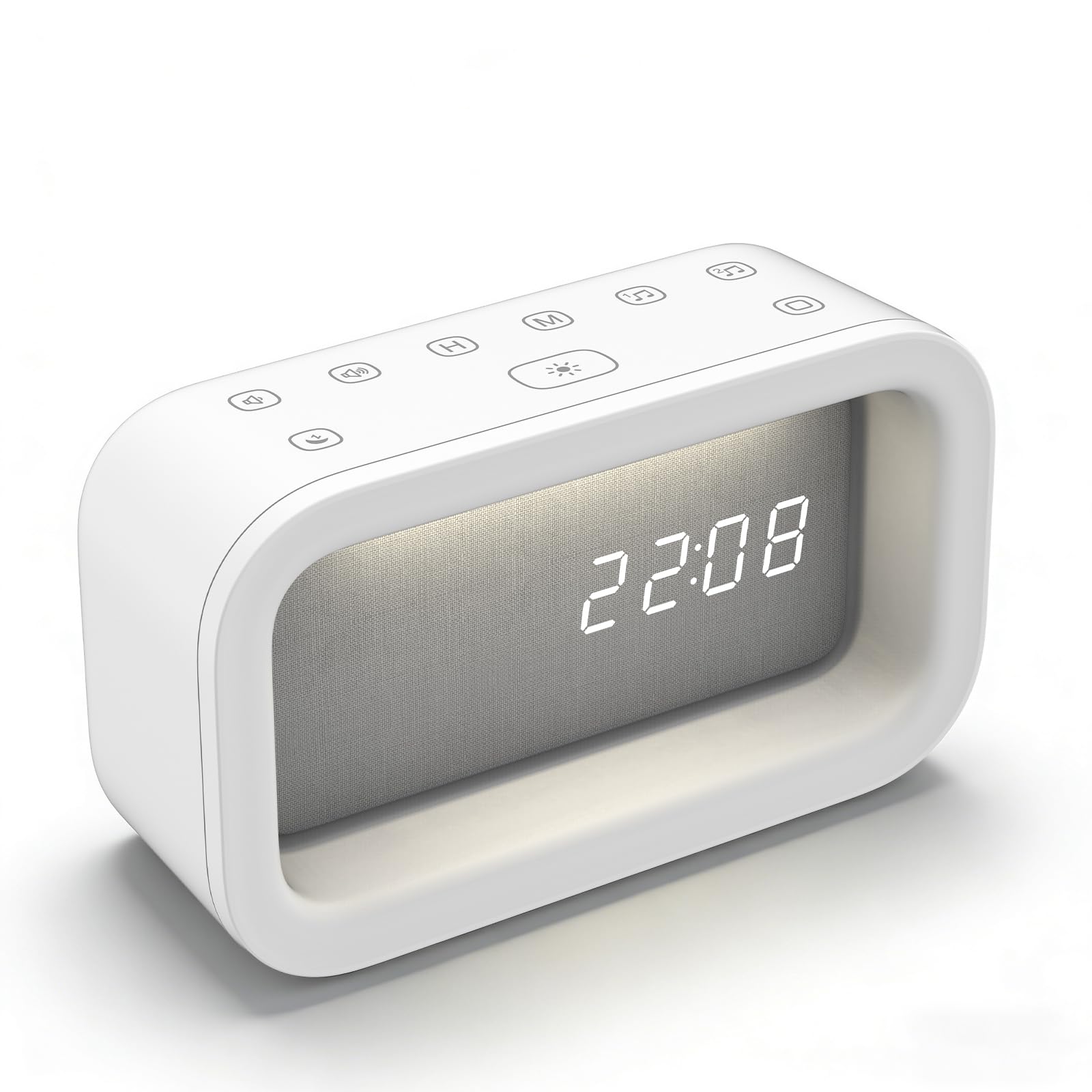
Image: The Gemmac FZC-AC01 Wake Up & Sleep Sound Machine Alarm Clock in white, displaying the time.
2. Key Features
- Dual-Alarm Clock: Functions as both a sleep aid and a gentle wake-up light. Features a snooze function for extended rest.
- 16 Soothing Sounds: Offers a selection of white noise and nature sounds to mask distractions and promote relaxation.
- 3 Ambient Light Modes: Provides three calming colors of dimmable warm light (White, Natural, Yellow) with highly responsive touch controls for brightness adjustment.
- Intuitive Touch Control & Flexible Timer: Easy adjustment of settings with touch controls. Sleep clock timer automatically turns off sounds and lights.
- USB-Rechargeable: Built-in battery for cordless operation, rechargeable via the included USB cable.
- Compact & Portable: Sleek and lightweight design, ideal for bedroom nightstands, office desks, or travel.

Image: Visual representation of the multi-functional aspects of the Gemmac FZC-AC01, including wake-up light, alarm clock, white noise machine, and night light.
3. Package Contents
Please check the package for the following items:
- Gemmac FZC-AC01 Wake Up & Sleep Sound Machine Alarm Clock
- USB Charging Cable (Type-C)
- User Manual
4. Product Diagram
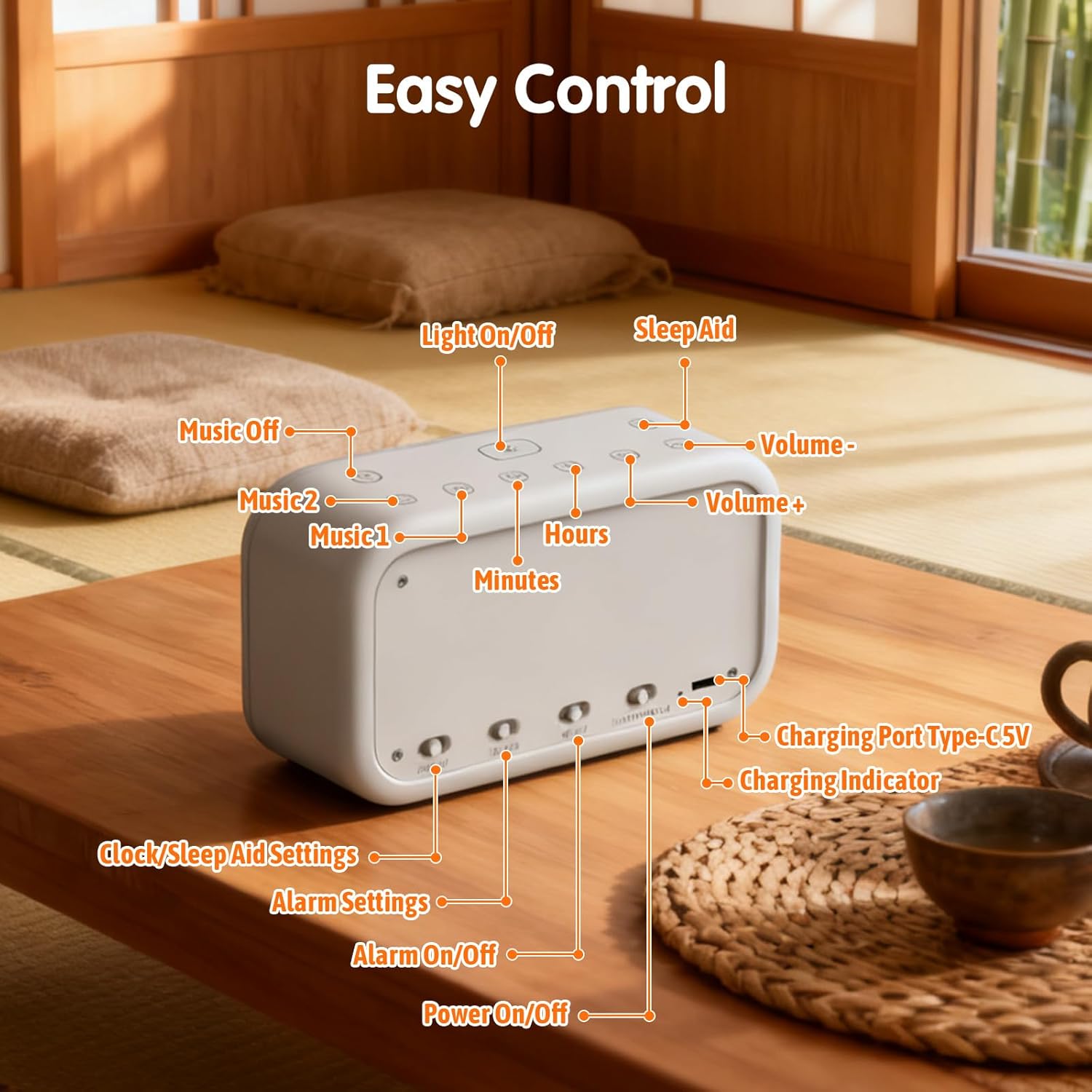
Image: Diagram illustrating the control buttons and ports on the Gemmac FZC-AC01, including Light On/Off, Sleep Aid, Volume controls, Hours, Minutes, Music selection, Charging Port Type-C 5V, Charging Indicator, Clock/Sleep Aid Settings, Alarm Settings, Alarm On/Off, and Power On/Off.
- Light On/Off Button
- Sleep Aid Button
- Volume Down Button
- Volume Up Button
- Hours Adjustment Button
- Minutes Adjustment Button
- Music 1 Selection Button
- Music 2 Selection Button
- Charging Port Type-C 5V
- Charging Indicator Light
- Clock/Sleep Aid Settings Switch
- Alarm Settings Switch (Alarm 1 / Alarm 2)
- Alarm On/Off Button
- Power On/Off Switch
5. Setup Instructions
5.1. Time Setting
To set the current time on your device:
- Locate the switch on the bottom of the device.
- Slide the switch to the "Clock" position (indicated by a clock icon).
- Use the "H" button to adjust the hour and the "M" button to adjust the minutes.
- Once the desired time is set, slide the switch back to the "OK" position to confirm and save the time.
Video: Demonstrates how to set the time on the alarm clock. (0:00 - 0:26)
5.2. Alarm Setting
Your device supports two independent alarms. To set an alarm:
- Locate the alarm setting switches on the bottom of the device.
- Slide the switch to "1" for Alarm 1 or "2" for Alarm 2.
- Short press the "H" button to set the alarm hour and the "M" button to set the alarm minutes.
- Touch the "Music 1" or "Music 2" buttons to select your desired alarm sound.
- Adjust the alarm volume using the Volume Up/Down buttons.
- Short touch the "Light On/Off" button (sun icon) to select whether the wake-up light is "ON" or "OFF" with the alarm.
- Press the "OK" button (located on the bottom) to confirm your alarm settings.
- To activate or deactivate an alarm, press the corresponding "Alarm On/Off" button (bell icon) on the bottom of the device.
Video: Demonstrates how to set an alarm, including time, sound, volume, and wake-up light. (0:27 - 1:09)
6. Operating Instructions
6.1. Sleep Mode Setting
The sleep mode helps you fall asleep with soothing sounds and a gentle light that gradually fades.
- Slide the switch on the bottom to the "Sleep Aid" position (indicated by a moon icon).
- Touch the "H" and "M" buttons to select the desired duration for the sleep mode (e.g., 10, 20, 30, 40, 50 minutes).
- Briefly press the "Music 1" or "Music 2" buttons to select your preferred soothing sounds.
- Adjust the volume using the Volume Up/Down buttons.
- Short press the "Light On/Off" button (sun icon) to toggle the wake-up light for sleep mode. "ON" means the light is selected, "OFF" means it is not.
- Click the "OK" button on the bottom to complete the sleep mode setting.
- To activate sleep mode, press the "Sleep Aid" button (moon icon) on the top panel. The night light and soothing sounds will automatically turn off after the set duration.
- To turn off sleep mode manually, press the "Sleep Aid" button again.
Video: Demonstrates how to set up the sleep mode timer and select sounds. (1:10 - 1:40)
6.2. Selecting Soothing Sounds
The device offers 16 different white noise and nature sounds to aid relaxation or mask distractions.
- While in sleep mode setting or alarm setting, briefly press the "Music 1" or "Music 2" buttons on the top panel to cycle through the available sounds.
- Adjust the volume using the Volume Up/Down buttons.

Image: Illustrates the variety of 16 white noise and natural sound options available on the device.
Video: Demonstrates cycling through the 16 soothing sounds. (1:41 - 1:51)
6.3. Light Adjustment
The device features a 3-color LED warm light with stepless dimming.
- Change Light Color: Short press the "Light On/Off" button (sun icon) on the top panel to cycle through White light, Natural light, and Yellow light.
- Adjust Brightness (Stepless Dimming): Long press the "Light On/Off" button to continuously adjust the brightness from 20% to 100%. Release the button when the desired brightness is reached.
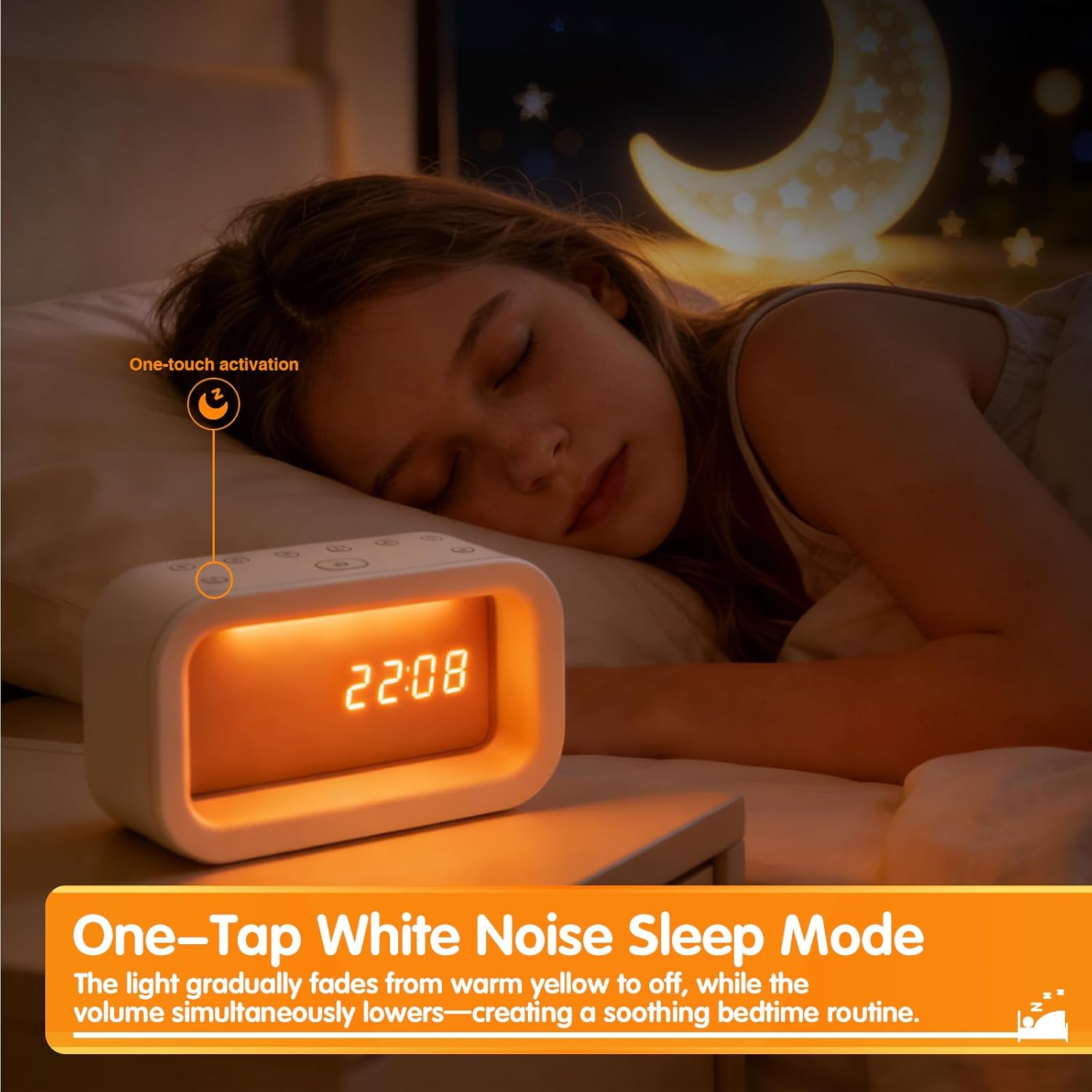
Image: Shows the three available light colors (White, Natural, Yellow) of the LED warm light.
Video: Demonstrates the 3 light modes and stepless dimming functionality. (1:52 - 2:06)
7. Maintenance
- Cleaning: Wipe the device with a soft, dry cloth. Do not use abrasive cleaners or solvents.
- Storage: Store the device in a cool, dry place when not in use for extended periods.
- Charging: Recharge the device regularly to maintain battery health, even if not used frequently.
- Avoid Water: Keep the device away from water and high humidity.
8. Troubleshooting
| Problem | Possible Cause | Solution |
|---|---|---|
| Device does not turn on. | Battery is depleted. | Connect the device to a power source using the USB cable and allow it to charge. |
| Alarm does not sound. | Alarm is not activated or volume is too low. | Ensure the alarm is set and activated (check the bell icon on the bottom). Increase the alarm volume. |
| Display is dim or not visible. | Brightness setting is too low. | Long press the "Light On/Off" button to adjust the display brightness. |
| Sounds are not playing in sleep mode. | Sleep mode sounds not selected or volume too low. | Ensure sounds are selected in sleep mode settings and volume is adjusted. |
9. Specifications
| Feature | Detail |
|---|---|
| Brand | Gemmac |
| Model Number | FZC-AC01 |
| Colour | White |
| Product Dimensions | 13.97 x 3.81 x 7.87 cm |
| Item Weight | 200 g |
| Special Features | Cordless, Night Light, Gift |
| Display Type | LED |
| Style | Modern |

Image: Visual representation of the product dimensions (15.5cm / 6.10in length, 9cm / 3.54in height).
10. Warranty and Support
For warranty information or technical support, please refer to the contact details provided with your purchase or visit the official Gemmac website. Keep your purchase receipt for warranty claims.