
Ninja MC2052CO
Ninja Foodi PossibleCooker PRO Plus MC2052CO User Manual
Model: MC2052CO | Brand: Ninja
1. Introduction
The Ninja Foodi PossibleCooker PRO Plus MC2052CO is an 11-in-1 Smart Cook System designed for versatile kitchen use. This appliance combines the functionality of multiple cooking devices, including a slow cooker, rice cooker, and sous vide machine, into a single unit. It features ThermalSurround Technology with a 1400-watt heating element and includes a Ninja Smart Thermometer for precise temperature control. This manual provides instructions for safe operation, setup, maintenance, and troubleshooting to ensure optimal performance of your appliance.
2. Important Safeguards
When using electrical appliances, basic safety precautions should always be followed to reduce the risk of fire, electric shock, and injury. Read all instructions before using this appliance.
- Always ensure the appliance is unplugged from the outlet when not in use and before cleaning.
- Do not immerse the main unit, cord, or plug in water or other liquids.
- Close supervision is necessary when any appliance is used by or near children.
- Do not operate any appliance with a damaged cord or plug, or after the appliance malfunctions or has been damaged in any manner.
- Use only accessories and attachments recommended by the manufacturer.
- Do not use outdoors. This appliance is for household use only.
- Always place the appliance on a stable, level, heat-resistant surface.
- Extreme caution must be used when moving an appliance containing hot oil or other hot liquids.
- Avoid contact with moving parts.
- Do not place on or near a hot gas or electric burner, or in a heated oven.
- Ensure the cooking pot is properly seated in the main unit before operation.
- Do not block any ventilation openings.
- The Ninja Smart Thermometer is sharp. Handle with care.
3. Components
Familiarize yourself with the parts of your Ninja Foodi PossibleCooker PRO Plus.
- Main Unit: The base of the appliance containing the heating element and control panel.
- 8.5-Quart Cooking Pot: A large capacity pot with a ceramic non-stick interior, suitable for various cooking methods.
- Glass Lid: Transparent lid with a handle, designed to fit the cooking pot.
- Ninja Smart Thermometer: For precise internal temperature monitoring of food.
- Nesting Steam Rack: An accessory for layered cooking and steaming.
- Serving Spoon: A heat-resistant spoon for serving.
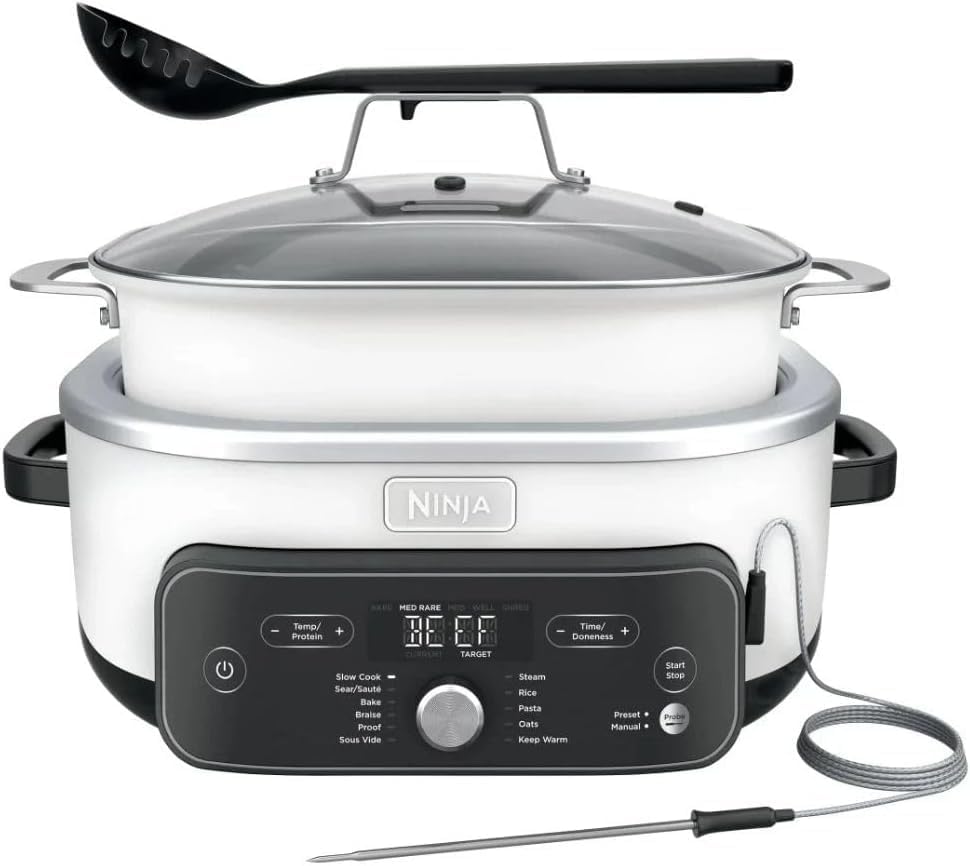
Image 3.1: The Ninja Foodi PossibleCooker PRO Plus showing the main unit, cooking pot, glass lid, smart thermometer, and serving spoon.

Image 3.2: The Ninja Foodi PossibleCooker PRO Plus with the main unit, cooking pot, glass lid, smart thermometer, serving spoon, and the nesting steam rack.
4. Setup
4.1 Unpacking
- Remove all packaging materials, stickers, and labels from the unit.
- Inspect the contents to ensure all parts are present and undamaged.
4.2 Before First Use
- Wash the cooking pot, glass lid, nesting steam rack, and serving spoon in warm, soapy water. Rinse thoroughly and dry completely.
- Wipe the main unit with a clean, damp cloth. Do not immerse the main unit in water.
- Place the main unit on a clean, dry, level, and heat-resistant surface.
- Insert the cooking pot into the main unit, ensuring it is seated correctly.
5. Operating Instructions
The Ninja Foodi PossibleCooker PRO Plus offers 11 cooking functions. Use the control panel to select your desired function and adjust settings.
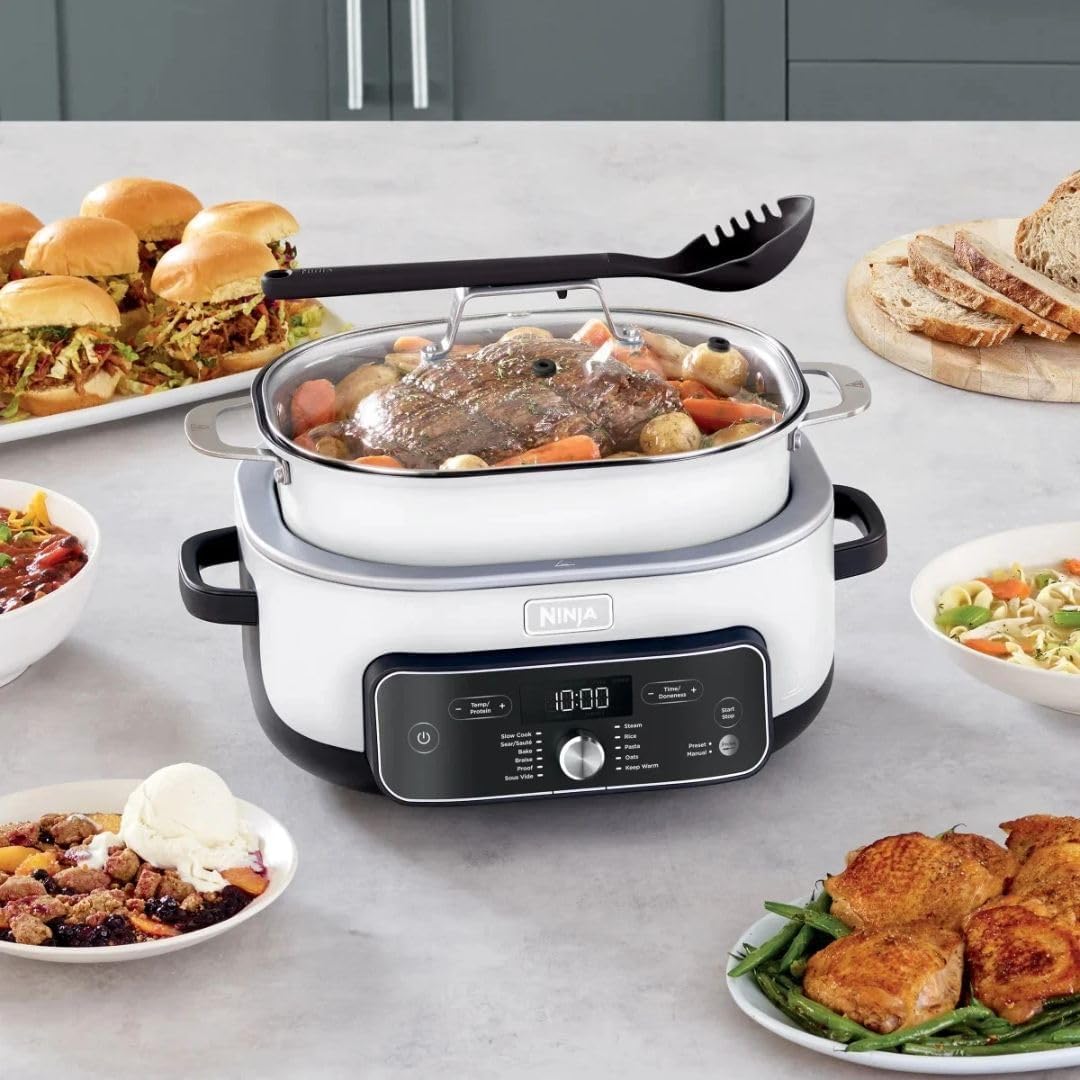
Image 5.1: The Ninja Foodi PossibleCooker PRO Plus cooking a meal, demonstrating its large capacity.
5.1 Control Panel Overview
- Power Button: Turns the appliance on/off.
- Function Dial: Rotate to select cooking functions (Slow Cook, Sear/Sauté, Braise, Proof, Sous Vide, Steam, Rice, Pasta, Oats, Keep Warm, Manual).
- Temp/Protein Button: Adjusts temperature or selects protein type for Smart Thermometer.
- Time/Doneness Button: Adjusts cooking time or selects doneness level for Smart Thermometer.
- Preset/Manual Button: Toggles between preset and manual settings for certain functions.
- Start/Stop Button: Begins or ends a cooking cycle.
- Digital Display: Shows time, temperature, and other cooking information.
5.2 General Operation Steps
- Place ingredients into the cooking pot.
- Plug the appliance into a grounded electrical outlet.
- Press the Power Button to turn on the unit.
- Rotate the Function Dial to select your desired cooking function.
- Use the Temp/Protein and Time/Doneness buttons to adjust settings as needed for the selected function.
- Press the Start/Stop button to begin cooking.
- Once cooking is complete, the appliance may automatically switch to Keep Warm mode (if applicable) or beep to indicate completion. Press Start/Stop to end the cycle.
- Unplug the appliance after use.
5.3 Using the Ninja Smart Thermometer
The Smart Thermometer ensures food is cooked to your desired internal temperature.
- Insert the thermometer probe horizontally into the thickest part of the food, avoiding bone or gristle. Ensure the entire metal tip is inside the food.
- Plug the thermometer into the port on the main unit.
- Select a cooking function that supports thermometer use (e.g., Slow Cook, Sous Vide, Manual).
- Use the Temp/Protein button to select the type of protein (e.g., Beef, Chicken, Pork) or set a custom target temperature.
- Use the Time/Doneness button to select your desired doneness level (e.g., Rare, Medium, Well) or confirm the custom temperature.
- The display will show the current internal temperature of the food. The appliance will automatically stop cooking when the target temperature is reached.

Image 5.3.1: A hand inserting the Ninja Smart Thermometer into a roast cooking in the PossibleCooker PRO Plus.
6. Cleaning and Maintenance
Proper cleaning and maintenance ensure the longevity and performance of your appliance.
6.1 Daily Cleaning
- Always unplug the appliance and allow it to cool completely before cleaning.
- The cooking pot, glass lid, nesting steam rack, and serving spoon are dishwasher safe. Alternatively, wash them in warm, soapy water using a non-abrasive sponge.
- Wipe the exterior of the main unit with a clean, damp cloth. Do not use abrasive cleaners or scouring pads.
- Clean the Ninja Smart Thermometer probe with warm, soapy water and wipe the cord with a damp cloth. Do not immerse the thermometer's plug end in water.
6.2 Storage
Ensure all parts are clean and dry before storing. Store the appliance in a cool, dry place.
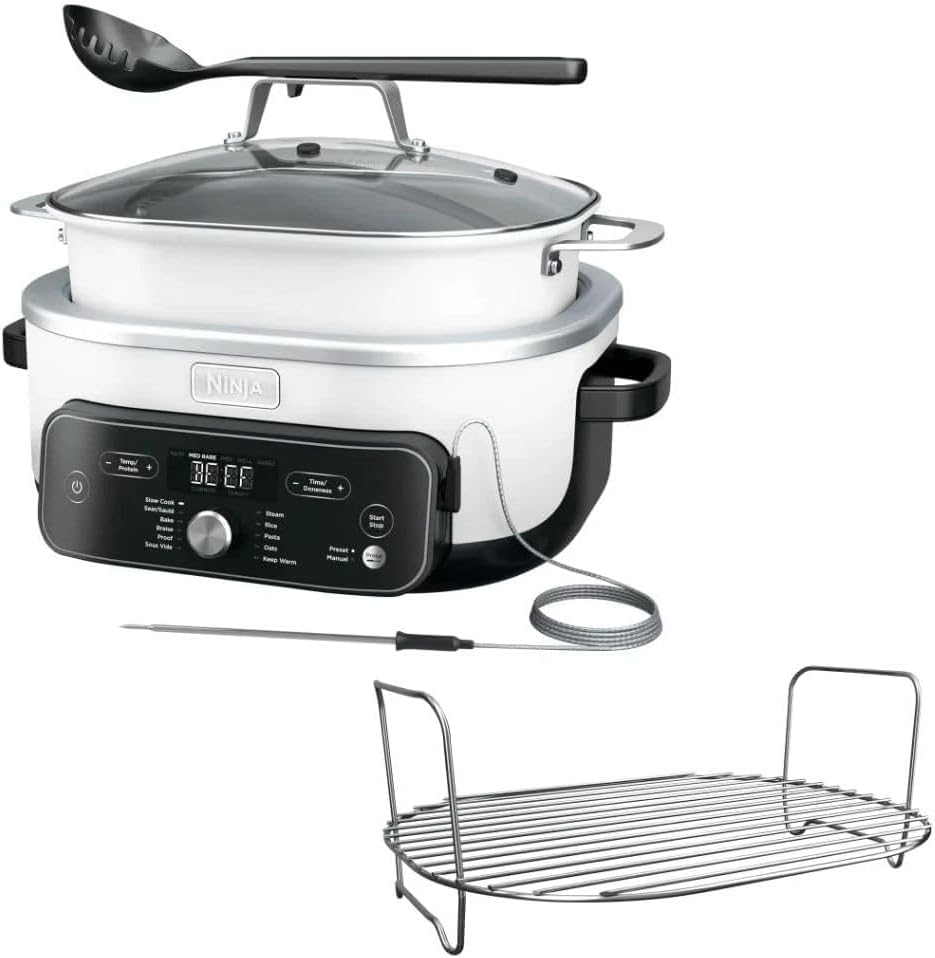
Image 6.2.1: The cooking pot of the Ninja Foodi PossibleCooker PRO Plus, removed from the main unit and placed on a heat-resistant mat on a table.
7. Troubleshooting
Refer to this section for common issues and their solutions.
| Problem | Possible Cause | Solution |
|---|---|---|
| Appliance does not turn on. | Not plugged in; power outlet issue; unit not powered on. | Ensure the power cord is securely plugged into a working outlet. Press the Power Button. Check your circuit breaker. |
| Food not cooking evenly. | Too much food; improper stirring; lid not sealed. | Do not overfill the cooking pot. Stir food periodically if the recipe allows. Ensure the lid is properly seated. |
| Smart Thermometer not reading correctly. | Thermometer not fully inserted; not plugged into port; faulty thermometer. | Ensure the thermometer is fully inserted into the thickest part of the food and securely plugged into the unit's port. If issues persist, contact customer support. |
| Error code displayed. | Specific internal issue. | Note the error code and refer to the Ninja support website or contact customer service for specific guidance. |
8. Specifications
| Feature | Detail |
|---|---|
| Model Number | MC2052CO |
| Capacity | 8.5 Quarts |
| Wattage | 1400 watts |
| Voltage | 120 Volts |
| Product Dimensions (D x W x H) | 16.2" x 14.45" x 11.1" |
| Item Weight | 12.5 Pounds |
| Material | Metal, Plastic (with ceramic non-stick interior pot) |
| Control Method | Touch, Dial |
| Number of Settings | 12 (referring to functions and control options) |
| Dishwasher Safe Parts | Cooking Pot, Glass Lid, Nesting Steam Rack, Serving Spoon |
9. Warranty and Support
Ninja provides a limited warranty for its products. For detailed warranty information, including terms and conditions, please refer to the warranty card included with your purchase or visit the official Ninja website.
For customer support, product registration, replacement parts, or further assistance, please visit the official Ninja support website or contact their customer service department. Contact information can typically be found on the product packaging or the manufacturer's website.
Online Support: www.ninjakitchen.com/support
Related documentsMC2052CO


Ask a question about this manual
Ask about setup, troubleshooting, compatibility, parts, safety, or missing instructions. Manuals+ will review the question and use this page’s manual context to help answer it.