
1. Introduction
The AITEK ANB-3312 1500VA No-Break (Uninterruptible Power Supply) is designed to protect your electronic equipment from power fluctuations, surges, and outages. This device provides a stable power supply and battery backup, ensuring the continuity of operations for your critical devices. Featuring a 1500VA capacity and two 12V/9AH batteries, it offers extended autonomy and reliable protection. Its robust construction and low noise level make it suitable for both home and professional environments.
Key features include:
- 1500VA capacity for multiple high-consumption devices.
- Two 12V/9AH batteries for extended backup time.
- Fast transfer time of 4-6 ms.
- Simulated sine wave output.
- Low noise operation (less than 40dB).
- Bivolt automatic input (110V-220V) and switched output (110V-220V).
2. Safety Instructions
Please read and follow these safety instructions carefully before installing, operating, or maintaining the No-Break. Failure to comply with these instructions may result in electric shock, fire, or serious injury.
- Placement: Install the No-Break in a well-ventilated area, away from direct sunlight, heat sources, and moisture. Ensure adequate clearance around the unit for proper airflow.
- Power Source: Connect the No-Break only to a grounded electrical outlet. Do not remove the grounding prong.
- Overload: Do not overload the No-Break. The total power consumption of connected equipment must not exceed the unit's capacity (1500VA).
- Liquid Exposure: Do not expose the No-Break to rain, water, or any other liquids.
- Internal Components: Do not open the No-Break casing. There are no user-serviceable parts inside. Refer all servicing to qualified service personnel.
- Battery Safety: Batteries can present a risk of electric shock and high short-circuit current. Observe the following precautions:
- Do not dispose of batteries in a fire. They may explode.
- Do not open or mutilate batteries. Released electrolyte is harmful to the skin and eyes.
- Replace batteries only with the same type and number of batteries as specified by the manufacturer.
- Emergency Disconnect: In an emergency, press the power button to turn off the unit and disconnect the power cord from the wall outlet.
3. Product Overview
The AITEK ANB-3312 No-Break is designed for ease of use and reliable performance. Below are the key components and their functions.
3.1 Front Panel
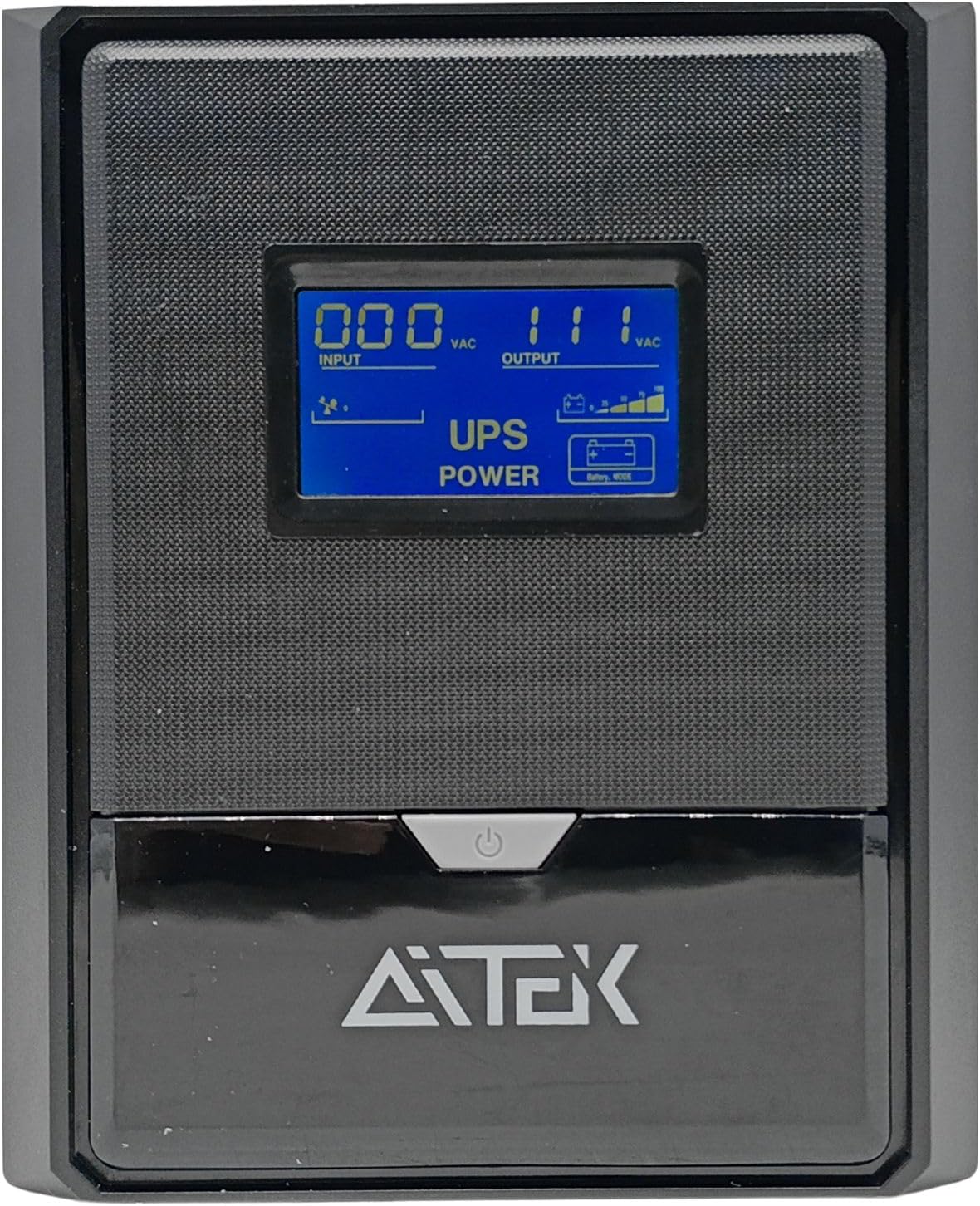
Image 3.1: Front view of the AITEK ANB-3312 No-Break, showing the LCD display and power button. The display provides real-time information on input/output voltage and UPS status.
- LCD Display: Shows input voltage, output voltage, battery level, load level, and operational status (e.g., AC mode, battery mode, fault).
- Power Button: Used to turn the No-Break ON or OFF.
- AITEK Logo: Brand identification.
3.2 Rear Panel

Image 3.2: Rear panel of the AITEK ANB-3312 No-Break, featuring three output sockets, a voltage selector switch, and the AC input.
- Output Sockets: Three standard Brazilian power outlets for connecting your devices. These provide battery backup and surge protection.
- Voltage Selector Switch: Allows selection between 110V and 220V output. Ensure this is set correctly before connecting devices.
- AC Input: IEC 320 power inlet for connecting the No-Break to the main power supply.
- Fuse: Overcurrent protection for the unit.
4. Setup
Follow these steps to properly set up your AITEK ANB-3312 No-Break.
- Unpacking: Carefully remove the No-Break from its packaging. Inspect for any shipping damage. The package should contain:
- 1x AITEK ANB-3312 No-Break
- 1x User Manual
- Placement: Place the No-Break on a flat, stable surface in a cool, dry, and well-ventilated area. Avoid direct sunlight and heat sources. Ensure there is at least 10 cm of space around the unit for proper ventilation.
- Initial Charging: Before connecting any devices, connect the No-Break to a grounded wall outlet using the provided power cord. Allow the unit to charge for at least 8 hours to ensure the batteries are fully charged. The LCD display will indicate the charging status.
- Set Output Voltage: On the rear panel, locate the voltage selector switch. Set it to either 110V or 220V according to the voltage requirements of the devices you intend to connect. Incorrect voltage selection can damage your equipment.
- Connect Devices: Once the No-Break is fully charged and the voltage is set, connect your electronic devices (e.g., computer, monitor, router) to the output sockets on the rear panel. Do not exceed the 1500VA capacity.
- Power On: Press and hold the power button on the front panel for a few seconds until the unit powers on. The LCD display will illuminate and show the operational status.
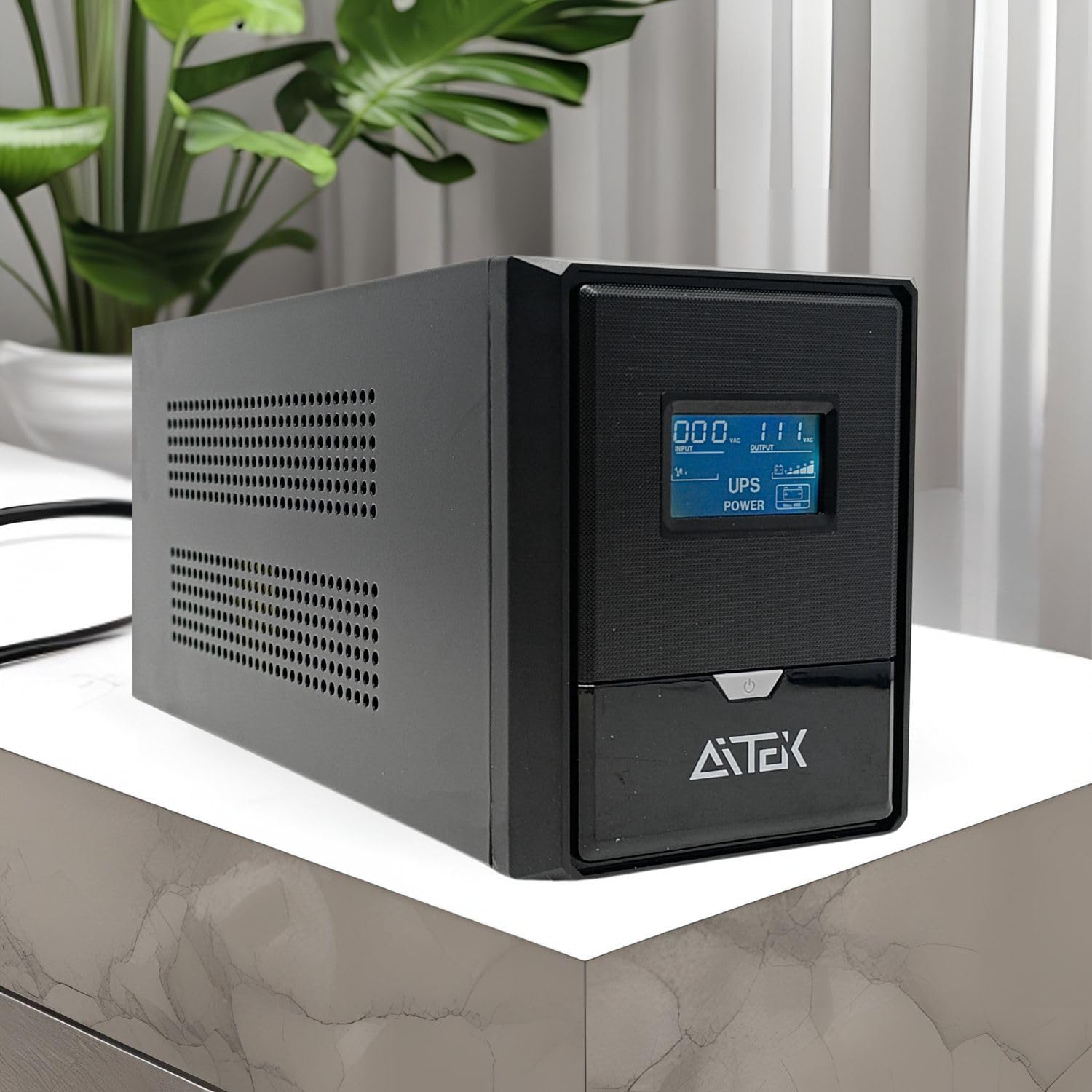
Image 4.1: The AITEK ANB-3312 No-Break positioned on a desk, illustrating a typical setup environment.
5. Operating Instructions
This section details the normal operation of your AITEK ANB-3312 No-Break.
5.1 Powering On/Off
- To Power On: Ensure the No-Break is connected to a wall outlet. Press and hold the power button on the front panel for approximately 3 seconds until you hear a beep and the LCD display illuminates.
- To Power Off: Press and hold the power button for approximately 3 seconds until the unit powers down and the LCD display turns off. If the unit is operating on battery power, it will shut down immediately. If connected to AC power, it will enter standby mode.
5.2 Understanding the LCD Display
The LCD display provides crucial information about the No-Break's status.
Image 5.1: Detailed view of the No-Break's LCD screen, showing input voltage, output voltage, and battery status indicators.
- Input (VAC): Displays the incoming AC voltage from the wall outlet.
- Output (VAC): Displays the outgoing AC voltage supplied to your connected devices.
- UPS POWER: Indicates the unit is active.
- Battery Icon: Shows the current battery charge level. When on battery power, this icon will flash, and the unit will emit an audible alarm.
- Load Level: Indicates the percentage of the No-Break's capacity being used by connected devices. Avoid exceeding 80% for optimal performance and battery life.
5.3 Battery Mode Operation
When the main AC power fails, the No-Break automatically switches to battery mode.
- The unit will emit an audible alarm (beeping) to indicate it is operating on battery power.
- The LCD display will show the battery icon flashing and the remaining battery charge.
- During battery mode, save your work and shut down your equipment properly to prevent data loss once the battery level becomes critically low.
- When AC power is restored, the No-Break will automatically switch back to AC mode and begin recharging its batteries.
6. Maintenance
Proper maintenance ensures the longevity and reliable operation of your AITEK ANB-3312 No-Break.
- Cleaning: Regularly clean the exterior of the No-Break with a soft, dry cloth. Do not use liquid or aerosol cleaners. Ensure ventilation openings are free from dust and debris.
- Battery Care:
- For optimal battery life, keep the No-Break connected to AC power to maintain a full charge.
- If the No-Break is stored for an extended period, recharge it every three months to prevent battery degradation.
- Battery replacement should only be performed by qualified service personnel.
- Environmental Conditions: Ensure the operating environment remains within the specified temperature (0 to 40°C) and humidity (0 to 90% RH, non-condensing) ranges.
7. Troubleshooting
This section addresses common issues you might encounter with your No-Break.
| Problem | Possible Cause | Solution |
|---|---|---|
| No-Break does not turn on. |
|
|
| No-Break beeps continuously or frequently. |
|
|
| Connected devices are not receiving power. |
|
|
| No-Break gets warm during operation. |
|
|
8. Specifications
Technical specifications for the AITEK ANB-3312 1500VA No-Break.
| Feature | Detail |
|---|---|
| Model | ANB-3312 (Also referred to as ANB-3315 in some documentation) |
| Capacity | 1500VA |
| Input Voltage Range | 81-145 V AC or 145-275 V AC (Automatic Detection) |
| Input Frequency | 50Hz / 60Hz (Automatic Detection) |
| Output Voltage Regulation | ± 10% |
| Transfer Time | Typical 4-6 ms |
| Waveform | Simulated Sine Wave |
| Battery Type & Quantity | 2 units of 12V / 9AH |
| Recharge Time | 8 hours to 90% capacity |
| Humidity | 0 to 90% RH (0 to 40°C, non-condensing) |
| Noise Level | Less than 40dB |
| Input | 110V - 220V (Automatic Bivolt) |
| Output | 110V - 220V (Switched Bivolt) |
| Composition | Metal, Plastic, Electronic Components |
| Dimensions (L x W x H) | 36.5 x 16.5 x 14 cm (approx.) |
| Weight | 11.9 kg (approx.) |
9. Warranty and Support
The AITEK ANB-3312 No-Break comes with a manufacturer's warranty.
- Manufacturer's Warranty: This product is covered by a 90-day manufacturer's warranty. Please retain your proof of purchase for warranty claims.
- Technical Support: For technical assistance, troubleshooting beyond this manual, or warranty inquiries, please contact AITEK customer support. Refer to the product packaging or the official AITEK website for contact information.