
1. Product Overview
The STAPLES Hyken Pro Ergonomic Office Chair is designed to provide comfort and support for extended periods of sitting. It features a breathable mesh back and seat, adjustable lumbar support, a three-position tilt lock, and a swivel base for enhanced mobility. This chair is built to meet or exceed ANSI/BIFMA quality standards and supports individuals up to 275 lbs.

Figure 1: Front view of the STAPLES Hyken Pro Ergonomic Office Chair.
2. Safety Information
This chair meets or exceeds ANSI/BIFMA safety standards. To ensure safe operation and prevent injury:
- Always ensure the chair is properly assembled before use.
- Do not exceed the maximum weight recommendation of 275 lbs.
- Avoid standing on the chair or using it as a step stool.
- Keep children and pets away from the chair during assembly and adjustment.
- Regularly inspect all components for wear or damage. Discontinue use if any damage is found.
3. Setup and Assembly
While some components may be pre-assembled, final assembly is required. Please follow these general steps. Refer to the detailed assembly instructions included in your product packaging for specific diagrams and hardware.
- Unpack Components: Carefully remove all parts from the packaging and lay them out on a clean, flat surface. Verify all parts are present against the included parts list.
- Attach Casters to Base: Insert the casters into the holes at the end of each leg of the 5-star base until they click securely into place.
- Install Gas Lift: Place the gas lift cylinder into the center hole of the 5-star base.
- Assemble Seat and Backrest: Attach the seat mechanism to the bottom of the seat cushion. Then, connect the backrest to the seat mechanism using the provided screws and tools.
- Attach Armrests: Secure the armrests to the seat assembly. Ensure they are firmly attached.
- Mount Headrest: Attach the adjustable headrest to the top of the backrest.
- Final Assembly: Place the assembled seat and backrest onto the gas lift cylinder. Press down firmly to secure.

Figure 2: Chair dimensions for reference during assembly and placement.
4. Operating Instructions
The Hyken Pro chair offers multiple adjustment options to customize your seating experience:
- Seat Height Adjustment: Locate the lever under the right side of the seat. Pull the lever up to raise the seat. While seated, pull the lever up to lower the seat. Release the lever to lock the height.
- Armrest Adjustment: The armrests are 3-way adjustable. Press the button on the side of the armrest support to adjust their height. They can also pivot and slide forward/backward.
- Tilt Lock and Tension:
- Tilt Lock: Use the lever on the left side of the seat to lock the backrest in one of three reclining positions.
- Tilt Tension: Rotate the knob located under the front of the seat to adjust the resistance of the recline function. Turn clockwise for more resistance, counter-clockwise for less.
- Lumbar Support Adjustment: The integrated lumbar support can be adjusted vertically to fit the curve of your lower back. Gently push or pull the lumbar support pad to your desired position.
- Headrest Adjustment: The 3-way pivoting headrest can be adjusted for height and angle to provide optimal neck and head support.

Figure 3: Overview of the chair's 14 adjustment options for a customized fit.
5. Maintenance and Care
Proper maintenance will extend the life and appearance of your STAPLES Hyken Pro chair:
- Cleaning Mesh Fabric: Use a soft cloth dampened with mild soap and water to gently wipe down the mesh back and seat. Avoid abrasive cleaners or harsh chemicals. Allow to air dry completely.
- Cleaning Plastic and Metal Parts: Wipe with a soft, damp cloth. For stubborn dirt, a mild, non-abrasive cleaner can be used.
- Caster Care: Periodically check casters for accumulated hair or debris and clean as needed to ensure smooth movement.
- Hardware Check: Every six months, check all screws and bolts to ensure they are tight. Re-tighten if necessary.
- Avoid Direct Sunlight: Prolonged exposure to direct sunlight can cause the mesh and plastic components to fade or degrade.
6. Troubleshooting
If you encounter issues with your chair, refer to the following common solutions:
| Problem | Possible Cause | Solution |
|---|---|---|
| Chair does not raise or lower | Gas lift malfunction or lever not engaged. | Ensure the height adjustment lever is fully engaged. If the issue persists, the gas lift may need replacement. |
| Chair squeaks or wobbles | Loose hardware or worn components. | Check and tighten all screws and bolts. Apply a small amount of silicone lubricant to moving parts if squeaking continues. |
| Casters do not roll smoothly | Debris caught in casters or worn casters. | Remove any hair or debris from the caster wheels. If casters are worn, they may need replacement. |
| Backrest does not recline or lock | Tilt lock mechanism not engaged or tilt tension too high. | Ensure the tilt lock lever is correctly positioned. Adjust the tilt tension knob counter-clockwise to reduce resistance. |
7. Specifications
- Model Name: Hyken Pro
- Item Model Number: ST63228
- Brand: STAPLES
- Color: Black
- Material: Mesh (Fabric Type), Foam (Fill Material)
- Product Dimensions: 44" - 56.3" H x 28.5" W x 27.8" D (Overall)
- Seat Depth: 17.9 inches
- Back Style: Mesh
- Special Feature: Adjustable Headrest
- Maximum Weight Recommendation: 275 Pounds
- Reclining Position Count: 3
- Item Weight: 27.2 pounds
- Safety Standards: Meets or exceeds ANSI/BIFMA quality standards
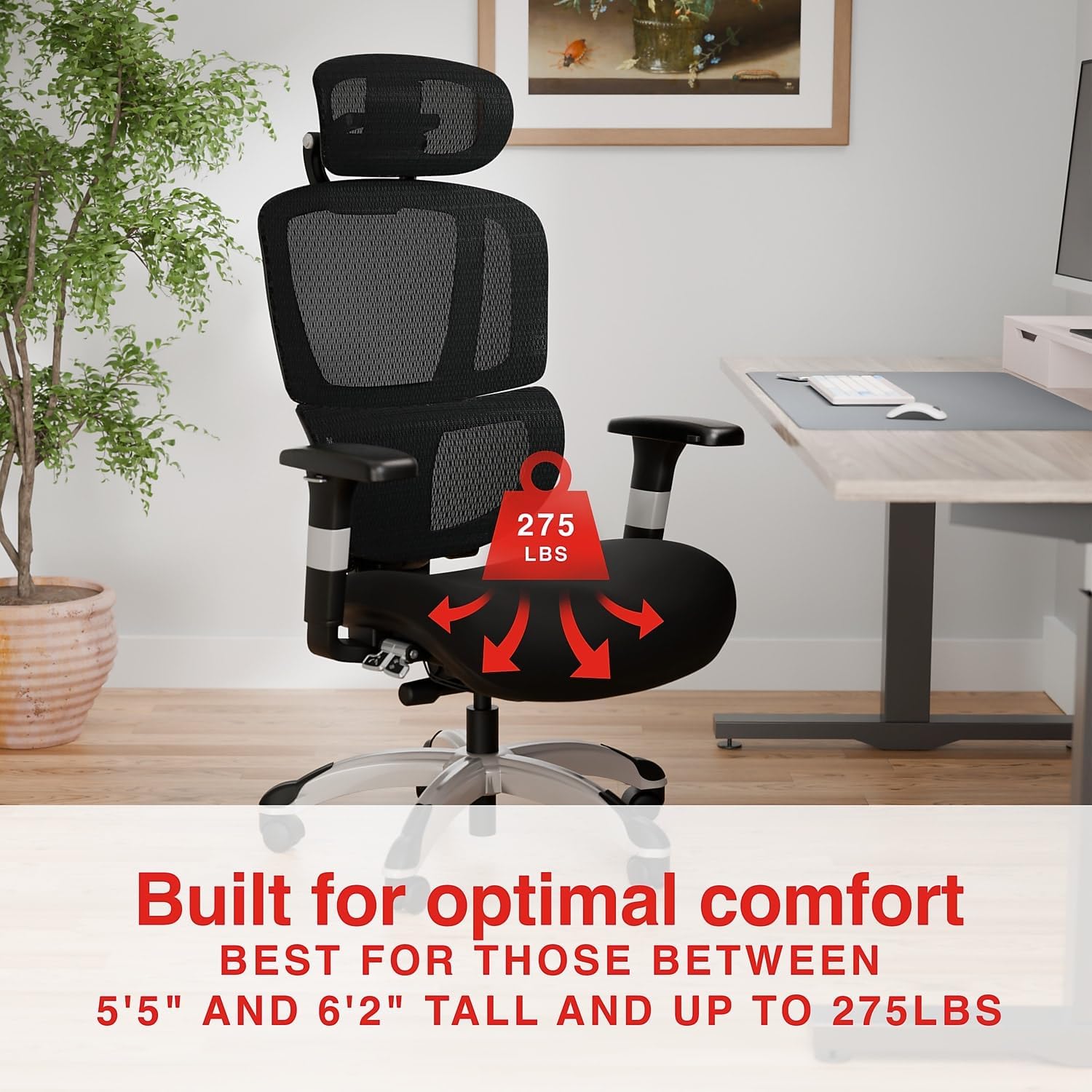
Figure 4: The chair is designed to support users up to 275 lbs.
8. Warranty and Support
For information regarding warranty coverage, returns, or customer support, please refer to the following:
- Returns: This product typically includes a 30-day easy return policy. Please check your purchase documentation for specific details.
- Customer Support: For assistance with your STAPLES Hyken Pro chair, please contact STAPLES customer service. Contact information can usually be found on the STAPLES official website or your purchase receipt.
- Protection Plans: Optional 2-Year or 3-Year Protection Plans may be available for purchase separately.
For further details, visit the STAPLES Store on Amazon.


