
Introduction
Thank you for choosing the JBL Endurance Peak 4 Wireless Sport Earbuds. This manual provides essential information to help you set up, operate, and maintain your earbuds for optimal performance. Please read this manual thoroughly before using your product.

Image: JBL Endurance Peak 4 earbuds shown in an active outdoor environment.
What's in the Box
Ensure all items are present in your package:
- 1 x JBL Endurance Peak 4 Headset
- 1 x Wireless Charging Case
- Ear Tips (various sizes)
- 1 x Amplifier (ear fin)
- 1 x QSG (Quick Start Guide) Safety Sheet
- 1 x Warranty / Warning Sheet
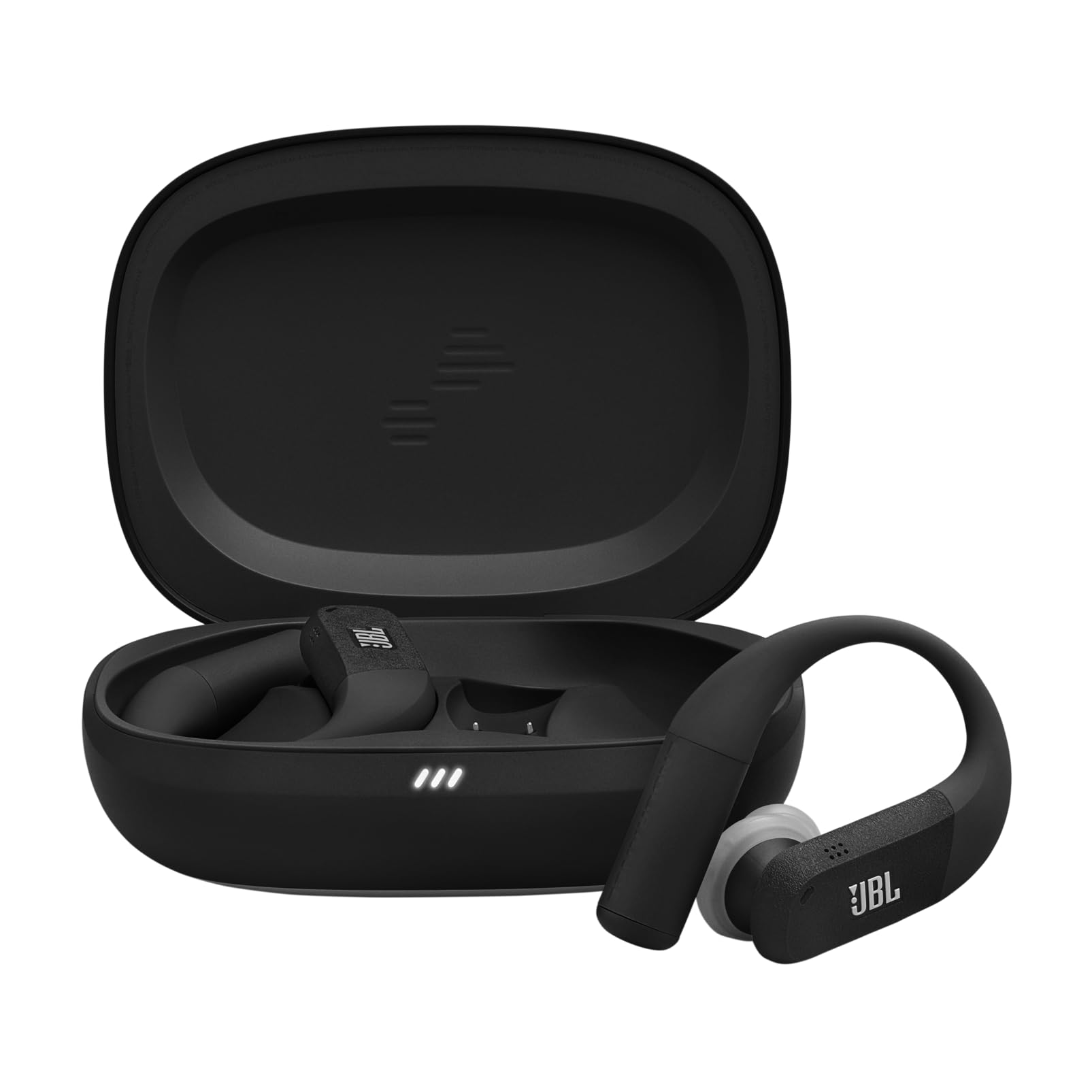
Image: The JBL Endurance Peak 4 earbuds and their charging case.
Setup
1. Charging
Before first use, fully charge your earbuds and charging case. Connect the charging case to a power source using the provided USB-C cable. The LED indicators on the case will show the charging status. For optimal battery life, fully charge your True Wireless earbuds at least once every 3 months.

Image: The JBL Endurance Peak 4 charging case.
2. Secure Fit (TwistLock)
The JBL Endurance Peak 4 features an oval ear tip design and TwistLock technology for a secure and comfortable fit during workouts. The liquid silicone ear hook with memory wire adapts effortlessly to various ear sizes.
- Insert the earbud into your ear.
- Twist the earbud backward to lock it in place, ensuring the ear hook sits comfortably over your ear.
- Adjust the ear tip for a snug seal to optimize sound quality and noise cancellation.

Image: A person wearing JBL Endurance Peak 4 earbuds, highlighting the secure fit.
3. Pairing with Bluetooth Devices
To connect your earbuds to a device:
- Open the charging case. The earbuds will automatically enter pairing mode.
- On your device (smartphone, tablet, computer), go to Bluetooth settings and select "JBL Endurance Peak 4" from the list of available devices.
- For Android 6.0+ devices, Fast Pair is supported for quick connection.
- For Microsoft Swift Pair (Windows 10 v1803+), quick connection is also supported.
- The earbuds support seamless switching between two Bluetooth devices (multipoint pairing).
Operating Instructions
Power On/Off
- Power On: Open the charging case, or if already out of the case, press and hold the touch control area on both earbuds for a few seconds.
- Power Off: Place the earbuds back into the charging case and close the lid, or press and hold the touch control area on both earbuds for a few seconds until they power off.
Touch Controls
The earbuds feature touch-sensitive controls. Specific functions can be customized via the JBL Headphones App.
| Action | Function (Default) |
|---|---|
| Single Tap (Left/Right) | Play/Pause, Answer Call |
| Double Tap (Left/Right) | Next Track, End Call |
| Triple Tap (Left/Right) | Previous Track |
| Press and Hold (Left) | Toggle Noise Cancelling / Ambient Aware |
| Press and Hold (Right) | Activate Voice Assistant |
Adaptive Noise Cancelling & Smart Ambient
The earbuds feature Adaptive Noise Cancelling with four microphones to reduce distractions, allowing you to focus on your audio. Smart Ambient mode allows you to stay aware of your surroundings while listening to music.

Image: A person exercising with earbuds, demonstrating focus with noise cancellation.
JBL Pure Bass Sound with Spatial Sound
Experience powerful stereo sound with deep, immersive bass thanks to the 10mm dynamic drivers and JBL Pure Bass Sound. Personalize your audio experience further with Personi-Fi 3.0.

Image: Individuals in a gym setting, emphasizing the immersive sound for workouts.
Clear Calls
Six beamforming microphones capture your voice clearly while reducing background noise. The wind-cut design ensures clear outdoor calls.

Image: A woman using the earbuds for a call in an outdoor environment.
JBL Headphones App
Customize your listening experience with the JBL Headphones App. Gain more control over your music, adjust EQ settings, customize touch controls, and manage noise cancellation modes.
Battery Life
Enjoy up to 48 hours of total playback time. The earbuds provide 12 hours of listening, with an additional 3 full charges stored in the case. A quick 10-minute charge provides 4 more hours of playback.

Image: Earbuds and case illustrating extended battery life.
Weather Resistance (IP68)
The JBL Endurance Peak 4 earbuds are IP68 certified, making them water and dustproof. This ensures they function reliably through sweat, rain, sand, and even under extreme conditions, making them ideal for any workout environment.

Image: Earbuds with water droplets, showcasing their weather resistance.
Maintenance
To ensure the longevity and performance of your JBL Endurance Peak 4 earbuds:
- Clean the earbuds and charging contacts regularly with a dry, soft cloth.
- Avoid using abrasive cleaners or solvents.
- Store the earbuds in their charging case when not in use to protect them and keep them charged.
- Do not expose the earbuds or case to extreme temperatures.
- Ensure the charging port is dry before charging.
Troubleshooting
If you encounter issues with your earbuds, try the following solutions:
- No Sound: Ensure earbuds are charged and properly paired. Check volume levels on both earbuds and your connected device.
- Pairing Issues: Make sure Bluetooth is enabled on your device and the earbuds are in pairing mode. Try unpairing and re-pairing the earbuds.
- Earbuds Not Charging: Ensure the charging case is charged and the earbuds are correctly seated in the case with charging contacts aligned. Clean the charging contacts if necessary.
- Poor Sound Quality: Adjust the fit of the ear tips for a better seal. Ensure there are no obstructions between the earbuds and your device.
- Controls Not Responding: Ensure the touch control area is clean and dry. Try restarting the earbuds.
Specifications
| Feature | Detail |
|---|---|
| Brand | JBL |
| Model Name | JBL Endurance Peak 4 |
| Model Number | JBLENDUPEAK4BLKG |
| Color | Black/Grey |
| Ear Placement | In-Ear |
| Form Factor | True Wireless |
| Impedance | 16 Ohms |
| Noise Control | Adaptive Noise Reduction |
| Frequency Response | 20 Hz - 20 KHz |
| Sensitivity | 108 dB |
| Connectivity Technology | Bluetooth |
| Bluetooth Version | 4.0 |
| Control Method | Application |
| Product Features | Noise Cancellation, Rechargeable Battery, Multipoint Pairing, Sweat Resistant |
| Water Resistance Level | IP68 (Waterproof) |
| Compatible Devices | Cell Phone, Tablet, Computer |
| Average Battery Life | 48 Hours |
Warranty and Support
Your JBL Endurance Peak 4 earbuds come with a standard manufacturer's warranty. For detailed warranty information, please refer to the Warranty / Warning Sheet included in your product package. For technical support, troubleshooting assistance, or to inquire about repairs, please visit the official JBL support website or contact their customer service.
You can also visit the JBL Brand Store on Amazon for more product information and accessories.


