
Introduction
Thank you for choosing the SURFOU Wireless Doorbell. This manual provides detailed instructions for the installation, operation, and maintenance of your new doorbell system. Please read this manual thoroughly before use to ensure proper function and longevity of the product. This kit includes two doorbell buttons (transmitters) and one plug-in receiver.
Package Contents
Carefully unpack your SURFOU Wireless Doorbell kit and ensure all items are present:
- 2 x Wireless Doorbell Buttons (Transmitters)
- 1 x Plug-in Doorbell Receiver
- Mounting Hardware (Screws, Wall Anchors, Double-sided Adhesive Tape)
- 1 x User Manual
- Batteries for Transmitters (Alkaline)

Image: Contents of the SURFOU Wireless Doorbell package, showing two doorbell buttons, one receiver, a user manual, a battery, and installation accessories. The receiver measures approximately 7cm x 7cm, and the button measures approximately 8.6cm x 3.5cm.
Specifications
| Wireless Range | Up to 1300 feet (400 meters) in open areas |
| Melodies | 55 selectable chimes |
| Volume Levels | 5 adjustable levels (0dB to 111dB) |
| Operating Temperature | -22°F to 158°F (-30°C to 70°C) |
| Transmitter Power Source | Alkaline Battery (included) |
| Receiver Power Source | AC Plug-in |
| Waterproof Rating | IP44 (Transmitter) |

Image: Illustration of the wireless range, indicating a maximum distance of 1300 feet and a battery lifespan of 1-3 years for the doorbell button.
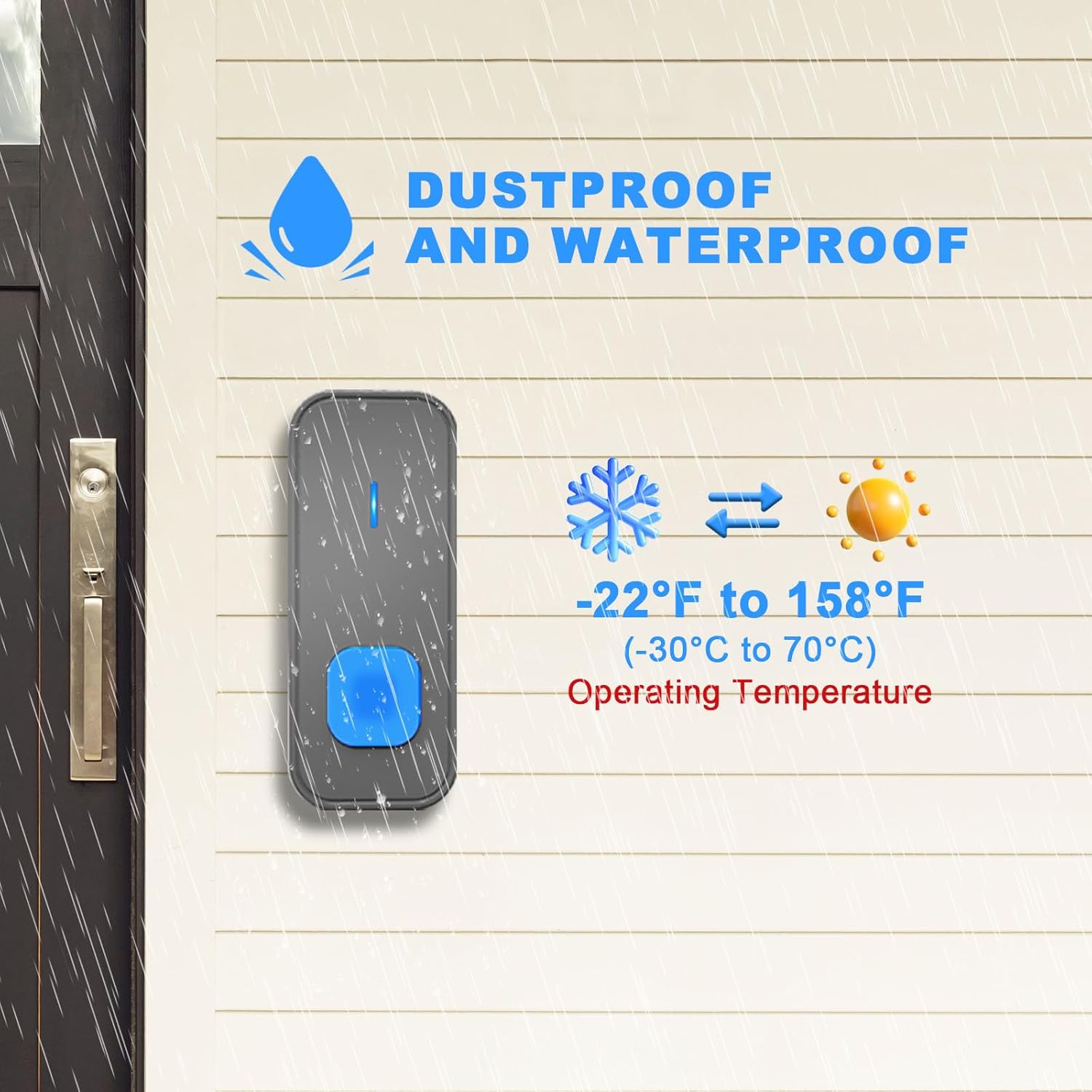
Image: The doorbell button is shown to be dustproof and waterproof, capable of operating in temperatures from -22°F to 158°F (-30°C to 70°C).
Setup and Installation
1. Install Transmitter (Doorbell Button)
- Choose a Location: Select a flat, vertical surface near your door. Ensure the surface is clean and dry.
- Method A: Adhesive Tape Installation
- Peel off one side of the double-sided adhesive tape and attach it to the back of the doorbell button.
- Peel off the other side of the tape and firmly press the doorbell button onto the desired location for at least 30 seconds.
- Method B: Screw Installation
- Open the back cover of the doorbell button.
- Mark the positions for drilling holes using the back cover as a template.
- Drill two holes, insert the wall anchors, and then secure the back cover with the provided screws.
- Snap the doorbell button onto the secured back cover.
- Battery Installation: Ensure the alkaline battery is correctly inserted into the transmitter with the correct polarity.
2. Install Receiver (Plug-in Unit)
- Plug the receiver into any standard electrical outlet within range of your doorbell button.
- For optimal performance, avoid plugging the receiver into outlets near large metal objects or other electronic devices that may cause interference.
3. Pairing (Synchronization)
Your doorbell kit is typically pre-paired at the factory. If the button and receiver do not communicate, follow these steps to pair them:
- Plug the receiver into an electrical outlet.
- Press and hold the volume button on the receiver for 3-5 seconds until the LED indicator flashes and you hear a 'ding' sound, indicating it is in pairing mode.
- Immediately press the doorbell button (transmitter). The receiver will ring, confirming successful pairing.
- If you have multiple buttons, repeat steps 2 and 3 for each additional button.
Operating Instructions
1. Changing Melodies
The receiver offers 55 different melodies. To change the melody:
- Press the 'Melody Selection' button (usually a musical note icon) on the receiver to cycle through the available tunes.
- Once you hear a melody you like, stop pressing the button. The receiver will automatically save this selection.
2. Adjusting Volume
There are 5 adjustable volume levels, from 0dB (silent) to 111dB (maximum). To adjust the volume:
- Press the 'Volume' button (usually a speaker icon) on the receiver to cycle through the volume levels.
- The receiver will indicate the current volume level with a sound or LED flash.
3. LED Flash Indicator and Silent Mode
The receiver features an LED flash indicator, which is particularly useful for individuals with hearing impairments or when the doorbell is in silent mode.
- When the doorbell button is pressed, the receiver will flash its LED light in addition to playing the selected melody.
- To activate silent mode, cycle through the volume levels until the volume reaches 0dB. The LED flash will still activate when the doorbell is pressed, providing a visual alert.
4. Memory Function
The doorbell receiver is equipped with a memory function. It will retain your last set melody and volume level even after a power outage or if it is unplugged and replugged.

Image: Visual representation of the doorbell's features, including 55 selectable melodies, 5 adjustable volume levels, 2 working modes (sound and silent with LED flash), and a volume range of 0-110dB.

Image: The doorbell receiver with its LED display, highlighting its utility for hearing-impaired individuals and its mute mode functionality.
Maintenance
1. Battery Replacement (Transmitter)
When the doorbell button's range decreases or it stops working, the battery may need replacement. The transmitter uses an alkaline battery.
- Carefully open the back cover of the doorbell button.
- Remove the old battery and dispose of it properly according to local regulations.
- Insert a new alkaline battery, ensuring the correct polarity (+/-).
- Close the back cover securely.
2. Cleaning
- Wipe the doorbell button and receiver with a soft, dry cloth.
- Do not use abrasive cleaners, solvents, or harsh chemicals, as these can damage the finish or internal components.
- Ensure no liquid enters the units.
Troubleshooting
| Problem | Possible Cause | Solution |
| Doorbell does not ring | 1. Receiver unplugged or no power. 2. Transmitter battery low or dead. 3. Transmitter and receiver not paired. 4. Receiver volume set to 0 (silent mode). | 1. Ensure receiver is plugged in and outlet has power. 2. Replace transmitter battery. 3. Re-pair transmitter and receiver (see 'Pairing' section). 4. Increase receiver volume. |
| Short wireless range | 1. Obstructions (thick walls, metal objects). 2. Interference from other electronic devices. 3. Low transmitter battery. | 1. Relocate receiver or transmitter to minimize obstructions. 2. Move receiver away from other electronics. 3. Replace transmitter battery. |
| Receiver rings randomly | 1. Interference from nearby wireless devices. 2. Another doorbell system using the same frequency. | 1. Re-pair the doorbell to reset its frequency code. 2. Ensure no other devices are causing interference. |
Safety Information
- Do not expose the receiver to rain or moisture. It is designed for indoor use only.
- Do not disassemble or attempt to repair the units yourself. This will void the warranty and may cause electric shock.
- Keep batteries out of reach of children. If swallowed, seek immediate medical attention.
- Dispose of old batteries responsibly.
Support
For any questions, technical support, or warranty inquiries, please contact SURFOU customer service:
Email: support-service@surfou.com


