Introduction
This manual provides detailed instructions for the assembly, operation, maintenance, and troubleshooting of your KOTEK SF105-18GCC Fireplace TV Stand. Please read all instructions carefully before assembly and use to ensure safe and proper functioning of the product.

Image: KOTEK Fireplace TV Stand with a television and decorative items.
Safety Information
Your KOTEK Fireplace TV Stand is designed with safety in mind. Please adhere to the following guidelines:
- This product is CSA-certified, ensuring it meets recognized safety standards.
- Features built-in overheating protection for the electric fireplace.
- Anti-tip devices are included to prevent accidental tipping. Ensure these are properly installed.
- Do not block the air vents of the electric fireplace.
- Keep flammable materials at a safe distance from the heater.
- Always unplug the unit before cleaning or performing maintenance.
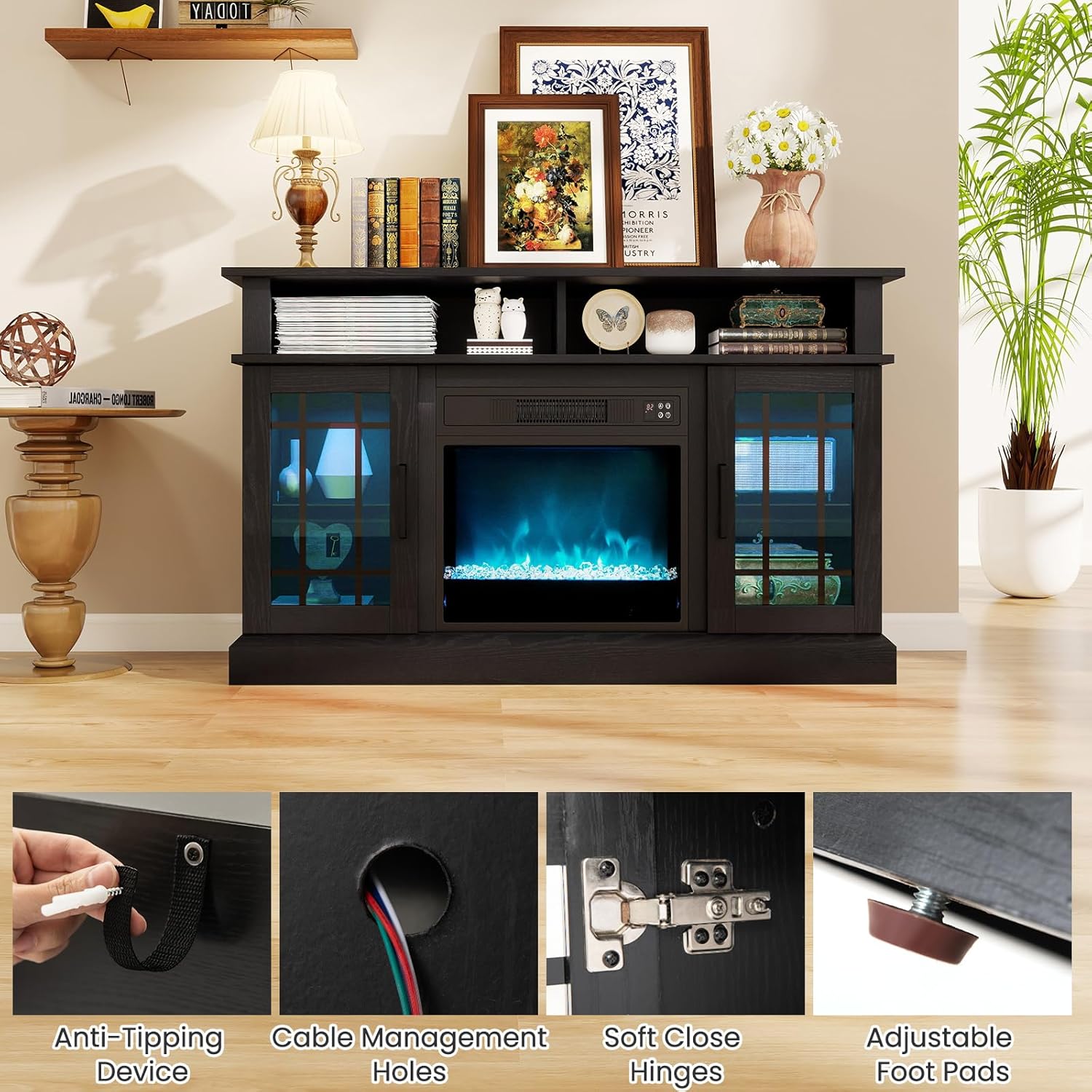
Image: Detailed view of safety features including anti-tipping device and cable management.
Package Contents
Verify that all components are present before beginning assembly:
- 1 x Fireplace Insert
- 1 x Instruction Manual
- 1 x TV Stand (unassembled components)
- 2 x Remote Controls (one for LED lights, one for fireplace)
- Hardware pack (screws, dowels, hinges, etc.)
- LED light strips and associated wiring
- Acrylic crystals for flame bed
Assembly Instructions
Follow these steps to assemble your KOTEK Fireplace TV Stand. An installation video is provided to simplify the process. Ensure you have a screwdriver and a safe, clear workspace.
Video: Detailed assembly guide for the KOTEK Fireplace TV Stand.
Step-by-Step Assembly Overview:
- Prepare Components: Unpack all parts and hardware. Identify each piece using the labels and the parts list in the manual.
- Assemble Base Structure: Attach the side panels and internal dividers to the bottom panel using the provided screws and dowels.
- Install LED Lighting: Secure the LED light strips to the designated areas within the cabinet. Connect the wiring as instructed.
- Attach Top Panel: Carefully place and secure the top panel to the assembled base.
- Install Glass Shelves: Insert the adjustable glass shelves into the side cabinets.
- Attach Back Panels: Secure the back panels to the unit, ensuring proper alignment and cable routing.
- Assemble and Attach Doors: Install hinges and handles onto the cabinet doors. Attach the doors to the main unit.
- Install Anti-Tip Devices: Secure the anti-tip devices to the back of the TV stand and to a wall stud, following the instructions for your wall type.
- Prepare Fireplace Insert: Remove the front glass panel from the electric fireplace insert. Carefully place the acrylic crystals into the flame bed. Reattach the glass panel.
- Insert Electric Fireplace: Slide the prepared electric fireplace insert into the central opening of the TV stand. Secure it in place with the provided screws.
Operating Instructions
Your KOTEK Fireplace TV Stand features an electric fireplace with customizable flame effects and LED cabinet lighting. Both functions can be controlled independently.
Electric Fireplace Operation:
- Power On/Off: Use the power button on the unit's touchscreen or the dedicated remote control.
- Temperature Control: Adjust the temperature between 62℉ and 82℉ using the controls. The unit provides 4777 BTU heat output, suitable for up to 400 sq. ft.
- Flame Color & Brightness: Select from 9 flame color options and 5 brightness levels. The flame effect can operate independently of the heater.
- Timer Function: Set the automatic shut-off timer for 0.5 to 8 hours.

Image: Electric fireplace controls and features.
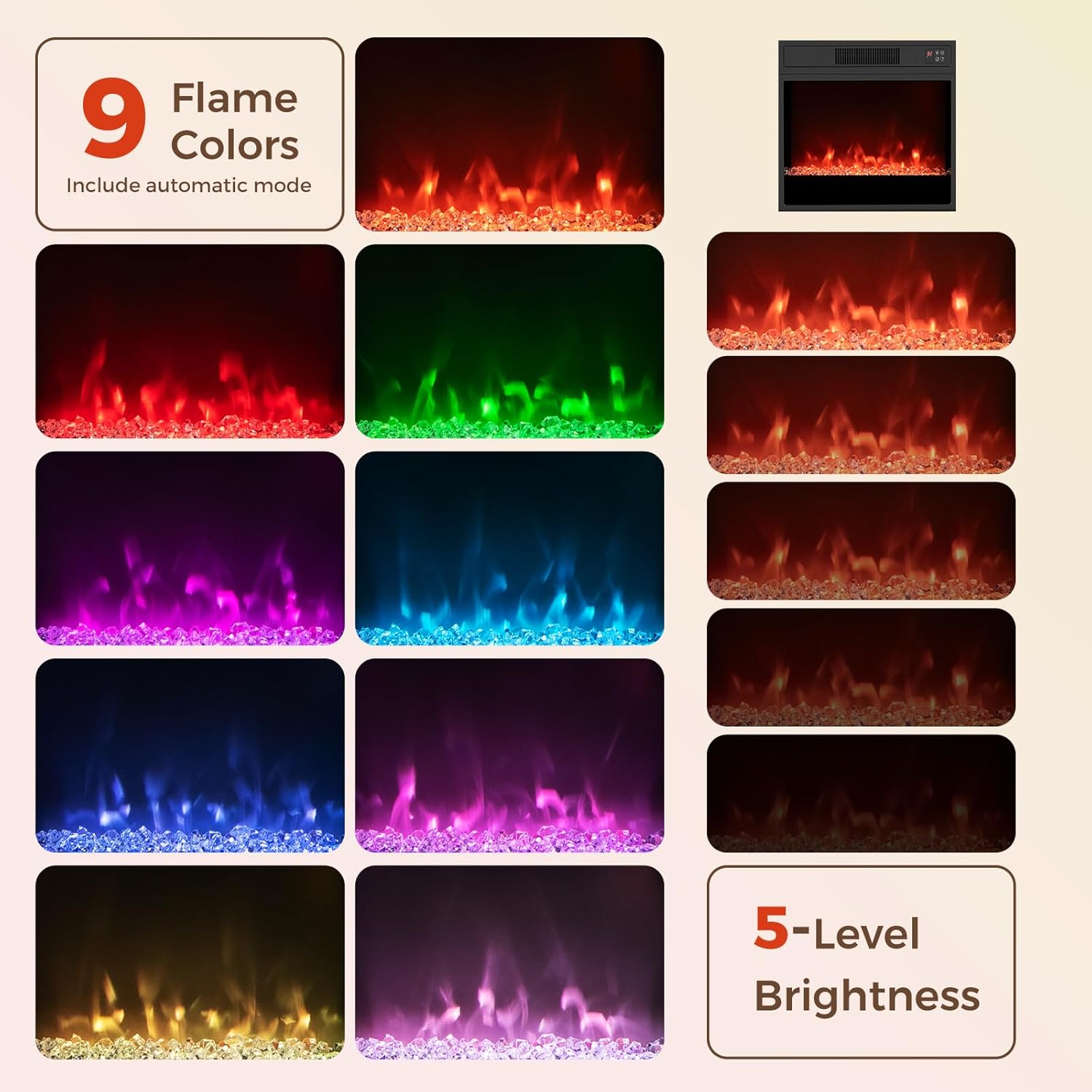
Image: Various flame color options for the fireplace.
LED Lighting Operation:
- Control: The LED lights can be adjusted via a dedicated remote control or a smartphone application.
- Colors & Modes: Choose from 16 LED colors, 10 brightness levels, and 4 modes (e.g., flash, speed adjustment, music mode, rhythm modes).
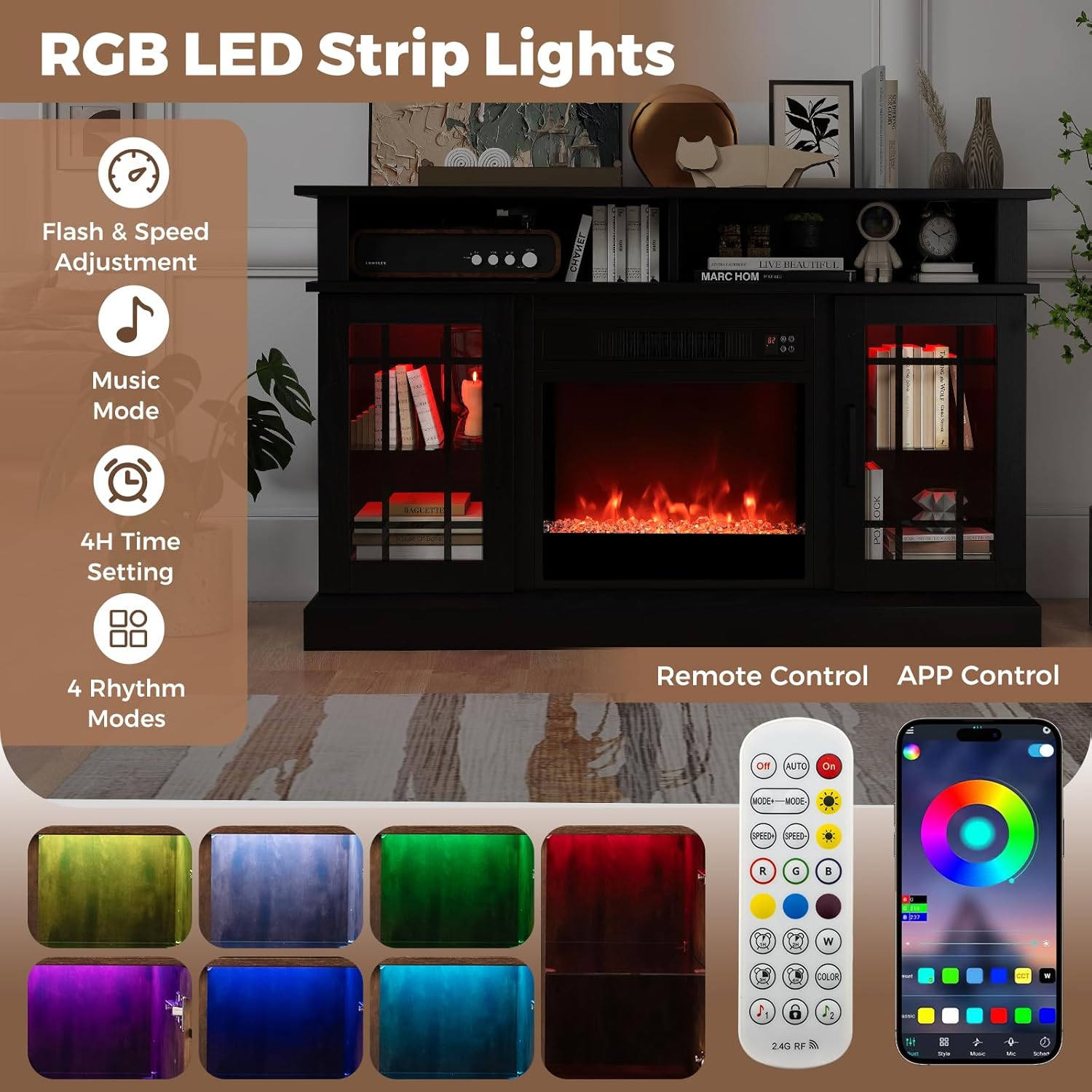
Image: RGB LED strip lights with remote and app control.
Maintenance
Regular maintenance ensures the longevity and safe operation of your TV stand and fireplace.
- Cleaning: Wipe surfaces with a soft, damp cloth. Avoid harsh chemicals. Ensure the unit is unplugged before cleaning the fireplace insert.
- Dust Removal: Periodically vacuum or wipe dust from the fireplace vents to maintain efficient heating.
- Hardware Check: Regularly check all screws and connections to ensure they remain tight.
Troubleshooting
If you encounter issues, refer to the following common solutions:
- Fireplace Not Turning On: Check if the power cord is securely plugged into a working outlet. Ensure the main power switch on the unit is on.
- No Heat Output: Verify that the thermostat setting is above the current room temperature. Check for any obstructions in the air vents.
- LED Lights Not Working: Ensure the LED light strips are properly connected and the remote/app is functioning correctly. Check battery in remote.
- Remote Control Issues: Replace batteries in the remote. Ensure there are no obstructions between the remote and the unit's sensor.
Specifications
| Feature | Detail |
|---|---|
| Brand | KOTEK |
| Model Name | Fireplace TV Stand (SF105-18GCC) |
| Product Dimensions | 48"W x 16"D x 29"H |
| Material | MDF, Cold Rolled Steel, Tempered Glass, Plastic, Engineered Wood |
| Power Source | Corded Electric |
| Heat Output | 4777 British Thermal Units |
| Heating Coverage | Up to 400 sq ft |
| Adjustable Temperature Range | 62℉ to 82℉ |
| Timer Function | 0.5 - 8 hours |
| LED Colors | 16 options with 10 brightness levels and 4 modes |
| Flame Colors | 9 options with 5 brightness levels |
| Safety Features | CSA-certified, Overheating Protection, Anti-tip devices |
| Item Weight | 85 Pounds |

Image: Product dimensions.

Image: Adjustable shelf feature.
Warranty and Support
This KOTEK product comes with a limited warranty. For specific warranty details, please refer to the documentation included in your package or contact KOTEK customer support.
For any questions, missing parts, or assistance with assembly or operation, please contact KOTEK customer support. Contact information can typically be found on the product packaging or the brand's official website.


