
1. Introduction
Welcome to the DOOGEE Anywise W1 Pro Smart Watch instruction manual. This guide provides essential information for setting up, operating, and maintaining your new smartwatch. The Anywise W1 Pro is a rugged and versatile device designed for active lifestyles, featuring dual-band GPS, offline maps, comprehensive health monitoring, and a durable 5ATM waterproof design.
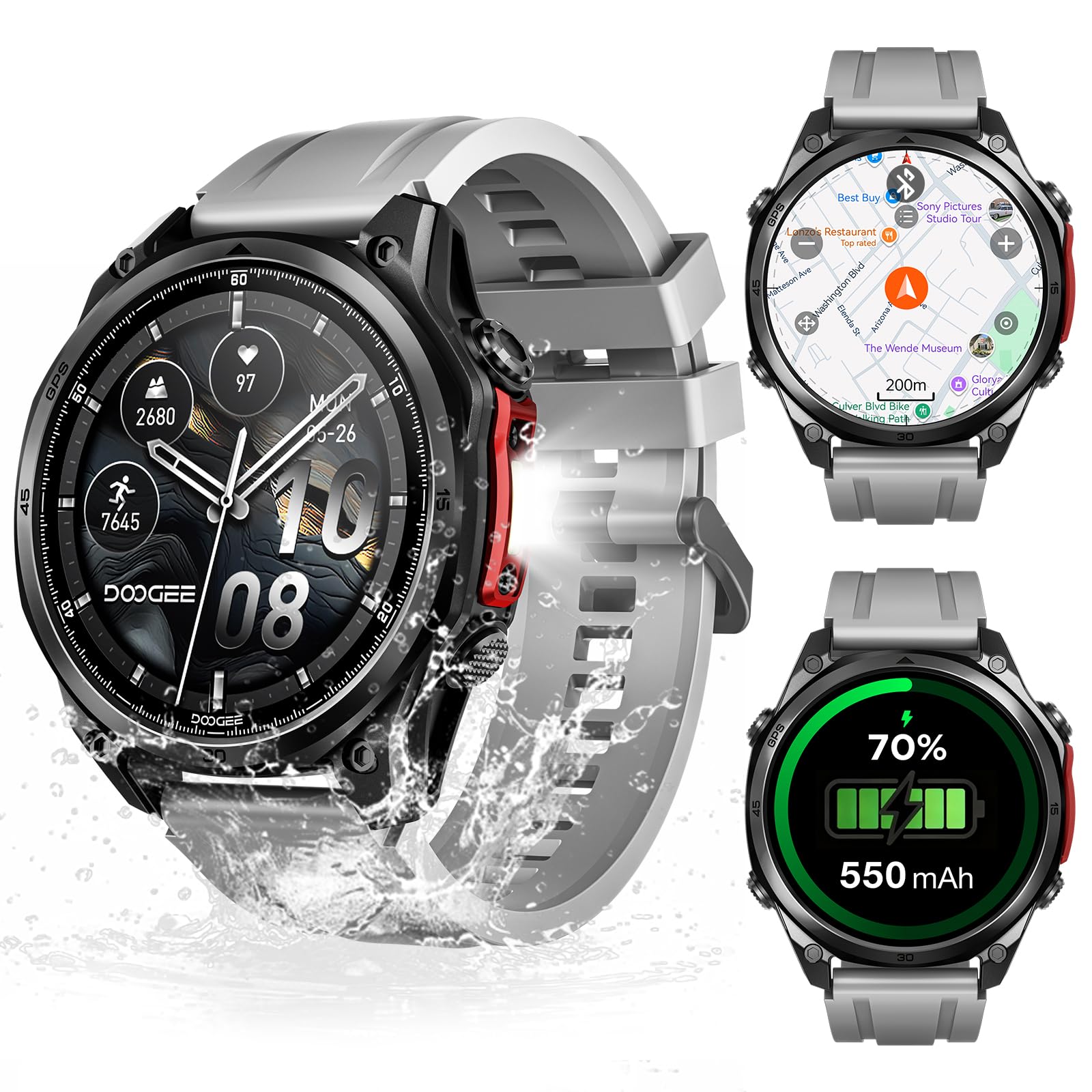
Figure 1: DOOGEE Anywise W1 Pro Smart Watch overview.
2. Setup
2.1 What's in the Box
- Charging Cable
- User Manual
- Watch Band (Note: Product includes two watch straps: silicone and braided)
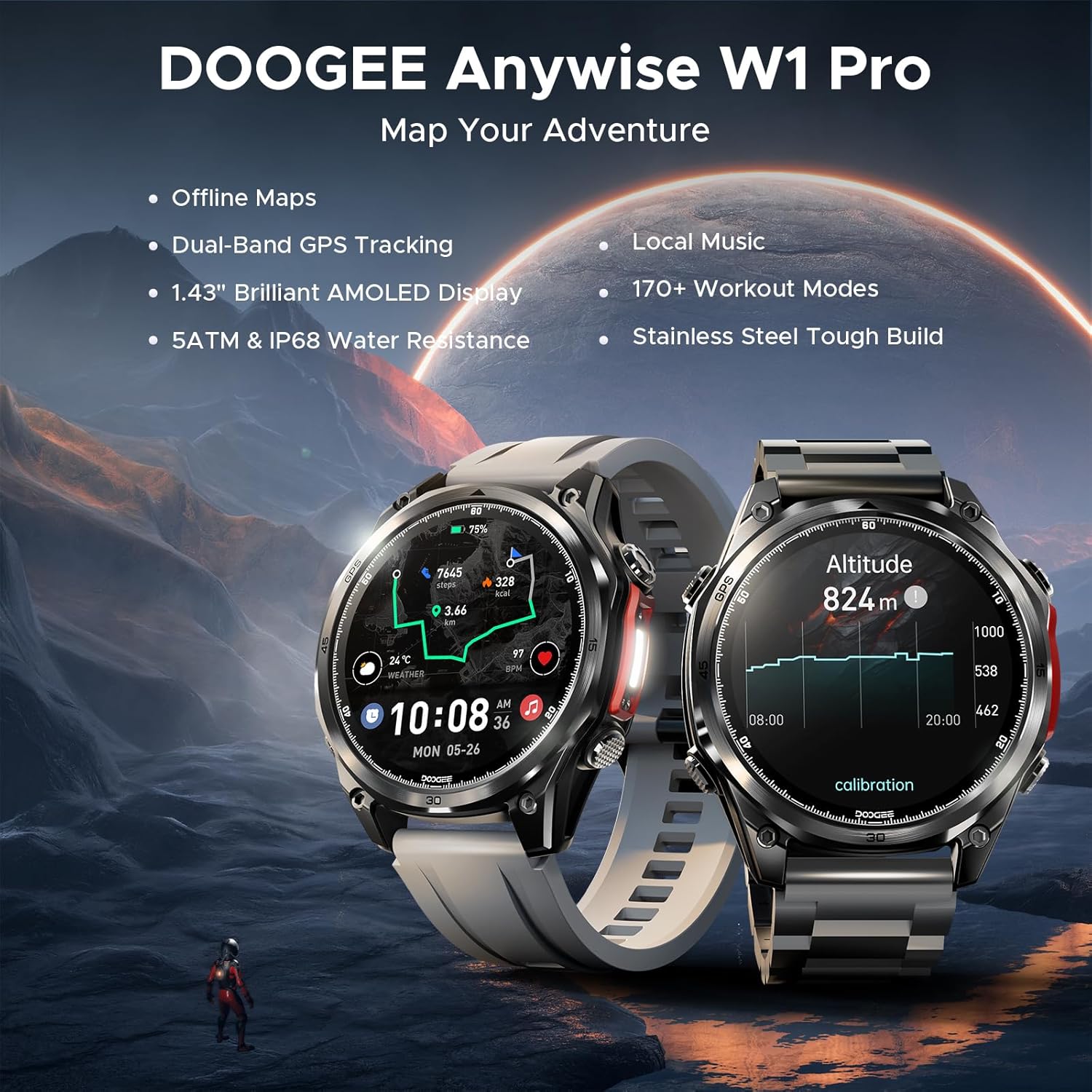
Figure 2: Package Contents of the Anywise W1 Pro Smart Watch.
2.2 Initial Charging
Before first use, fully charge your smartwatch using the provided magnetic charging cable. Connect the USB end of the cable to a power adapter (not included) or a computer's USB port. Align the magnetic end with the charging contacts on the back of the watch until it snaps into place. The watch display will indicate charging status.
2.3 App Installation and Pairing
To unlock the full potential of your DOOGEE Anywise W1 Pro, you need to install the companion app on your smartphone (compatible with iOS 13+ or Android 5.0+). The app allows for data synchronization, additional sports modes, watch face customization, and more.
- Scan the QR code provided in the user manual or search for the official app in your phone's app store.
- Install the app and create an account if prompted.
- Ensure Bluetooth is enabled on your smartphone.
- Open the app, navigate to the device section, and select "Add Device" or "Scan for Device".
- Select "Anywise W1 Pro" from the list of available devices to initiate pairing.
- Confirm the pairing request on both your phone and the smartwatch.
Video 1: Unboxing and initial setup of the DOOGEE Anywise W1 Pro Smart Watch, demonstrating the contents and basic power-on sequence.
3. Operating Your Smart Watch
3.1 Display and Navigation
The DOOGEE Anywise W1 Pro features a 1.43-inch AMOLED high-definition touch screen for clear visibility. Navigate through menus by swiping left, right, up, or down. The physical buttons on the side provide quick access to functions and can be used for navigation, especially when wearing gloves.

Figure 3: The vibrant 1.43" AMOLED display.
3.2 Dual-Band GPS & Offline Maps
The smartwatch is equipped with built-in Dual-Band GPS (L1+L5) and supports six satellite systems (GPS, GLONASS, Beidou, Galileo, QZSS, AGPS) for fast and accurate location tracking. It also supports pre-loaded offline maps, ensuring you stay on track even without network connectivity. A built-in compass, altimeter, and barometer provide real-time environmental data.

Figure 4: Dual-Band GPS and Offline Map functionality.
3.3 Sports Modes
With over 170 sports modes, the Anywise W1 Pro is a comprehensive fitness tracker. It monitors critical data such as workout heart rate, distance, speed, and calories in real-time. More sports modes can be downloaded via the companion app.

Figure 5: Overview of 170+ Sports Modes.
Video 2: Demonstration of various fitness tracking capabilities and sports modes on the smartwatch.
3.4 Comprehensive Health Monitoring
Monitor your health with real-time heart rate, sleep, stress, and blood oxygen tracking. The data collected helps you understand your body's metrics and build healthier habits.

Figure 6: Advanced Health Monitoring features.
3.5 Bluetooth Calling & AI Voice Assistant
The watch supports Bluetooth calling, allowing you to answer calls directly through its speaker. It also features AI functions for dialing, Q&A, and real-time translation, acting as a personal assistant on your wrist.
- Up to 100 contacts can be imported via the app.
- Answer calls directly from the watch.
- The watch only alerts you to messages; it cannot reply.
- Real-time translation converts voice input into text displayed on the watch and provides voice announcements.
3.6 LED Flashlight & Compass
A 60 LM LED flashlight with 4 brightness levels is integrated for convenience in low-light conditions. The compass function is ideal for outdoor activities like camping and hiking.

Figure 7: Additional features including Flashlight and AI Assistant.
4. Maintenance
4.1 Water Resistance
The DOOGEE Anywise W1 Pro has a 5ATM waterproof rating, making it suitable for swimming, showering, and various harsh environments. It is designed to withstand water immersion up to 50 meters.

Figure 8: 5ATM & IP68 Waterproofing.
4.2 Battery Life
Equipped with a 550mAh high-capacity battery and advanced power management, the smartwatch offers ultra-long battery life. Expect up to 12 days of daily use and 40 hours of continuous GPS positioning. Battery life may vary based on settings and usage.

Figure 9: Battery Life Overview.
5. Troubleshooting
- Pairing Issues: Ensure Bluetooth is enabled on your phone and the watch is within range. Restart both devices and try pairing again.
- Contact Sync: Up to 100 contacts can be imported via the app. Open the app, select your device, then tap "Contacts" to import.
- Message Replies: The watch only alerts you to incoming messages; it does not support replying to messages directly.
- Voice Assistant: The watch's voice assistant cannot read/reply to messages or handle calls. Calls can be answered/ended by tapping the watch screen.
- Real-time Translation: This feature converts voice input into text displayed on the watch and provides voice announcements.
6. Specifications
| Feature | Detail |
|---|---|
| Model Number | Anywise W1 Pro |
| Screen Size | 1.43 Inches AMOLED |
| GPS | Dual-Band (L1+L5), 6-satellite support, Built-in GPS |
| Water Resistance | 5ATM |
| Battery Capacity | 550 Milliamp Hours |
| Battery Life (Daily Use) | Up to 12 days |
| Battery Life (GPS Navigation) | 40 hours |
| Memory Storage Capacity | 2 GB |
| Operating System | Android Wear 2.0 (Compatible with iOS 13+ / Android 5.0+) |
| Connectivity Technology | Bluetooth |
| Special Features | Offline Maps, 170+ Sports Modes, Health Monitoring (Heart Rate, Sleep, Stress, Blood Oxygen), Bluetooth Calling, AI Voice Assistant, 60 LM LED Flashlight, Compass, Altimeter, Barometer |
| Material | Zinc alloy (case) |
7. Warranty and Support
For warranty information, technical support, or any inquiries regarding your DOOGEE Anywise W1 Pro Smart Watch, please refer to the official DOOGEE website or contact the seller directly. Keep your purchase receipt for warranty claims.


