
1. Introduction
This manual provides detailed instructions for the proper use and care of your Guide TU 650 LRF 3.0, 640 Thermal Scope. This advanced thermal imaging riflescope features a laser rangefinder and ballistic calculator, designed for enhanced targeting precision and clear visibility in challenging conditions. Please read this manual thoroughly before operating the device to ensure optimal performance and safety.
2. What's in the Box
Upon unpacking, please verify that all the following items are included:
- Thermal Scope
- QD 30MM Scope Mount
- Carrying Bag
- Rubber Eyecup
- 2x 18650 Batteries & Charger

Image: All components included in the Guide TU 650 LRF 3.0 package, including the thermal scope, QD mount, carrying bag, rubber eyecup, and batteries with charger.
3. Product Features
- High-performance thermal imaging with 640x512 resolution and 50mm lens for clear visibility in challenging conditions, up to 2800yd detection range.
- 3.7x base magnification and 8x zoom for enhanced targeting precision, with easy zoom access via a throw lever.
- Integrated laser rangefinder for accuracy up to 1600 yards (Safety Level-Class I, Power Output<1mW).
- 1920x1080 wide AMOLED display for greater contrast and richer detail.
- Shutterless Design for uninterrupted visuals, eliminating clicking sounds and image freezing, providing real-time footage.
- 10 reticle options and 7 color palettes with adjustable brightness and contrast for optimal visibility.
4. Setup
4.1 Battery Installation
- Locate the battery compartment cap, typically at the rear or side of the device.
- Rotate the cap counter-clockwise to align the white dot indicators and remove it.
- Insert the 18650 rechargeable battery with the positive (+) terminal facing inwards.
- Replace the cap and rotate clockwise to secure it, ensuring the white dots are no longer aligned.
4.2 Mounting the Scope
The Guide TU 650 LRF 3.0 comes with a QD 30MM Scope Mount for easy attachment to a Picatinny rail. Secure the mount to your rifle's rail, ensuring it is firmly tightened to prevent movement during use. Refer to your rifle's manual for specific mounting instructions if needed.

Image: The Guide TU 650 LRF 3.0 Thermal Scope with its Quick Detach (QD) 30MM scope mount attached, ready for installation on a rifle.
5. Operating Instructions
5.1 Power On/Off and Standby
- Power On: Press and hold the power button (usually located on the side) until the display activates.
- Standby Mode: Briefly press and release the power button to enter standby mode. The display will turn off, conserving battery, but the device remains ready for quick activation.
- Exit Standby: Briefly press and release the power button again to exit standby and resume operation.
- Power Off: Press and hold the power button for approximately 3 seconds until a prompt appears on the screen, then confirm to power off the device completely.
5.2 Focus and Diopter Adjustment
- Focus Ring: Rotate the focus ring located at the front of the objective lens to achieve a clear image of your target.
- Diopter Adjustment: Adjust the diopter ring near the eyepiece to fine-tune the sharpness of the reticle for your individual eyesight.
5.3 Laser Rangefinder (LRF)
The integrated LRF is located on the side of the optic. To activate and use the rangefinder, press the dedicated LRF button. The distance to the target will be displayed on the screen, providing accurate range data up to 1600 yards.
5.4 Video Recording and Photo Capture
The thermal scope features a built-in video camera. Use the designated buttons on the device to start/stop video recording or capture still images. Recorded content can be transferred via the USB-C port.
5.5 Wi-Fi Connectivity and App Integration
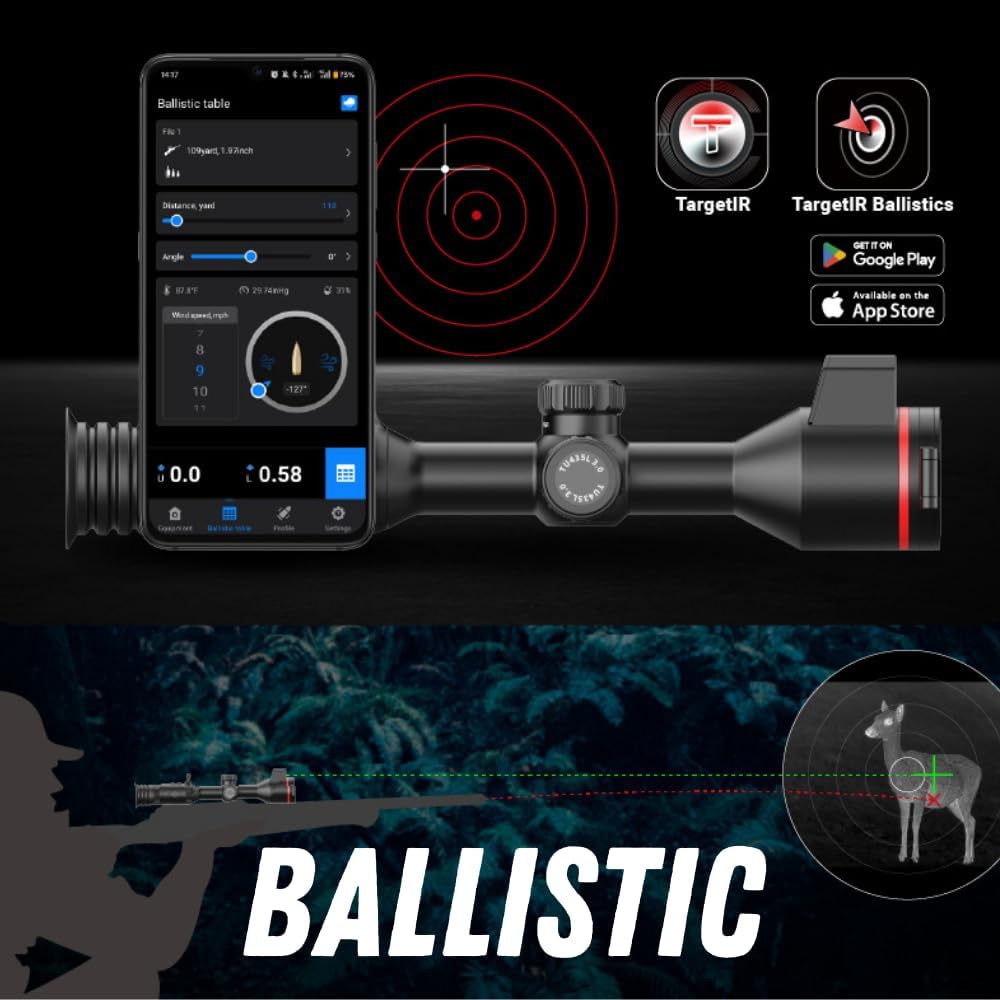
The device includes built-in Wi-Fi. Connect your smartphone to the scope's Wi-Fi network (e.g., "STORM_S6 R") to access the companion app. The app allows for live streaming, remote control of settings, and programming of ballistic profiles directly from your phone.
5.6 Reticle Options and Color Palettes
The scope offers 10 distinct reticle options and 7 color palettes (e.g., White Hot, Black Hot, Red Hot, Green Monochrome, Color) to suit various environmental conditions and user preferences. These can be adjusted through the device's menu or the companion app to optimize visibility and targeting.
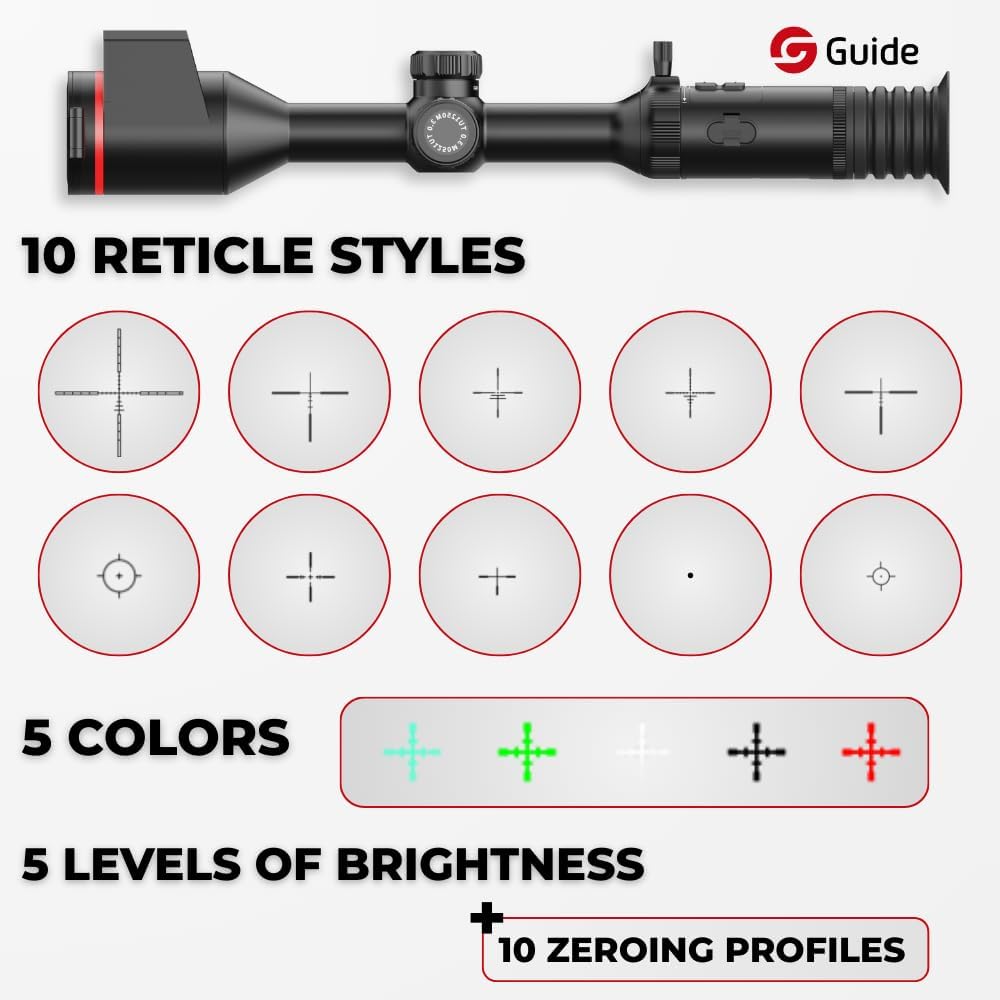
Image: A visual representation of the 10 available reticle styles and 5 color palettes for the Guide TU 650 LRF 3.0 Thermal Scope, allowing customization for different hunting scenarios.
6. Media Gallery
6.1 Product Images


6.2 Official Product Videos
No official product videos from the seller are available for embedding at this time. Please refer to the images and text descriptions for product information.
7. Specifications
| Feature | Detail |
|---|---|
| Brand | Guide Sensmart |
| Color | Black |
| Style | Tactical |
| Product Dimensions | 11.3"L x 3.5"W x 3.5"H |
| Sport | Hunting |
| Item Weight | 47.6 Ounces |
| Material | Metal |
| Magnification Maximum | 8 x |
| Objective Lens Diameter | 50 Millimeters |
| Magnification Minimum | 3.7 x |
| Compatible Devices | Rifle |
| Mounting Type | Integral Mount |
| Night vision | Yes |
| Reticle Type | Duplex |
| EU Spare Part Availability Duration | 10 Years |
8. Maintenance
- Cleaning: Use a soft, lint-free cloth to clean the lenses and exterior surfaces. For stubborn dirt, use a lens cleaning solution specifically designed for optics.
- Waterproof: The device is IP67 rated, meaning it is protected against dust and temporary immersion in water. Ensure all port covers (e.g., USB-C) are securely closed to maintain its waterproof integrity.
- Storage: Store the thermal scope in its carrying bag in a cool, dry place away from direct sunlight and extreme temperatures.
9. Troubleshooting
- Device Not Powering On: Ensure batteries are fully charged and correctly inserted. Check for any loose connections.
- Unclear Image: Adjust the focus ring and diopter for optimal clarity. Ensure lenses are clean and free from smudges.
- Wi-Fi Connection Issues: Verify the scope's Wi-Fi is enabled and your smartphone is within range. Restart both devices if necessary.
- For further assistance, please contact Guide Sensmart customer support.
10. Warranty & Support
The Guide TU 650 LRF 3.0 Thermal Scope comes with a 10-Year Warranty. For warranty claims, technical support, or any product-related inquiries, please refer to the contact information provided in your product packaging or visit the official Guide Sensmart website.


