
1. Introduction
This manual provides essential information for the proper use and maintenance of your Redmi Move Smartwatch. Please read this manual carefully before using the device to ensure optimal performance and longevity. The Redmi Move Smartwatch features a 1.85" AMOLED display, Bluetooth calling, extensive sports tracking, and comprehensive health monitoring.

Image: The Redmi Move Smartwatch, showcasing its sleek design and vibrant display.
2. What's in the Box
Upon opening the package, verify that all the following items are present:
- Redmi Move Smartwatch
- Watch Band
- Charging Cable
- User Manual (this document)
3. Setup
3.1 Initial Charging
Before first use, fully charge your Redmi Move Smartwatch. Connect the charging cable to the watch's charging port and a compatible USB power adapter. A full charge typically takes approximately 10 minutes for 2 days of use, or longer for a complete charge.
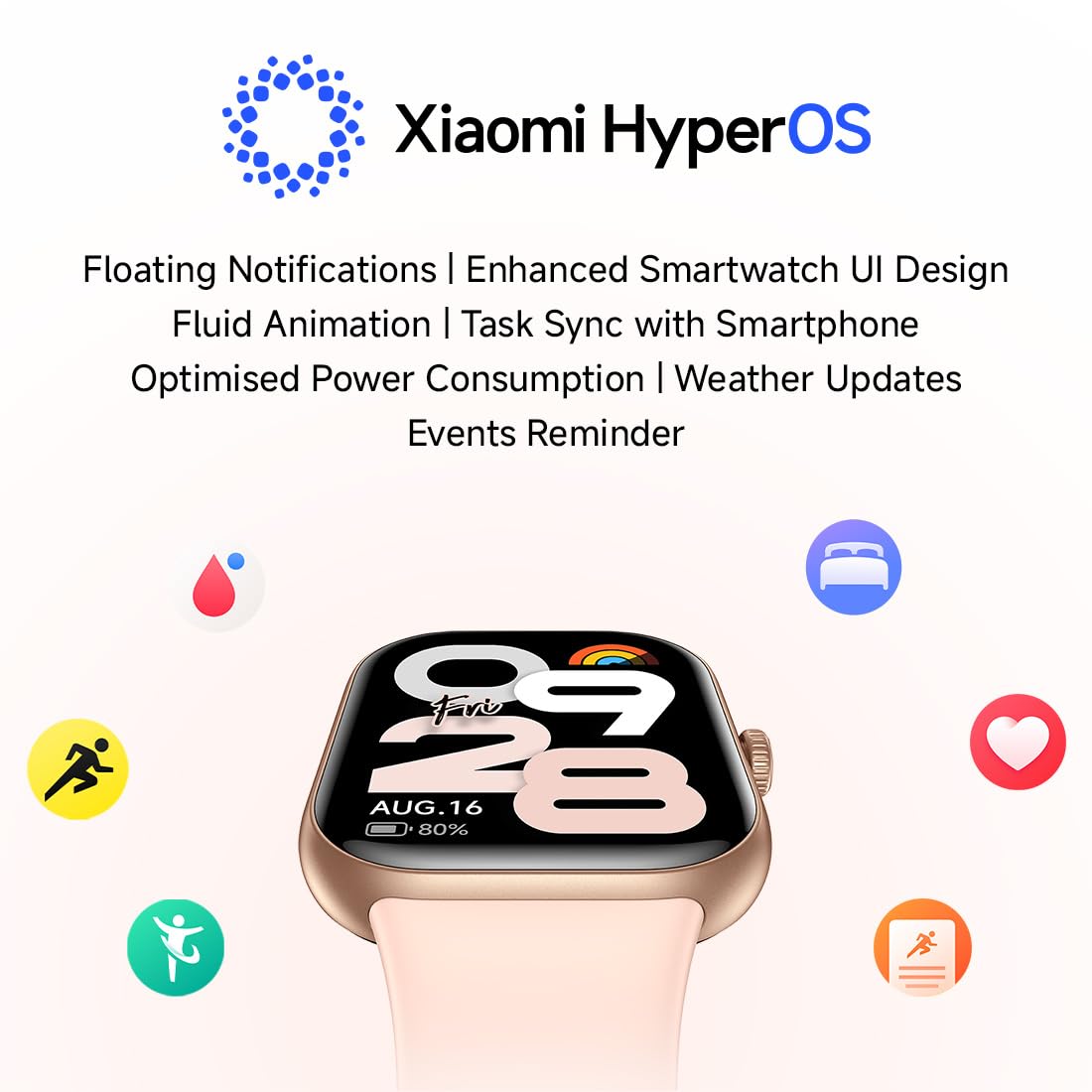
Image: The charging cable connected to the Redmi Move Smartwatch.
3.2 Pairing with Your Smartphone
- Ensure your smartphone's Bluetooth is enabled.
- Download and install the official Redmi/Xiaomi companion app (compatible with Android Wear 2.0 and Xiaomi HyperOS) from your device's app store.
- Open the app and follow the on-screen instructions to create an account or log in.
- Select "Add Device" or a similar option within the app.
- Place your Redmi Move Smartwatch near your smartphone. The app will detect the watch.
- Confirm the pairing request on both your smartphone and the smartwatch.
- Once paired, the watch will synchronize data with your phone.
4. Operating the Smartwatch
4.1 Display and Navigation
The Redmi Move Smartwatch features a 1.85" AMOLED display with 390x450 resolution, 322 PPI, and up to 600 nits peak brightness for clear visibility. It supports Always-On Display (AOD) and has a 60Hz refresh rate for smooth interactions. Navigation is primarily via the touchscreen and the functional rotating crown.
- Touchscreen: Swipe up, down, left, or right to navigate through menus and notifications. Tap to select items.
- Rotating Crown: Rotate to scroll through lists or adjust settings. Press to return to the home screen or confirm selections.
- Palm Touch: Cover the screen with your palm to quickly turn off the display or activate sleep mode.

Image: Close-up of the Redmi Move Smartwatch display, highlighting its clarity and information display.
4.2 Watch Faces
Personalize your smartwatch with over 200 watch faces and 5 customizable layouts available through the companion app.

Image: Redmi Watch Move displaying different customizable watch faces.
4.3 Xiaomi HyperOS Features
The smartwatch operates on Xiaomi HyperOS, offering an enhanced user interface with fluid animations. Key features include:
- Floating Notifications
- Optimized Power Consumption
- Weather Updates
- Event Reminders
- Task Synchronization with Smartphone
5. Health Monitoring Features
The Redmi Move Smartwatch provides comprehensive 24/7 health tracking with up to 97% accuracy.
- Heart Rate Monitoring: Continuously tracks your heart rate.
- SpO₂ Monitoring: Measures blood oxygen saturation levels.
- Sleep Tracking: Analyzes sleep patterns and quality.
- Stress Monitoring: Helps manage stress levels throughout the day.
- Steps and Calories: Tracks daily steps taken and calories burned.
- Menstrual Cycle Tracking: Provides insights and predictions for female health.

Image: The smartwatch screen showing real-time heart rate data.
6. Sports Modes
Engage in over 140 sports modes to track your workouts effectively. The watch also features auto-detection for 7 common activities.
- Running (Outdoor/Treadmill)
- Walking (Indoor/Outdoor)
- Cycling (Indoor/Outdoor)
- Elliptical
- Rowing Machine
- Jump Rope
- Yoga
- Strength/Resistance Training
- HIIT
- Functional Training
- Hiking/Trekking
- Aerobics & Dance Fitness
- Pilates & Core Training
- Meditation & Breathing
- Cricket, Football, Badminton, Tennis, Basketball, Table Tennis, Volleyball

Image: Icons representing different sports modes available on the Redmi Move Smartwatch.
7. Bluetooth Calling
Make and receive calls directly from your wrist when connected to your smartphone via Bluetooth.
- Quick Replies: Send pre-set quick replies to incoming calls or messages.
- Easy Dialing Pad: Dial numbers directly from the watch.
- Access Call History: View your recent call logs.

Image: A user interacting with the Redmi Move Smartwatch to answer a Bluetooth call.
8. Battery and Charging
The Redmi Move Smartwatch is equipped with a 300 mAh Lithium Ion battery.
- Typical Usage: Up to 14 days of battery life.
- With Always-On Display (AOD): Up to 7 days of battery life.
- Quick Charge: Approximately 10 minutes of charging provides up to 2 days of use.

Image: The smartwatch screen showing battery percentage and estimated remaining battery life.
9. Maintenance
9.1 Water and Dust Resistance
The Redmi Move Smartwatch has an IP68 rating, meaning it is resistant to dust and can withstand immersion in water up to 1.5 meters for 30 minutes. It is suitable for daily use, including sweaty workouts and unexpected rain. Avoid prolonged submersion or use in hot water/steam.

Image: Redmi Move Smartwatch shown partially submerged in water, illustrating its water resistance.
9.2 Cleaning and Strap Care
- Regularly clean the watch screen and body with a soft, damp cloth.
- Ensure the charging contacts are clean and dry before charging.
- The watch features quick-release, anti-bacterial TPU straps for comfort and easy replacement. Clean straps with mild soap and water, then dry thoroughly.
10. Troubleshooting
If you encounter issues with your Redmi Move Smartwatch, refer to the following common solutions:
- Watch not turning on: Ensure the watch is fully charged. Connect it to the charger for at least 30 minutes.
- Cannot pair with smartphone:
- Ensure Bluetooth is enabled on your phone.
- Make sure the watch is within range of your phone.
- Restart both the watch and your phone.
- Try unpairing and re-pairing the device through the companion app.
- Inaccurate health data: Ensure the watch is worn snugly on your wrist, not too tight or too loose. Clean the sensors on the back of the watch.
- Display issues: If the screen is unresponsive, try restarting the watch. Ensure the screen is clean and dry.
- Short battery life: Reduce screen brightness, disable Always-On Display if not needed, and limit background app refresh.
For persistent issues, consult the official Redmi support website or contact customer service.
11. Specifications
| Feature | Detail |
|---|---|
| Model Name | Redmi watch Move |
| Model Number | BHR07WXIN |
| Display Type | AMOLED |
| Screen Size | 1.85 Inches |
| Resolution | 390 x 450 |
| Peak Brightness | 600 Nits |
| Operating System | Android Wear 2.0, Xiaomi HyperOS |
| Connectivity | Bluetooth |
| Battery Capacity | 300 mAh (Lithium Ion) |
| Battery Life (Typical) | Up to 14 Days |
| Battery Life (AOD) | Up to 7 Days |
| Water Resistance | IP68 (15 Metres depth) |
| Sensors | Heart Rate Sensor, Blood Oxygen Sensor, Accelerometer |
| GPS | Via Smartphone |
| Band Material | Thermoplastic Polyurethane (TPU) |
| Case Material | Polycarbonate (PC) |
| Weight | 34 Grams |
12. Warranty and Support
12.1 Warranty Information
The Redmi Move Smartwatch comes with a 1-year manufacturer's warranty, excluding the strap. Please retain your proof of purchase for warranty claims.
12.2 Customer Support
For technical assistance, service, or further inquiries, please contact Redmi customer support.
- Manufacturer: Optiemus Electronics Limited A-7, Sector-65, Noida, Gautam Buddha Nagar, Uttar Pradesh, 201309, India.
- Importer: Xiaomi Technology India Pvt. Ltd., Orchid Blck, EmbassyTech Village, Devarabeesanahalli, Bangalore - 560103, Karnataka.
- Online Support: Visit the official Redmi support website for FAQs and contact options.


