
Introduction
Thank you for choosing the Spacetronik Manual Height Adjustable Desk. This ergonomic sit-stand desk is designed to provide a flexible and comfortable workspace, allowing you to easily switch between sitting and standing positions. This manual provides essential information for the safe assembly, operation, and maintenance of your new desk.
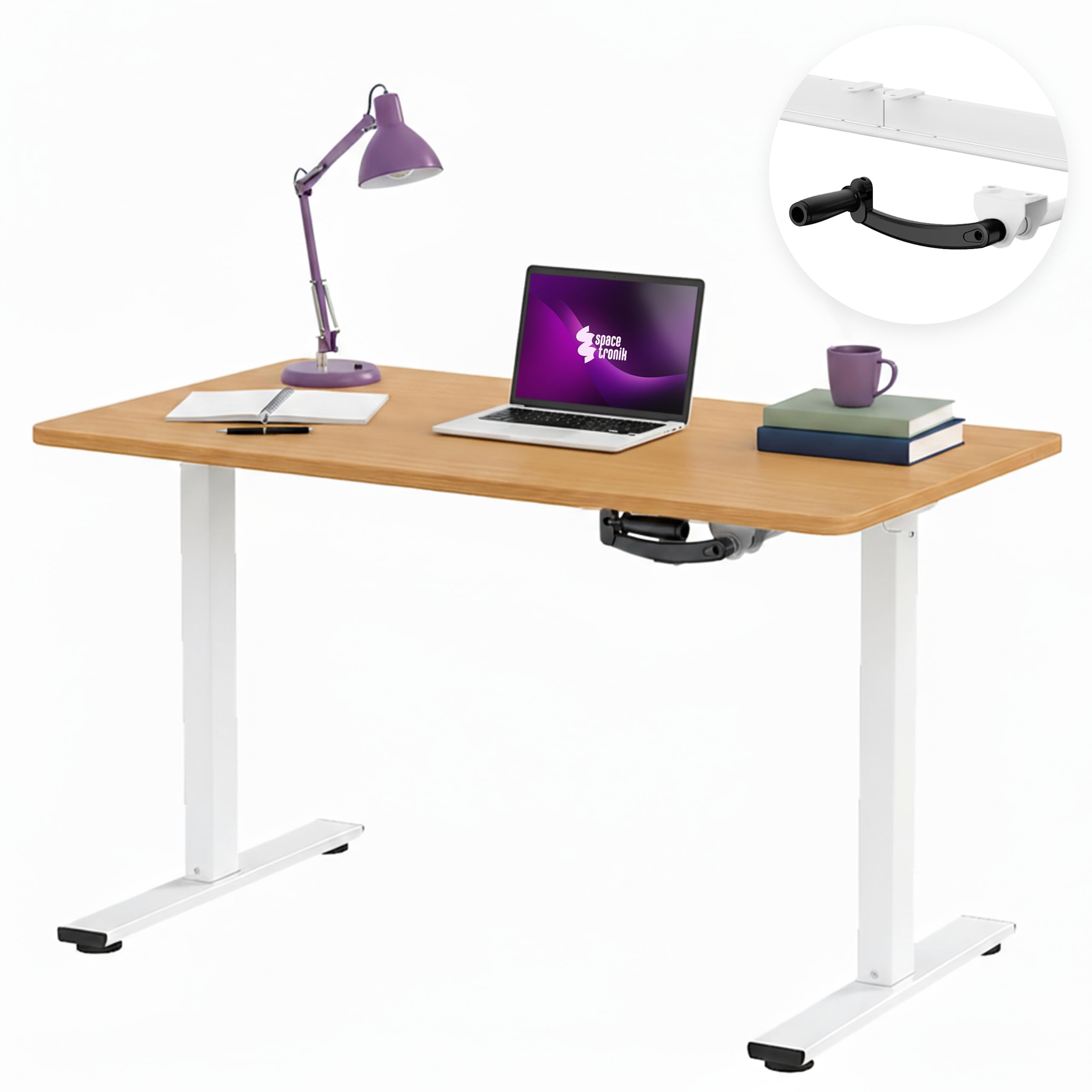
Image: The Spacetronik Manual Height Adjustable Desk in a modern office environment, showcasing its sleek design and functionality.
Safety Information
- Read all instructions carefully before assembly and use.
- Ensure all components are securely fastened before placing items on the desk.
- Do not exceed the maximum load capacity of 40 kg.
- Keep hands and fingers clear of moving parts during height adjustment.
- Place the desk on a level surface to ensure stability.
- Avoid placing liquids directly on the desk surface without protective coasters.
- This desk is intended for indoor use only.
Setup and Assembly
Assembly is required for this product. Please refer to the separate assembly instructions included in your package for detailed, step-by-step guidance. Ensure all parts are present and undamaged before beginning assembly.
General Assembly Tips:
- Lay out all components on a soft, clean surface to prevent scratches.
- Identify all parts using the provided parts list in the assembly manual.
- Tighten all screws and bolts firmly, but do not overtighten.
- It is recommended to have two people for assembly to ensure safety and ease.

Image: Technical drawing illustrating the desk's dimensions, including height range (72-109.5 cm), width (100 cm), and depth (60 cm).
Operating Instructions
Height Adjustment with Manual Crank:
The Spacetronik desk features a manual crank system for smooth and quiet height adjustment. This allows you to effortlessly transition between sitting and standing positions to improve comfort and reduce fatigue during long work sessions.
- Locate the manual crank handle on the side of the desk frame.
- To raise the desk, turn the crank clockwise.
- To lower the desk, turn the crank counter-clockwise.
- Adjust the desk to your desired height within the range of 72 cm to 109.5 cm. The crank mechanism provides a smooth adjustment of approximately 8 mm per turn.

Image: A close-up view of the manual crank mechanism, highlighting its smooth and precise operation for height adjustment.
Ergonomic Benefits:
Regularly changing your posture between sitting and standing can help alleviate back, shoulder, and neck strain, enhance concentration, and promote overall well-being during extended periods of work or gaming.

Image: A visual comparison demonstrating the desk at its minimum sitting height (72 cm) and maximum standing height (109.5 cm), illustrating the ergonomic flexibility.
Maintenance
Cleaning:
- Wipe the desk surface with a soft, damp cloth.
- Avoid using harsh chemicals or abrasive cleaners, as they may damage the finish.
- For the steel frame, use a mild detergent solution if necessary, then wipe dry.
General Care:
- Periodically check all screws and bolts to ensure they remain tight.
- Do not drag the desk; lift it when moving to prevent damage to the frame or floor.
- Keep the crank mechanism free from dust and debris to ensure smooth operation.
Troubleshooting
Crank is Stiff or Not Moving Smoothly:
- Check for obstructions: Ensure there are no objects blocking the crank mechanism or the desk legs.
- Verify assembly: Confirm that all parts of the frame and crank mechanism were assembled correctly and are not overtightened or misaligned.
- Lubrication: A small amount of silicone-based lubricant can be applied to the moving parts of the crank mechanism if stiffness persists.
Desk is Unstable:
- Level surface: Ensure the desk is placed on a flat, level floor.
- Tighten fasteners: Re-check and tighten all screws and bolts on the frame and tabletop.
- Weight distribution: Distribute items evenly on the desk surface, ensuring the load does not exceed 40 kg.
Specifications
| Model Number | SPEO113 |
| Dimensions (L x W x H) | 100 cm x 60 cm x 72-109.5 cm |
| Height Adjustment Range | 72 cm to 109.5 cm (manual crank) |
| Load Capacity | Up to 40 kg |
| Materials | Engineered wood tabletop with melamine finish, steel frame, plastic components |
| Color (Current Variant) | Dark Wood |
| Weight | 20 kg |
| Tabletop Thickness | 2.5 cm |

Image: The desk demonstrating its robust construction and ability to support up to 40 kg of equipment, ensuring stability in any position.
Available Tabletop Sizes:
The Spacetronik Manual Height Adjustable Desk is available with various tabletop dimensions to suit different workspace needs:
- 100 x 60 cm (current model)
- 120 x 60 cm
- 140 x 60 cm

Image: Visual representation of the three available tabletop sizes: 100x60 cm, 120x60 cm, and 140x60 cm, offering flexible workspace options.
Warranty Information
For specific warranty details regarding your Spacetronik Manual Height Adjustable Desk, please refer to the warranty card included with your product or contact your retailer. Warranty terms typically cover manufacturing defects and material faults under normal use.
Customer Support
If you have any questions, require assistance with assembly, or encounter any issues with your Spacetronik desk, please contact the retailer where you purchased the product or visit the official Spacetronik website for support resources.
Manufacturer: Spacetronik
Country of Origin: China
