1. Safety Information
Before operating your ASKGO Electric Scooter Q2, please read and understand all safety instructions. Failure to follow these instructions may result in serious injury or property damage.
- Always wear a helmet and appropriate protective gear, including knee and elbow pads.
- Perform a pre-ride inspection before each use, checking brakes, tire pressure, and battery level.
- Adhere to all local traffic laws and regulations.
- Do not ride in adverse weather conditions, such as heavy rain, snow, or ice.
- Ensure the scooter's weight limit of 330 pounds is not exceeded.
- Keep both hands on the handlebars and both feet on the deck while riding.
- Avoid sudden turns, acceleration, or braking, especially at high speeds.
- Do not allow children under the age of 16 to operate the scooter.
2. Product Overview
The ASKGO Electric Scooter Q2 is designed for efficient commuting and off-road adventures, featuring a powerful motor, long-range battery, and robust suspension system.
Key Features
- Powerful Motor: Equipped with a 1500W peak motor for strong acceleration and a top speed of 25 MPH.
- Extended Range: A 48V 13AH battery provides up to 45 miles of range on a single charge.
- Smooth Ride: 10-inch pneumatic tires combined with a dual suspension system (front, rear, and seat shock absorbers) ensure comfort on various terrains.
- Enhanced Safety: Features a comprehensive lighting system including a headlight, taillight, turn signals, and side ambient lights, along with a dual disc brake system for reliable stopping power.
- User-Friendly Design: Includes a clear digital display, three speed modes, and a foldable design with a removable seat for convenience.
Components

Figure 2.1: Overview of the ASKGO Electric Scooter Q2.
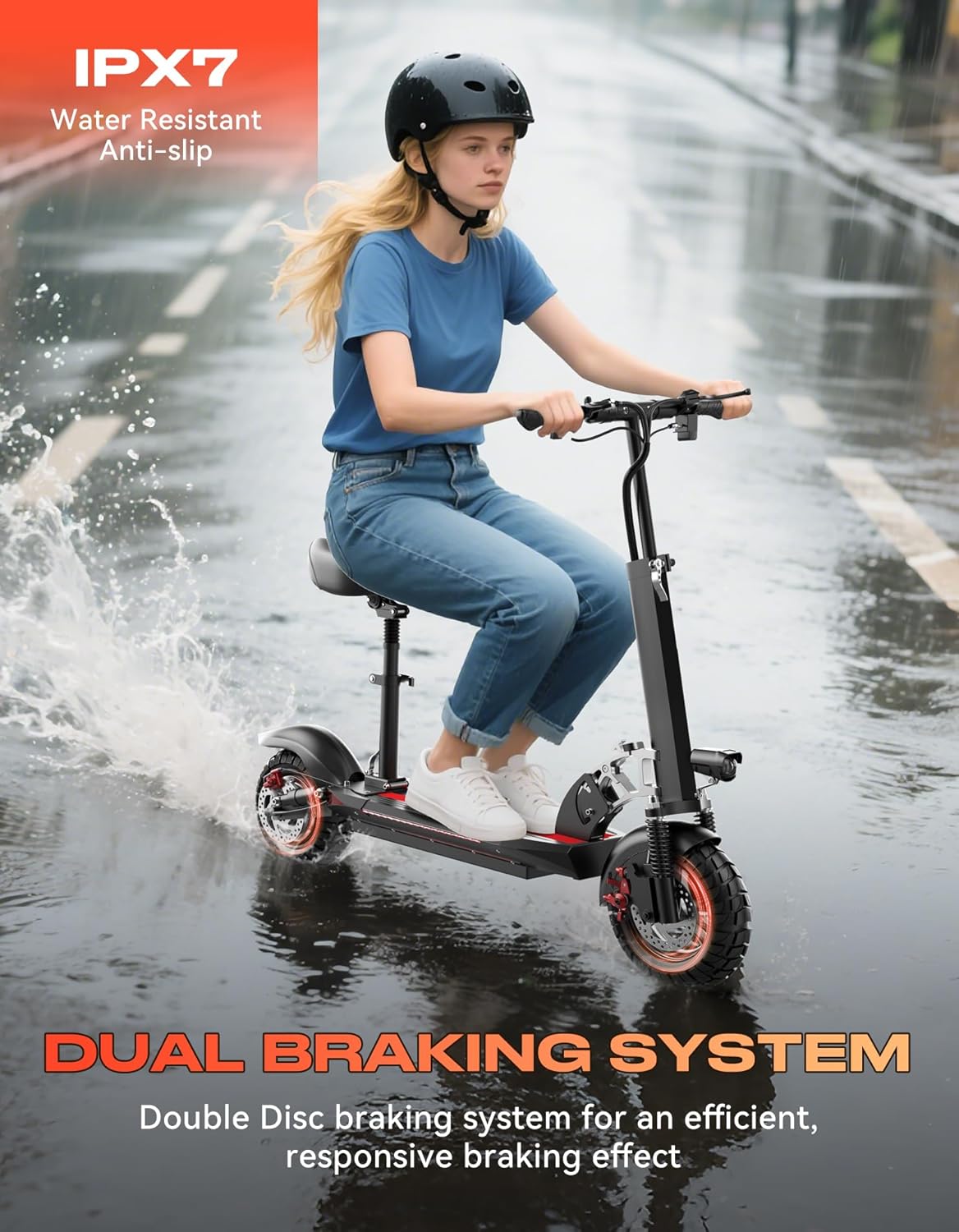
Figure 2.2: Real-time smart display showing battery, gear, and speed.

Figure 2.3: Wider anti-slip deck for improved stability and comfort.
3. Setup
Follow these steps to prepare your ASKGO Electric Scooter Q2 for its first ride.
3.1 Unboxing and Initial Inspection
- Carefully remove all components from the packaging.
- Inspect the scooter for any visible damage that may have occurred during shipping. Contact customer support immediately if you find any issues.
- Ensure all included accessories (charger, headlight, kickstand) are present.
3.2 Handlebar and Seat Installation
- Handlebar Assembly: Unfold the main stem. Secure the handlebars into position, ensuring they are firmly locked.
- Headlight Attachment: Mount the headlight to the designated position on the handlebar stem using the provided screw.
- Seat Installation: If using the seat, slide the seat post into its holder on the scooter deck and secure it at your desired height.
3.3 Charging the Battery
- Locate the charging port on the scooter.
- Connect the charger to the scooter, then plug the charger into a standard power outlet.
- Allow the battery to fully charge before the first use. The charging indicator on the charger will change color (e.g., red to green) when charging is complete.
3.4 Folding and Unfolding

Figure 3.1: One-step folding mechanism.
- To Fold: Locate the folding latch mechanism on the stem. Follow the instructions to release the latch and fold the stem down until it locks into place.
- To Unfold: Release the folding latch and raise the stem until it clicks securely into the upright riding position. Ensure all locking mechanisms are engaged before riding.
4. Operating Instructions
Familiarize yourself with the controls and riding modes for optimal performance.
4.1 Powering On/Off
- Power On: Press and hold the power button on the display for a few seconds until the screen illuminates.
- Power Off: Press and hold the power button again until the display turns off.
4.2 Digital Display Functions
The digital display provides real-time information:
- Speed: Current riding speed (MPH).
- Battery Bar: Indicates remaining battery charge.
- Gear Display: Shows the selected speed mode (E for Eco, D for Drive, S for Sport).
4.3 Speed Modes
The scooter features three adjustable speed modes:
- Eco Mode (E): Lowest speed, optimized for maximum range and beginner riders.
- Drive Mode (D): Medium speed, suitable for general commuting.
- Sport Mode (S): Highest speed, for experienced riders seeking maximum performance.
Press the mode button on the handlebar to cycle through the speed modes.
4.4 Riding and Braking
- Starting: Place one foot on the deck and push off with the other foot to gain initial momentum. Once moving, gently press the throttle to accelerate.
- Braking: Use the brake levers on the handlebars to engage the dual disc brakes. Apply both brakes simultaneously for balanced and effective stopping.
4.5 Lighting System
- Headlight: Press the headlight button on the handlebar to turn the front light on or off.
- Taillight & Side Lights: These lights typically activate automatically when the scooter is powered on or when braking.
- Turn Signals: Use the designated switch on the handlebar to activate left or right turn signals.
5. Maintenance
Regular maintenance ensures the longevity and safe operation of your scooter.
5.1 Cleaning
- Wipe the scooter with a damp cloth after each ride to remove dirt and dust.
- Avoid using high-pressure water jets or harsh chemicals, as these can damage electronic components.
- Ensure the charging port cover is securely closed to prevent water ingress.
5.2 Tire Maintenance
- Check tire pressure regularly. Maintain the recommended pressure (refer to the tire sidewall for specifications) to ensure optimal performance and range.
- Inspect tires for wear, punctures, or damage before each ride.
5.3 Brake System Check
- Regularly check the brake levers for proper function and responsiveness.
- Inspect brake pads for wear. Replace worn pads promptly to maintain effective braking.
- Ensure brake cables are not frayed or damaged.
5.4 Battery Care and Storage
- Charge the battery fully after each use, especially if storing for an extended period.
- If storing for more than 30 days, charge the battery to approximately 50-70% and recharge every 30-60 days to prevent deep discharge.
- Store the scooter in a cool, dry place away from direct sunlight and extreme temperatures.
6. Troubleshooting
This section addresses common issues you might encounter with your ASKGO Electric Scooter Q2.
- Scooter will not power on:
- Ensure the battery is charged.
- Check all cable connections for looseness.
- If the issue persists, contact customer support.
- Reduced range or power:
- Verify tire pressure is at the recommended level.
- Ensure the battery is fully charged. Battery performance can decrease in cold weather.
- Riding style (e.g., frequent acceleration, uphill riding) and rider weight can affect range.
- Brakes are not effective:
- Check brake lever tension and adjust if necessary.
- Inspect brake pads for wear and replace if worn.
- Ensure brake discs are clean and free from oil or grease.
- Unusual noises during operation:
- Check for any loose fasteners or components.
- Inspect wheels and tires for debris.
- If the noise originates from the motor or internal components, cease operation and contact support.
7. Specifications
Detailed technical specifications for the ASKGO Electric Scooter Q2.

Figure 7.1: Dimensions and capacity overview.
| Feature | Specification |
|---|---|
| Brand | ASKGO |
| Model Name | Q2 |
| Motor Power | 1500W Peak |
| Battery | 48V 13AH |
| Maximum Speed | 25 MPH |
| Maximum Range | 45 Miles |
| Tire Size | 10 Inches |
| Tire Type | Pneumatic, Off-Road |
| Brake System | Dual Disc Brake (Front & Rear) |
| Weight Limit | 330 Pounds |
| Scooter Weight | 54.89 Pounds |
| Frame Material | Aluminum |
| Suspension Type | Dual Suspension (Front, Rear, Seat) |
| Recommended Height | 4'9" - 6'2" |
| Special Features | 3 Speed Riding Modes, Digital Display, Foldable, Removable Seat, Headlight, Taillight, Side Lights, Turn Signals |
| Unfolded Dimensions (approx.) | 120cm (L) x 60cm (W) x 120cm (H) |
| Folded Dimensions (approx.) | 120cm (L) x 24-28cm (W) x 35cm (H) |
8. Warranty and Support
Your ASKGO Electric Scooter Q2 comes with a manufacturer's warranty and dedicated support.
8.1 Warranty Information
The ASKGO Electric Scooter Q2 includes a 1-Year Warranty. Please refer to the specific warranty documentation included with your product for detailed terms and conditions regarding coverage for essential components and parts.
8.2 Customer Support
For any questions, technical assistance, or warranty claims, please contact the manufacturer:
- Manufacturer: Huizhou Beirui Technology co., Ltd.
- Refer to your purchase documentation or the official ASKGO website for the most current contact information.


