
1. Introduction
This manual provides essential information for the safe and efficient operation of your Dangbei MP1 MAX 4K Projector. Please read this manual thoroughly before using the product and retain it for future reference.

Figure 1: Dangbei MP1 MAX 4K Projector and optional floor stand.
2. Product Overview
The Dangbei MP1 MAX is a high-performance 4K projector designed for immersive home entertainment. It features a hybrid Triple Laser & LED engine, delivering impressive brightness and professional color accuracy. The projector integrates smart AI optimization for easy setup and a flexible built-in stand for versatile placement.
Key Features:
- True 4K Integration: Hybrid Triple Laser & LED engine with 3100 ISO Lumens brightness. Supports 110% BT.2020 color gamut and professional color accuracy.
- Adaptive AI Optimization: Powered by InstanPro AI, featuring auto focus, auto keystone correction, screen fit, obstacle avoidance, and AI brightness adjustment.
- Flexible Placement: Built-in stand with 360° horizontal rotation and 135° vertical tilt.
- Immersive Audio: Dual 12W speakers, 750cc acoustic chamber, bass-reflex system, Dolby Audio, and DTS:X support.
- Google TV: Access to 10,000+ apps including Netflix, YouTube, Prime Video. Voice control via Google Assistant and smart casting.
- Connectivity: HDMI 2.1 (eARC), USB, Bluetooth 5.2, Wi-Fi 6.
3. Setup
3.1 Unpacking and Placement
- Carefully remove the projector and all accessories from the packaging.
- Place the projector on a stable, flat surface. The built-in stand allows for flexible positioning.

Figure 2: The projector's built-in stand offers 360° horizontal rotation and 135° vertical tilt for flexible projection angles.

Figure 3: The optional floor stand provides adjustable height for optimal viewing.
3.2 Power Connection
- Connect the power adapter to the projector's power input port.
- Plug the power adapter into a wall outlet.

Figure 4: The projector features integrated cable management to keep your setup tidy.
3.3 Initial Power On
Press the power button on the projector or the remote control to turn on the device. Follow the on-screen instructions for initial setup, including language selection and network connection.
4. Operating the Projector
4.1 Image Adjustment (InstanPro AI)
The projector is equipped with InstanPro AI for automatic image setup. This includes:
- Auto Focus: Automatically adjusts the image clarity.
- Auto Keystone Correction: Automatically corrects image distortion to create a rectangular shape.
- Screen Fit: Automatically aligns the image with the screen.
- Obstacle Avoidance: Detects and avoids obstacles in the projection path.
- AI Brightness Adjustment: Adjusts brightness based on ambient light conditions.
These features ensure an optimized projection experience with minimal manual intervention.
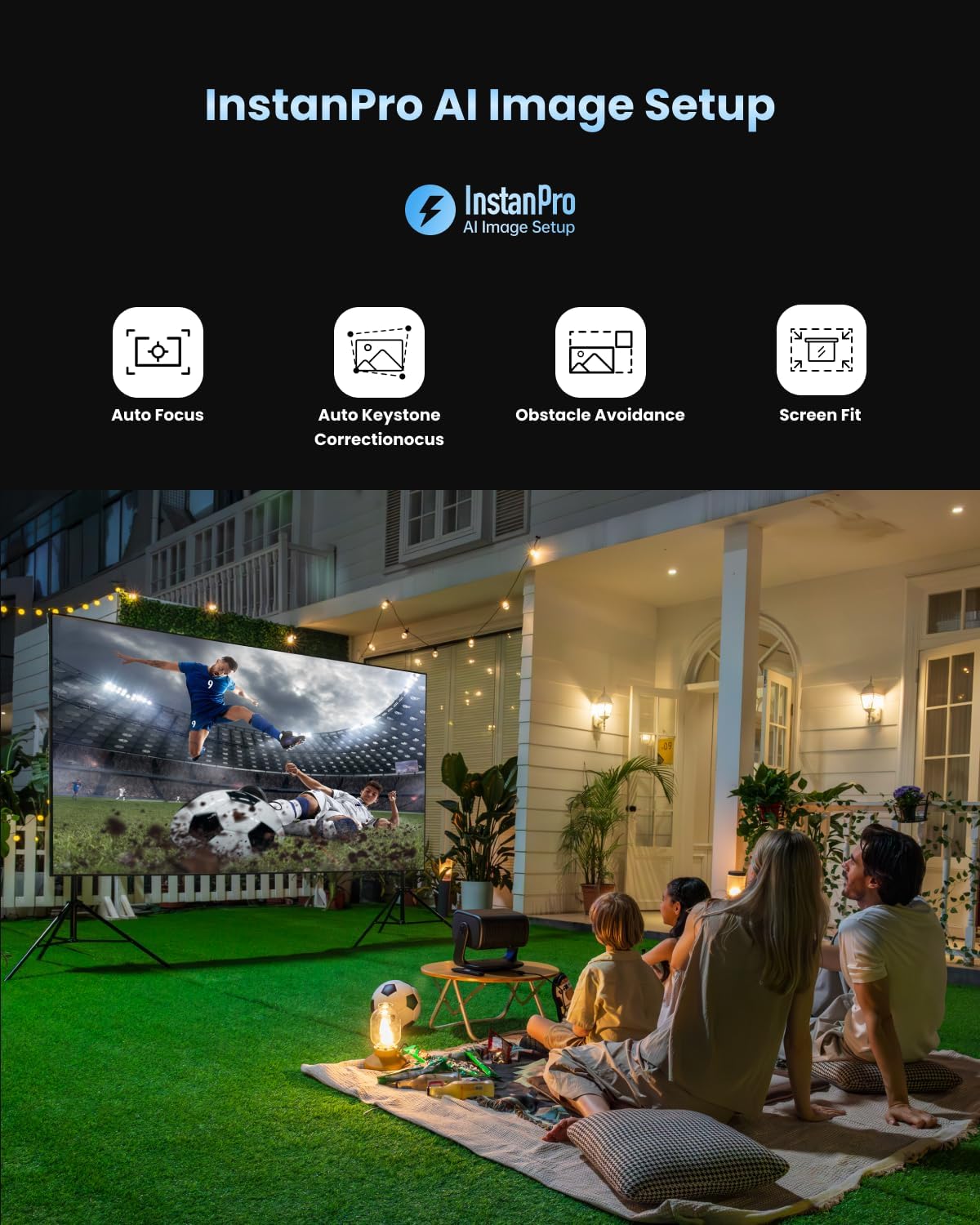
Figure 5: InstanPro AI Image Setup features for automatic optimization.
4.2 Google TV Interface
Navigate the Google TV interface using the remote control. Access your favorite streaming apps, movies, shows, and more.

Figure 6: The Google TV home screen with access to popular applications.
4.3 Remote Control
The remote control provides quick access to essential functions. It includes dedicated buttons for popular streaming services like YouTube, Netflix, and Prime Video, as well as buttons for focus and keystone correction adjustments.
5. Connectivity
The Dangbei MP1 MAX offers various connectivity options:
- HDMI 2.1 (eARC): For connecting external devices like gaming consoles, Blu-ray players, or sound systems. The eARC port supports enhanced audio return channel functionality.
- USB: For media playback from USB drives.
- Bluetooth 5.2: For connecting wireless audio devices.
- Wi-Fi 6: For high-speed wireless internet connection.
6. Image Quality & Performance
The projector delivers a vibrant and bright 4K image. It supports HDR10+, HDR10, and HLG for enhanced contrast and color. The 3100 ISO Lumens brightness allows for clear viewing even in well-lit environments, though optimal viewing is achieved in darker conditions.

Figure 7: Visual comparison demonstrating the impressive brightness of the MP1 MAX.
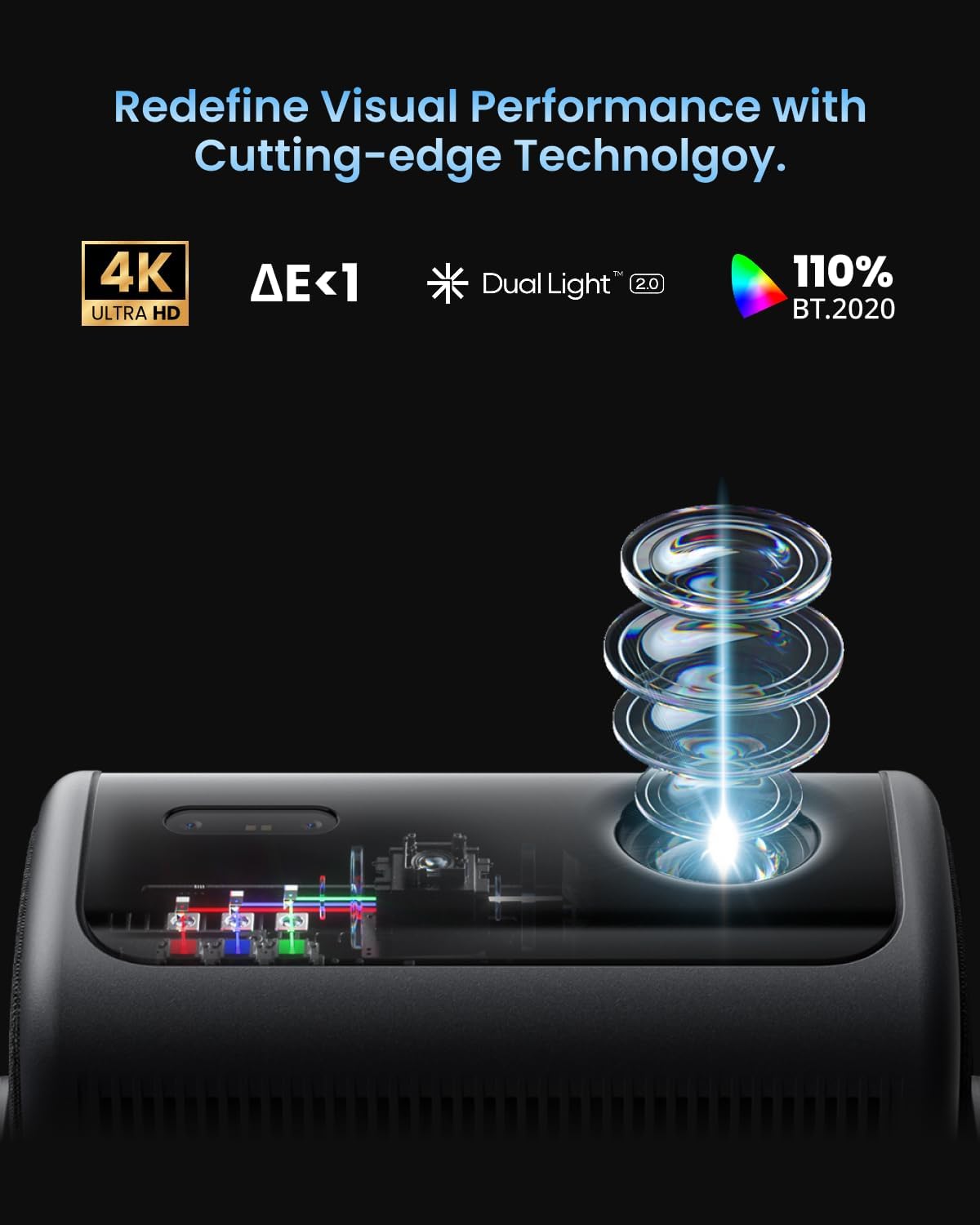
Figure 8: The Dual Light 2.0 engine combines Triple Laser and LED technology for superior visual performance.
7. Audio
Equipped with dual 12W speakers, a 750cc acoustic chamber, and a bass-reflex system, the MP1 MAX provides powerful surround sound down to 45Hz. It supports Dolby Audio and DTS:X for a cinema-grade audio experience.
8. Gaming
For casual gaming, the projector offers a responsive experience. While not designed for professional competitive gaming due to its refresh rate, it provides an immersive large-screen gaming experience with its bright and clear visuals.
9. Maintenance
To ensure the longevity and optimal performance of your projector:
- Keep the projector clean and free from dust. Use a soft, dry cloth for cleaning.
- Ensure proper ventilation around the projector to prevent overheating.
- Avoid exposing the projector to extreme temperatures or humidity.
10. Troubleshooting
Common Issues and Solutions:
| Issue | Possible Solution |
|---|---|
| No image displayed | Check power connection, input source, and ensure the lens cap is removed. |
| Image is blurry | Allow auto-focus to run or manually adjust focus using the remote control. |
| Image is distorted (trapezoid shape) | Allow auto keystone correction to run or manually adjust keystone settings. |
| No sound | Check volume levels, audio output settings, and external audio device connections. |
| Remote control not responding | Replace batteries, ensure no obstacles between remote and projector. |
11. Specifications
- Brightness: 3100 ISO Lumens
- Resolution: 4K UHD
- Light Source: Hybrid Triple Laser & LED
- Color Gamut: 110% BT.2020
- HDR Support: HDR10+, HDR10, HLG
- Projection Size: 40"-300"
- Throw Ratio: 1.2:1 (Fixed)
- Speakers: Dual 12W, Dolby Audio, DTS:X
- Operating System: Google TV
- Connectivity: HDMI 2.1 (eARC), USB, Bluetooth 5.2, Wi-Fi 6
- AI Features: InstanPro AI (Auto Focus, Auto Keystone, Screen Fit, Obstacle Avoidance, AI Brightness)
12. Warranty & Support
For warranty information and technical support, please refer to the official Dangbei website or contact their customer service directly. Keep your purchase receipt as proof of purchase.


