
1. Introduction
This manual provides detailed instructions for the proper use and maintenance of your Rolosar Q76 Wireless Earbuds. Please read this manual thoroughly before using the product to ensure optimal performance and longevity.
2. Setup
2.1. Unboxing and Initial Charge
Upon receiving your Rolosar Q76 Wireless Earbuds, open the charging case and remove the earbuds. It is recommended to fully charge the earbuds and the charging case before first use.
- Connect the provided USB-C cable to the charging port on the case and to a compatible USB power source.
- The LED display on the charging case will indicate the battery level.
- Ensure both earbuds are properly seated in the charging case. The earbuds will show a charging indicator.
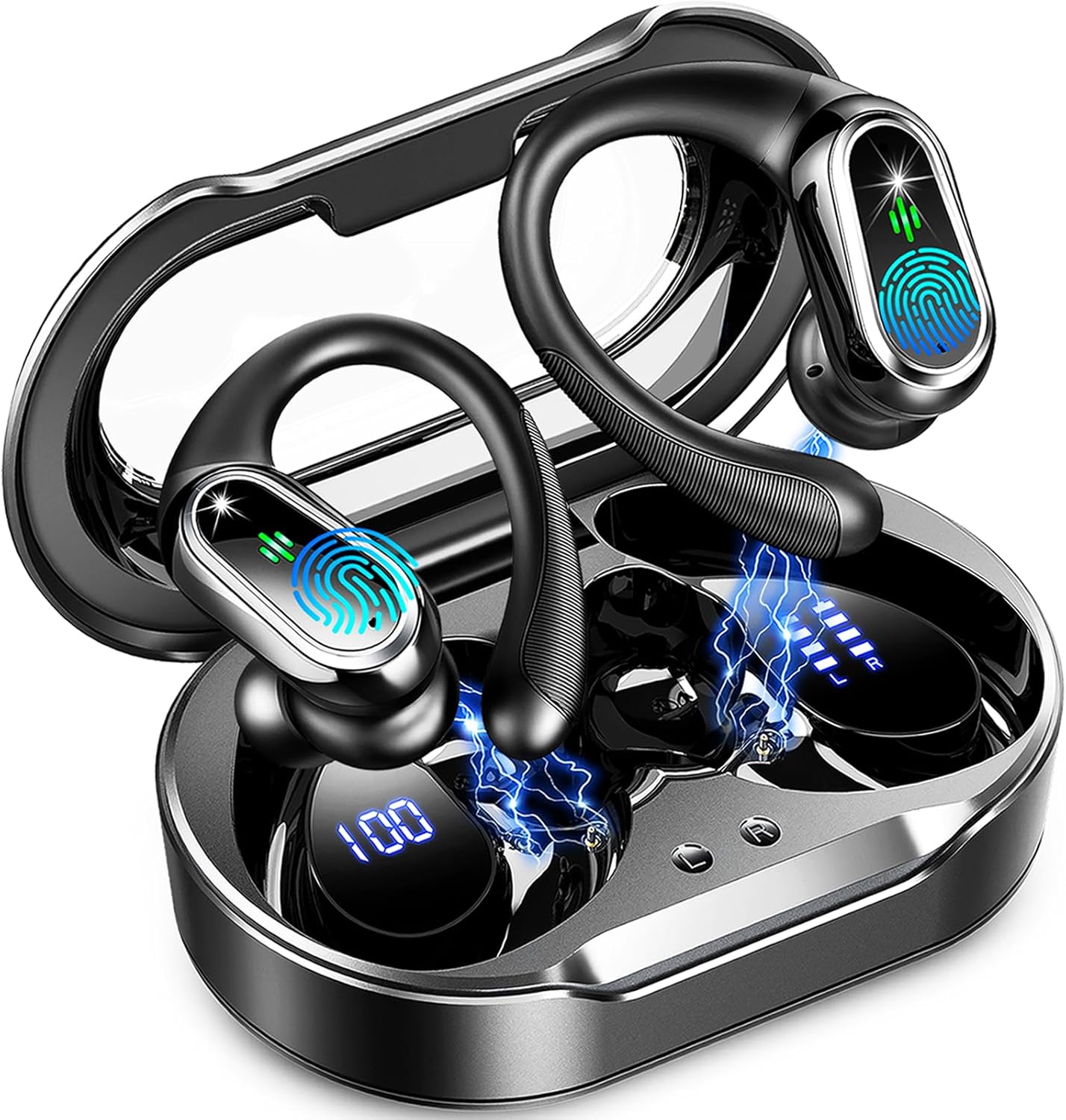
Image: Rolosar Q76 Wireless Earbuds in their charging case, displaying battery levels for both earbuds and the case.
2.2. Ear Tip Selection and Fit
For optimal sound quality and comfort, select the ear tips that best fit your ears. The Rolosar Q76 earbuds come with three sizes (S/M/L) of ear tips.
- Choose the right size ear caps for a snug fit.
- Place the earhook over your ear.
- Rotate and adjust the earbud to a comfortable angle, ensuring the ear tip forms a seal in your ear canal.
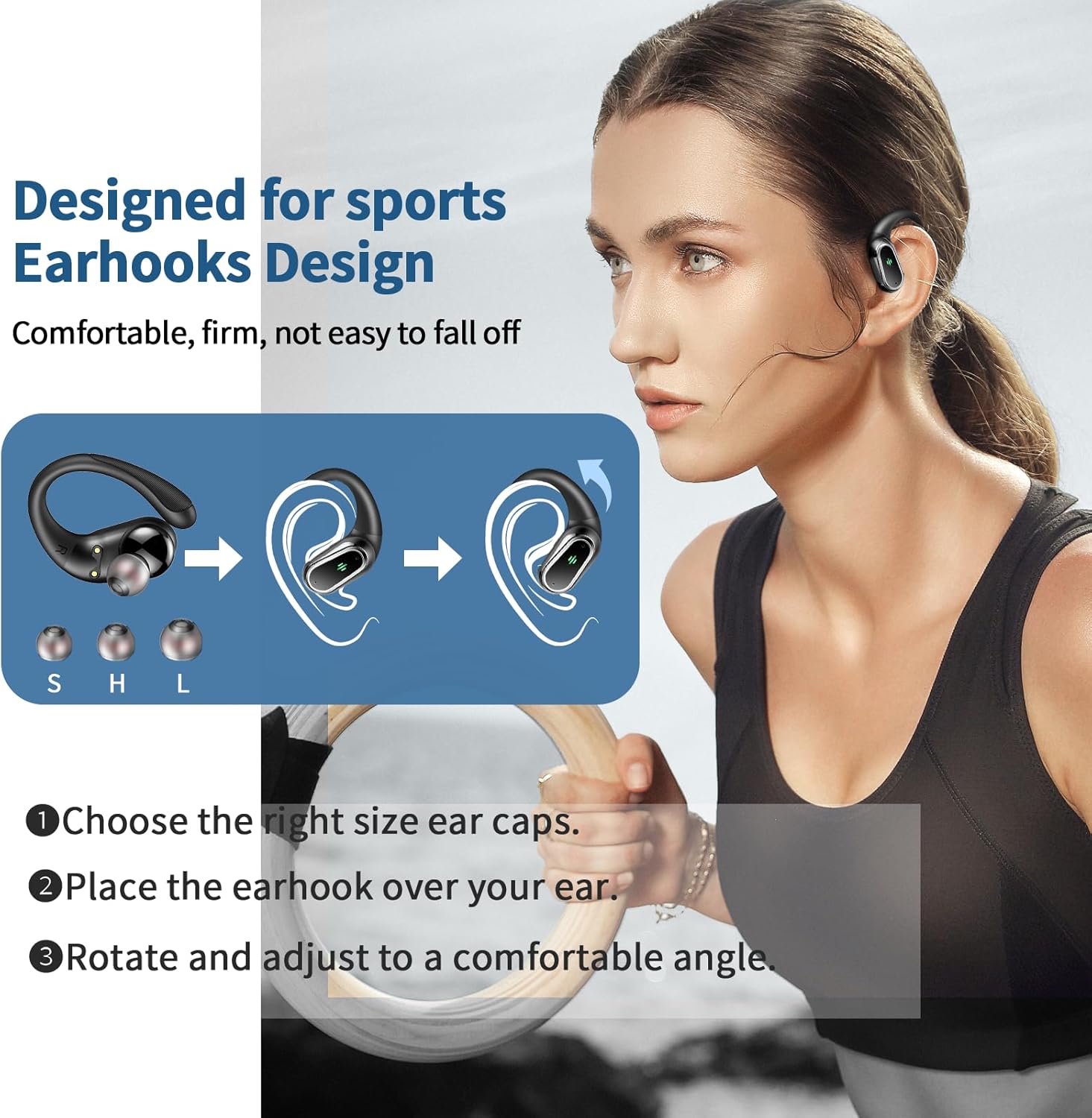
Image: Diagram illustrating the three steps for proper earbud fitting, including ear tip selection and earhook adjustment.
2.3. Bluetooth Pairing
The Rolosar Q76 Wireless Earbuds utilize Bluetooth 5.4 technology for a stable and efficient connection.
- Open the lid of the charging case. The earbuds will automatically power on and enter pairing mode.
- On your device (smartphone, tablet, laptop), enable Bluetooth and search for available devices.
- Select "Q76" from the list of found devices to establish the connection.
- Once paired, the earbuds will automatically connect to the last paired device when removed from the case.

Image: A visual guide showing the one-step auto pairing process for the Q76 earbuds, connecting to a device named "Q76" via Bluetooth.
3. Operating the Earbuds
3.1. Power On/Off
- Power On: Open the charging case lid, and the earbuds will automatically power on.
- Power Off: Place the earbuds back into the charging case and close the lid. They will automatically power off and begin charging.
3.2. Smart Touch Controls
The Rolosar Q76 earbuds feature intuitive touch controls on the upper part of each earbud's surface. The exact touch position is indicated by a small sensor area.
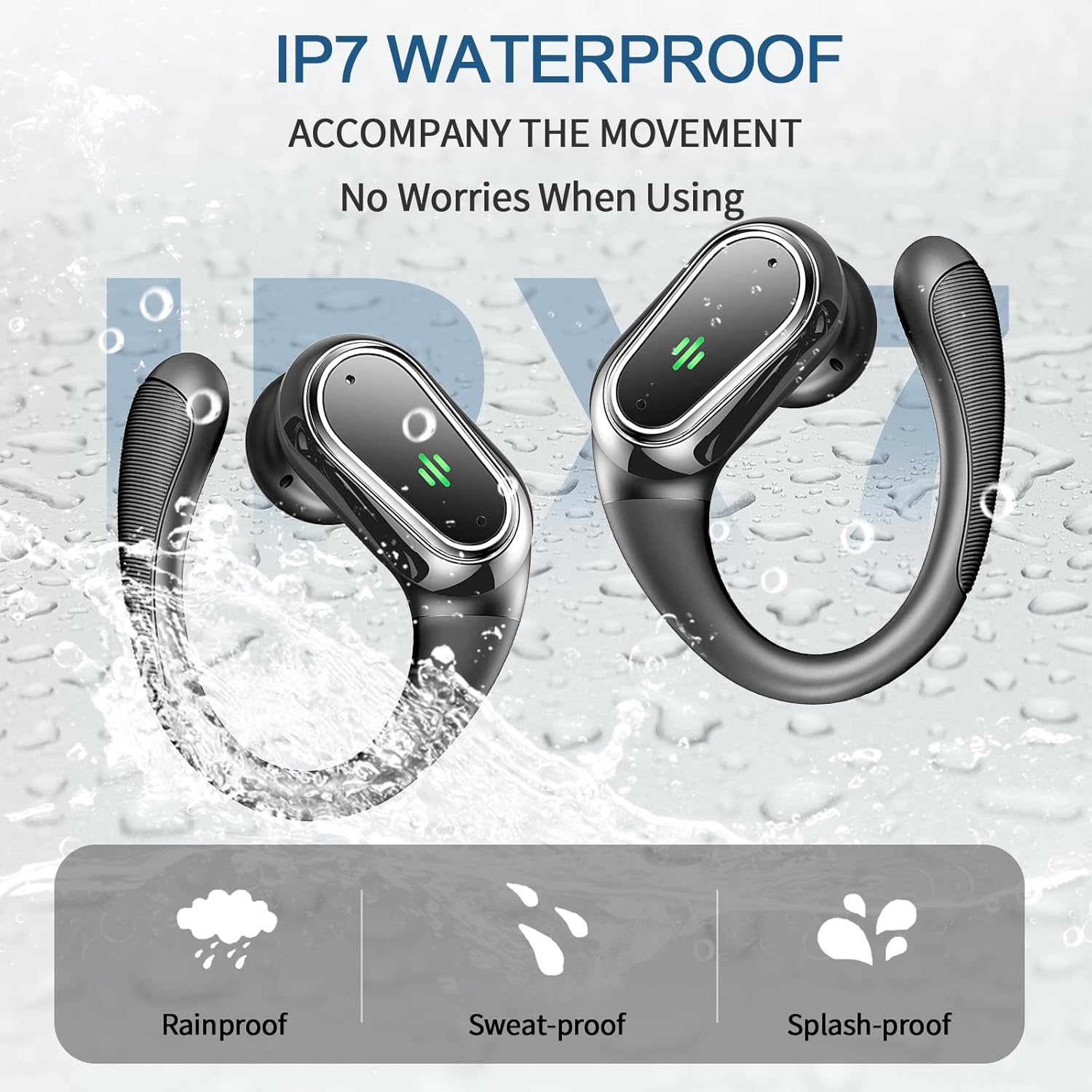
Image: A user interacting with the touch control area on the earbud.

Image: A detailed diagram outlining the touch gestures for functions such as Play/Pause, Voice Assistant, Answer/Reject Call, Volume control, and Next/Previous Song.
| Action | Function |
|---|---|
| Single Tap (Left/Right) | Play/Pause Music, Answer/End Call |
| Double Tap (Left) | Previous Song |
| Double Tap (Right) | Next Song |
| Triple Tap (Left) | Volume - |
| Triple Tap (Right) | Volume + |
| Long Press (2 seconds) | Activate Voice Assistant, Reject Call |
3.3. Audio Playback and Calls
- The earbuds deliver Hi-Fi stereo sound with deep bass, powered by 14.2mm double-layer diaphragm drivers.
- Built-in microphones with ENC (Environmental Noise Cancelling) technology ensure clear voice transmission during calls.
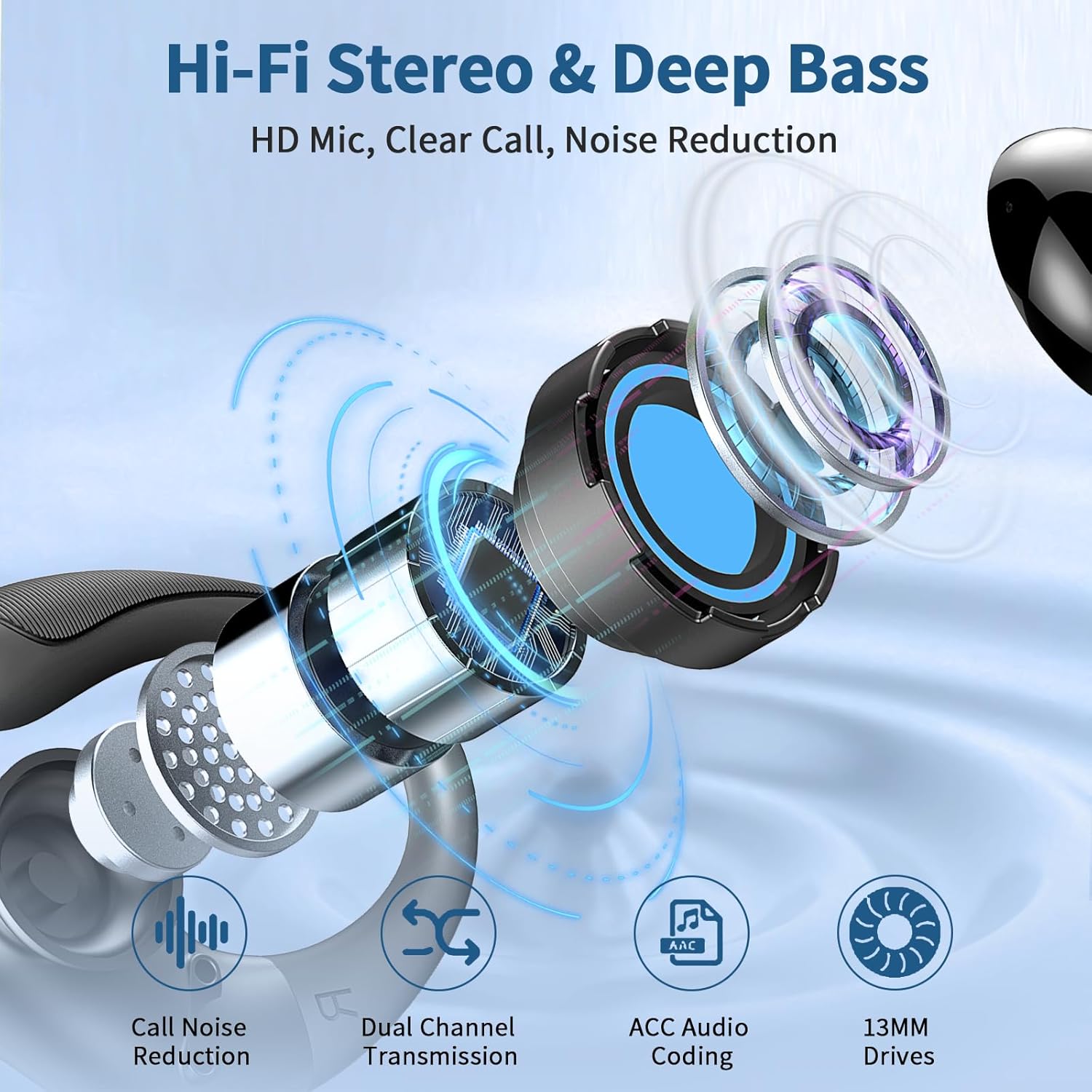
Image: An exploded diagram showcasing the internal structure of the earbud, emphasizing the 14.2mm driver responsible for audio quality.
3.4. Water Resistance
The Rolosar Q76 earbuds feature an IP7 waterproof rating, making them resistant to sweat, rain, and minor water splashes. They are suitable for workouts and outdoor activities.

Image: Earbuds shown with water splashes, indicating their IP7 waterproof and sweatproof design.
4. Maintenance
4.1. Cleaning
- Regularly clean the ear tips and the mesh screens of the earbuds with a soft, dry, lint-free cloth to remove earwax and debris.
- Wipe the charging contacts on both the earbuds and the case to ensure proper charging.
- Clean the charging case with a soft, dry cloth. Avoid using abrasive materials or harsh chemicals.
4.2. Storage
- Always store the earbuds in their charging case when not in use to protect them and keep them charged.
- Store the product in a cool, dry place, away from direct sunlight and extreme temperatures.
4.3. Battery Care
- To prolong battery life, avoid fully discharging the earbuds and charging case frequently.
- Charge the device regularly, even if not in frequent use, to maintain battery health.
5. Troubleshooting
5.1. Earbuds Not Pairing
- Ensure both earbuds are charged.
- Place both earbuds back into the charging case, close the lid, and then open it again to re-initiate pairing mode.
- On your device, forget or delete "Q76" from the Bluetooth device list and attempt to pair again.
5.2. No Sound or Poor Sound Quality
- Check the volume level on both your connected device and the earbuds.
- Ensure the earbuds are properly seated in your ears with the correct size ear tips for a good seal.
- Clean any debris from the ear tips and speaker mesh.
- Ensure the earbuds are within the Bluetooth range (approximately 9.14 meters or 30 feet) of your device.
5.3. Charging Issues
- Verify that the USB-C charging cable is securely connected to both the charging case and the power source.
- Clean the charging contacts on the earbuds and inside the case.
- Try using a different USB-C cable or power adapter.
5.4. Unpairing Headphones
To manually unpair the earbuds from each other or reset their connection:
- Quickly tap the touch control area on both the left and right headphones 5 times simultaneously. This action can help reset their internal connection.
6. Specifications
| Feature | Detail |
|---|---|
| Model Name | Q76 |
| Brand | Rolosar |
| Connectivity Technology | Wireless |
| Wireless Communication Technology | Bluetooth 5.4 |
| Bluetooth Range | 9.14 Meters (approx. 30 feet) |
| Noise Control | Adaptive Noise Cancellation (ENC Mic) |
| Audio Driver Type | Dynamic Driver (14.2mm) |
| Battery Life (Earbuds) | Up to 10 Hours per charge |
| Total Playtime (with Charging Case) | Up to 50 Hours |
| Water Resistance Level | IP7 Waterproof |
| Ear Placement | In Ear with Earhooks |
| Material | Silicone |
| Item Weight | 5 ounces |
| Product Dimensions | 1.57 x 0.79 x 1.97 inches |
| Compatible Devices | Laptops, Desktops, Tablets, Telephones, Smart Speaker, Television, Cellphones |
7. Warranty and Support
7.1. Warranty Information
Please refer to the product packaging or the official Rolosar website for specific warranty terms and conditions. Keep your proof of purchase for warranty claims.
7.2. Customer Support
For technical assistance, troubleshooting, or any inquiries regarding your Rolosar Q76 Wireless Earbuds, please contact Rolosar customer support through their official channels. Contact information can typically be found on the product packaging or the brand's website.