
Fastrack 3330NM01
Fastrack TIK Tok 5.0 Quartz Analog Watch 3330NM01 User Manual
Model: 3330NM01
Introduction
This manual provides instructions for the Fastrack TIK Tok 5.0 Quartz Analog Watch, model 3330NM01. Please read this manual carefully to understand the functions and proper use of your watch. This timepiece features a distinctive case shape, a slim profile, and a double-layered dial with multifunction movement for day, date, and 24-hour subdials.
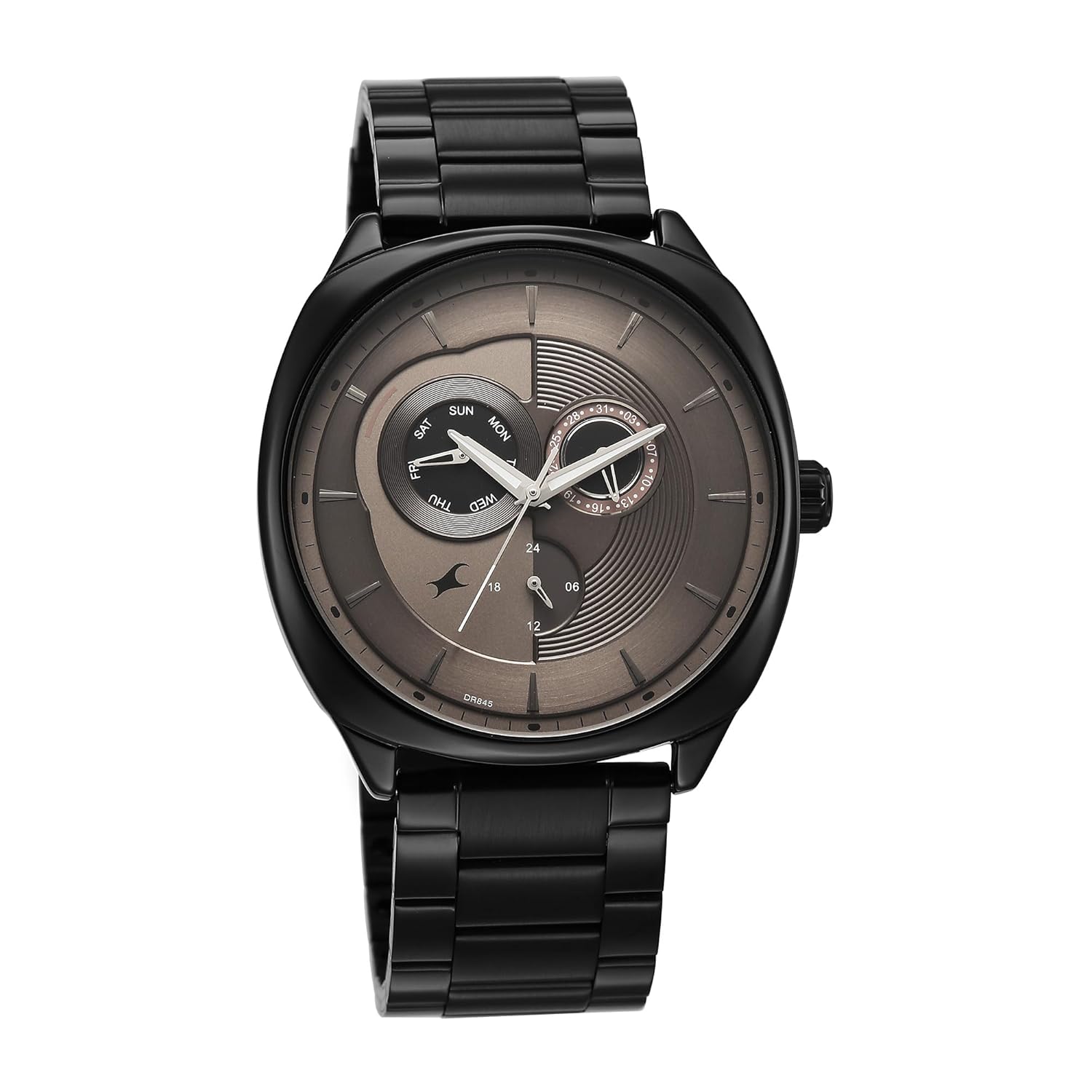
Figure 1: Front view of the Fastrack TIK Tok 5.0 Quartz Analog Watch.
Setup and Initial Adjustment
1. Setting the Time
- Pull the crown (located on the right side of the watch case) out to the second click position.
- Rotate the crown to move the hour and minute hands to the correct time. Ensure the 24-hour subdial also aligns correctly if setting AM/PM.
- Push the crown back into the normal position to start the watch.

Figure 2: Side view illustrating the watch crown for adjustments.
2. Setting the Day and Date
The watch features day and date subdials. These are typically adjusted via the crown in a different position or using pushers.
- Pull the crown out to the first click position.
- Rotate the crown in one direction to adjust the date. Rotate in the opposite direction to adjust the day. (Note: Some watches may require rotating the crown past 12 AM to change the date, then rotating back to adjust the day. Avoid setting the date between 9 PM and 3 AM to prevent damage to the movement.)
- Once the day and date are set, push the crown back into the normal position.
3. Strap Adjustment
The stainless steel strap can be adjusted for a comfortable fit. This usually involves removing or adding links. It is recommended to have this procedure performed by a professional watch repair service to avoid damaging the strap or watch.
Operating Your Watch
1. Basic Timekeeping
Your Fastrack TIK Tok 5.0 watch operates on a quartz movement, powered by a battery. Once set, the watch will accurately display the time, day, and date.
2. Chronograph Function
This watch includes a chronograph feature, which functions as a stopwatch. The specific operation of the chronograph (start, stop, reset) typically involves pushers located on the side of the watch case, adjacent to the crown. Refer to the markings on your watch for specific pusher functions.
- Start/Stop: Press the upper pusher to start and stop the chronograph.
- Reset: Press the lower pusher to reset the chronograph hands to zero when the chronograph is stopped.
3. Water Resistance
Your watch is water resistant up to 50 meters (5 ATM). This means it is suitable for everyday use and can withstand splashes, rain, and brief submersion in water. It is not suitable for swimming, diving, or showering with hot water, as steam and pressure changes can compromise the seals.
Important: Do not operate the crown or pushers when the watch is wet or submerged in water.
Maintenance
1. Cleaning
To maintain the appearance of your watch, wipe the case and strap regularly with a soft, dry cloth. For stainless steel straps, a slightly damp cloth can be used, followed by a dry cloth. Avoid using chemical cleaners or abrasive materials.
2. Battery Replacement
The quartz movement is powered by a battery. When the watch stops or the second hand begins to skip, it indicates a low battery. Battery replacement should be performed by a qualified watch technician to ensure proper sealing and prevent damage to the movement.
3. Storage
When not wearing your watch, store it in a cool, dry place, away from direct sunlight and extreme temperatures. Keep it away from magnetic fields, which can affect the accuracy of the quartz movement.

Figure 3: Rear view of the watch, showing the stainless steel back.
Troubleshooting
| Problem | Possible Cause | Solution |
|---|---|---|
| Watch stops or runs intermittently. | Low battery. | Replace the battery. Consult a professional watch technician. |
| Time is incorrect. | Crown pulled out; accidental adjustment; magnetic interference. | Push crown fully in. Reset the time. Keep watch away from strong magnetic fields. |
| Date/Day does not change. | Incorrectly set; crown not fully pushed in. | Re-set the date/day. Ensure crown is fully pushed in after setting. |
| Water inside the watch. | Crown/pushers operated underwater; seals compromised. | Immediately take the watch to a service center. Do not attempt to dry it yourself. |
Specifications
- Brand: Fastrack
- Model: 3330NM01
- Movement: Quartz
- Display Type: Analog
- Special Features: Chronograph, Day, Date, 24-hour subdial
- Case Material: Stainless Steel
- Strap Material: Stainless Steel
- Crystal: Durable Mineral Crystal
- Water Resistance: 50 Meters (5 ATM)
- Product Dimensions: 4.7 x 4.3 x 1 cm
- Item Weight: 150 g
- Power Source: Battery Powered
Warranty Information
Your Fastrack TIK Tok 5.0 watch comes with a 12-Month Guarantee from the date of purchase. This warranty covers manufacturing defects under normal use. It does not cover damage resulting from improper handling, accidents, unauthorized repairs, or normal wear and tear (e.g., battery, strap, crystal scratches).
For warranty claims or service, please contact Fastrack customer support or an authorized service center. Proof of purchase is required for all warranty services.
Support
For further assistance, technical support, or service inquiries regarding your Fastrack TIK Tok 5.0 watch, please refer to the official Fastrack website or contact their customer service department.
Manufacturer: Titan Company Limited
Contact Information:
- Email: corpcomm@titan.co.in
- Phone: +91-(0)4344-664199
- Address: #3, Sipcot Industrial Complex, Hosur - 635126, Tamil Nadu, India
Please have your watch model number (3330NM01) and proof of purchase available when contacting support.
Ask a question about this manual
Ask about setup, troubleshooting, compatibility, parts, safety, or missing instructions. Manuals+ will review the question and use this page’s manual context to help answer it.