
1. Product Overview
This BrickSoul Light Up Kit is designed to enhance the Lego 76300 Arkham Asylum Building Set (Lego set not included). It features a simple wired one-touch on/off switch for light control and high-quality LEDs that provide a soft, non-glaring illumination. The kit incorporates hidden cable technology with pre-measured spacing to ensure a clean and professional appearance, highlighting the architectural details of your model.
The system operates on a stable 5V low-voltage, ensuring safety and durability. It offers dual power options: via the included USB cable (adapter not included) or a battery box (requires 3 AA batteries, not included). Recommended for ages 14 and up.
2. Package Contents
Please verify that all components listed below are present in your package:
- LED Light Kit components (various lights and connecting wires)
- Light Control Button
- USB Cable
- Battery Box (requires 3 AA batteries, not included)
- Online Video or PDF Instructions (accessible via QR code or website)

Figure 2.1: Contents of the BrickSoul Light Up Kit. Note: Lego model is not included.
3. Safety Information
- This product contains small parts and is not suitable for children under 3 years of age due to choking hazards.
- Recommended age for assembly and use is 14 years and up.
- Ensure the power source is disconnected before performing any installation or maintenance.
- Use only the specified 5V power supply. Do not exceed the recommended voltage.
- Do not expose the light kit to water or extreme temperatures.
- Handle wires and LED components carefully to avoid damage.
4. Installation Guide
The BrickSoul light kit is designed for easy and enjoyable assembly. Detailed online video or PDF instructions are available to guide you through each step. These instructions include clearly numbered light bags that correspond to specific installation steps.
4.1 Accessing Instructions
To access the detailed installation guide, refer to the instructions provided in your package. Typically, this involves scanning a QR code or visiting a specific website to view PDF or video tutorials. These resources will provide step-by-step guidance for integrating the lights into your Lego 76300 Arkham Asylum Building Set.
4.2 Key Installation Principles
- Hidden Cable Technology: The kit utilizes pre-routed internal channels within the Lego structure to make wiring virtually invisible. Follow the online instructions carefully to achieve a clean display.
- Snap-on Connectors: The intuitive snap-on connectors simplify the wiring process. Ensure connections are secure but do not force them.
- Component Placement: Each light component is designed for a specific location. Refer to the detailed guide for precise placement to illuminate every architectural detail effectively.

Figure 4.1: Example of clean wiring and vibrant illumination achieved with the BrickSoul kit.

Figure 4.2: Close-up views of the illuminated Arkham Asylum model, demonstrating detailed lighting.
5. Operating Instructions
Once the light kit is fully installed and connected to a power source, you can operate it using the wired one-touch control button.
5.1 Powering the Kit
- USB Power: Connect the provided USB cable to the light kit and then to a 5V USB power adapter (not included) or a USB port on a computer/power bank.
- Battery Box Power: Insert 3 AA batteries (not included) into the battery box and connect it to the light kit. Ensure correct battery polarity.
5.2 Using the Touch Control Button
- Turn On/Off: Press the touch control button once to turn the lights on or off.
- Adjust Brightness/Mode: This version features touch control for adjustment. Refer to your specific online instructions for detailed steps on how to adjust brightness or switch between lighting modes using the touch sensor.
Video 5.1: Demonstration of the BrickSoul Light Up Kit for Lego 76300 Arkham Asylum Set, showcasing the lighting effects and touch control functionality.
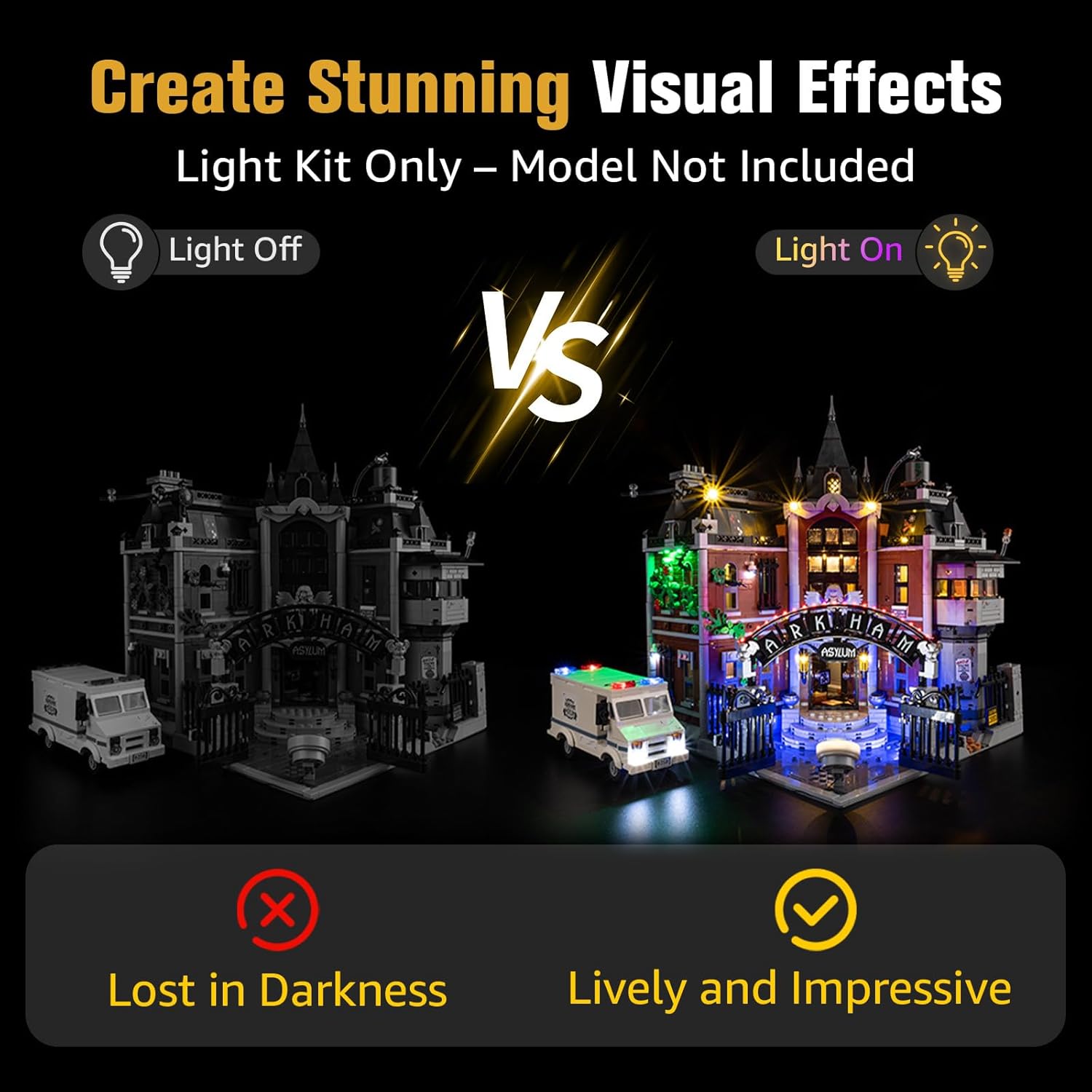
Figure 5.1: Visual comparison of the Lego Arkham Asylum model with lights off and lights on.
6. Maintenance
- Cleaning: Use a soft, dry cloth to gently wipe dust from the LED components and wires. Avoid using liquid cleaners directly on the electrical components.
- Storage: If storing the model for an extended period, disconnect the power source (remove batteries or unplug USB cable).
- Handling: Always handle the illuminated model with care to prevent damage to the delicate wiring and LED components.
7. Troubleshooting
| Problem | Possible Cause | Solution |
|---|---|---|
| Lights do not turn on. |
|
|
| Some lights are dim or flickering. |
|
|
| Touch control is unresponsive. |
|
|
8. Specifications
| Feature | Detail |
|---|---|
| Model Number | BS-76300-CV |
| Compatibility | Lego 76300 Arkham Asylum Building Set |
| Control Type | Wired One-Touch On/Off, Adjustment Lighting Mode |
| Wiring Technology | Hidden Cable Tech with Pre-measured Spacing |
| Power Source | USB (5V) or Battery Box (3 AA batteries, not included) |
| Material | Plastic |
| Recommended Age | 14 years and up |
| Product Dimensions | 6.36 x 4.32 x 1.33 inches (packaging/kit dimensions) |
| Item Weight | 4.8 ounces |
9. Warranty and Support
BrickSoul is committed to customer satisfaction. We provide responsive customer support to assist with any questions or issues you may encounter.
- Customer Support: For assistance, please refer to the contact information provided in your product packaging or visit the official BrickSoul website.
- Quality Assurance: Our light kits are crafted with high-quality, safety-tested materials for enhanced safety and lasting performance.
