
Introduction
The AURAFIT AI Smart Watch F39C is an advanced wearable device designed to enhance your daily life with intelligent features. It integrates AI technology for voice interaction, offers comprehensive health monitoring, supports Bluetooth calling, and provides a personalized visual experience. This manual provides detailed instructions for setting up, operating, and maintaining your smart watch.
Package Contents
Before you begin, please ensure all items are present in your package:
- AURAFIT AI Smart Watch F39C
- Magnetic Charging Cable
- User Manual (this document)
- Additional Watch Strap (if included in your specific package)

Image: The AURAFIT AI Smart Watch F39C, magnetic charging cable, and two watch straps are displayed on a white background, illustrating the package contents.
Setup
1. Charging the Device
Before first use, fully charge your AURAFIT AI Smart Watch. Connect the magnetic charging cable to the charging points on the back of the watch and plug the USB end into a power adapter (not included) or a computer's USB port. A full charge typically takes approximately 2 hours.
2. Installing the Aurafit App
To unlock the full functionality of your smart watch, download and install the official "Aurafit" app on your smartphone. The app is compatible with both iOS (version 9.0 and above) and Android (version 5.0 and above) devices. Search for "Aurafit" in your device's app store.
3. Pairing with Your Smartphone
- Ensure Bluetooth is enabled on your smartphone.
- Open the Aurafit app and follow the on-screen instructions to create an account or log in.
- In the app, navigate to the device pairing section and select your AURAFIT F39C smart watch from the list of available devices.
- Confirm the pairing request on both your watch and smartphone.
For optimal performance of AI features, ensure the Aurafit app remains open and running in the background on your phone.
Operating Instructions
Basic Navigation
The AURAFIT F39C features a 2.01-inch HD full-touch display. Swipe across the screen to navigate through menus, access different functions, and view notifications. Use the side button for power on/off, returning to the home screen, or accessing specific features as configured.
AI Assistant (ChatGPT Integration)
Your smart watch includes an integrated AI assistant. Connect via Bluetooth to your phone and launch the companion app to utilize intelligent voice interaction for queries, information, and daily assistance. Long press the interface button to start speaking to the AI assistant.
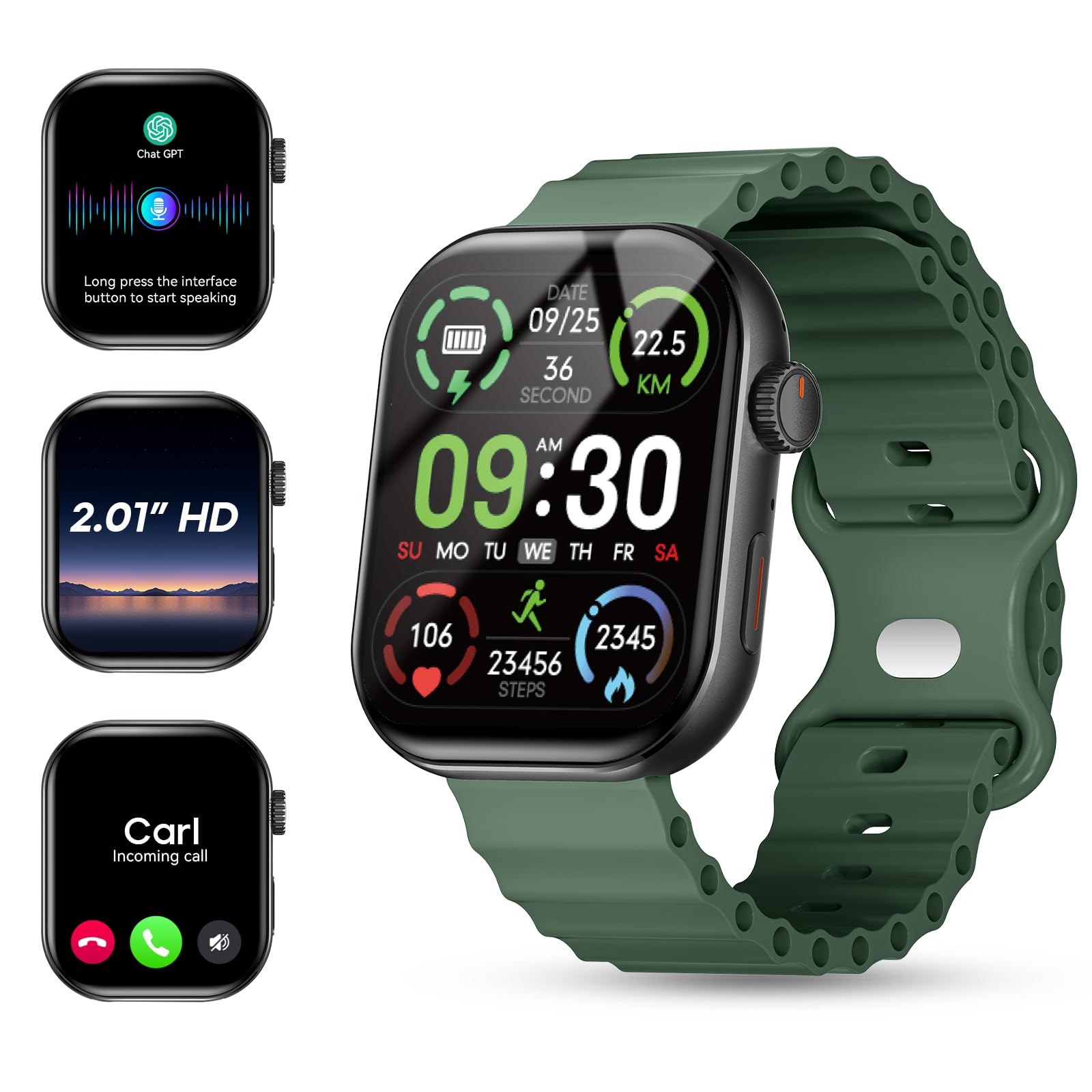
Image: The AURAFIT AI Smart Watch F39C screen shows an AI assistant conversation, a list of smart notifications from various apps, and options for answering or making calls, including call history and a dialpad.
Customizing Watch Faces
Personalize your watch with a variety of watch faces. The Aurafit app allows you to input keywords to automatically generate uniquely styled faces or choose from over 100 pre-designed options.

Image: The AURAFIT AI Smart Watch F39C displays various customized watch faces, including one generated from a photo and another with a cat design. The image also highlights the 2.01-inch HD screen.
Bluetooth Calling and Notifications
With built-in HD speakers and noise-canceling microphones, the watch supports Bluetooth calls and contact synchronization. You can answer or make calls directly from your wrist. The 2.01-inch HD color display also shows real-time notifications from various apps like SMS, WhatsApp, Facebook, Instagram, and Twitter.
Video: This video demonstrates the Bluetooth calling feature of the AURAFIT AI Smart Watch F39C, showing how to answer calls directly from the watch and manage notifications.
Health Tracking
The AURAFIT F39C is equipped with a multidimensional health monitoring system to track key health metrics:
- Heart Rate: Continuous monitoring of your heart rate.
- Blood Oxygen Levels (SpO2): Measures oxygen saturation in your blood.
- Stress Indices: Provides insights into your stress levels.
- Sleep Cycles: Tracks light sleep, deep sleep, and REM stages for comprehensive sleep analysis.
The innovative AI health assessment system within the app generates personalized wellness improvement plans based on your data, helping you adjust your lifestyle for better health outcomes.

Image: The AURAFIT AI Smart Watch F39C shows various health tracking screens, including heart rate graphs, sleep patterns, stress detection, and SpO2 levels. An accompanying phone screen displays an AI health analysis report.
Sports Modes
For fitness enthusiasts, the watch offers over 100 professional sports modes, including running, cycling, and various ball sports. It tracks key metrics such as workout duration, calories burned, and heart rate zones to help optimize your training effectiveness.

Image: The AURAFIT AI Smart Watch F39C shows a grid of icons representing over 100 sports modes. The watch screen displays real-time activity data like steps, speed, heart rate, calories, and distance, with a phone showing GPS tracking.
Other Smart Features
The AURAFIT F39C includes a range of additional smart functionalities:
- Alarm Clock: Set alarms directly from your watch.
- Camera Control: Remotely control your smartphone's camera.
- Music Control: Manage music playback on your connected device.
- Weather Forecast: Get real-time weather updates.
- Timer: Utilize a built-in timer function.
- Find Your Phone: Locate your paired smartphone.
- Breathing Exercises: Guided breathing sessions for relaxation.
- Calculator: Basic calculator functionality.
- Stock Market: View stock information.

Image: The AURAFIT AI Smart Watch F39C shows multiple screens demonstrating its diverse functions, including an alarm clock, remote camera control, music playback, weather forecast, and a timer.
Maintenance
Cleaning
Wipe the watch and straps regularly with a soft, dry cloth. If necessary, use a slightly damp cloth and mild soap, then dry thoroughly. Avoid harsh chemicals or abrasive materials.
Water Resistance
The AURAFIT F39C has an IP68 rating, meaning it is resistant to dust and can withstand immersion in water up to 1 meter for 30 minutes. Note: It is not recommended for swimming, showering, or exposure to hot water or steam, as this can compromise the water resistance.
Battery Care
To prolong battery life, avoid extreme temperatures. Charge the watch using the provided magnetic cable. The watch features magnetic fast charging and offers up to 7 days of battery life with typical use.
Troubleshooting
- Watch not turning on: Ensure the watch is fully charged. Connect it to the magnetic charger and wait a few minutes before attempting to power it on.
- Cannot pair with phone:
- Ensure Bluetooth is enabled on your phone and the watch.
- Make sure the Aurafit app is installed and running.
- Restart both your phone and the watch.
- Check if the watch is already paired with another device. Disconnect if necessary.
- Inaccurate health data: Ensure the watch is worn snugly on your wrist, not too tight or too loose. Clean the sensors on the back of the watch. Environmental factors and individual physiology can affect readings.
- Short battery life:
- Reduce screen brightness.
- Limit frequent use of power-intensive features like continuous heart rate monitoring or extensive Bluetooth calls.
- Ensure the Aurafit app is updated to the latest version.
- Notifications not appearing:
- Verify that the watch is properly connected to your phone via Bluetooth.
- Check notification settings within the Aurafit app and your phone's system settings to ensure permissions are granted.
- Ensure the Aurafit app is running in the background.
Specifications
| Feature | Detail |
|---|---|
| Model Number | F39C |
| Brand | AURAFIT |
| Screen Size | 2.01 Inches |
| Display Type | LED |
| Resolution | 240*296 |
| Touch | Full-screen touch |
| Connectivity Technology | Bluetooth 5.3 |
| Battery Capacity | 260 mAh |
| Battery Charge Time | 2 Hours |
| Battery Life (Typical Use) | Up to 7 days |
| Water Resistance Rating | IP68 |
| Operating System Compatibility | Android 5.0+, iOS 9.0+ |
| Supported Application | Aurafit Apps |
| Metrics Measured | Heart Rate, Blood Oxygen, Sleep, Stress, Steps, Calories, Distance |
| Item Weight | 6 Ounces (approx. 170g) |
| Case Material | Stainless Steel |
| Band Material | Synthetic |
| GPS | No GPS |
Warranty and Support
Warranty Information
The AURAFIT AI Smart Watch F39C comes with a 1-year manufacturer's warranty from the date of purchase. This warranty covers manufacturing defects under normal use. It does not cover damage caused by misuse, accidents, unauthorized modifications, or failure to follow the instructions in this manual.
Customer Support
For technical assistance, warranty claims, or further inquiries, please contact AURAFIT customer support through the official Aurafit app or visit the AURAFIT brand store online. Please have your model number (F39C) and proof of purchase ready when contacting support.