
1. Introduction
Thank you for choosing the Hoover HF6 Cordless Vacuum Cleaner. This manual provides essential information for the safe and efficient use, maintenance, and troubleshooting of your appliance. Please read these instructions carefully before first use and keep them for future reference.
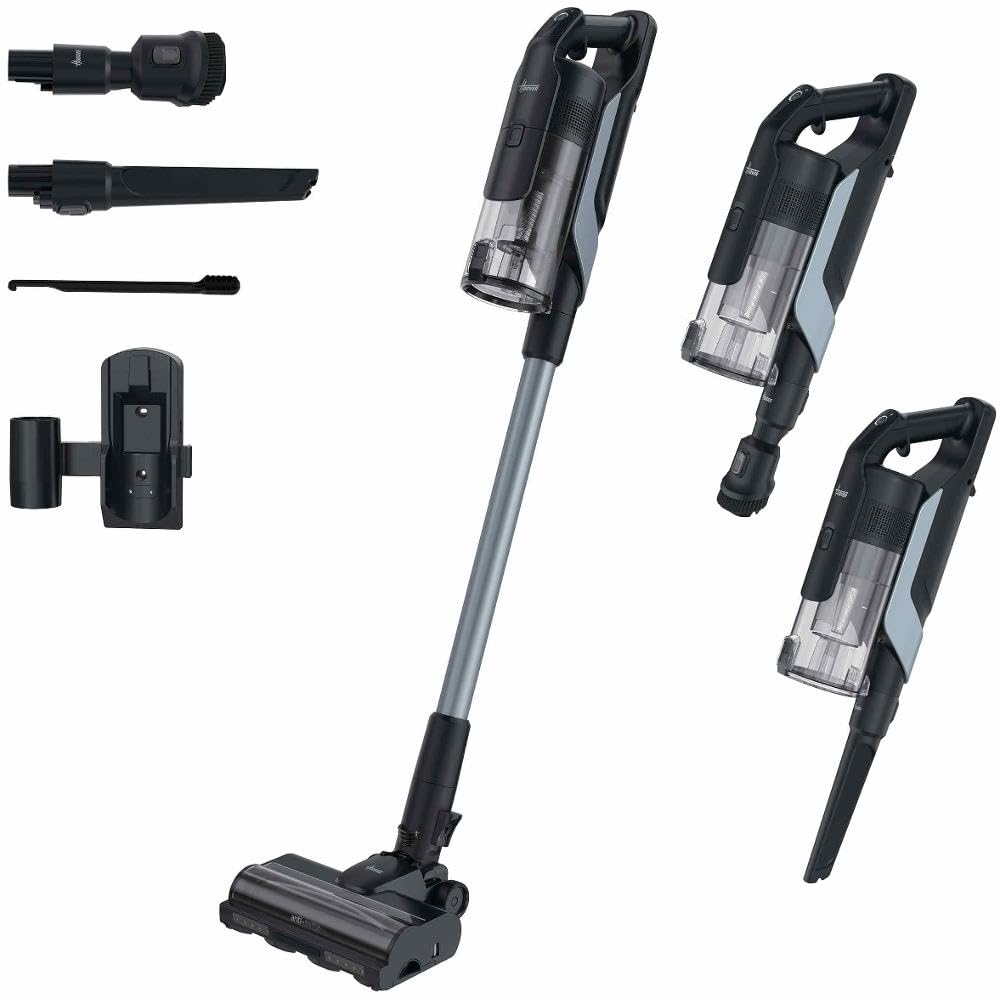
Figure 1: Hoover HF6 cordless vacuum cleaner in use on a carpet.
2. Safety Information
Always follow basic safety precautions when using electrical appliances to reduce the risk of fire, electric shock, or injury.
- Do not use the appliance outdoors or on wet surfaces.
- Do not allow children to play with the appliance. Close supervision is necessary when used near children.
- Use only as described in this manual. Use only manufacturer's recommended attachments.
- Do not use with a damaged cord or plug. If the appliance is not working as it should, has been dropped, damaged, left outdoors, or dropped into water, return it to a service center.
- Do not pull or carry by cord, use cord as a handle, close a door on cord, or pull cord around sharp edges or corners. Keep cord away from heated surfaces.
- Do not unplug by pulling on cord. To unplug, grasp the plug, not the cord.
- Do not handle plug or appliance with wet hands.
- Do not put any object into openings. Do not use with any opening blocked; keep free of dust, lint, hair, and anything that may reduce airflow.
- Keep hair, loose clothing, fingers, and all parts of body away from openings and moving parts.
- Do not pick up anything that is burning or smoking, such as cigarettes, matches, or hot ashes.
- Use extra care when cleaning on stairs.
- Do not use to pick up flammable or combustible liquids, such as gasoline, or use in areas where they may be present.
- Store the appliance indoors in a cool, dry area.
3. Product Overview
The Hoover HF6 is a versatile cordless vacuum cleaner designed for efficient cleaning across various floor types. It features a powerful motor and intelligent functions to optimize your cleaning experience.
Key Features:
- Powerful Cleaning: Up to 250 AW suction power for effortless absorption of fine dust and dirt.
- Cordless Operation: Up to 100 minutes of runtime, providing ample time for thorough home cleaning.
- Floor Sensor: Automatically detects the floor type (hard floor or carpet) and adjusts power for optimal cleaning.
- Dual-Way Technology: The nozzle effectively picks up dirt both forwards and backwards, saving time and improving cleaning results.
- Dual Edge Cleaning: Effectively collects dust on both sides of the floor nozzle, ideal for edges and baseboards.
- Anti-Tangle Roller: Designed to prevent hair and debris from tangling around the brush bar.
Components:
Figure 2: Hoover HF6 cordless vacuum cleaner in its upright stick configuration.
Figure 3: Hoover HF6 cordless vacuum cleaner showing both stick and handheld configurations, highlighting its versatility.
Figure 4: Close-up of the Hoover HF6 dustbin and motor unit.
Your Hoover HF6 package includes the main vacuum unit, extension wand, motorized floor nozzle, battery pack, charger, and various accessory tools (e.g., crevice tool, dusting brush).
4. Setup
4.1 Assembly
- Unpack all components and ensure all parts are present.
- Insert the extension wand into the main vacuum unit until it clicks securely into place.
- Attach the motorized floor nozzle to the other end of the extension wand, ensuring a secure connection.
- For handheld use, detach the extension wand and attach desired accessory tools directly to the main unit.
4.2 Initial Charging
- Before first use, fully charge the battery. Connect the charger to the battery pack and plug it into a power outlet.
- The charging indicator lights will show the charging status. A full charge typically takes approximately 3.5 hours.
- Do not operate the vacuum cleaner while it is charging.
5. Operating Instructions
5.1 Power On/Off
- To turn on the vacuum cleaner, press the power button located on the handle.
- To turn off, press the power button again.
5.2 Suction Modes
The Hoover HF6 offers multiple power levels and an automatic floor sensor:
- Standard Mode: Suitable for everyday cleaning on hard floors.
- Auto Mode: The vacuum automatically detects the floor type (hard floor or carpet) and adjusts suction power accordingly. This is the recommended mode for mixed surfaces.
- Turbo Mode: Provides maximum suction for stubborn dirt and deep cleaning on carpets. Use for short periods to conserve battery life.
- Switch between modes using the control buttons on the handle.
5.3 Using Attachments
The vacuum can be converted into a handheld unit for cleaning upholstery, car interiors, or hard-to-reach areas. Simply detach the extension wand and attach the desired accessory tool.
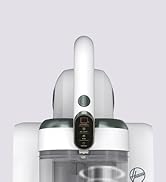
Figure 5: Close-up of the handheld vacuum nozzle, ideal for detailed cleaning.
6. Maintenance
Regular maintenance ensures optimal performance and extends the lifespan of your vacuum cleaner.
6.1 Emptying the Dustbin
- Empty the dustbin regularly, preferably after each use, or when the MAX fill line is reached.
- Press the dustbin release button and carefully remove the dustbin from the main unit.
- Open the dustbin lid and empty contents into a waste bin.
- Close the lid and reattach the dustbin to the main unit until it clicks.
6.2 Cleaning the Filter
- The filter should be cleaned monthly, or more frequently with heavy use.
- Remove the filter from the dustbin.
- Tap the filter gently to remove loose dust. For a deeper clean, rinse the filter under cold running water.
- Allow the filter to air dry completely for at least 24 hours before reinserting it. Do not use a hairdryer or other heating methods.
6.3 Cleaning the Brush Roll
- Periodically check the brush roll for tangled hair or debris.
- To access the brush roll, turn off the vacuum and detach the floor nozzle.
- Use scissors or a brush to remove any tangled hair or fibers from the brush roll.
- Ensure the brush roll spins freely before reassembling.
7. Troubleshooting
If you encounter issues with your Hoover HF6, refer to the table below for common problems and solutions.
| Problem | Possible Cause | Solution |
|---|---|---|
| Vacuum does not turn on. | Battery is not charged or not properly inserted. | Ensure battery is fully charged and correctly inserted. |
| Low suction power. | Dustbin full, filter clogged, or blockage in nozzle/wand. | Empty dustbin, clean filter, check for and remove blockages. |
| Brush roll not spinning. | Brush roll tangled with hair/debris or obstructed. | Turn off vacuum, remove floor nozzle, clear any obstructions from the brush roll. |
| Short battery runtime. | Battery not fully charged or operating in Turbo mode excessively. | Ensure battery is fully charged. Use Auto or Standard mode for general cleaning. |
If the problem persists after trying these solutions, please contact Hoover customer support.
8. Specifications
| Feature | Specification |
|---|---|
| Brand | Hoover |
| Model Name | HF610H |
| Model Number | 39401101 |
| Power Source | Battery Powered |
| Electric Power | 660 Watts |
| Battery Type | Lithium Ion |
| Battery Charging Time | 3.5 Hours |
| Battery Life / Runtime | 100 Minutes (1 hour 40 minutes) |
| Capacity | 1 Liter |
| Filter Type | Washable |
| Recommended Surfaces | All floor types (Hard floor, carpet) |
| Number of Power Levels | 3 |
| Item Weight | 3.28 Kilograms |
| Item Dimensions (LxWxH) | 29.8L x 22.2W x 120H cm |
| Control Method | Touch |
| Form Factor | Stick Vacuum |
| Included Components | Accessory Kit |
9. Warranty and Support
For warranty information, please refer to the documentation included with your product packaging or visit the official Hoover website. If you require technical assistance or have questions not covered in this manual, please contact Hoover customer support.
Manufacturer: Candy Hoover Group S.r.l.
Please retain your proof of purchase for warranty claims.


