
1. Introduction
Thank you for purchasing the Rowin Harmonizer Guitar Effects Pedal. This pedal is designed to enhance your guitar playing with versatile sound modifications, offering Harmony, Pitch Shift, and Detune effects. Featuring a true bypass design, precise pitch control, and a durable zinc alloy construction, this pedal is suitable for various musical styles and performance environments. Please read this manual thoroughly to understand the pedal's functions and ensure optimal performance.
2. Safety Information
- Do not expose the unit to rain, moisture, or extreme temperatures.
- Use only a DC 9V power adapter with negative center polarity. Using an incorrect power supply may damage the unit and void the warranty.
- Do not attempt to disassemble or repair the unit yourself. Refer all servicing to qualified personnel.
- Keep the unit away from strong magnetic fields.
- Clean the unit with a soft, dry cloth. Do not use liquid cleaners.
3. Package Contents
- 1 x Rowin Harmonizer Guitar Effects Pedal
- 1 x Instruction Manual (this document)
Note: A DC 9V power adapter is not included and must be purchased separately.
4. Product Overview and Controls
The Rowin Harmonizer pedal features a compact and durable design with intuitive controls for various effects. Below is a detailed diagram of the pedal's components and their functions.
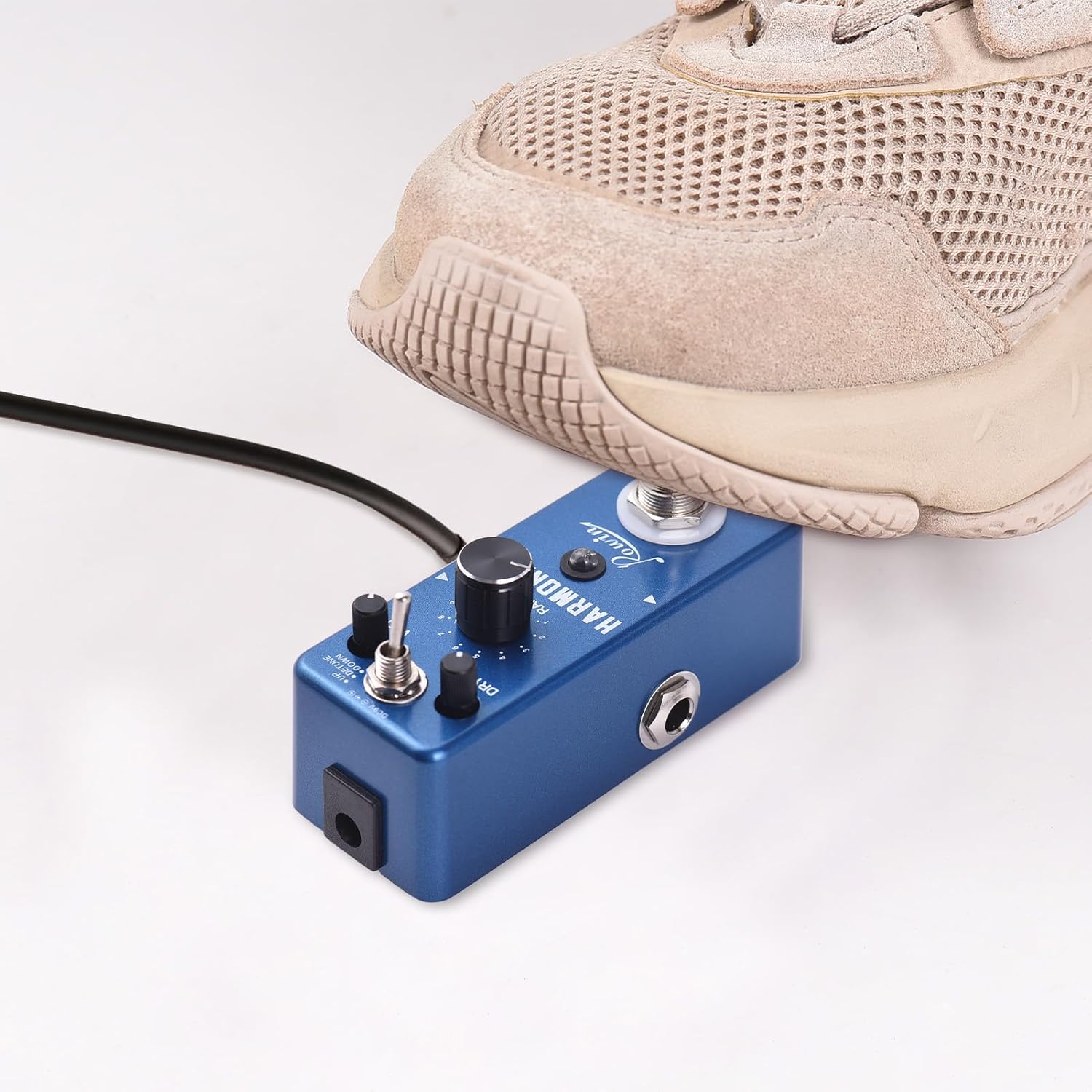
Image 4.1: Rowin Harmonizer Pedal Labeled Diagram
This image displays the top view of the Rowin Harmonizer pedal, highlighting its various controls and jacks with corresponding numbers and descriptions for easy identification.
- True BYPASS Footswitch: Press once to switch between original sound and effect sound. Press twice to switch between fixed mode and normal mode. Long press to store the current parameters.
- LED Indicator Light: Green light indicates Normal mode where knobs adjust parameters. Red light indicates Fixed mode where the effector uses stored parameters and knobs are inactive. No light indicates original (bypassed) sound.
- RANGE Knob: Adjusts the range of the pitch shifting sound, from 1 to 2 octaves.
- WET Knob: Adjusts the volume of the wet (effected) signal.
- Mode Switch: Toggles between UP (Harmony/Pitch Shift up), DETUNE, and DOWN (Harmony/Pitch Shift down) modes.
- DRY Knob: Adjusts the volume of the original (dry) signal.
- Input Jack: 1/4" mono audio jack for guitar input.
- Output Jack: 1/4" mono audio jack for output to amplifier or other pedals.
- DC 9V Power Jack: For DC 9V regulated AC adapter (plug polarity is positive on the barrel and negative in the center).

Image 4.2: Three Control Knobs
This image provides a close-up view of the RANGE, WET, and DRY control knobs, illustrating their positions and labels on the pedal.

Image 4.3: Easy to Carry Design
This image shows the pedal being held in a hand, emphasizing its light weight and compact size for easy portability.

Image 4.4: Non-slip Mat
This image displays the bottom of the pedal, highlighting the non-slip mat for stability during use.
5. Setup
Follow these steps to connect your Rowin Harmonizer pedal:
- Ensure your guitar amplifier is turned off.
- Connect your guitar to the Input Jack (7) on the right side of the pedal using a 1/4" mono instrument cable.
- Connect the Output Jack (8) on the left side of the pedal to your amplifier's input (or to the input of another effects pedal) using a 1/4" mono instrument cable.
- Connect a DC 9V power adapter (center negative, not included) to the DC 9V Power Jack (9).
- Once all connections are secure, you can turn on your amplifier.

Image 5.1: DC 9V Adapter Connection
This image illustrates the proper connection of a DC 9V power adapter to the pedal. Note that the power adapter is not included with the product.
6. Operating Instructions
The Harmonizer pedal offers three main effects modes: Harmony, Pitch Shift, and Detune. You can control these effects using the Mode Switch and the three control knobs.
6.1. Engaging and Bypassing the Effect
- Press the True BYPASS Footswitch (1) once to toggle between the original (bypassed) sound and the effected sound.
- When the effect is engaged, the LED Indicator Light (2) will illuminate (green or red). When bypassed, the LED will be off.

Image 6.1: True Bypass Footswitch in Use
This image shows a foot engaging the True Bypass footswitch, demonstrating how to activate or deactivate the pedal's effects.
6.2. Selecting Effect Modes
Use the Mode Switch (5) to select one of the three available effect modes:
- UP: Engages Harmony or Pitch Shift upwards.
- DETUNE: Engages the Detune effect.
- DOWN: Engages Harmony or Pitch Shift downwards.

Image 6.2: Versatile Sound Modes
This image highlights the mode switch, indicating the three distinct effects: Harmony, Pitch Shift, and Detune.
6.3. Adjusting Effect Parameters
The RANGE (3), WET (4), and DRY (6) knobs allow you to fine-tune the effect:
- RANGE Knob: Controls the pitch interval for Harmony and Pitch Shift modes, from 1 to 2 octaves. In Detune mode, this knob adjusts the degree of detuning.
- WET Knob: Adjusts the volume of the processed (effected) signal. Turn clockwise for more effect.
- DRY Knob: Adjusts the volume of your original, unprocessed guitar signal. Turn clockwise for more dry signal.
6.4. Normal Mode vs. Fixed Mode and Parameter Storage
The pedal supports two operational modes for parameter adjustment:
- Normal Mode: Indicated by a green LED. In this mode, you can freely adjust the RANGE, WET, and DRY knobs to change the effect parameters in real-time.
- Fixed Mode: Indicated by a red LED. In this mode, the pedal uses a previously stored set of parameters. The physical positions of the RANGE, WET, and DRY knobs will not affect the sound. This is useful for recalling specific settings instantly.
- To switch between Normal and Fixed modes, press the True BYPASS Footswitch (1) twice quickly.
- To store the current parameters (knob settings) into Fixed Mode, press and hold the True BYPASS Footswitch (1) for an extended period until the LED flashes or changes to confirm storage.
7. Specifications
| Chip | 32 Bit floating point |
| Sampling Rate | 44.1kHz/24bit |
| Effect Modes | Harmony, Pitch Shift, Detune |
| Input | 1/4" Monaural Jack |
| Output | 1/4" Monaural Jack |
| Input Impedance | 470K Ohms |
| Output Impedance | 100 Ohms |
| Working Current | 100mA |
| Power Supply | DC 9V (center negative, adapter not included) |
| Material | Zinc Alloy |
| Product Color | Dark Blue |
| Product Size | 9.5 cm x 3.7 cm x 5 cm (3.7 in x 1.5 in x 2 in) |
| Product Weight | 200 g (7.1 oz) |

Image 7.1: Product Dimensions
This image provides a visual representation of the pedal's dimensions, showing its length, width, and height in both centimeters and inches.
8. Maintenance
- Cleaning: Use a soft, dry cloth to clean the pedal's exterior. Avoid abrasive cleaners or solvents.
- Storage: When not in use for extended periods, disconnect the power supply and store the pedal in a dry, cool place away from direct sunlight.
- Connections: Periodically check all cable connections for wear and tear. Replace damaged cables to ensure optimal signal integrity.
9. Troubleshooting
- No Sound:
- Check all cable connections (guitar to input, output to amp).
- Ensure the power adapter is correctly connected and providing DC 9V with center negative polarity.
- Verify that the amplifier is on and its volume is up.
- Press the footswitch to ensure the pedal is not in bypass mode (LED should be lit).
- Weak or Distorted Sound:
- Check the WET and DRY knob settings. Adjust them to achieve the desired blend.
- Ensure your guitar's output and amplifier's input levels are appropriate.
- Try a different power adapter to rule out power supply issues.
- Effect Not Changing with Knobs:
- The pedal might be in Fixed Mode (red LED). Double-press the footswitch to switch to Normal Mode (green LED) to enable knob adjustments.
10. Warranty and Support
This product is covered by a standard manufacturer's warranty against defects in materials and workmanship. For specific warranty terms and conditions, please refer to the documentation provided at the time of purchase or contact your retailer.
For technical support or service inquiries, please contact the vendor or retailer from whom you purchased the product. Please have your model number (lvifloaeapc0neu249) and purchase information ready.