
VERPAL E05D-BL
VERPAL Lightweight Electric Wheelchair E05D-BL Instruction Manual
Model: E05D-BL
1. Important Safety Information
Read this entire manual before operating the VERPAL Lightweight Electric Wheelchair. Failure to follow instructions and safety warnings may result in injury or damage to the product.
- Always ensure the electromagnetic brakes are engaged when stationary.
- Do not exceed the maximum weight capacity of 330 lbs (150 kg).
- Avoid operating the wheelchair on excessively steep inclines beyond 12 degrees.
- Ensure the battery is properly installed and charged before use.
- Keep hands and clothing clear of moving parts.
- This wheelchair is designed for single-person use only.
Legal Disclaimer: Statements regarding this product have not been evaluated by the FDA and are not intended to diagnose, treat, cure, or prevent any disease or health condition.
2. Setup and Assembly
The VERPAL Electric Wheelchair is designed for quick and easy setup. Follow these steps to prepare your wheelchair for use.
2.1 Unfolding the Wheelchair
To unfold the wheelchair, release any locking mechanisms and gently pull the frame apart until it clicks into place. Ensure all parts are securely locked before sitting in the chair.

Figure 2.1: The VERPAL electric wheelchair folds compactly for transport, making it easy to lift into a car trunk.

Figure 2.2: Detailed dimensions of the VERPAL electric wheelchair in both unfolded and folded states, demonstrating its space-saving design for storage in living rooms, under beds, or offices.
2.2 Battery Installation and Charging
The wheelchair uses a removable 151Wh 6Ah battery. Ensure the battery is fully charged before initial use.
- To install, slide the battery into its designated compartment until it locks securely.
- To charge, the battery can be removed and charged separately, or charged while installed in the wheelchair via the controller.
- Charging time is approximately 3-4 hours for a full charge.

Figure 2.3: The FAA-compliant 151Wh 6Ah battery is easily removable for charging and offers a quick 3-4 hour charge time.

Figure 2.4: Multiple charging options are available: remove the battery, charge directly through the controller, or use a direct charging port on the wheelchair.
2.3 Joystick and Footrest Adjustment
The joystick can be adjusted for left or right-hand use. The footrest is extendable for comfort.

Figure 2.5: The joystick controller can be easily swapped from the right to the left side to accommodate user preference or specific needs.

Figure 2.6: The wheelchair features adjustable armrests, a 2-inch breathable seat cushion, and an extendable footrest for enhanced user comfort and support.
2.4 Unboxing and Installation Video
Video 2.1: This video demonstrates the unboxing and initial installation steps for the VERPAL K04 electric wheelchair, guiding users through the assembly process.
3. Operating Instructions
Learn how to safely and effectively operate your VERPAL Electric Wheelchair.
3.1 Using the Joystick Controller
The wheelchair is controlled by an intuitive 360° rotating joystick and a 6-button keypad. Push the joystick in the desired direction to move. Release the joystick to engage the electromagnetic brakes and stop.
- Power Button: Press to turn the wheelchair on/off.
- Speed Adjustment: Use the '+' and '-' buttons to cycle through 5 speed settings (up to 3.75 MPH).
- Horn: Press the horn button to alert others.
- SOS Button: Activates a voice alert for emergencies.
- Mute Button: Mutes system sounds.
- Battery Indicator: Displays current battery level.

Figure 3.1: The control panel features a 360° joystick, battery level display, power switch, horn, speed adjustment, mute, SOS button, and speed indicator lights.
Video 3.1: This video provides a guide on how to use the VERPAL electric wheelchair, demonstrating joystick control and various functions.
3.2 Braking System
The wheelchair is equipped with an automatic electromagnetic braking system that engages when the joystick is released. A manual brake lever is also available for additional control or parking.

Figure 3.2: The wheelchair features both an automatic electronic braking system that activates upon joystick release and a manual brake for secure parking.
3.3 All-Terrain Capability
The 360W dual motor allows the wheelchair to handle inclines up to 12 degrees and navigate various surfaces such as grass, gravel, and uneven pavement. The PU Foam Honeycomb Tires provide a smooth ride without the need for maintenance.
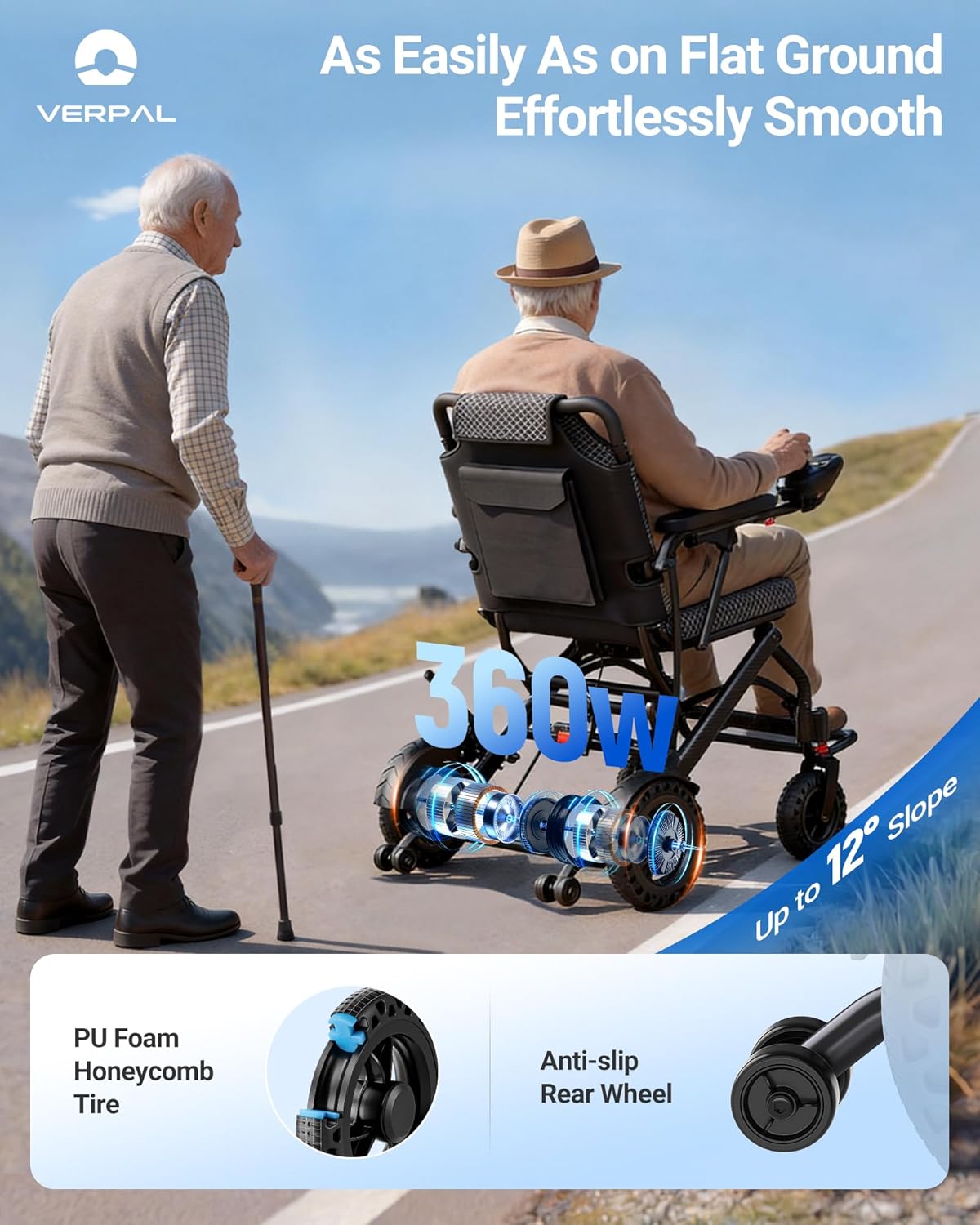
Figure 3.3: The powerful 360W dual motor enables the wheelchair to ascend inclines of up to 12 degrees, providing reliable performance on various terrains.
Video 3.2: This video demonstrates the VERPAL electric wheelchair's performance in outdoor environments, showcasing its ability to navigate different surfaces.
4. Maintenance
Regular maintenance ensures the longevity and safe operation of your VERPAL Electric Wheelchair.
- Battery Care: Always charge the battery fully after each use. Avoid completely draining the battery. Store the battery in a cool, dry place if not used for extended periods.
- Cleaning: Wipe down the frame and seat with a damp cloth. Avoid using abrasive cleaners or excessive water directly on electronic components.
- Tire Inspection: The PU Foam Honeycomb Tires are designed to be maintenance-free and puncture-resistant. Periodically check for debris or damage.
- General Check: Regularly inspect all bolts, nuts, and connections to ensure they are tight and secure.
5. Troubleshooting
If you encounter issues with your wheelchair, refer to the following common troubleshooting tips.
| Problem | Possible Cause | Solution |
|---|---|---|
| Wheelchair does not power on. | Battery is not charged or not connected properly. | Ensure battery is fully charged and securely connected. Check power button. |
| Wheelchair moves erratically or is difficult to control. | Joystick sensitivity may be too high or joystick is damaged. | Practice using the joystick to get accustomed to its sensitivity. If issues persist, contact customer support. |
| Language on controller switched to a different language. | Accidental button press or system glitch. | Refer to the specific instructions provided by VERPAL customer support to reset the language setting. |
| Reduced range or power. | Low battery charge or aging battery. | Fully charge the battery. If the problem continues, the battery may need replacement. |
For further assistance, please contact VERPAL customer support.
6. Specifications
Key technical specifications for the VERPAL Lightweight Electric Wheelchair E05D-BL.
| Feature | Detail |
|---|---|
| Model Name | E05D-BL |
| Product Dimensions (D x W x H) | 35" x 21.5" x 37" |
| Net Weight (without battery) | 32 lbs |
| Product Weight (excluding battery) | 35.6 lbs |
| Maximum Weight Capacity | 330 lbs |
| Motor Power | 360W Dual Motor |
| Maximum Speed | 3.75 MPH (5 speeds) |
| Range per Charge | Up to 12.5 miles |
| Battery Type | 151Wh 6Ah (FAA Compliant) |
| Charging Time | 3-4 hours |
| Brake Style | Electromagnetic |
| Incline Capability | Up to 12 degrees |
| Seat Width | 16.5 Inches |
| Seat Height | 18.5 Inches |
| Seat Depth | 2 Inches |
| Wheel Size | 9 Inches |
| Turn Radius | 24 Inches |
| Material Type | Aluminum |
7. Warranty and Support
For warranty information and customer support, please refer to the following guidelines.
- For Amazon orders, all support and refund requests are processed through the Amazon messaging system.
- VERPAL will never ask for bank details, credit card numbers, or personal information via unsolicited contact.
- VERPAL will never request payment via wire transfer, QR code, gift card, or third-party payment methods.
- If you are contacted by anyone claiming to represent VERPAL and asking for payment or personal information, do not respond.

Figure 7.1: VERPAL Customer Notice outlining official support channels and warnings against fraudulent contact.
Ask a question about this manual
Ask about setup, troubleshooting, compatibility, parts, safety, or missing instructions. Manuals+ will review the question and use this page’s manual context to help answer it.