
XTRONS QTB8060CI
XTRONS QTB8060CI Car Stereo User Manual
Model: QTB8060CI
1. Introduction
This manual provides detailed instructions for the installation, operation, and maintenance of your XTRONS QTB8060CI car stereo. This unit is designed specifically for BMW 3 Series (E90, E91, E92, E93) and 5 Series (E60, E61, E63, E64) models from 2009-2012 that are equipped with the CIC system and require an AUX input.
Please read this manual thoroughly before using the product to ensure correct operation and to prevent damage.
2. Safety Information
Always observe the following safety precautions to avoid injury or damage to the unit:
- Do not attempt to disassemble or modify the unit. This may cause electric shock or other hazards.
- Ensure all wiring connections are secure and correctly insulated to prevent short circuits.
- Do not operate the unit in a way that distracts you from driving. Always prioritize road safety.
- Consult a professional for installation if you are unsure about any steps.
- Keep the unit away from water and excessive moisture.
3. Package Contents
Verify that all items are present in the package:
- XTRONS QTB8060CI Car Stereo Unit
- Wiring Harness
- User Manual (this document)
- GPS Antenna
- USB Cables
- AUX Cable
- External Microphone
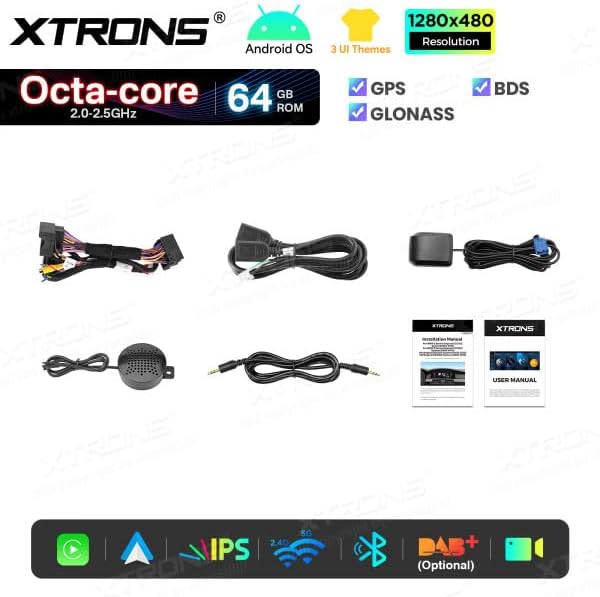
Image: Contents of the XTRONS QTB8060CI package. This includes the main car stereo unit, various wiring harnesses, a GPS antenna, USB cables, an AUX cable, and an external microphone, along with documentation.
4. Setup and Installation
Important: This unit is designed for specific BMW models (3 Series E90/E91/E92/E93 and 5 Series E60/E61/E63/E64 from 2009-2012) with a CIC system and requires an active AUX input. Professional installation is highly recommended.
4.1 Pre-Installation Checks
- Confirm your vehicle's compatibility (BMW CIC system, AUX input).
- Disconnect the vehicle's battery before starting installation.
- Gather all necessary tools.
4.2 Wiring Connections
Connect the provided wiring harness to the vehicle's existing wiring. Ensure all connections are secure. The unit is compatible with the original iDrive controller and steering wheel controls via CANBUS integration.
- Power Harness: Connect to the vehicle's power supply.
- CANBUS Decoder: Integrate for steering wheel controls and iDrive functionality.
- AUX Input: Ensure the vehicle's AUX input is active and connected to the unit for audio output.
- GPS Antenna: Mount the GPS antenna in a location with a clear view of the sky.
- USB Cables: Route USB cables to an accessible location for connecting external devices.
- External Microphone: Connect and position the microphone for optimal voice clarity during calls.
4.3 Mounting the Unit
Carefully remove the original display unit and install the XTRONS QTB8060CI in its place. Secure it using the original mounting points. Refer to a BMW-specific disassembly guide for your vehicle model if needed.
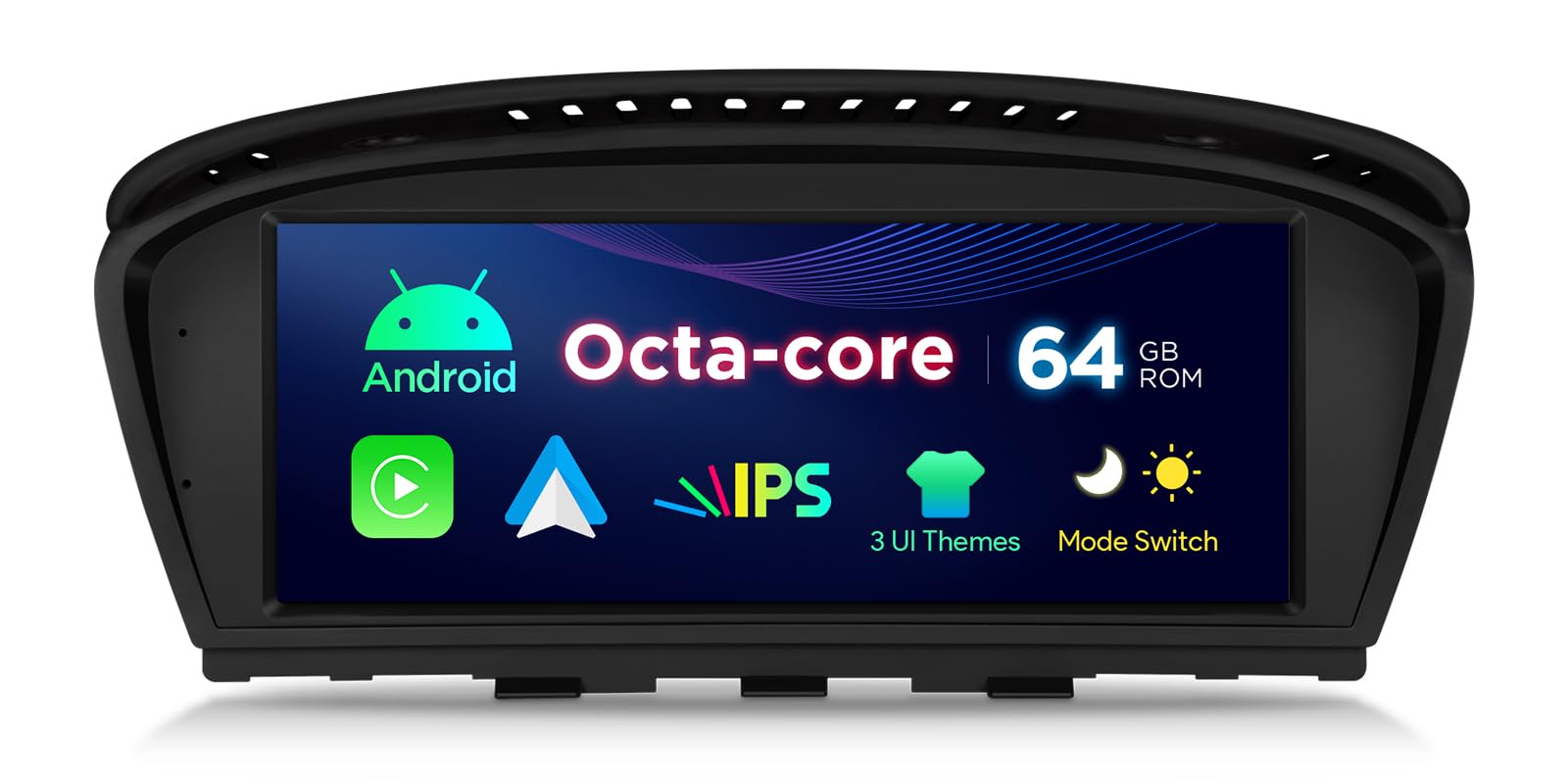
Image: The XTRONS QTB8060CI unit seamlessly integrated into a BMW dashboard, displaying its user interface.
5. Operating Instructions
The XTRONS QTB8060CI runs on Android 14, offering a wide range of functionalities.
5.1 Basic Operation
- Power On/Off: The unit powers on automatically with the vehicle's ignition.
- Touchscreen: Navigate the interface using the 8.8-inch HD IPS touchscreen.
- iDrive Controller: The original iDrive controller can be used to navigate the Android interface.
- Steering Wheel Controls: Use your vehicle's steering wheel buttons to control volume, track skipping, and answer calls.
5.2 Android System
The unit features Android 14 with an Octa-core processor, 2GB RAM, and 64GB ROM. This allows for smooth operation of various applications.
- Home Screen: Access frequently used apps and widgets.
- App Drawer: View all installed applications.
- Settings: Configure system preferences, network settings, display, and sound.
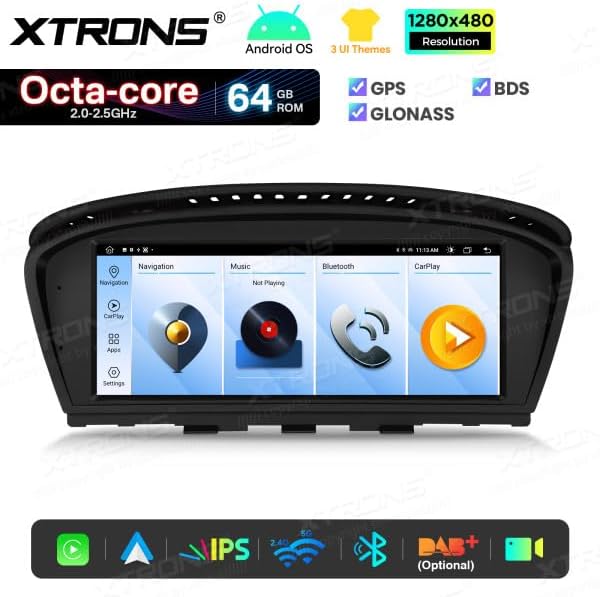
Image: The main user interface of the XTRONS QTB8060CI, showing icons for navigation, music, Bluetooth, and CarPlay.
5.3 Navigation (GPS/GLONASS/BDS)
The unit supports GPS, GLONASS, and BDS for accurate positioning. Pre-installed navigation apps or downloaded apps can be used.
- Ensure the GPS antenna is properly connected and has a clear signal.
- Download offline maps for areas with poor network coverage.
5.4 Connectivity (Wi-Fi, Bluetooth, USB)
- Wi-Fi: Connect to a Wi-Fi hotspot (e.g., from your smartphone) for internet access, app downloads, and online services. The unit supports dual Wi-Fi.
- Bluetooth 5.0: Pair your smartphone for hands-free calling and audio streaming.

Image: The Bluetooth interface of the XTRONS QTB8060CI, indicating a device pairing process.
- USB: Connect USB drives (up to 2x64GB) for media playback or charging devices.
5.5 Apple CarPlay & Android Auto
The unit features integrated Apple CarPlay and Android Auto for seamless smartphone integration.
- Apple CarPlay: Connect your iPhone via USB or wirelessly (if supported by your iPhone model and unit's firmware) to access navigation, music, messages, and more.

Image: The Apple CarPlay interface on the XTRONS QTB8060CI, showing common iOS applications.
- Android Auto: Connect your Android phone via USB or wirelessly (if supported) to use Google Maps, Spotify, and other compatible apps.

Image: The Android Auto interface on the XTRONS QTB8060CI, displaying various Android applications.
5.6 Screen Mirroring
Mirror your smartphone's screen onto the unit's display for viewing content directly from your phone.
6. Maintenance
- Cleaning: Use a soft, dry cloth to clean the screen and unit. Avoid abrasive cleaners or solvents.
- Software Updates: Periodically check the XTRONS website or the unit's settings for available software updates to ensure optimal performance and new features.
- Temperature: Avoid exposing the unit to extreme temperatures.
7. Troubleshooting
If you encounter issues, refer to the following common problems and solutions:
- No Power: Check all power connections and the vehicle's fuse box. Ensure the battery is connected.
- No Sound: Verify the AUX input connection. Check volume levels on both the unit and the vehicle's original system. Ensure the correct audio source is selected.
- GPS Signal Loss: Ensure the GPS antenna is properly installed and has an unobstructed view of the sky.
- Bluetooth Connection Issues: Ensure Bluetooth is enabled on both the unit and your phone. Try unpairing and re-pairing the device.
- CarPlay/Android Auto Not Working: Ensure your phone is compatible and the USB cable is functioning correctly. Try restarting both the unit and your phone.
- Unit Freezes/Slow Performance: Restart the unit. If the problem persists, consider a factory reset (note: this will erase all user data).
8. Specifications
| Feature | Detail |
|---|---|
| Model Number | QTB8060CI |
| Operating System | Android 14 |
| Processor | Octa-core (2.0-2.5GHz) |
| RAM | 2GB |
| ROM | 64GB |
| Screen Size | 8.8 inches |
| Display Type | HD IPS |
| Resolution | 1280x480 |
| Connectivity | Bluetooth 5.0, Dual Wi-Fi, USB |
| GPS Support | GPS, GLONASS, BDS |
| Smartphone Integration | Apple CarPlay, Android Auto, Screen Mirroring |
| Control Method | Touch, iDrive, Steering Wheel Controls |
| Output Power | 180 Watts |
| Compatible Vehicles | BMW 3 Series (E90, E91, E92, E93) 2009-2012, BMW 5 Series (E60, E61, E63, E64) 2009-2012 (with CIC system and AUX input) |

Image: Dimensional drawing of the XTRONS QTB8060CI unit, indicating its physical measurements.
9. Warranty Information
The XTRONS QTB8060CI car stereo comes with a 2-year warranty from the date of purchase. This warranty covers manufacturing defects and malfunctions under normal use. Please retain your proof of purchase for warranty claims.
The warranty does not cover damage caused by improper installation, misuse, accidents, unauthorized modifications, or normal wear and tear.
10. Customer Support
For technical assistance, troubleshooting not covered in this manual, or warranty inquiries, please contact XTRONS customer support through their official website or the retailer where you purchased the product.
Please have your model number (QTB8060CI) and proof of purchase ready when contacting support.
Related documentsQTB8060CI


Ask a question about this manual
Ask about setup, troubleshooting, compatibility, parts, safety, or missing instructions. Manuals+ will review the question and use this page’s manual context to help answer it.