
Introduction
Thank you for choosing the OLIXIS L Shaped Desk. This manual provides essential information for the safe assembly, operation, and maintenance of your new desk. Designed for versatility and durability, this 50-inch L-shaped desk is perfect for various settings, including home offices, gaming setups, and study areas. Its robust metal frame and waterproof desktop ensure long-lasting performance, while smart storage solutions help maintain a clutter-free environment. Please read these instructions carefully before beginning assembly and retain this manual for future reference.
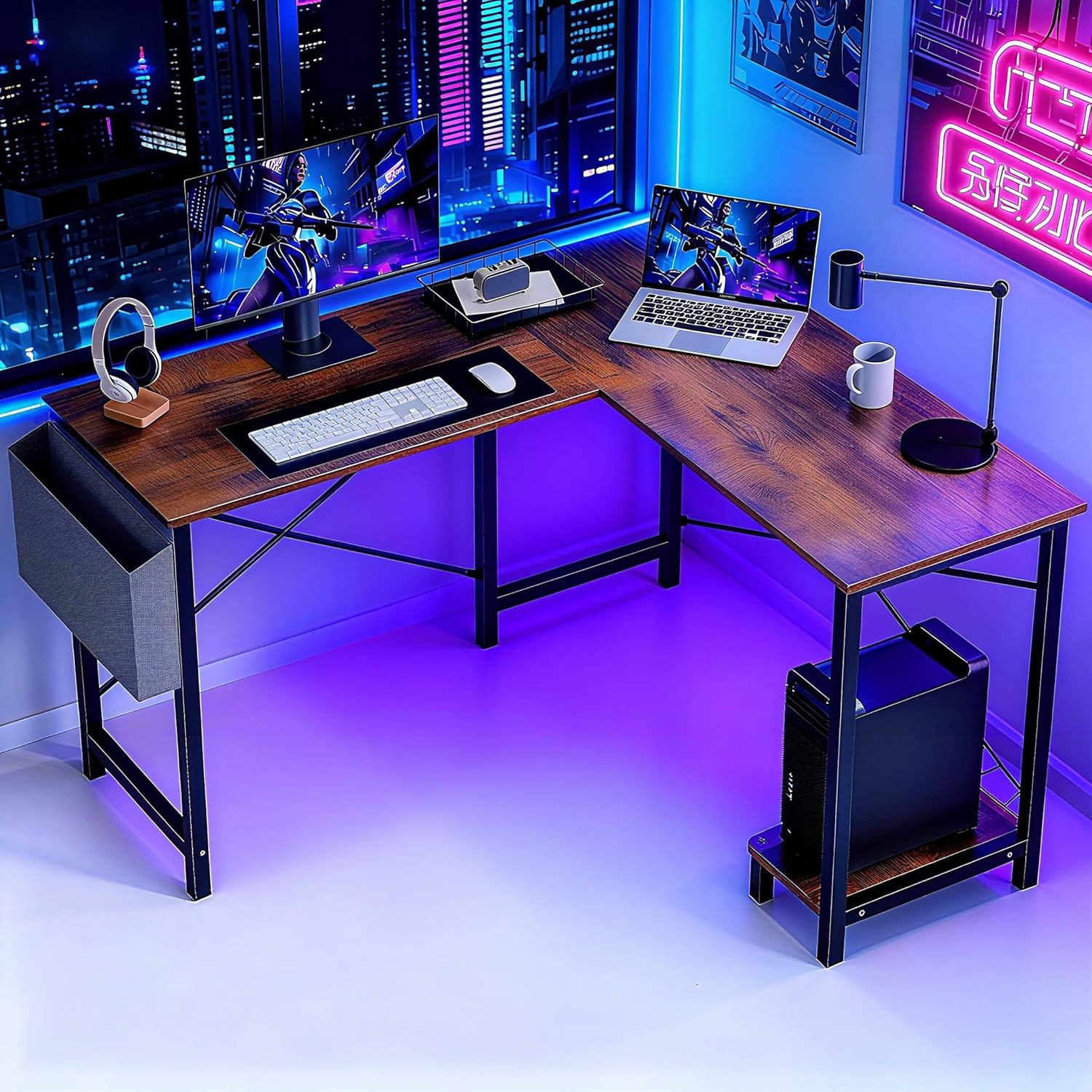
Image: The OLIXIS L Shaped Desk in a typical usage scenario, showcasing its ample workspace and integrated storage.
Safety Information
- Assembly: Always assemble the desk on a soft, clean surface to prevent scratches. It is recommended that two people assemble the desk to ensure safety and ease.
- Tools: Use only the tools provided or appropriate hand tools. Do not use power tools as they may overtighten screws and damage components.
- Stability: Ensure all screws are tightened securely before using the desk. Periodically check and retighten screws as needed to maintain stability.
- Weight Capacity: Do not exceed the maximum weight recommendation of 264 pounds (120 kg) for the desktop.
- Placement: Place the desk on a level surface to prevent wobbling. Keep the desk away from direct sunlight, heat sources, and excessive moisture.
- Children: Keep small parts and packaging materials away from children during assembly to prevent choking hazards.
Package Contents
Before assembly, verify that all components listed below are present and undamaged. If any parts are missing or damaged, please contact customer support.
- Desktop Panels (A, B, C)
- Leg Frames (D, E, F)
- Crossbars (G)
- CPU Stand (H, I, J)
- Side Storage Bag (M)
- Assembly Hardware (Screws, Allen Wrench, etc.)
Setup and Assembly Instructions
Follow these steps to assemble your OLIXIS L Shaped Desk. For a visual guide, please refer to the assembly video below.
Video: Step-by-step assembly guide for the OLIXIS L Shaped Desk.
- Prepare the Desktop: Lay out the main desktop panels (A, B) on a soft surface. Connect them using the provided fasteners and a connecting bar. Ensure the holes align correctly.
- Attach Crossbars: Secure the crossbars (G) to the underside of the desktop panels. Tighten screws by 50% initially to allow for adjustments.
- Assemble Leg Frames: Attach the leg frames (D, E, F) to the desktop panels. Pay close attention to the orientation of the holes on the crossbars and leg frames. Again, tighten screws by 50% at this stage.
- Install CPU Stand: Assemble the CPU stand (H, I, J) and attach it to the designated side of the desk. This component is reversible and can be installed on either the left or right side based on your preference.
- Install X-Shaped Stabilizer Bars: Attach the X-shaped stabilizer bars to the back of the leg frames. These bars enhance the desk's stability. Tighten screws by 50%.
- Final Tightening: Once all components are in place and aligned, fully tighten all screws. Ensure the desk is stable and level.
- Attach Side Storage Bag: Secure the side storage bag (M) to the side of the desk using the provided screws.
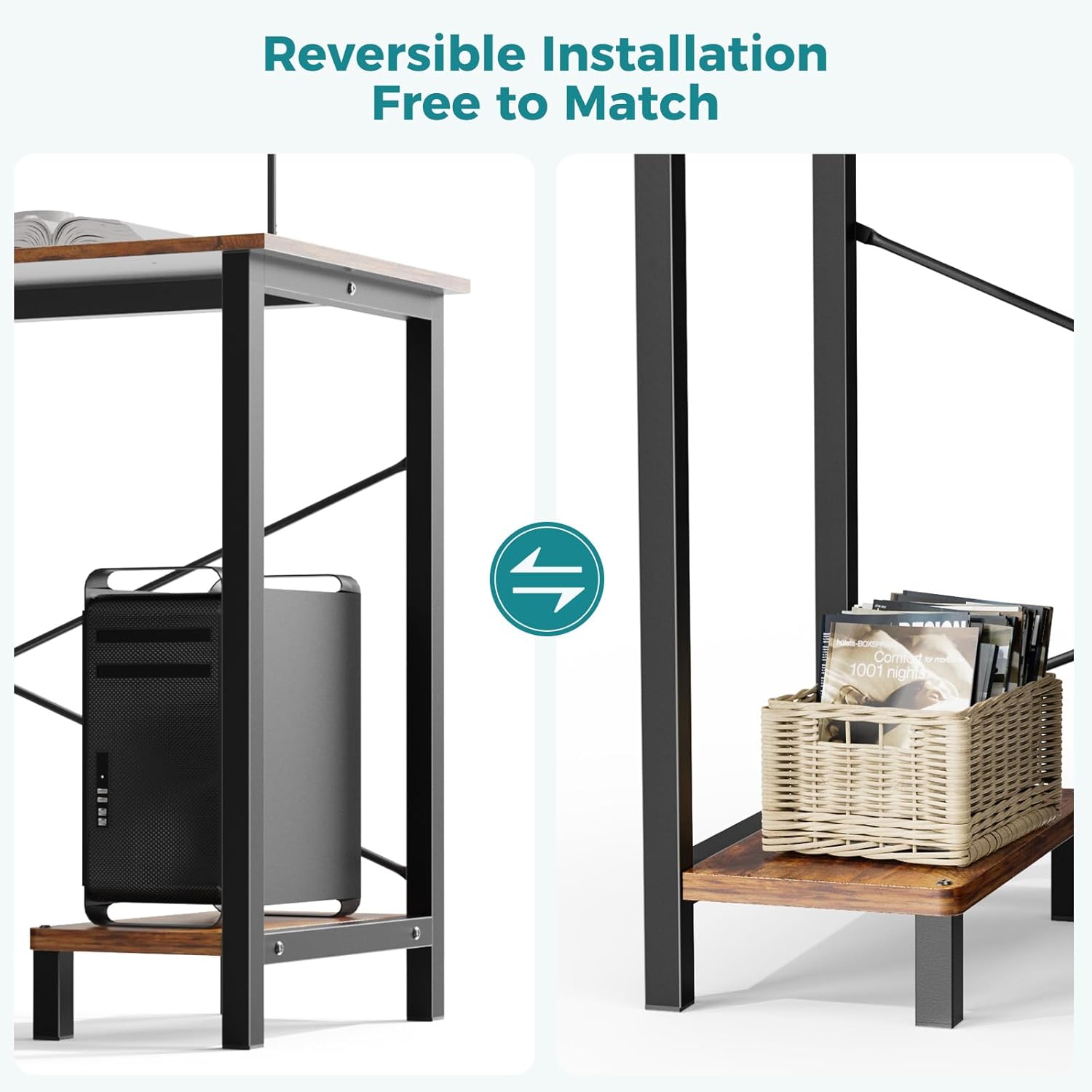
Image: The reversible design allows for flexible placement of the CPU shelf and side storage bag.
Operating Instructions
The OLIXIS L Shaped Desk is designed for maximum utility and adaptability:
- Ample Workspace: The large L-shaped surface accommodates multiple monitors, gaming equipment, and office essentials, providing a spacious and organized work or gaming station.
- Reversible Layout: The desk can be configured in an L-shape or a U-shape (when combined with another unit, not included) to fit various room layouts and personal preferences. The CPU shelf and side storage bag can be installed on either the left or right side during assembly.
- Smart Storage: Utilize the side storage bag for documents, magazines, or small accessories. The built-in CPU stand keeps your computer tower elevated for better ventilation and off the floor, protecting it from dust.
Maintenance
To ensure the longevity and appearance of your OLIXIS L Shaped Desk, follow these simple maintenance guidelines:
- Cleaning: The desktop features a waterproof surface. For general cleaning, wipe with a damp cloth. Avoid using harsh chemicals or abrasive cleaners, which can damage the finish.
- Spills: Promptly wipe up any spills to prevent water damage or staining, especially on the edges.
- Stability Check: Periodically check all screws and fasteners to ensure they remain tight. Retighten as necessary to maintain the desk's structural integrity.
- Avoid Overloading: Do not place excessively heavy items on the desk or CPU stand beyond the recommended weight limits.
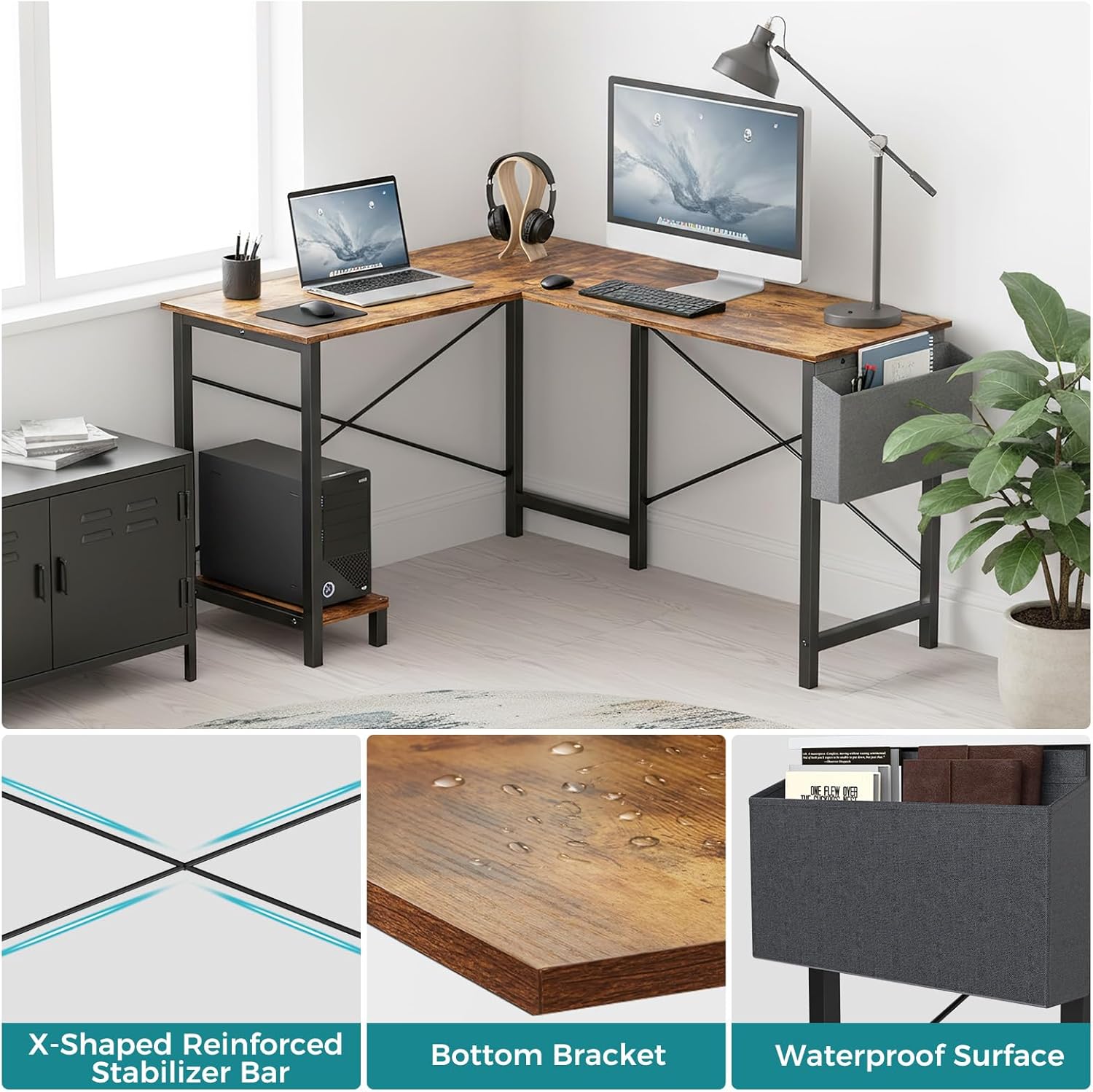
Image: Key features of the desk including the X-shaped stabilizer bar, waterproof surface, and side storage bag.
Troubleshooting
If you encounter any issues with your desk, refer to the following common problems and solutions:
- Desk is Wobbly:
- Ensure all screws are fully tightened.
- Check that the desk is placed on a level surface. Adjust floor glides if available.
- Verify that the X-shaped stabilizer bars are correctly installed and tightened.
- Parts are Missing or Damaged:
- Carefully check all packaging materials to ensure no small parts were overlooked.
- Contact OLIXIS customer support with your purchase details and a description of the missing or damaged parts for assistance.
- Difficulty with Assembly:
- Review the assembly instructions and video carefully.
- Ensure components are oriented correctly as shown in the diagrams.
- Do not fully tighten screws until all parts are loosely assembled to allow for adjustments.
Specifications
Detailed specifications for the OLIXIS L Shaped Desk:

Image: Product dimensions for the OLIXIS L Shaped Desk.
| Feature | Detail |
|---|---|
| Brand | OLIXIS |
| Model Number | OLYMHJ3-DL02-49IN-RUST |
| Product Dimensions (D x W x H) | 50"D x 43.3"W x 29.53"H |
| Color | Rustic Brown |
| Shape | Rectangular (L-shaped configuration) |
| Desk Design | Writing Desk |
| Style | Modern |
| Base Material | Metal |
| Top Material Type | Wood |
| Finish Type | Laminated |
| Special Feature | Reversible, Side Storage Bag, CPU Stand |
| Room Type | Bedroom, Dormitory, Living Room, Office, Study Room |
| Recommended Uses | Drafting, Gaming, Studying, Working, Writing |
| Item Weight | 32.9 Pounds (14.9 kg) |
| Maximum Weight Recommendation | 264 Pounds (120 kg) |
| Required Assembly | Yes |
| Recommended Number of People for Assembly | 2 |
| Product Care Instructions | Wipe with Damp Cloth |
Warranty and Support
Your OLIXIS L Shaped Desk is covered by a standard return policy. For specific details regarding returns, refunds, or replacements, please refer to your purchase documentation or the retailer's policy. Typically, a 30-day return window is provided for refund or replacement.
For any questions, technical assistance, or to report missing/damaged parts, please contact OLIXIS customer support through the retailer's platform or the official OLIXIS website. Please have your model number (OLYMHJ3-DL02-49IN-RUST) and purchase date ready when contacting support.
