
1. Introduction
The Benewake TF02-Pro is an advanced single-point LiDAR sensor designed for stable, accurate, and high-frequency distance measurement. It features enhanced anti-interference capabilities, ensuring reliable performance even under strong ambient light conditions (up to 100Klux). This makes it suitable for a wide range of industrial and commercial applications requiring precise and dependable ranging.
Key features include a detection range of 0.05m to 40m, high accuracy, an ultra-fast response rate up to 1000Hz, and robust IP65 protection for challenging environments. It supports multiple communication interfaces for flexible integration.
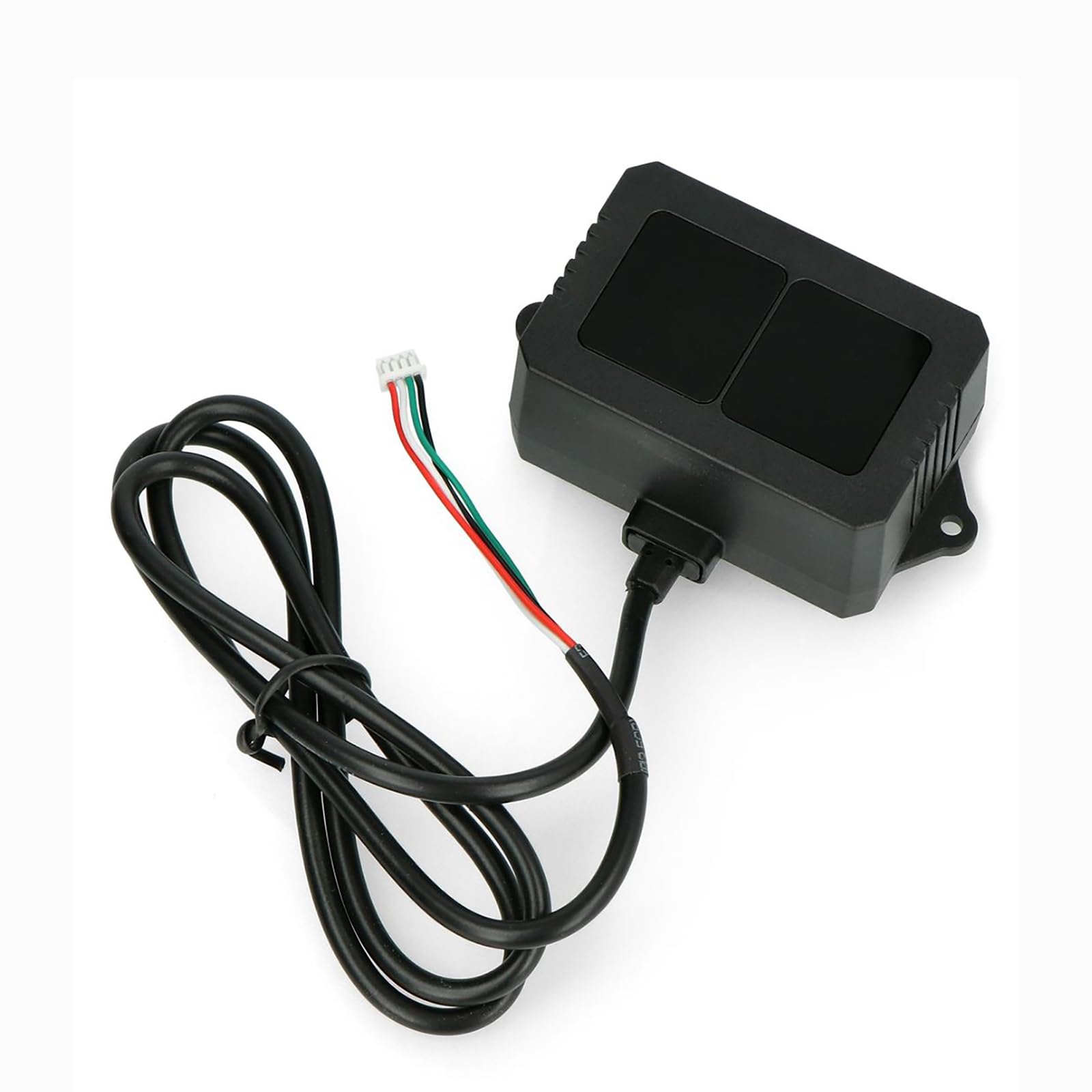
Figure 1: Benewake TF02-Pro LiDAR Sensor. This image shows the compact design of the TF02-Pro sensor, highlighting its robust enclosure and integrated cable connection.
2. Package Contents
Verify that all items are present in the package:
- 1 × TF02-Pro LiDAR Sensor
- 1 × 80cm Cable (Wiring: Red: 5V+, White: RXD/SDA, Green: TXD/SCL, Black: GND)

Figure 2: TF02-Pro LiDAR Sensor as packaged. The sensor is securely placed within its protective packaging, ready for installation.
3. Setup
3.1 Physical Connection
Connect the TF02-Pro sensor using the provided 80cm cable. Ensure correct wiring according to the pinout:
- Red: Power Supply (5V to 12V DC)
- Black: Ground (GND)
- White: RXD (UART Receive) / SDA (I²C Data)
- Green: TXD (UART Transmit) / SCL (I²C Clock)
The sensor is pre-calibrated with default settings for immediate use. Mount the sensor securely in the desired location, ensuring a clear line of sight for accurate ranging.
3.2 Communication Interface
The TF02-Pro supports UART, I²C, and I/O communication protocols. Select the appropriate interface based on your application requirements.
UART Interface Details
| Parameter | Value |
|---|---|
| Default Baud rate | 115200 |
| Data bits | 8 |
| Stop bit | 1 |
| Parity | None |
I²C Interface Details
| Parameter | Value |
|---|---|
| Max transmission rate | 400kbps |
| Master/Slave mode | Slave |
| Default address | 0x10 |
| Address range | 0x01~0x7F |

Figure 3: Communication Interface details for UART and I²C. This image provides a visual representation of the communication parameters for integrating the TF02-Pro sensor.
4. Operating Instructions
4.1 Data Acquisition
Once connected and powered, the TF02-Pro will begin outputting ranging data according to its default settings. Data can be read via the selected communication interface (UART or I²C).
4.2 Parameter Configuration
The TF02-Pro allows for configurable parameters to optimize performance for specific applications. These parameters include:
- Frame Rate: Adjustable from 1Hz to 1000Hz (default 100Hz).
- Baud Rate: For UART communication.
- Output Format: Data can be configured to output in HEX or string format.
- I/O Mode: Specific settings for I/O operation.
Configuration can be performed using simple commands sent via the communication interface or through the dedicated PC software provided by Benewake. The PC software offers real-time data visualization and an intuitive interface for parameter tuning.
4.3 Firmware Updates
The TF02-Pro firmware is upgradable. Remote updates can be performed using Benewake’s dedicated tool, ensuring your sensor benefits from the latest improvements and features.

Figure 4: TF02-Pro LiDAR Sensor with key features. This image illustrates the sensor's capabilities, including its 40m range, 1-1000Hz frequency, and optimized algorithm for accuracy.
5. Maintenance
The TF02-Pro is designed for durability with an IP65 protection rating, making it dust and water-resistant. To ensure optimal performance and longevity:
- Cleaning: Periodically clean the optical window with a soft, lint-free cloth. Avoid abrasive materials or harsh chemical cleaners that could scratch the lens.
- Environmental Conditions: While robust, avoid exposing the sensor to extreme temperatures outside its specified operating range (-20°C to 60°C) or prolonged submersion in water.
- Cable Inspection: Regularly inspect the cable for any signs of wear, damage, or corrosion.
6. Troubleshooting
If you encounter issues with your TF02-Pro LiDAR sensor, consider the following troubleshooting steps:
- No Power/No Output:
- Verify that the power supply (5V-12V DC) is correctly connected and providing adequate voltage.
- Check all cable connections for proper seating and continuity.
- Inaccurate Readings:
- Ensure the optical window is clean and free from obstructions.
- Confirm the target object is within the specified detection range and has sufficient reflectivity.
- Check for strong external light sources directly interfering with the sensor, although the TF02-Pro has strong ambient light resistance.
- Communication Issues:
- For UART, verify the baud rate, data bits, stop bits, and parity settings match the sensor's configuration.
- For I²C, ensure the correct slave address (0x10 default) and transmission rate are used.
- Test with the Benewake PC software to confirm basic communication.
- Intermittent Operation:
- Check for loose connections or power fluctuations.
- Ensure the operating temperature is within the specified range.
If problems persist, refer to the official Benewake technical support resources or contact your vendor.
7. Technical Specifications
| Parameter | Value |
|---|---|
| Operating Range (90% reflectivity) | 0.05m – 40m |
| Operating Range (10% reflectivity) | 0.05m – 13.5m |
| Accuracy (0.05-5m) | ±5cm |
| Accuracy (5-40m) | ±1% |
| Distance Resolution | 1cm |
| Repeatability (1σ, 0.1-35m@90% reflectivity) | <2cm |
| Frame Rate | Adjustable 1-1000Hz (Default 100Hz) |
| Ambient Light Resistance | Up to 100Klux |
| Field of View (FOV) | 3° |
| Light Source | VCSEL (850nm) |
| Photobiological Safety | Class 1 (EN60825) |
| Power Supply | DC 5V – 12V |
| Average Current | ≤200mA |
| Peak Current | 300mA |
| Power Consumption | ≤1W |
| Communication Level | LVTTL (3.3V) |
| Communication Interface | UART, I²C, I/O |
| Dimensions (L×W×H) | 69mm × 41.5mm × 26mm (2.72" × 1.63" × 1.02") |
| Weight | 50g (with cable) |
| Enclosure Material | PC/ABS |
| Protection Level | IP65 |
| Operating Temperature | -20°C to 60°C |
| Storage Temperature | -30°C to 80°C |
| Cable Length | 80cm |
| Origin | Beijing, China |
| Theory | Time of Flight (TOF) |

Figure 5: Dimensional drawing of the TF02-Pro LiDAR Sensor. This diagram provides precise measurements of the sensor in millimeters.
8. Applications
The Benewake TF02-Pro LiDAR sensor is versatile and suitable for various applications, including:
- Smart Traffic Systems: Vehicle detection, toll collection, and parking management.
- Material Level Monitoring: Bulk solid/liquid measurement in silos or containers.
- UAV Navigation: Obstacle avoidance and altitude control for unmanned aerial vehicles.
- Smart Parking: Space occupancy detection and guidance systems.
9. Warranty and Support
9.1 Warranty Information
The Benewake TF02-Pro LiDAR Sensor comes with a one-year warranty from the date of purchase, covering manufacturing defects and malfunctions under normal use. Please retain your proof of purchase for warranty claims.
9.2 Technical Support
For technical assistance, software downloads, or further inquiries, please refer to the official Benewake website or contact their technical support team. Access to comprehensive software and technical support resources is available to assist with integration and operation.


