
1. Introduction
This manual provides detailed instructions for the installation, operation, and maintenance of your Tilta Khronos Case for iPhone 17 Pro Max. Please read this manual thoroughly before using the product to ensure proper functionality and to maximize your experience.
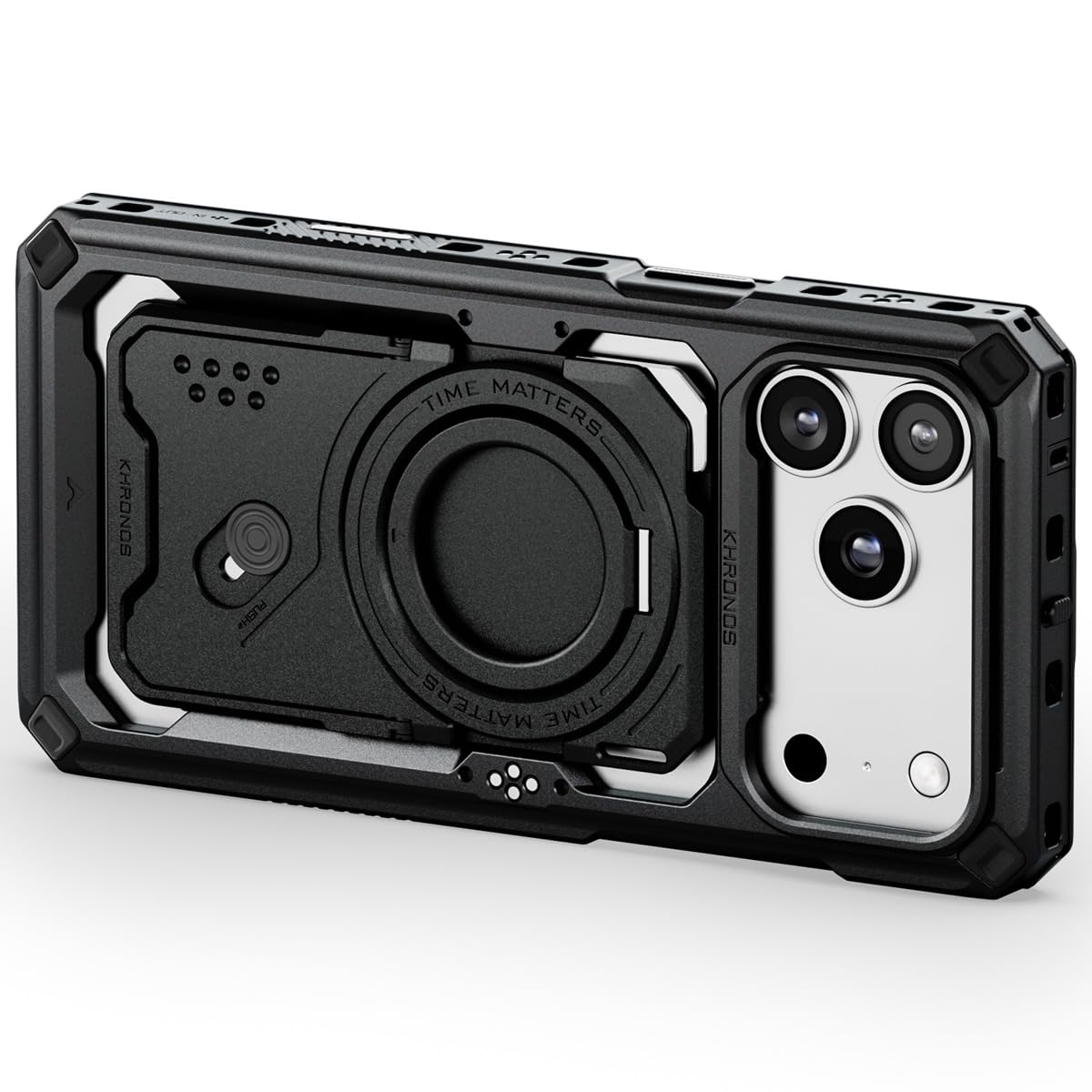
Figure 1.1: Tilta Khronos Case for iPhone 17 Pro Max
2. Product Overview
The Tilta Khronos Case is a custom-designed protective and functional accessory for the iPhone 17 Pro Max. It features an expandable design that integrates seamlessly with various filmmaking accessories, offering enhanced control and creative possibilities.
Key Features:
- Custom Fit: Specifically designed for iPhone 17 Pro Max.
- Snap-in Design: Allows for quick and easy installation and removal.
- Locking Clamp: Provides a secure method for attaching accessories and mounting the system.
- Passthrough Power: Integrated electronic contact points enable power delivery to accessories.
- Expandable Ecosystem: Compatible with focus side handles, cooling modules, filters, on-board lights, and USB-C hubs.
- Rugged Protection: Reinforced top cover and anti-slip side grips ensure durability and secure handling.
- Practical 3+3 Back Plate System: Features a multi-functional back plate, magnetic ring stand, and optional card holder.
3. Installation Guide
3.1 Attaching the Khronos Case
- Ensure your iPhone 17 Pro Max is clean and free of debris.
- Align the iPhone with the case, ensuring the camera module and ports match the case cutouts.
- Gently press the iPhone into the case. The snap-in design will secure the phone firmly.
- Verify that all edges of the phone are properly seated within the case for full protection.
3.2 Attaching Accessories
The Khronos Case features multiple attachment points for various accessories. Utilize the locking clamp design for secure mounting.

Figure 3.1: Khronos Ecosystem with Built-in Circuitry, showing various accessories attached to the case.
- Focus Side Handles: Slide the handle onto the designated rail until it clicks into place. Tighten any locking screws if present.
- Cooling Modules: Attach the cooling module to the magnetic mounting point on the back of the case. Ensure proper alignment for efficient cooling.
- Filters & Lens Adapters: The case supports Khronos Filter Trays (58mm) and Khronos Lens Adapters (17mm thread or T-series mount). Snap or screw these into the camera module area as appropriate.
- On-Board Lights & USB-C Hubs: Connect these accessories to the case's integrated electronic contact points or USB-C ports.
4. Operating Instructions
4.1 Utilizing Passthrough Power
The Khronos Case features integrated electronic contact points that allow for passthrough power to compatible accessories. Simply attach the accessory, and power will be supplied directly from the iPhone or an external power source connected to the case.
4.2 Horizontal and Vertical Shooting
The case design facilitates effortless switching between horizontal and vertical shooting modes, providing flexibility for various content creation needs.

Figure 4.1: Demonstrating horizontal and vertical shooting modes with the Khronos Case and attached accessories.
4.3 Back Plate System Functionality
The practical 3+3 back plate system offers versatile functionality:

Figure 4.2: Overview of the 3+3 Back Plate System components.
- Multi-functional Back Plate: Can serve as a kickstand, flat head tool, or box cutter.
- Magnetic Ring Stand: Doubles as a grip or stand. It fits seamlessly into the back plate recess and rotates 360 degrees for optimal viewing angles.
- Card Holder (Optional): Allows you to carry essential cards. Can also be used as a standalone product.
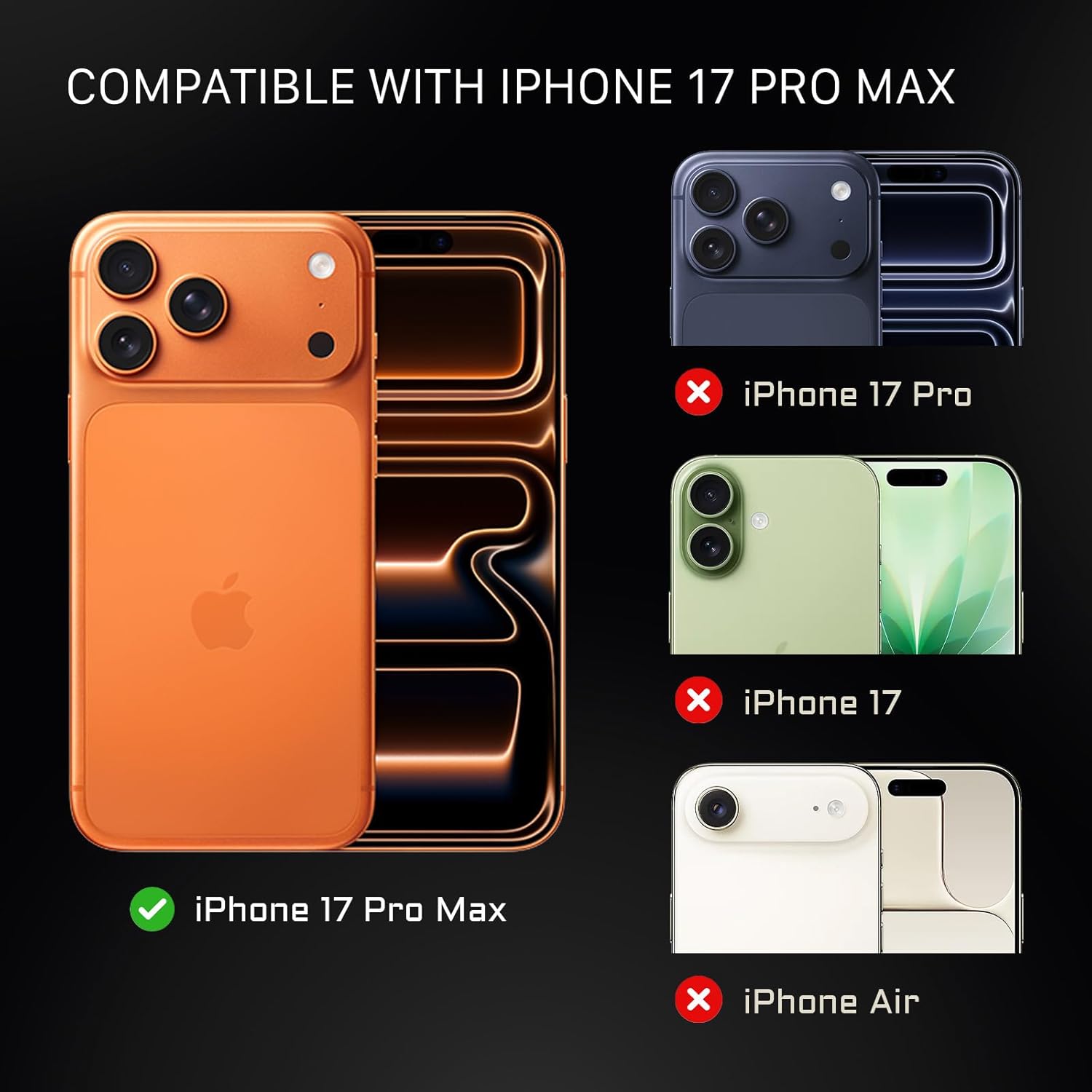
Figure 4.3: Tilta Khronos Case with the magnetic ring stand deployed as a kickstand.
5. Durability and Design
The Tilta Khronos Case is engineered for rugged protection and a premium finish, ensuring your iPhone 17 Pro Max is safeguarded during demanding use.

Figure 5.1: Close-up of the reinforced top cover and side anti-slip design for enhanced grip and protection.
- Reinforced Top Cover: Designed to resist bending or deformation, protecting your device from impacts.
- Micro-arc Anodized Finish: Provides a sleek ceramic-matte look and feel.
- Anti-Slip Side Grips: Offers a more secure hold with minimal effort, reducing the risk of accidental drops.
6. Compatibility
The Tilta Khronos Case is specifically designed for the iPhone 17 Pro Max. It is not compatible with other iPhone models, including the iPhone 17 Pro, iPhone 17, or iPhone Air.

Figure 6.1: Visual guide to iPhone 17 Pro Max compatibility.
7. Product Specifications
| Specification | Detail |
|---|---|
| Brand | Tilta |
| Compatible Phone Models | iPhone 17 Pro Max |
| Item Model Number | TK-IP17-PMFC-B |
| Color | Black |
| Material | Polycarbonate |
| Item Weight | 1.83 pounds |
| Package Dimensions | 10.63 x 7.87 x 4.72 inches |
8. Maintenance
To ensure the longevity and optimal performance of your Tilta Khronos Case, follow these maintenance guidelines:
- Cleaning: Wipe the case regularly with a soft, damp cloth. Avoid abrasive cleaners or solvents that may damage the finish.
- Inspection: Periodically check the case for any signs of wear, damage, or loose components. Ensure all locking mechanisms are functioning correctly.
- Storage: When not in use, store the case in a cool, dry place away from direct sunlight and extreme temperatures.
- Accessory Ports: Keep all ports and contact points clean and free of dust or debris to ensure proper connectivity with accessories.
9. Troubleshooting
If you encounter any issues with your Tilta Khronos Case, refer to the following common troubleshooting tips:
- Case Not Fitting Properly: Ensure you have the correct model (iPhone 17 Pro Max). Remove any screen protectors or skins that might interfere with the fit.
- Accessories Not Attaching Securely: Double-check that the locking clamp or mounting mechanism is fully engaged. Ensure there is no obstruction preventing a secure connection.
- Passthrough Power Issues: Verify that the accessory is compatible with the Khronos ecosystem and that all electronic contact points are clean and properly aligned. Ensure the iPhone or external power source is providing power.
- Buttons Unresponsive: Confirm the iPhone is correctly seated in the case and that the case buttons align perfectly with the phone's buttons.
If the issue persists, please contact Tilta customer support for further assistance.
10. Warranty and Support
Tilta products are designed for durability and performance. While specific warranty details may vary by region and retailer, a standard return policy of 30 days for refund or replacement is typically offered. For detailed warranty information, product support, or to report any issues, please visit the official Tilta website or contact your point of purchase.
For additional resources and product demonstrations, please refer to the official product videos below:
Tilta Khronos Ecosystem for iPhone 17 Pro/Pro Max
This video provides an overview of the Tilta Khronos Ecosystem, showcasing its features and compatibility with iPhone 17 Pro/Pro Max accessories.
Tilta Khronos Ecosystem for iPhone 16 Pro
This video demonstrates the Tilta Khronos Ecosystem, highlighting its general features and accessory integration, which are largely applicable to the iPhone 17 Pro Max model.