
1. Introduction
Thank you for choosing the AVAPOW A37/TJ18 Jump Starter. This device is designed to safely and efficiently jump-start vehicles with dead 12V batteries and serve as a portable power bank for electronic devices. Please read this manual thoroughly before use to ensure proper operation and to prevent damage to the product or your vehicle.
2. Safety Information
WARNING: Improper use may result in injury or damage to the device or vehicle.
- Always connect the red clamp to the positive (+) terminal and the black clamp to the negative (-) terminal.
- Do not touch the red and black clamps together to avoid short circuits.
- Do not jump-start a vehicle if the jump starter's battery level is below 20%.
- Do not attempt to jump-start vehicles with voltages other than 12V.
- Keep the device away from children.
- Do not expose the device to extreme temperatures, direct sunlight, or water.
- If the jump starter becomes excessively hot during use, discontinue operation immediately.
- Ensure proper ventilation during use and charging.
3. Package Contents
Verify that all items are present in your package:
- AVAPOW Jump Starter Unit (A37 or TJ18)
- Smart Jumper Clamps
- USB-C Charging Cable
- Storage Case
- User Manual (this document)
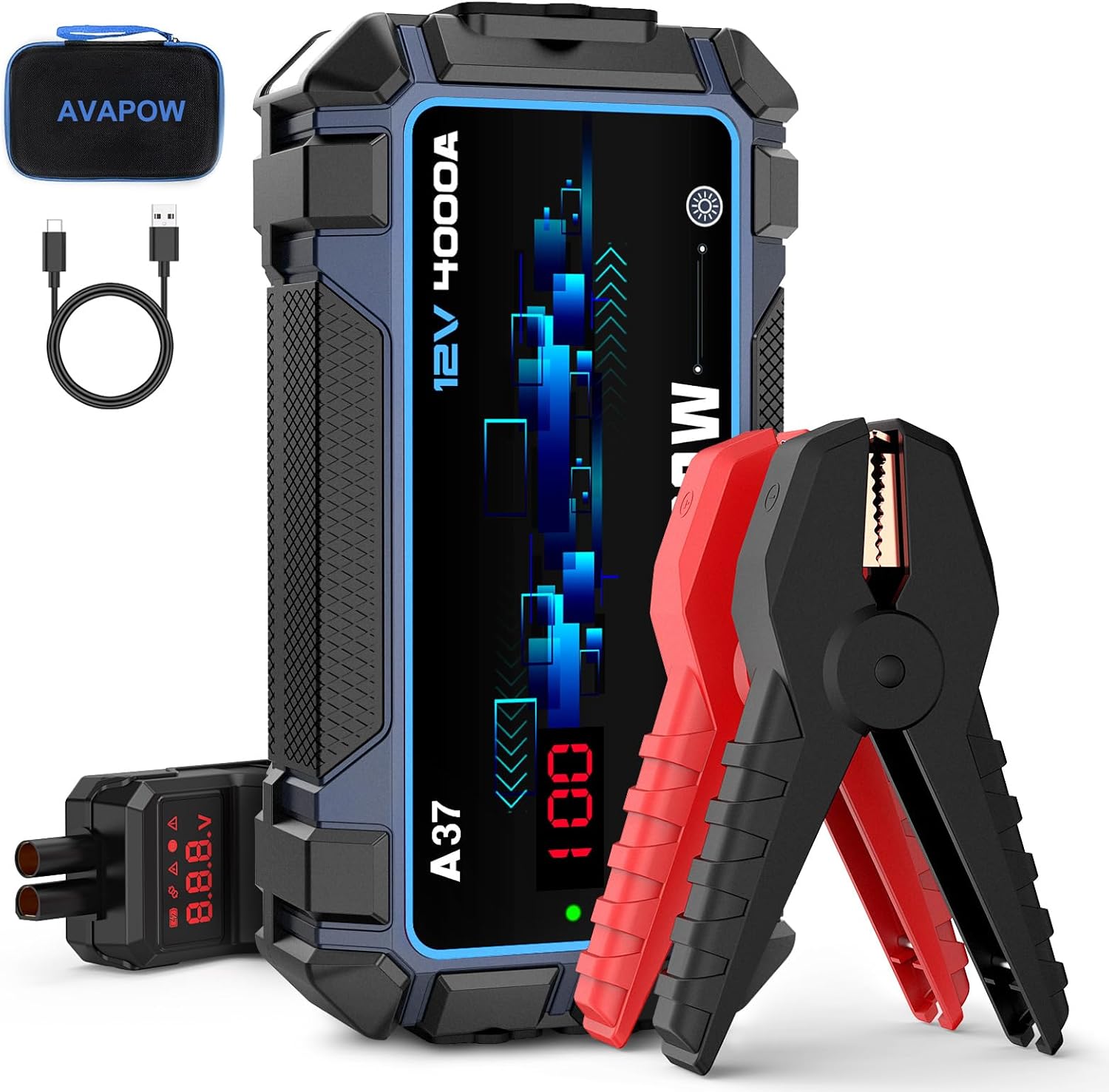
Image 3.1: Contents of the AVAPOW Jump Starter package, including the main unit, smart jumper clamps, USB-C charging cable, and a protective storage case.
4. Product Overview
Familiarize yourself with the components and features of your AVAPOW Jump Starter.

Image 4.1: Side view illustrating the Force-Start Button, LED Light, EC5 Output Port, USB-C Input/Output (18W Max), USB-A Output, and DC Output.
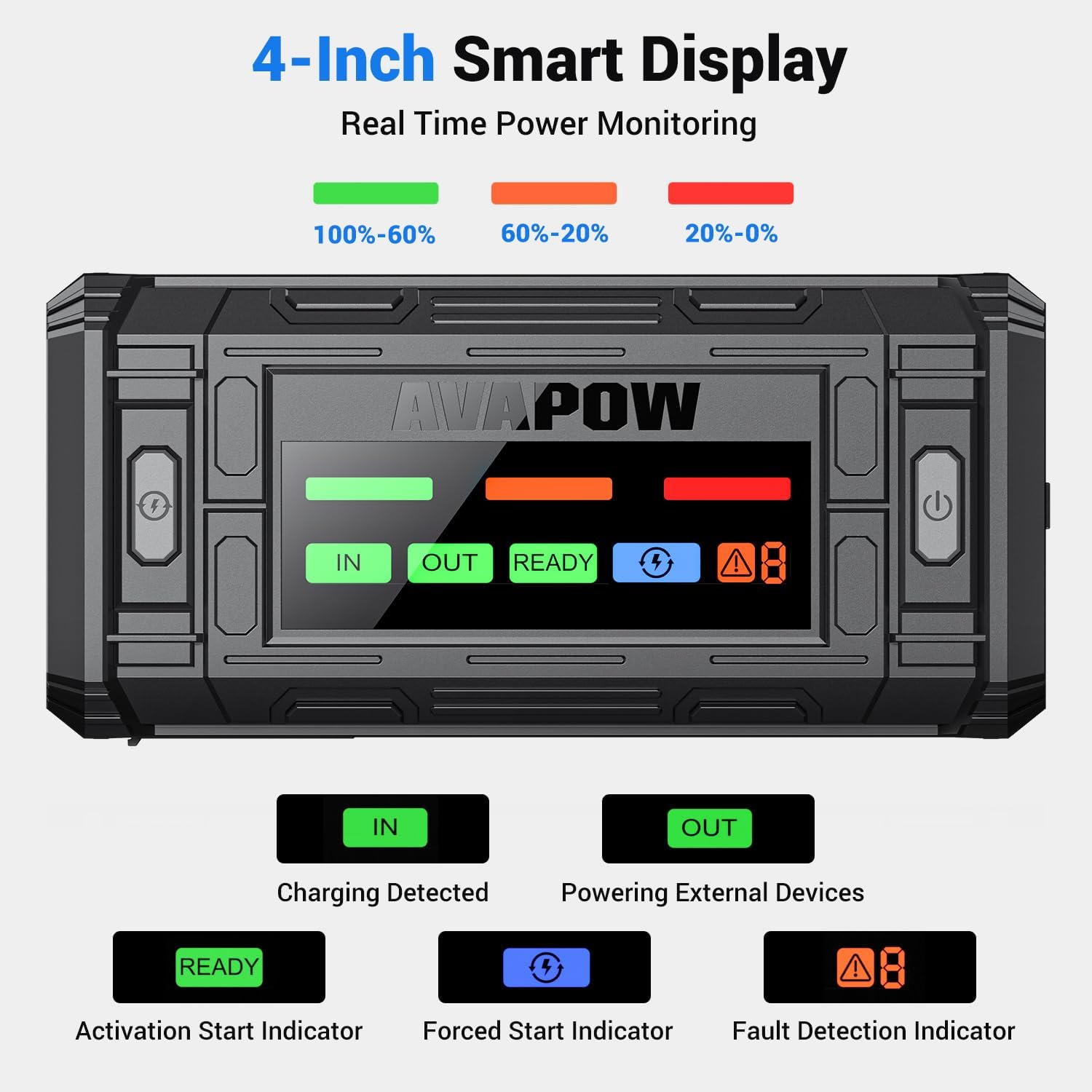
Image 4.2: The 4-inch smart display provides real-time power monitoring. Indicators include 'IN' (Charging Detected), 'OUT' (Powering External Devices), 'READY' (Activation Start Indicator), 'Force Start Indicator', and 'Fault Detection Indicator'.
Key Features:
- High Peak Current: Up to 4000A (A37) or 3000A (TJ18) for starting 12V vehicles.
- Dual Starter Modes: Normal Mode for low-voltage batteries and Force Start Mode for completely dead batteries.
- Advanced Safety Protection: 10-layer safety features including short-circuit, reverse polarity, over-current, and over-temperature protection.
- 4-inch Digital Display: Clear LED screen showing battery level, voltage, and operational alerts.
- Versatile Power Hub: USB-C PD 18W input/output, dual USB-A outputs, and a 12V DC output for charging various devices.
- Ultra-Bright Emergency Light: Features Steady, Strobe, and SOS modes for various situations.
5. Setup
Initial Charging:
Before first use, fully charge the AVAPOW Jump Starter. It is recommended to charge the device every 3-6 months to maintain optimal battery health.
- Connect the provided USB-C charging cable to the USB-C input/output port on the jump starter.
- Connect the other end of the USB-C cable to a USB wall adapter (not included) or a car charger. For fastest charging, use a PD 18W compatible charger.
- The digital display will show 'IN' and the battery level will increase, indicating charging is in progress.
- Charging is complete when the display shows 100%. A full charge typically takes approximately 2.5 hours with an 18W PD charger.
6. Operating Instructions
6.1. Jump Starting a Vehicle
Ensure the jump starter is at least 20% charged before attempting to jump-start a vehicle.
- Connect Clamps: Plug the smart jumper clamps into the EC5 output port of the jump starter. Ensure a secure connection.
- Attach to Battery: Connect the red (+) clamp to the positive terminal of the vehicle's battery. Connect the black (-) clamp to the negative terminal of the vehicle's battery.
- Check Display: The jump starter's display should show 'READY' if the connection is correct and the battery voltage is detected. If a fault is detected, the 'Fault Detection Indicator' will illuminate.
- Start Vehicle: Start your vehicle's engine. If the vehicle does not start immediately, wait 30 seconds before trying again. Do not crank the engine for more than 3 seconds per attempt.
- Remove Clamps: Once the vehicle starts, immediately remove the smart clamps from the vehicle battery, then disconnect them from the jump starter.

Image 6.1: The AVAPOW Jump Starter connected to a vehicle battery using the smart clamps, ready to initiate a jump start.
Force Start Mode:
If your vehicle's battery is completely dead (0V) and the jump starter does not display 'READY', you may need to use Force Start Mode.
- Connect the smart clamps to the jump starter and then to the vehicle battery terminals as described above.
- Press and hold the 'Force-Start Button' on the jump starter for 3 seconds. The 'Force Start Indicator' will illuminate.
- Start your vehicle's engine within 30 seconds.
- Once the vehicle starts, immediately remove the smart clamps.
CAUTION: Use Force Start Mode only when necessary, as it bypasses some safety checks. Ensure correct polarity before activating.
6.2. Using as a Portable Power Bank
The AVAPOW Jump Starter can charge various electronic devices.
- USB-C Output: Connect your device to the USB-C port using a compatible cable for fast charging up to 18W.
- USB-A Output: Connect your device to either of the USB-A ports for standard charging (e.g., 5V/3A, 9V/2A, 12V/1.5A).
- 12V DC Output: Use the 12V DC output port to power 12V accessories (e.g., tire inflators, car vacuums).
6.3. Using the Emergency LED Light
The built-in LED light offers three modes for various emergency situations.
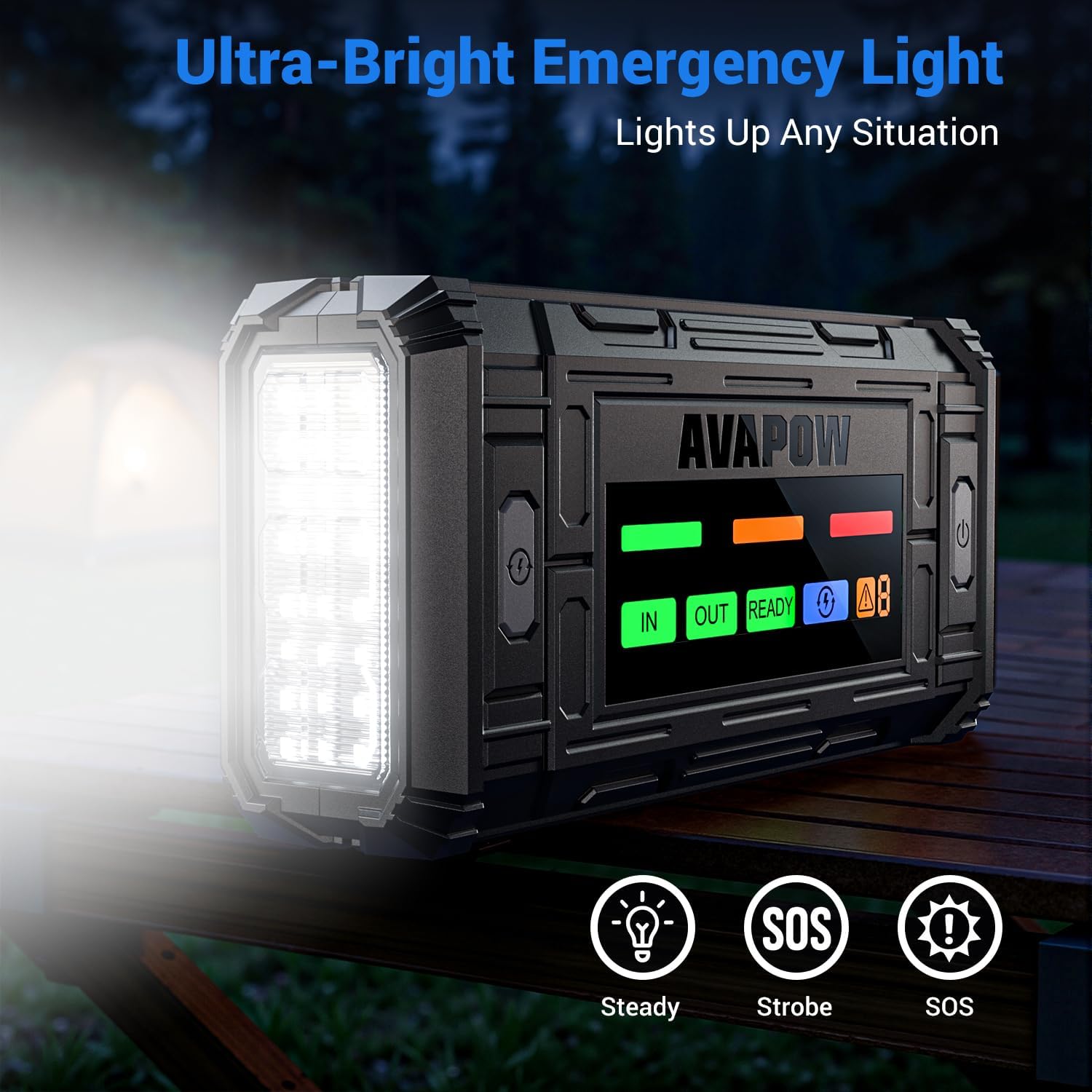
Image 6.2: The AVAPOW Jump Starter's ultra-bright LED light, capable of Steady, Strobe, and SOS modes for emergency illumination.
- Press the LED light button once for Steady mode.
- Press again for Strobe mode.
- Press a third time for SOS mode.
- Press a fourth time to turn off the light.
7. Maintenance
- Charging: Recharge the jump starter at least once every 3-6 months to prolong battery life, even if not in use.
- Storage: Store the device in a cool, dry place, away from direct sunlight and moisture. The recommended storage temperature is between -4°F to 140°F (-20°C to 60°C).
- Cleaning: Use a soft, dry cloth to clean the exterior of the device. Do not use harsh chemicals or abrasive materials.
- Battery Care: Do not disassemble the unit. The internal battery is not user-replaceable.
8. Troubleshooting
| Problem | Possible Cause | Solution |
|---|---|---|
| Vehicle does not start. | Jump starter battery too low; clamps not connected properly; vehicle battery completely dead. | Ensure jump starter is sufficiently charged (>20%). Check clamp connections. Try Force Start Mode if battery is completely dead. |
| Jump starter display shows 'Fault'. | Reverse polarity connection; short circuit; over-temperature. | Disconnect clamps and re-connect with correct polarity. Ensure clamps are not touching. Allow device to cool down if hot. |
| Jump starter not charging. | Charging cable or adapter faulty; port obstruction. | Try a different USB-C cable and wall adapter. Ensure the USB-C port is clean and free of debris. |
| External devices not charging. | Jump starter battery too low; incorrect cable; device not compatible. | Charge the jump starter. Use the correct charging cable for your device. Verify device compatibility with output specifications. |
9. Specifications
- Model: A37, TJ18
- Peak Current: Up to 4000A (A37), 3000A (TJ18)
- Start Voltage: 12V
- Engine Compatibility: Up to 8.0L Gas / 8.0L Diesel Engines
- USB-C Input/Output: PD 18W Max
- USB-A Output 1: 5V/3A, 9V/2A, 12V/1.5A
- USB-A Output 2: 5V/2.4A
- DC Output: 12V/10A
- Operating Temperature: -4°F to 140°F (-20°C to 60°C)
- Charging Time: Approximately 2.5 hours (with 18W PD charger)
- Safety Certifications: UL/FC/CE certified
10. Warranty and Support
AVAPOW products are designed for reliability and performance. For warranty information, technical support, or any questions regarding your AVAPOW Jump Starter, please refer to the warranty card included in your package or visit the official AVAPOW website. Please have your model number (A37 or TJ18) and purchase information ready when contacting support.


