
Introduction
This manual provides detailed instructions for the safe and efficient operation of your GOVO Goloud 980 160W Party Speaker. Please read this manual thoroughly before using the product and retain it for future reference. Proper use ensures optimal performance and longevity of your device.
What's in the Box
Upon unpacking, verify that all the following items are included:
- 1 x GOVO Goloud 980 Party Speaker
- 1 x Wireless Microphone
- 1 x Remote Control
- 1 x Type-C Cable
- 1 x User Manual (this document)
- 1 x Warranty Card
Product Overview and Features
The GOVO Goloud 980 is a 160W party speaker designed for powerful audio output and versatile entertainment. Key features include:
- Immersive 160W Sound: Delivers powerful audio with deep bass.
- Vibrant Flame LEDs: Adjustable LED lighting to enhance the ambiance.
- Extended Playback Time: Up to 6 hours of battery life.
- Versatile Connectivity: Supports Bluetooth v5.3, TF card, AUX, and USB inputs.
- Personalized EQ Modes: Five customizable audio modes (Normal, Party, Pop, Rock, Jazz).
- Dual Microphone Inputs: Includes two ports for microphone connections, ideal for karaoke.
- TWS Mode: Allows pairing two Goloud 980 speakers for a stereo experience.

Image: The GOVO Goloud 980 speaker showcasing its powerful sound capabilities with illuminated woofers.
Setup
1. Initial Charging
Before first use, fully charge the speaker using the provided Type-C cable. Connect the cable to the speaker's charging port and a compatible USB power adapter (not included). The charging indicator will show the charging status.
2. Powering On/Off
- To power on, press and hold the Power button located on the control panel.
- To power off, press and hold the Power button again.
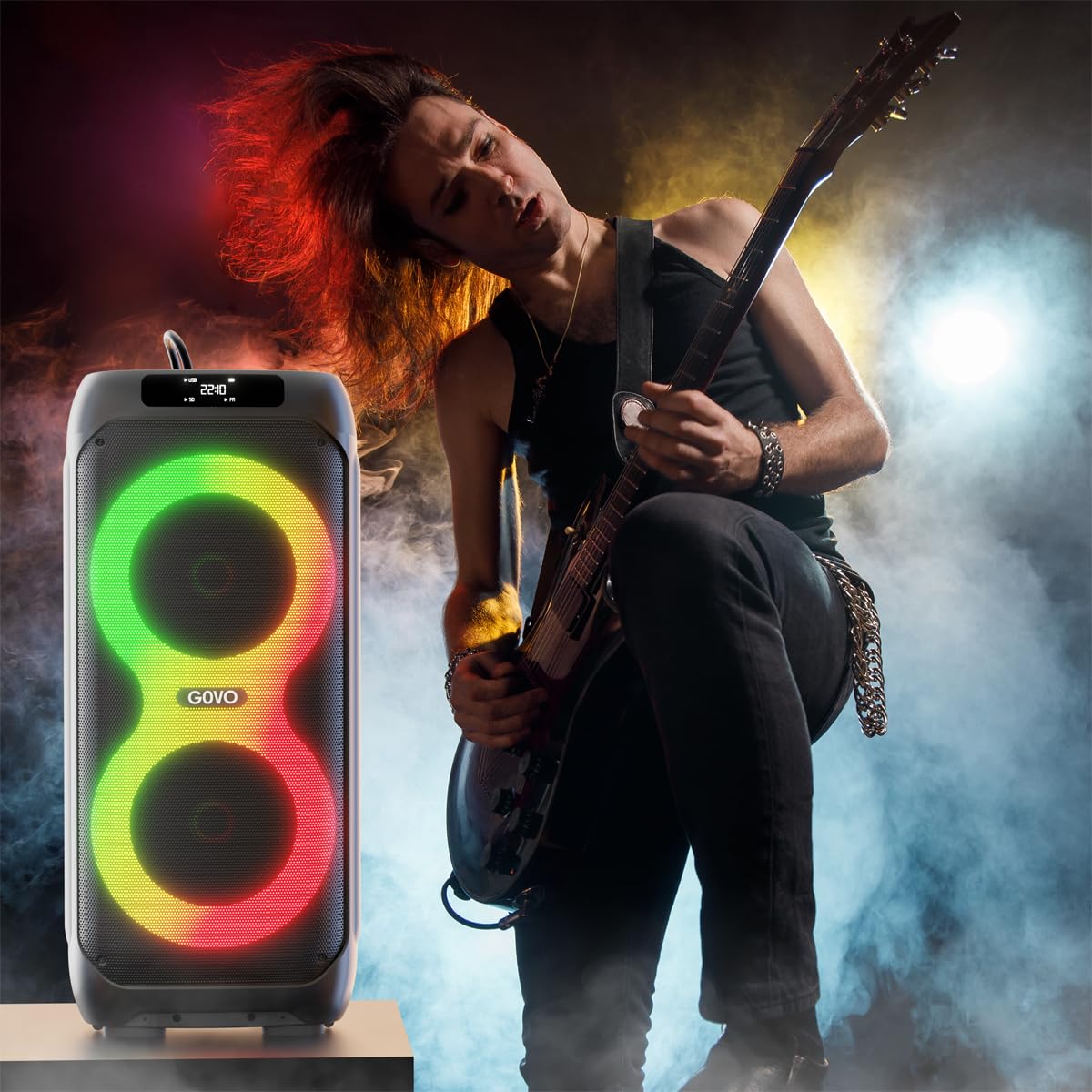
Image: Close-up of the speaker's control panel, showing the power switch, USB, AUX, and microphone inputs.
Operating Instructions
1. Bluetooth Pairing
- Ensure the speaker is powered on and in Bluetooth mode. The LED display will indicate "BT".
- On your device (smartphone, tablet, etc.), enable Bluetooth and search for available devices.
- Select "GOVO Goloud 980" from the list.
- Once paired, the speaker will emit an audible confirmation, and the LED display will show a stable Bluetooth icon.
2. AUX Input
Connect an audio device using a 3.5mm AUX cable (not included) to the AUX port on the speaker. The speaker will automatically switch to AUX mode or can be manually selected via the Mode button.
3. USB Playback
Insert a USB flash drive containing MP3 audio files into the USB port. The speaker will automatically detect and begin playing music from the drive. Use the control panel or remote to navigate tracks.
4. TF Card Playback
Insert a TF (MicroSD) card with MP3 audio files into the TF card slot. The speaker will automatically switch to TF card mode and play music. Use the control panel or remote for track control.
5. TWS (True Wireless Stereo) Mode
To pair two GOVO Goloud 980 speakers for a stereo sound experience:
- Ensure both speakers are powered on and in Bluetooth mode, but not connected to any device.
- On one speaker, press and hold the TWS button (refer to the control panel diagram in the manual if available). The speaker will indicate it's searching for another TWS speaker.
- The two speakers will automatically pair. A confirmation sound will indicate successful pairing.
- Connect your device to the primary speaker via Bluetooth as described in step 1. Audio will now play in stereo through both speakers.
6. Wireless Microphone Usage
The GOVO Goloud 980 includes a wireless microphone for karaoke or announcements.
- Ensure the wireless microphone is powered on.
- The microphone will automatically connect to the speaker.
- Adjust microphone volume and echo effects using the dedicated controls on the speaker's control panel or remote.
- Additional wired microphones can be connected to the MIC1 and MIC2 ports.

Image: A person using the wireless microphone with the GOVO Goloud 980 speaker, highlighting its karaoke feature.
7. EQ Modes
Cycle through the five preset equalizer modes using the EQ button on the control panel or remote control to optimize sound for different genres:
- Normal: Balanced sound profile.
- Party: Enhanced bass and treble for lively gatherings.
- Pop: Optimized for popular music genres.
- Rock: Emphasizes guitar and drum frequencies.
- Jazz: Smoother, warmer tones suitable for jazz music.
Maintenance
- Cleaning: Use a soft, dry cloth to clean the speaker's exterior. Do not use abrasive cleaners or solvents.
- Storage: Store the speaker in a cool, dry place away from direct sunlight and extreme temperatures when not in use for extended periods.
- Battery Care: To prolong battery life, avoid fully discharging the speaker frequently. Charge it regularly, even if not in constant use.
- Water Exposure: This speaker is not waterproof. Avoid exposure to water or high humidity.
Troubleshooting
| Problem | Possible Cause | Solution |
|---|---|---|
| No power | Battery is depleted; Power cable not connected properly. | Charge the speaker fully; Ensure the power cable is securely connected. |
| No sound | Volume too low; Incorrect input mode selected; Device not paired. | Increase volume on speaker and connected device; Select the correct input mode (Bluetooth, AUX, USB, TF); Re-pair Bluetooth device. |
| Bluetooth connection unstable | Device too far from speaker; Interference; Low battery. | Move device closer to speaker (within 10 meters); Avoid obstacles; Charge the speaker. |
| Microphone not working | Microphone not powered on; Volume too low; Incorrect port used for wired mic. | Ensure wireless mic is on; Increase mic volume; For wired mics, use MIC1 or MIC2 ports. |
Specifications
| Feature | Detail |
|---|---|
| Model Name | Goloud 980 |
| Speaker Type | Outdoor / Party Speaker |
| Output Power | 160 Watts |
| Connectivity Technology | Bluetooth v5.3, Auxiliary, USB, TF Card |
| Battery Average Life | Up to 6 Hours |
| Control Method | Remote, On-device controls |
| Product Dimensions (D x W x H) | 34D x 76W x 32.7H Centimeters |
| Item Weight | 12 kg |
| Included Components | Speaker, Wireless Mic, Remote Control, Type-C Cable, User Manual, Warranty Card |
| Color | Black |
| Waterproof | No |
Warranty and Support
The GOVO Goloud 980 Party Speaker comes with a Limited Warranty. Please refer to the included Warranty Card for specific terms, conditions, and duration of the warranty.
For technical support, service, or warranty claims, please contact GOVO customer service through their official website or the contact information provided on your warranty card. Ensure you have your product model number (Goloud 980) and proof of purchase ready when contacting support.
You can visit the GOVO Store for more information: GOVO Official Store