
TAMPROAD Q66
TAMPROAD Q66 Bluetooth Speaker Instruction Manual
Model: Q66
Introduction
This manual provides essential information for the safe and efficient operation of your TAMPROAD Q66 Bluetooth Speaker. Please read it thoroughly before using the product and retain it for future reference.
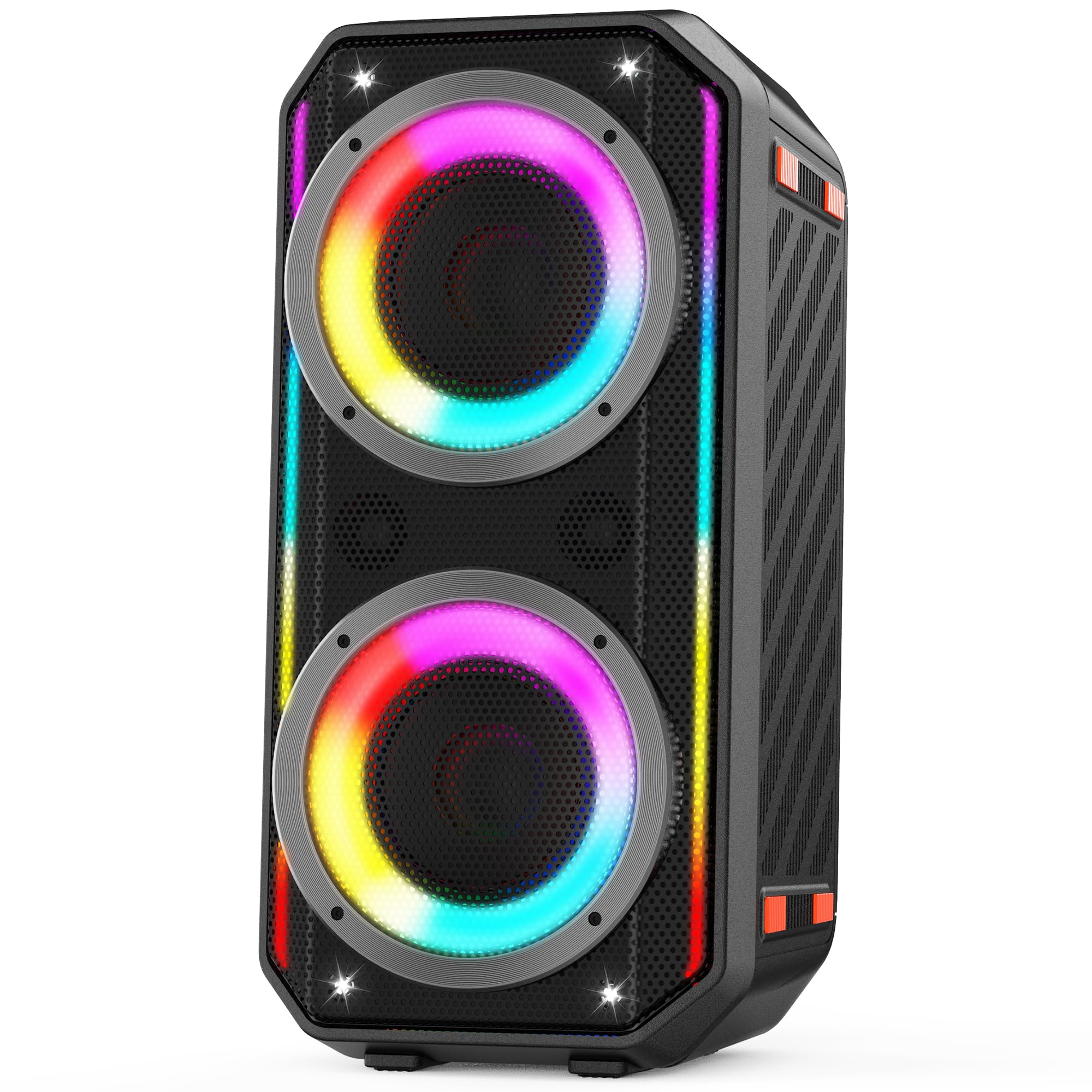
Image: The TAMPROAD Q66 Bluetooth Speaker, a portable unit with integrated LED lights.
Safety Information
- Do not expose the speaker to water or excessive moisture.
- Avoid extreme temperatures.
- Do not disassemble or attempt to repair the speaker yourself. Refer to qualified service personnel.
- Keep away from children and pets.
- Use only the provided power cable for charging.
- Ensure proper ventilation when operating.
What's in the Box
Verify that all items are present upon unpacking:
- 1 x TAMPROAD Q66 Bluetooth Speaker
- 1 x US standard AC Power Cable
- 1 x AUX Cable
- 1 x User Manual (this document)

Image: The TAMPROAD Q66 speaker, AC power cable, AUX cable, and user manual as packaged.
Product Overview: Controls and Ports
Familiarize yourself with the speaker's control panel and connection ports.

Image: Detailed view of the TAMPROAD Q66 control panel, showing buttons for volume, mode, TWS, EQ, LED lights, and various input ports.
Control Panel Functions:
- Power Button: Press and hold to power on/off. Short press to display remaining battery power.
- BT / AUX Mode: Switches between Bluetooth and AUX input modes.
- TWS Button: Initiates True Wireless Stereo pairing.
- Play/Pause Button: Plays or pauses audio playback.
- Previous/Next Buttons: Skips to the previous or next track.
- Music Vol: Adjusts the main music volume.
- LED Light Button: Cycles through LED light modes or turns lights off.
- Preset EQ: Cycles through equalizer presets.
- MIC Vocal: Adjusts microphone vocal effects.
- Tone +/-: Adjusts tone for microphone input.
- MIC PRI: Microphone priority function.
- REC Stop & Play: Controls recording to USB.
- Echo/Reverb: Adjusts echo/reverb for microphone/guitar.
- MIC/Guitar Vol: Adjusts volume for microphone and guitar inputs.
Input Ports:
- AUX Input: For connecting external audio devices via a 3.5mm audio cable.
- USB Input: For playing music from a USB drive (supports Micro SD cards with adapter).
- MIC Input: For connecting a microphone.
- Guitar Input: For connecting a guitar.
Setup
1. Charging the Speaker
Before first use, fully charge the speaker. Connect the provided AC power cable to the speaker's power input and then to a standard wall outlet (110-240V). The charging indicator will show the charging status. A full charge provides up to 10 hours of playback.

Image: The TAMPROAD Q66 speaker being powered by an AC plug, illustrating continuous power supply.
2. Powering On/Off
Press and hold the Power Button on the control panel for approximately 3 seconds to turn the speaker on or off.
3. Bluetooth Pairing
- Turn on the speaker. It will automatically enter Bluetooth pairing mode, indicated by a flashing Bluetooth indicator light.
- On your device (smartphone, tablet, etc.), enable Bluetooth and search for available devices.
- Select "TAMPROAD Q66" from the list of devices.
- Once connected, the Bluetooth indicator light will stop flashing and remain solid.
4. True Wireless Stereo (TWS) Pairing
To achieve a stereo sound experience, you can pair two TAMPROAD Q66 speakers together.
- Ensure both Q66 speakers are powered on and in Bluetooth mode, but not connected to any other device.
- On one of the speakers, short press the TWS Button. The speaker will emit a sound indicating it's searching for another speaker.
- The two speakers will automatically connect to each other. A confirmation sound will indicate successful TWS pairing.
- Once paired, connect your device to one of the speakers via Bluetooth as described in step 3. Both speakers will now play audio in stereo.

Image: Two TAMPROAD Q66 speakers positioned on either side of a television, demonstrating a TWS setup for enhanced audio.
5. Connecting via AUX Input
Use the provided 3.5mm AUX cable to connect an external audio device (e.g., MP3 player, computer) to the speaker's AUX Input port. The speaker will automatically switch to AUX mode, or you can manually select it using the BT / AUX Mode button.
6. USB Drive Playback
Insert a USB drive containing audio files into the USB Input port. The speaker will automatically detect the USB drive and begin playback. (Note: Supports Micro SD cards with an appropriate adapter).

Image: The side panel of the TAMPROAD Q66 speaker highlighting its multiple connectivity options: Bluetooth 5.0, USB Drive, Microphone Input, Guitar Input, and AUX Input.
7. Microphone and Guitar Input
Connect a microphone to the MIC Input or a guitar to the Guitar Input. Adjust their respective volumes using the MIC/Guitar Vol knob. You can also fine-tune the sound with Tone +/-, MIC Vocal, and Echo/Reverb controls.
Operating Instructions
1. Audio Playback
- Volume Control: Rotate the Music Vol knob to increase or decrease the main audio volume.
- Play/Pause: Press the Play/Pause Button to start or stop playback.
- Track Navigation: Use the Previous and Next buttons to skip tracks.
2. LED Light Modes
The speaker features dynamic LED lights. Press the LED Light Button to cycle through various lighting effects. Press and hold the button to turn the lights off.

Image: The TAMPROAD Q66 speaker showcasing different vibrant LED light modes, which pulse and flash with music.
Video: A demonstration of the TAMPROAD Q66 speaker's dynamic LED light show and sound quality, titled "Big, Bold Sound Anywhere You Want."
Video: A user review showcasing the TAMPROAD Q66 speaker's features and sound, titled "Worth the money!"
3. EQ Presets
Press the Preset EQ button to cycle through different equalizer settings, optimizing the sound for various music genres or listening preferences.
Maintenance
- Cleaning: Use a soft, dry cloth to clean the speaker's exterior. Do not use abrasive cleaners or solvents.
- Storage: Store the speaker in a cool, dry place away from direct sunlight and extreme temperatures when not in use.
- Battery Care: For optimal battery life, avoid fully discharging the battery frequently. Charge the speaker regularly, even if not in constant use.
Troubleshooting
| Problem | Possible Cause | Solution |
|---|---|---|
| Speaker does not power on. | Low battery or power cable not connected. | Charge the speaker using the provided AC power cable. Ensure the power button is pressed and held for 3 seconds. |
| Cannot pair via Bluetooth. | Speaker is not in pairing mode, or device Bluetooth is off. | Ensure the speaker is in Bluetooth mode (flashing indicator). Turn off and on your device's Bluetooth. Move device closer to speaker. |
| No sound. | Volume too low, incorrect input mode, or faulty cable. | Increase speaker and device volume. Check if the correct input mode (Bluetooth, AUX, USB) is selected. Ensure cables are securely connected. |
| TWS pairing fails. | Speakers are too far apart or already connected to another device. | Ensure both speakers are within close proximity and not connected to any other Bluetooth device before initiating TWS pairing. |
Specifications
| Feature | Detail |
|---|---|
| Model Name | Q66 |
| Speaker Type | Portable Speaker |
| Speaker Maximum Output Power | 300 Watts (Peak) |
| Woofer Diameter | 2 x 5.25 Inches |
| Tweeter Size | 2 x 2.0 Inches |
| Frequency Response | 45 Hz (low frequency extension) |
| Connectivity Technology | Bluetooth 5.0, AUX, USB |
| Input Voltage | 110-240V (AC) |
| Power Source | Corded Electric, Battery Powered |
| Battery Capacity | 11.1V, 83Wh (up to 10 hours playback) |
| Product Dimensions | 10"D x 10"W x 22"H |
| Item Weight | 15 Pounds |
| Control Method | Push Button |
| Indoor/Outdoor Usage | Indoor, Outdoor |
Warranty and Support
The TAMPROAD Q66 Bluetooth Speaker comes with a 12-month warranty service. For any product-related inquiries, technical assistance, or warranty claims, please contact TAMPROAD customer service. Refer to the contact information provided on the product packaging or the official TAMPROAD website for support details.
Ask a question about this manual
Ask about setup, troubleshooting, compatibility, parts, safety, or missing instructions. Manuals+ will review the question and use this page’s manual context to help answer it.