
Introduction
Thank you for choosing the Soohow 70-inch Mid Century TV Stand. This manual provides essential information for the safe assembly, operation, and maintenance of your new furniture. Please read these instructions carefully before beginning assembly and retain them for future reference.
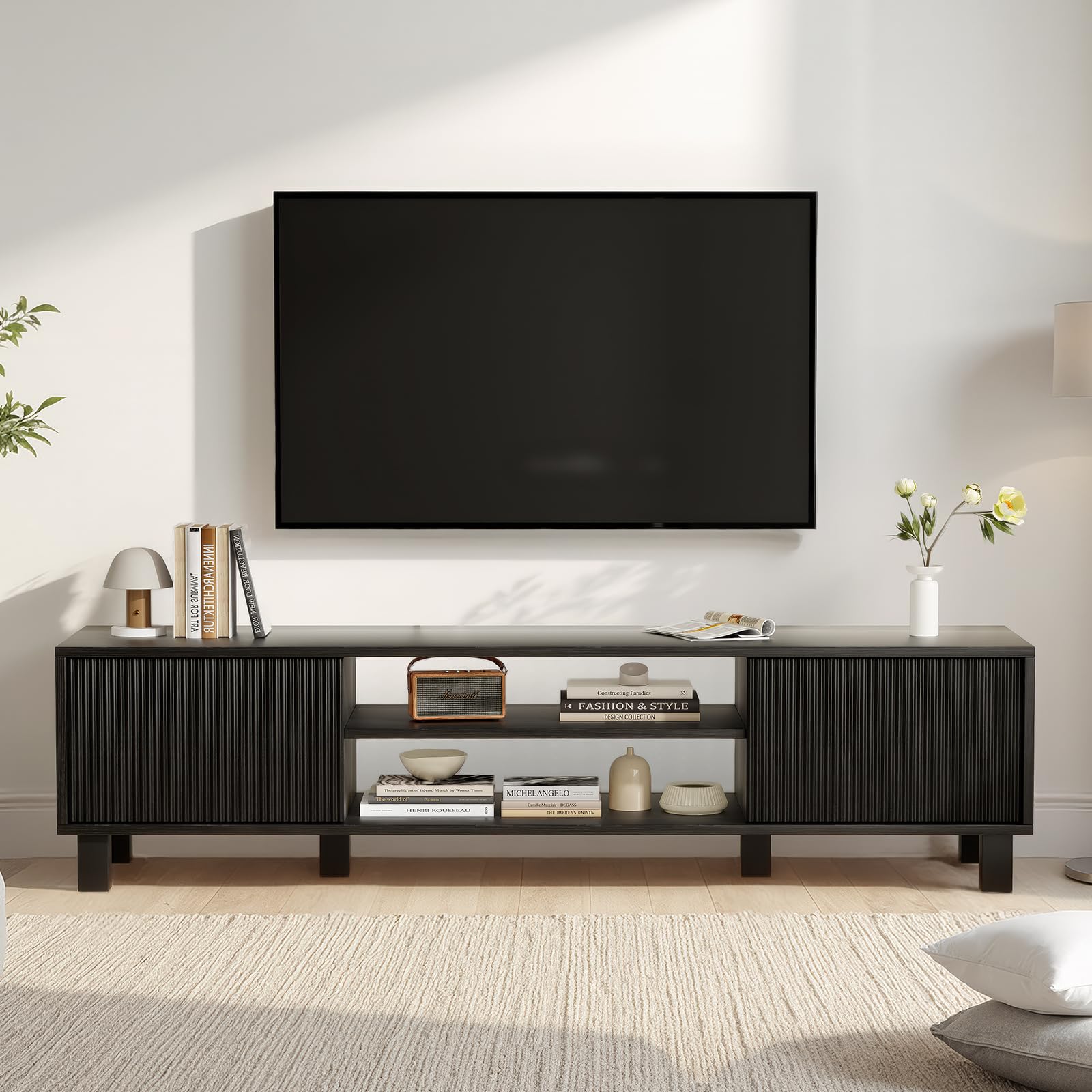
Image: The Soohow 70-inch Mid Century TV Stand, featuring two side cabinets and a central open shelving unit, displayed in a modern living room environment.
Safety Information
- Always assemble the product on a soft, clean surface to prevent scratches.
- Ensure all screws and fasteners are securely tightened before use. Periodically check and re-tighten as necessary.
- Do not exceed the maximum weight capacities: 150 lbs on the top surface, 30 lbs on each wood shelf, and 20 lbs on wooden partitions.
- Keep small parts and packaging materials away from children and pets to prevent choking hazards.
- Do not stand or climb on the TV stand.
- Place the TV stand on a level surface to prevent tipping.
Package Contents
Before assembly, verify that all components are present and undamaged. If any parts are missing or damaged, please contact customer support.
Components List:
- Top Panel
- Bottom Panel
- Side Panels (Left & Right)
- Middle Dividers/Shelves
- Back Panels
- Cabinet Doors (2)
- Legs (4)
- Hardware Pack (screws, dowels, cam locks, hinges, handles, anti-tip kit)
- User Manual
Note: The product consists of approximately 15 individual pieces, including hardware.
Setup and Assembly Instructions
Assembly is required for this TV stand. Follow these steps carefully. It is recommended to have two people for assembly.
Tools Required (Not Included):
- Phillips Head Screwdriver
- Hammer (optional, for dowels)
Assembly Steps:
- Prepare the Workspace: Clear a spacious area and lay out all components on a soft, clean surface to prevent damage.
- Attach Cam Locks and Dowels: Insert cam locks and wooden dowels into the pre-drilled holes on the side panels, middle dividers, and bottom panel as indicated in the diagram.
- Assemble Base Frame: Connect the side panels to the bottom panel using the cam locks and screws. Ensure they are flush and secure.
- Install Middle Dividers: Insert the middle dividers into the base frame, securing them with cam locks and screws.
- Attach Top Panel: Carefully align and attach the top panel to the assembled frame, securing it with cam locks and screws.
- Install Back Panels: Slide or nail the back panels into the designated grooves or attach them to the rear of the unit.
- Attach Legs: Secure the four legs to the underside of the bottom panel using the provided screws.
- Install Cabinet Doors: Attach the hinges to the cabinet doors and then to the side panels of the TV stand. Adjust hinges as needed for proper door alignment.
- Attach Handles: Secure the handles to the cabinet doors.
- Final Check: Ensure all connections are tight and the stand is stable.
Operating Instructions
Placement:
- Place the TV stand on a flat, stable surface.
- Ensure adequate ventilation around electronic devices placed within the stand.
- This TV stand is designed to accommodate televisions up to 70 inches in size.

Image: A visual guide illustrating the compatibility of the TV stand with various television sizes, up to 80 inches, with the stand itself being suitable for up to 70-inch TVs.
Weight Capacity:
- Top Surface: Maximum 150 lbs (68 kg)
- Wood Shelves (each): Maximum 30 lbs (13.6 kg)
- Wooden Partitions: Maximum 20 lbs (9 kg)
Cable Management:
Utilize the integrated cord management system to organize and conceal cables for a tidy appearance and to prevent tripping hazards.
Maintenance
- Cleaning: Wipe the surfaces with a damp cloth. Avoid harsh chemicals or abrasive cleaners that may damage the finish.
- Dusting: Regularly dust with a soft, dry cloth.
- Spills: Clean spills immediately to prevent staining or damage to the wood.
- Inspection: Periodically check all hardware connections and tighten if necessary to maintain stability.
Troubleshooting
Wobbling or Instability:
- Ensure the TV stand is placed on a level surface.
- Check all screws and cam locks to ensure they are fully tightened.
- Verify that all legs are securely attached and making even contact with the floor.
Doors Not Aligning:
- Adjust the hinges on the cabinet doors. Most hinges allow for minor adjustments to align doors vertically, horizontally, and in depth.
- Ensure the main frame of the TV stand is square and level.
Missing or Damaged Parts:
- Carefully re-check the packaging and all contents.
- Contact Soohow customer support with your model number and a description of the missing or damaged part for assistance.
Specifications

Image: A detailed diagram illustrating the dimensions of the Soohow 70-inch Mid Century TV Stand, including overall length, width, height, and internal compartment measurements.
| Attribute | Detail |
|---|---|
| Brand | Soohow |
| Model Number | TS011-BK-USSW |
| Model Name | 70" Mid Century TV Stands with Storage |
| Color | Black |
| Material | Wood |
| Overall Dimensions (L x W x H) | 70 x 16 x 16 inches |
| Item Weight | 53 Pounds |
| Top Surface Weight Capacity | 150 Pounds |
| Wood Shelf Weight Capacity (each) | 30 Pounds |
| Wooden Partition Weight Capacity | 20 Pounds |
| Number of Shelves | 4 |
| Number of Doors | 2 |
| Assembly Required | Yes |
| Product Care Instructions | Wipe with Damp Cloth |
Warranty and Support
Soohow products are manufactured to high-quality standards. For any questions regarding assembly, missing parts, or product performance, please contact Soohow customer support. Please have your model number (TS011-BK-USSW) ready when contacting support.
For further assistance, please visit the Soohow Store on Amazon.