
1. Important Safety Instructions
Before operating this treadmill, please read all instructions carefully. Keep this manual for future reference. Failure to follow these instructions may result in injury or damage to the product.
- Always place the treadmill on a flat, stable surface with adequate clearance around it.
- Ensure the safety key is properly attached to both the treadmill and your clothing before starting any workout. In case of emergency, the safety key will stop the machine.
- Do not allow children or pets near the treadmill while it is in operation.
- Wear appropriate athletic footwear and clothing during use.
- Do not exceed the maximum user weight capacity of 265 lbs (120 kg).
- If you experience pain, dizziness, or shortness of breath, stop exercising immediately.
- Keep hands clear of all moving parts, especially the running belt. Use the integrated handles for stability.
- Unplug the treadmill from the power outlet when not in use, before cleaning, or before performing any maintenance.
2. Package Contents
Verify that all components are present before assembly or setup.
- FYC 3-in-1 Compact Treadmill Unit
- Safety Key
- User Manual (this document)
3. Setup and Initial Placement
The FYC 3-in-1 Compact Treadmill is designed for minimal assembly. Follow these steps for initial setup.
- Unpacking: Carefully remove the treadmill from its packaging. Retain packaging materials for future transport or storage.
- Placement: Position the treadmill on a firm, level surface. Ensure there is at least 2 feet (0.6 meters) of clear space on all sides and 6 feet (1.8 meters) behind the treadmill for safe operation.
- Unfolding (if folded): If the treadmill is in its folded position, gently lift the running deck until it locks into the operational position. Ensure all locking mechanisms are securely engaged.
- Power Connection: Plug the power cord into a grounded electrical outlet.

Figure 3.1: Treadmill in its unfolded, operational position within a home environment.
4. Operating Instructions
This section details how to use your FYC treadmill for an effective workout.
4.1. Control Panel and Display
The treadmill features a 3-touch screen display that provides real-time workout data and allows for easy control.

Figure 4.1: Multifunctional Display Screen showing various workout metrics.
- Display Metrics: The screen shows Time, Speed, Distance, and Calories burned.
- START/STOP Button: Press to begin or end your workout.
- SPEED +/- Buttons: Adjust the running belt speed. The treadmill operates within a speed range of 0.6 to 7.5 MPH.
- MODE Button: Select different workout modes or display options.
4.2. Using the Safety Key
The safety key is a critical safety feature. Attach the clip end of the safety key to your clothing. Insert the magnetic end into the designated slot on the control panel. The treadmill will not operate without the safety key properly inserted. Pulling the safety key out will immediately stop the treadmill.
4.3. Starting a Workout
- Ensure the treadmill is plugged in and the safety key is in place.
- Step onto the side rails of the treadmill, not directly onto the belt.
- Press the START button. The belt will begin to move at a low speed.
- Carefully step onto the moving belt and begin walking.
- Use the SPEED +/- buttons to adjust your desired speed.
4.4. Stopping a Workout
- Press the STOP button to gradually slow down and stop the treadmill.
- Alternatively, pull the safety key to immediately stop the treadmill in an emergency.
4.5. Running Belt Area
The treadmill features a spacious 41.34" x 15.75" running belt designed for comfort and impact reduction.
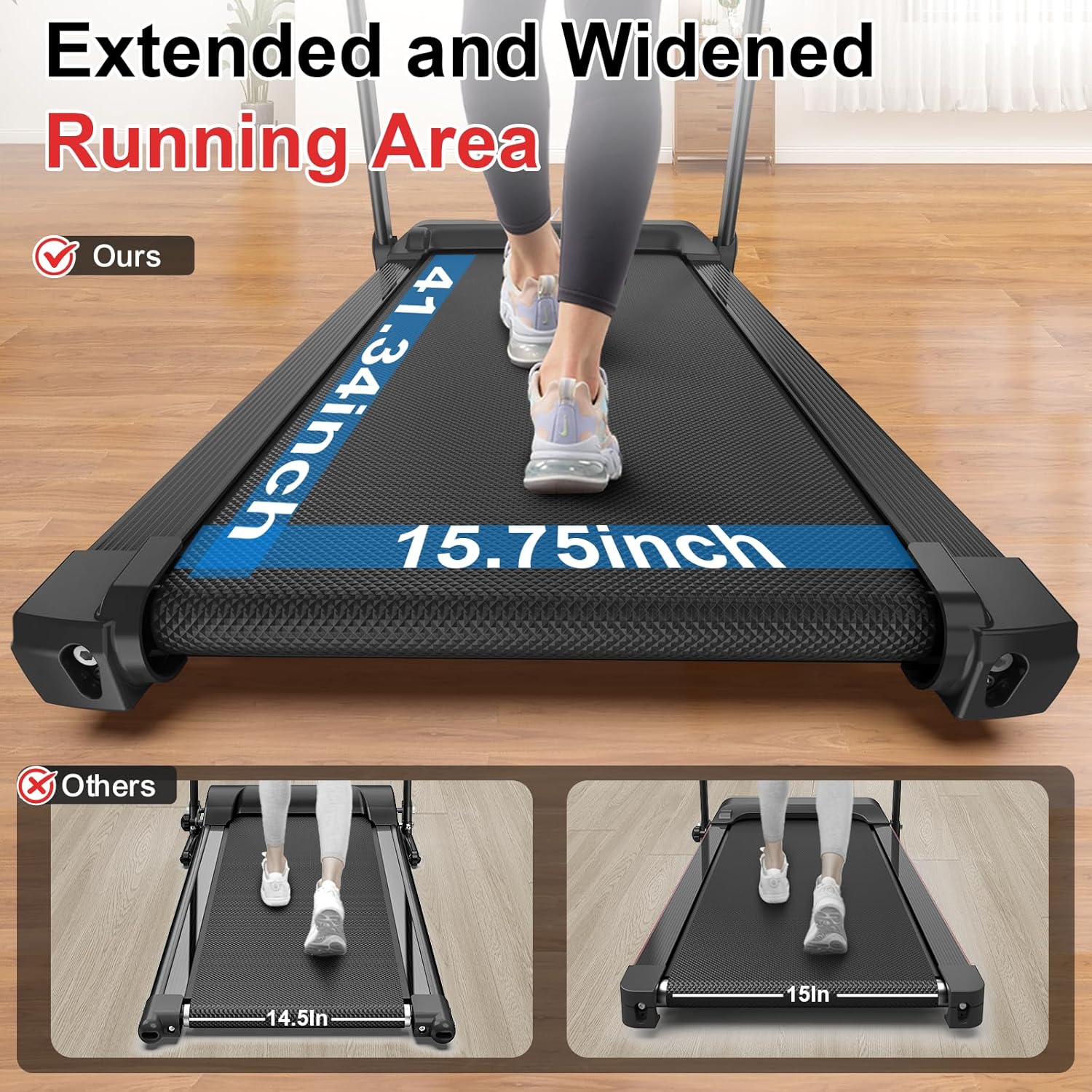
Figure 4.2: Running belt dimensions for comfortable use.
The running belt is constructed with 6 layers of non-slip material, cushioning rubber pads, and 8 shock absorbers, complemented by 2 large silicone damping blocks to minimize joint impact and noise.
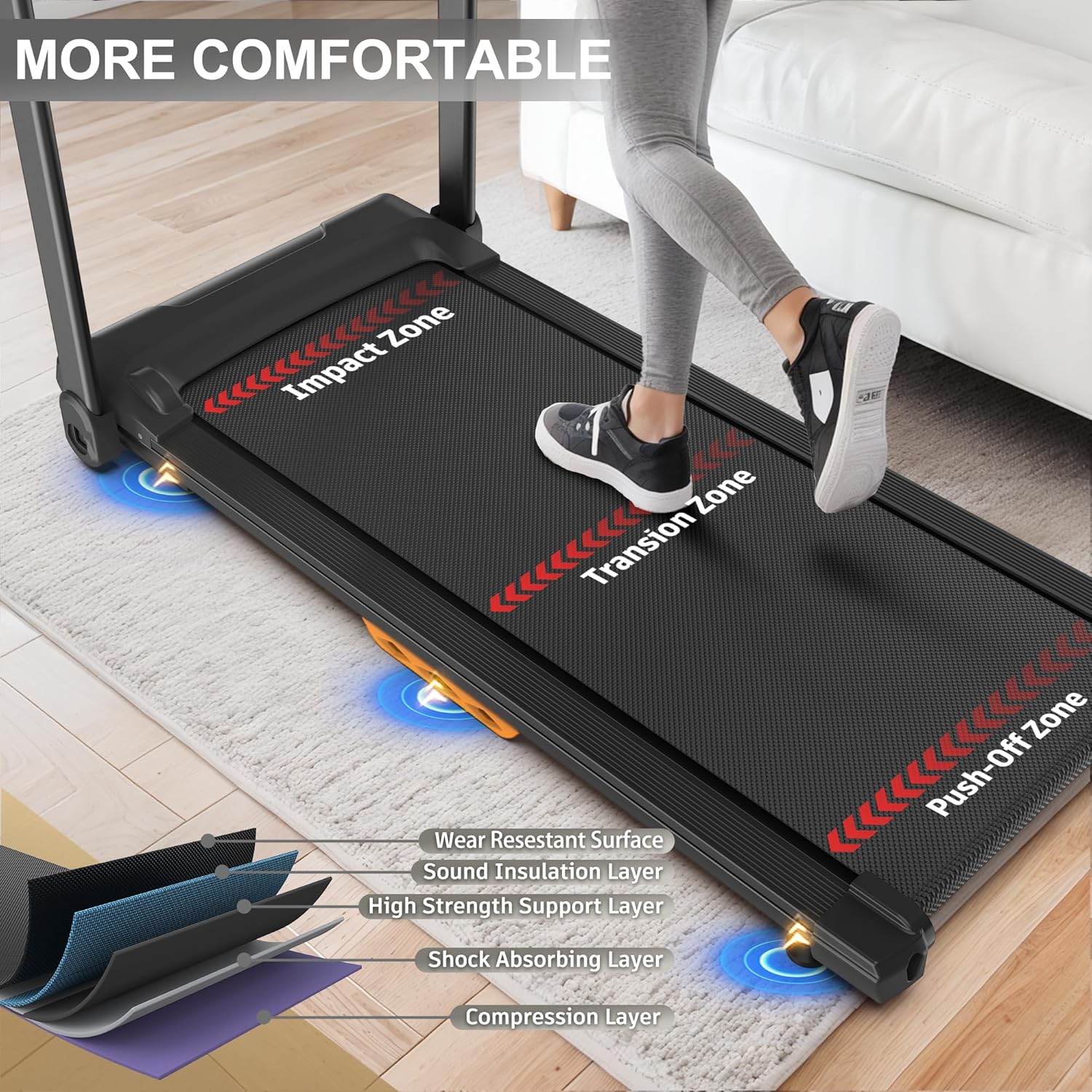
Figure 4.3: Multi-layered running belt for enhanced comfort and durability.
5. Folding and Storage
The FYC treadmill is designed to be compact and foldable for easy storage in small spaces.
- Ensure the treadmill is stopped and unplugged from the power outlet.
- Gently lift the running deck from the rear until it locks into the vertical, folded position.
- Confirm the locking mechanism is engaged to prevent accidental unfolding.
- The folded treadmill can be stored upright in a closet, against a wall, or horizontally under a bed.
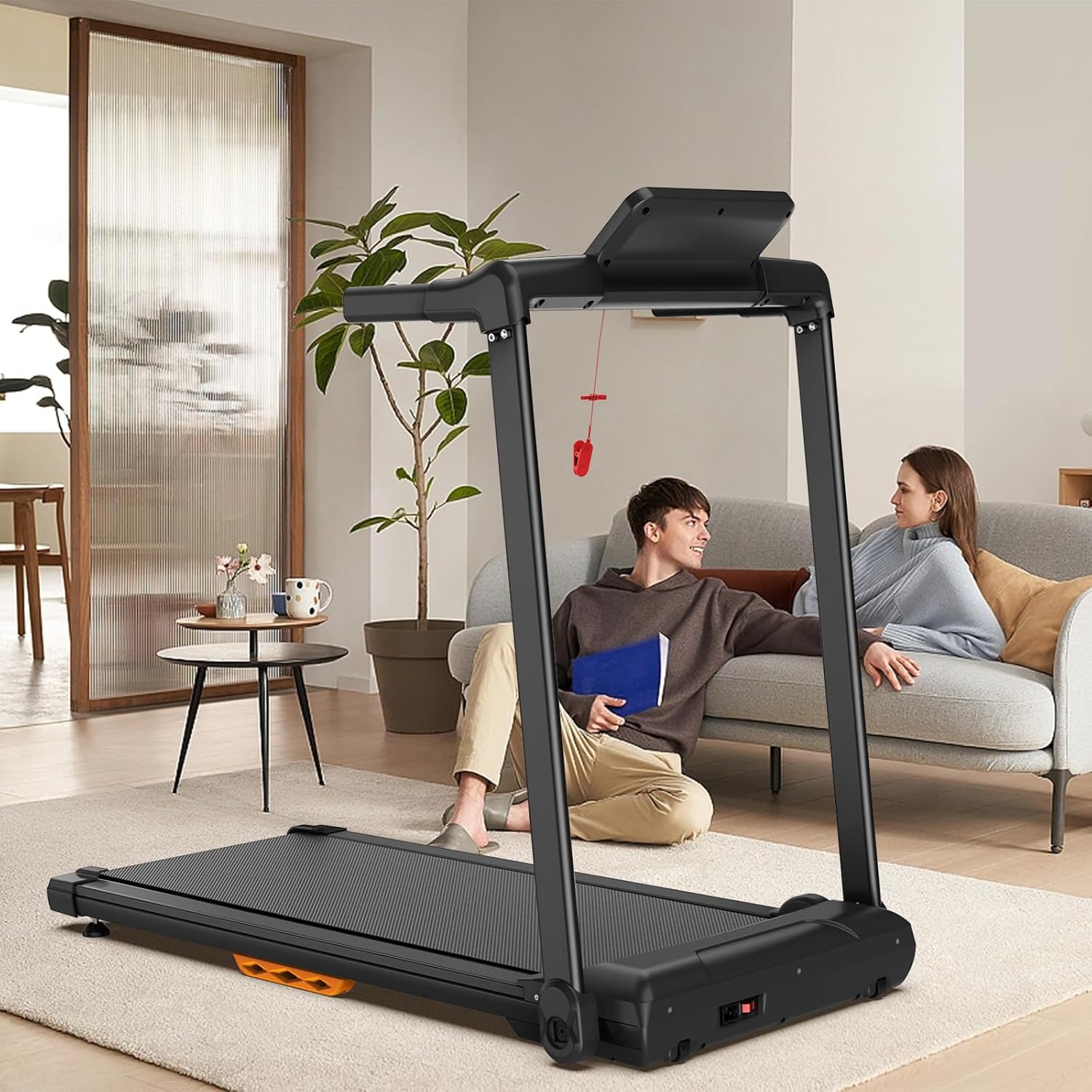
Figure 5.1: Treadmill in its compact, folded storage position.
6. Maintenance
Regular maintenance ensures the longevity and optimal performance of your treadmill.
- Cleaning: After each use, wipe down the control panel and other surfaces with a damp cloth to remove sweat and dust. Do not use abrasive cleaners.
- Running Belt Lubrication: The running belt requires periodic lubrication to reduce friction and extend its lifespan. Refer to the specific lubrication instructions provided with your treadmill's lubricant kit (sold separately or included). Generally, apply silicone lubricant under the belt every 3-6 months, depending on usage.
- Running Belt Adjustment: Over time, the running belt may become off-center or loose. Refer to the detailed instructions in the full product manual or contact customer support for guidance on how to adjust the belt tension and alignment using the rear rollers.
- Motor Cover Cleaning: Periodically vacuum or wipe the area around the motor cover to prevent dust buildup, which can affect motor performance.
7. Troubleshooting
This section addresses common issues you might encounter with your treadmill.
| Problem | Possible Cause | Solution |
|---|---|---|
| Treadmill does not start | 1. Power cord not plugged in 2. Safety key not inserted 3. Power switch off | 1. Ensure power cord is securely plugged into a grounded outlet. 2. Insert the safety key into its designated slot. 3. Turn on the main power switch (usually located near the power cord inlet). |
| Running belt slips or hesitates | 1. Belt too loose 2. Belt requires lubrication 3. Over-tightened belt | 1. Adjust belt tension (refer to maintenance section or contact support). 2. Lubricate the running belt (refer to maintenance section). 3. Loosen belt tension slightly. |
| Unusual noise during operation | 1. Loose components 2. Belt rubbing 3. Motor issue | 1. Check and tighten all visible bolts and screws. 2. Adjust belt alignment (refer to maintenance section). 3. If noise persists, discontinue use and contact customer support. |
If you encounter an issue not listed here, or if the suggested solutions do not resolve the problem, please contact customer support.
8. Specifications
Technical details for the FYC 3-in-1 Compact Treadmill.

Figure 8.1: Product Dimensions.
- Brand: FYC
- Model Name: WZF-JK1601
- Product Dimensions (Unfolded): 48.82"D x 25.2"W x 42.13"H
- Running Belt Dimensions: 41.34" x 15.75"
- Material: Alloy Steel
- Maximum Speed: 7.5 Miles per Hour (MPH)
- Minimum Speed: 0.5 Miles per Hour (MPH)
- Maximum Horsepower: 2.5 HP (Brushless Motor)
- Maximum Weight Recommendation: 265 Pounds (120 kg)
- Noise Level: Below 45 Decibels
- Power Source: Corded Electric
- Metrics Measured: Calories Burned, Distance, Speed, Time
- Assembly Required: No
9. Warranty and Customer Support
FYC is committed to providing high-quality products and customer satisfaction.
- Warranty Information: Please refer to the warranty card included with your product packaging for specific warranty terms and conditions.
- Customer Support: Our dedicated support team is available 24/7 to assist you with any questions, maintenance inquiries, or replacement parts. For assistance, please refer to the contact information provided on your product packaging or the official FYC website.