
1. Introduction
The Gemmac XLN-486SW is a versatile portable emergency radio designed for various situations, including outdoor activities, travel, and emergency preparedness. It features multiple power sources, radio bands, and additional functions like a flashlight, SOS alarm, and power bank. This manual provides detailed instructions for its proper use and maintenance.
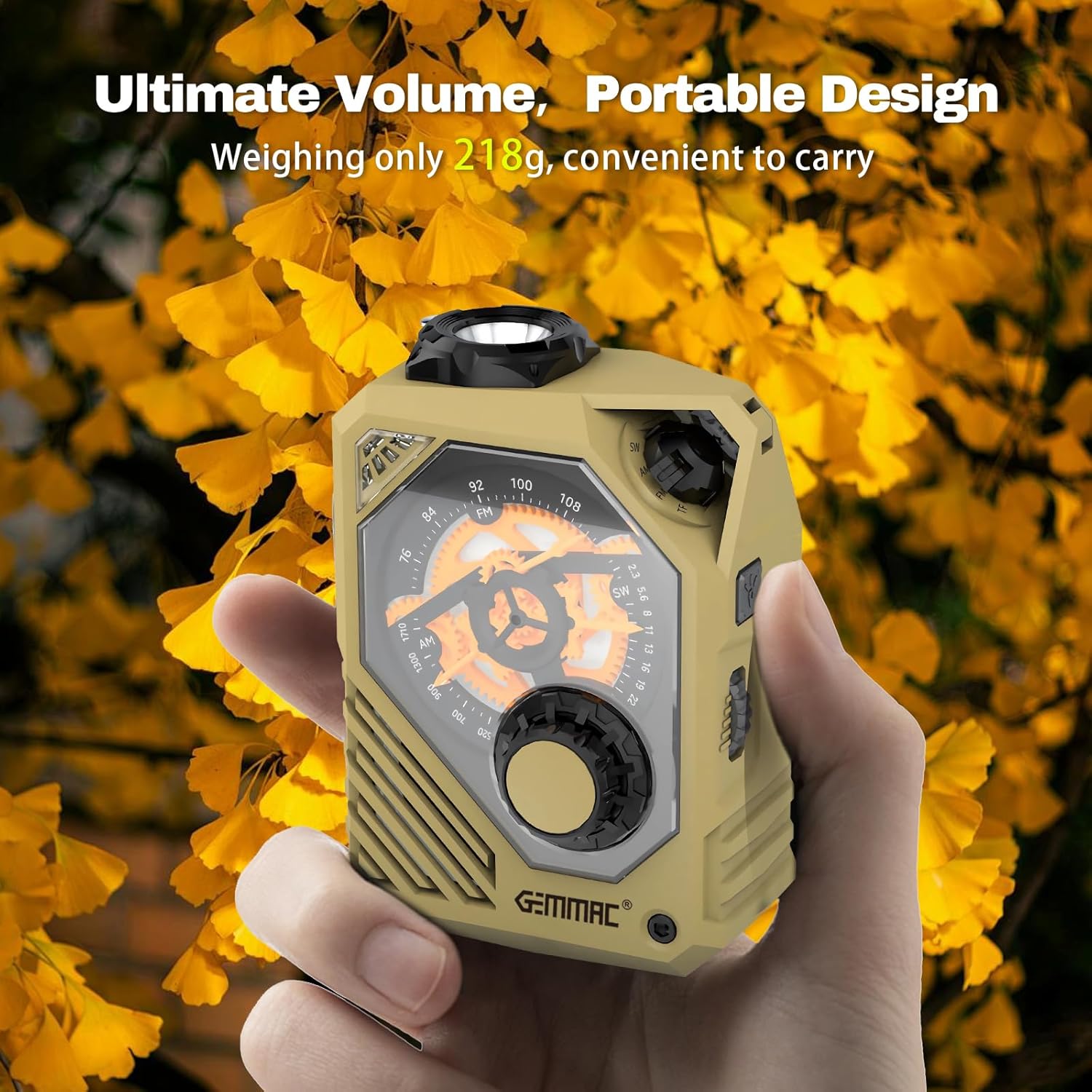
Figure 1: The compact and portable Gemmac XLN-486SW radio.
2. Product Overview and Components
Familiarize yourself with the various parts of your Gemmac XLN-486SW radio to ensure correct operation.

Figure 2: Labeled components of the Gemmac XLN-486SW radio.
- Flashlight
- Battery indicator
- Indicator
- Type-C input
- USB output
- TF card slot
- Speaker
- SW/AM/FM/TF switch
- Frequency dial
- Frequency dial knob
- String hole
- USB/TF card playback operation buttons
- Lighting / Alarm button
- Volume switch
- Antenna
- Red blink light
- Crank handle
What's in the Box:
- Gemmac XLN-486SW Portable Emergency Radio
- Charging cable
- User Manual
3. Powering the Device
The Gemmac XLN-486SW offers multiple methods to ensure continuous power, especially during emergencies.
3.1. USB-C Charging
Connect the provided charging cable to the Type-C input port (4) on the radio and to a standard USB power adapter (not included) or a computer USB port. The battery indicator (2) will show charging status. A full charge provides extended operation time.
3.2. Hand Crank Charging
Extend the crank handle (17) and rotate it clockwise or counter-clockwise at a rate of 120-160 cycles per minute. This kinetic energy will charge the internal 2000mAh battery. This method is ideal when no external power source is available.

Figure 3: Operating the hand crank for emergency power.
3.3. Solar Charging
The radio features a solar panel for supplementary charging. Place the radio in direct sunlight to slowly charge the internal battery. This method is most effective for maintaining charge or for very slow charging over extended periods.
4. Radio Operation
The radio supports AM, FM, and SW bands for receiving broadcasts.
4.1. Selecting a Radio Band
Use the SW/AM/FM/TF switch (8) to select your desired radio band: AM (Amplitude Modulation), FM (Frequency Modulation), or SW (Shortwave).
4.2. Tuning to a Station
Extend the antenna (15) for optimal reception. Rotate the frequency dial knob (10) to adjust the frequency dial (9) and tune into a station. The frequency ranges are: AM 530-1710 kHz, FM 87-108 MHz, SW 7-19 MHz (or 2.3-22 MHz as per some specifications).

Figure 4: Tuning the radio to receive AM/FM/SW broadcasts.
4.3. Adjusting Volume
Rotate the volume switch (14) to increase or decrease the audio output from the speaker (7).
5. Media Playback
In addition to radio, the device supports playback from various media sources.
5.1. TF Card and USB Drive Playback
Insert a TF card into the TF card slot (6) or a USB drive into the USB output port (5). Use the USB/TF card playback operation buttons (12) to control playback (e.g., play, pause, skip tracks). The device supports TF cards and USB drives up to 128GB.
5.2. Bluetooth Connectivity
Switch the SW/AM/FM/TF switch (8) to the Bluetooth mode. The radio will enter pairing mode. Search for "XLN-486SW" on your smartphone or other Bluetooth-enabled device and connect. You can then stream audio wirelessly to the radio.
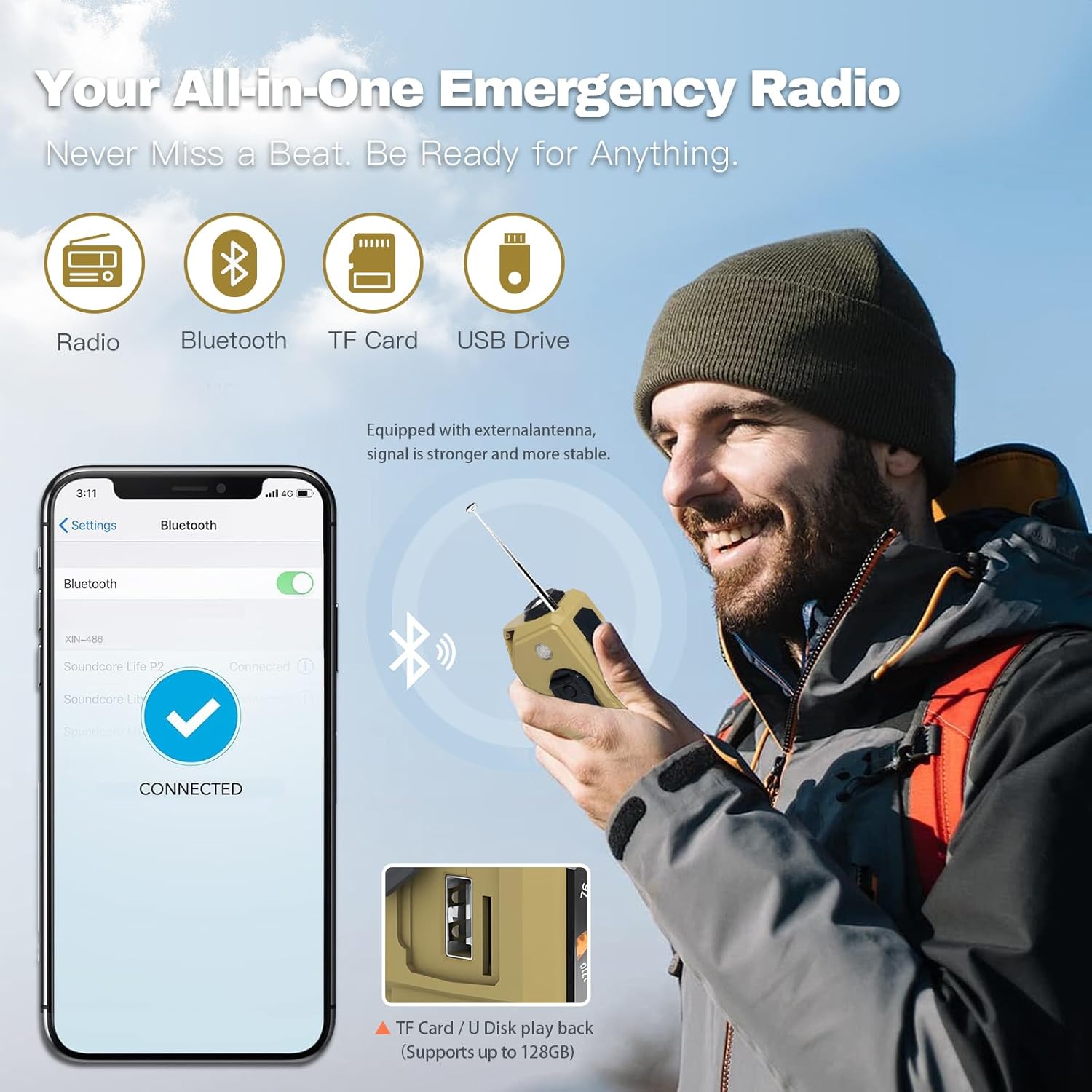
Figure 5: Connectivity options including Bluetooth, TF card, and USB drive.
6. Emergency Features
The Gemmac XLN-486SW is equipped with essential features for emergency situations.
6.1. LED Flashlight
Press the Lighting / Alarm button (13) to activate the flashlight (1). The flashlight offers strong light, flashing light, and warning light modes. The built-in 2000mAh lithium battery provides approximately 600 minutes of strong light duration.

Figure 6: The powerful LED flashlight for illumination.
6.2. SOS Alarm
Long press the Lighting / Alarm button (13) to activate the SOS alarm. This feature emits a loud siren sound and flashes the red blink light (16) to attract attention in an emergency.

Figure 7: Activating the SOS alarm for emergency signaling.
6.3. Power Bank Function
The integrated 2000mAh battery can be used to charge external USB devices, such as smartphones or MP3 players, via the USB output port (5). Connect your device's charging cable to the USB output port on the radio.

Figure 8: Using the radio as a power bank to charge a mobile device.
7. Specifications
| Feature | Specification |
|---|---|
| Brand | Gemmac |
| Model Number | XLN-486SW |
| Color | Khaki |
| Connectivity Technology | Bluetooth |
| Special Features | Power bank, Hand crank radio, Flashlight, SOS Alarm, TF Card, USB Drive |
| Compatible Devices | Mobile phone, MP3 player, Laptop |
| Product Dimensions | 7L x 5.2W x 10H centimeters |
| Tuner Technology | AM/FM/SW |
| Power Source | Battery powered, Hand crank, Solar |
| Supported Radio Bands | AM (530-1710 kHz), FM (87-108 MHz), SW (7-19 MHz / 2.3-22 MHz) |
| Battery Capacity | 2000mAh |
| Flashlight Duration (strong light) | 600 minutes |
8. Troubleshooting
- No Power: Ensure the battery is charged. Use USB-C charging or hand crank for power. Check if the power switch is in the ON position.
- Poor Radio Reception: Extend the antenna fully. Try repositioning the radio to a location with better signal. Adjust the tuning knob slowly.
- No Sound: Check the volume level. Ensure the correct mode (AM/FM/SW/TF/USB/Bluetooth) is selected.
- TF Card/USB Drive Not Playing: Ensure the media is inserted correctly. Check if the audio files are in a supported format.
- Bluetooth Pairing Issues: Make sure the radio is in Bluetooth mode and discoverable. Ensure your device's Bluetooth is on and within range.
- Flashlight Not Working: Check battery level. Ensure the flashlight button is pressed correctly.
9. Maintenance
- Cleaning: Wipe the radio with a soft, dry cloth. Do not use harsh chemicals or abrasive cleaners.
- Storage: Store the radio in a cool, dry place away from direct sunlight and extreme temperatures.
- Battery Care: For optimal battery life, charge the radio regularly, even if not in frequent use. Avoid fully discharging the battery for extended periods.
- Water Resistance: The device is designed for outdoor use but is not fully waterproof. Avoid submerging it in water.
10. Warranty and Support
The Gemmac XLN-486SW Portable Emergency Radio comes with a manufacturer's guarantee for refund and return within 30 days of purchase. For further assistance or inquiries, please refer to the seller's support channels.
Information regarding spare parts availability and software updates is not available at this time.