
1. Introduction
This manual provides detailed instructions for the installation, operation, and maintenance of your QttyElok Tuya WiFi 2-Wire Video Intercom System. This system is designed to enhance home security and convenience with its advanced features.
Key Features:
- 7-inch AHD WiFi Touchscreen for easy operation, supporting two-way audio, recording, monitoring, and unlocking.
- 1080P HD Doorbell Camera with integrated infrared sensor, night vision, and a 120° wide-angle view.
- Built-in RFID reader for door access using 125 KHz EM ID cards (supports up to 500 cards).
- Real-time viewing and remote unlocking via the Tuya Smart app on your smartphone, with no monthly fees.
- Automatic snapshot or video recording when visitors press the doorbell, saved to a 32GB TF card (included), expandable up to 128GB.
- 2-wire connection system for simplified installation.
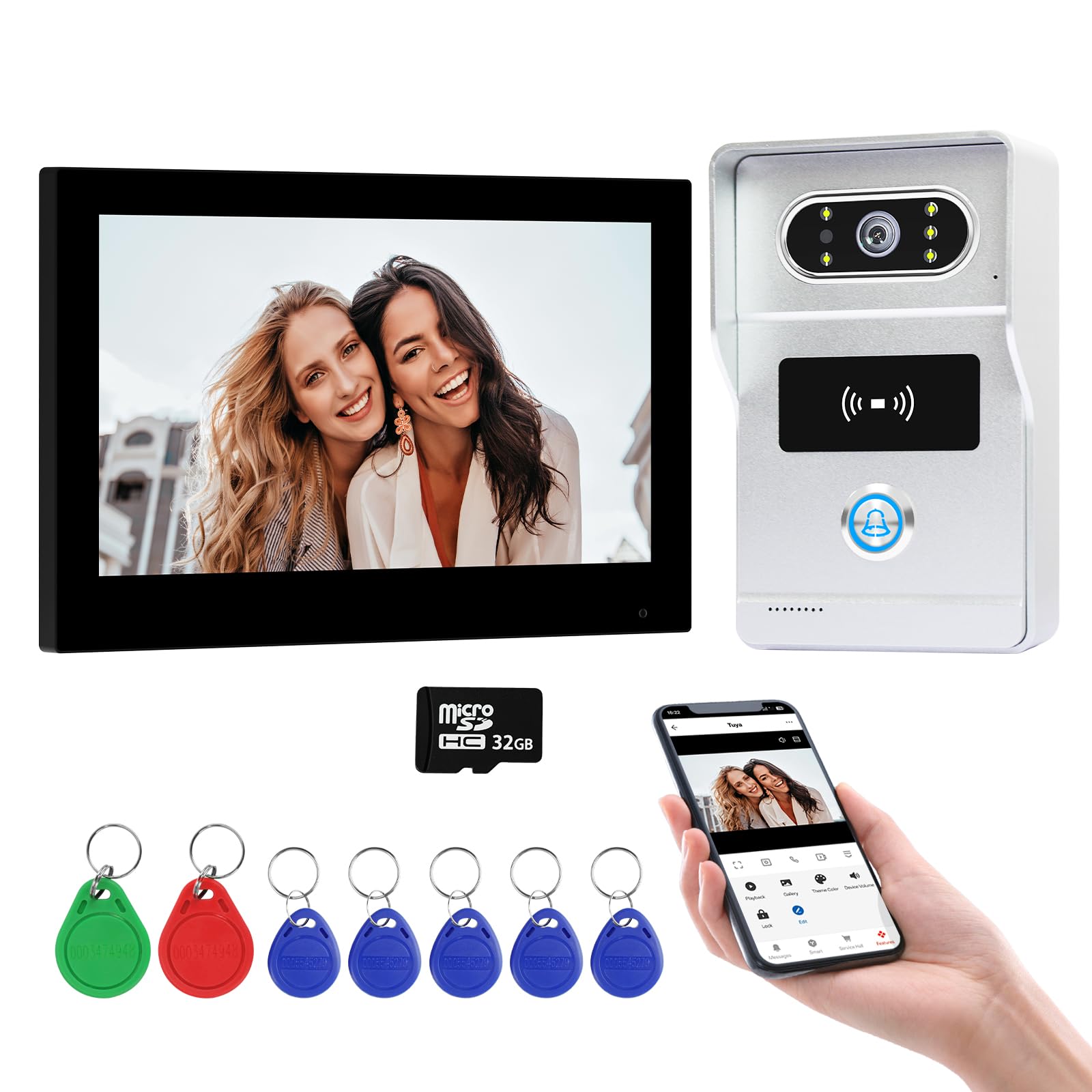
Image 1.1: Overview of the QttyElok Tuya WiFi 2-Wire Video Intercom System, showing the indoor monitor, outdoor doorbell unit, and RFID cards.
2. Setup and Installation
The QttyElok video intercom system utilizes a 2-wire connection for straightforward installation. Ensure all power is disconnected before beginning installation.
2.1 Wiring the System
The doorbell camera and indoor monitor are connected via RVV2 (2-wire) cables. This simplified wiring reduces complexity during installation.

Image 2.1: Illustration of the 2-wire connection between the indoor monitor and the outdoor doorbell unit.
2.2 Connecting to External Devices
The system can be integrated with electric locks and exit buttons for enhanced access control. Refer to the wiring diagram for proper connections.

Image 2.2: Detailed wiring diagram showing connections for the indoor monitor, outdoor unit, power supply, exit button, and electric locks.
2.3 App Connection
The indoor monitor supports a 2.4G WiFi network. Connect the monitor to your home WiFi and link it to the Tuya Smart app on your smartphone for remote functionalities.
3. Operating Instructions
3.1 Indoor Monitor Operation
The 7-inch touchscreen monitor provides an intuitive interface for managing your intercom system. It supports 11 languages including Chinese, English, Russian, German, French, Spanish, Italian, Arabic, Portuguese, Polish, and Ukrainian.

Image 3.1: The 7-inch touchscreen monitor interface, showing options for door control, talk, mute, and settings.
3.2 Doorbell Camera Features
The outdoor doorbell unit features a 1080P HD camera with a 120° wide-angle lens, ensuring clear images day and night. It includes an infrared sensor for effective night vision.

Image 3.2: The outdoor doorbell camera unit, highlighting the RFID reader and call button.
The doorbell unit is designed to be weather-resistant (IP65 rated), protecting it from sunlight, rain, dust, and snow, and operates effectively in temperatures from -20°C to 60°C.

Image 3.3: Weather resistance features of the doorbell unit, showing its durability against various environmental conditions.
Night vision capabilities ensure that you can see visitors clearly even in low-light conditions.

Image 3.4: Night vision functionality of the doorbell camera, ensuring visibility in the dark.
3.3 Two-Way Audio and Remote Access
Engage in two-way audio communication with visitors through the indoor monitor or remotely via the Tuya Smart app on your phone. When a visitor presses the doorbell, you can see, hear, and speak to them, and even unlock the door from anywhere.
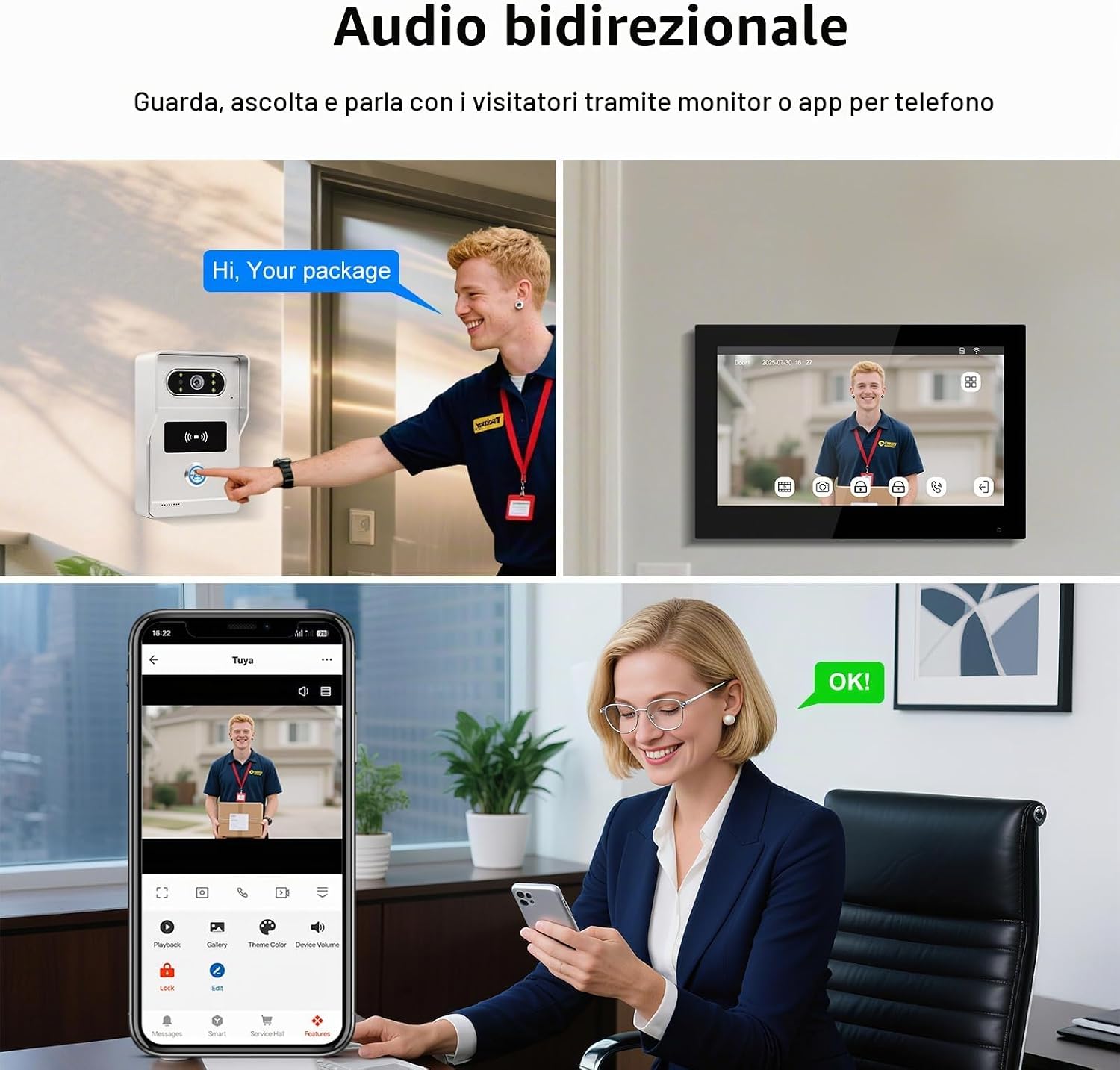
Image 3.5: Demonstrates two-way audio communication and remote interaction with visitors via the monitor and smartphone app.
3.4 Automatic Recording and Playback
When a visitor presses the doorbell, the system automatically captures a snapshot or records a video. This data is stored on the included 32GB TF card (expandable up to 128GB), allowing you to review visitor logs on your monitor or mobile phone at any time.

Image 3.6: Illustrates the automatic recording feature, showing video playback on the monitor and event logs on the mobile app.
3.5 Unlocking Methods
The system offers three convenient ways to unlock your door:
- Via Internal Monitor: Tap the unlock icon on the 7-inch touchscreen.
- Via RFID Card: Use a registered 125 KHz EM ID card by tapping it on the doorbell unit's RFID reader.
- Via Mobile App: Use the Tuya Smart app to remotely unlock the door from your smartphone.

Image 3.7: The three unlocking methods: using the indoor monitor, an RFID card, or the Tuya Smart app.
4. Maintenance
Regular maintenance ensures optimal performance and longevity of your video intercom system.
- Cleaning: Use a soft, dry cloth to clean the monitor screen and doorbell camera lens. Avoid abrasive cleaners or solvents.
- Connection Check: Periodically inspect all wired connections for any signs of wear or damage. Ensure they are securely fastened.
- Software Updates: Check the Tuya Smart app or QttyElok website for any available firmware updates for your system to ensure you have the latest features and security enhancements.
- TF Card Management: Regularly back up important recordings from the TF card and format it periodically to maintain optimal recording performance.
5. Troubleshooting
This section addresses common issues you might encounter with your QttyElok video intercom system.
5.1 No Image/Video on Monitor or App
- Check Power: Ensure both the indoor monitor and outdoor doorbell unit are receiving power.
- Verify Connections: Confirm that the 2-wire cable connecting the monitor and doorbell is securely connected and undamaged.
- App Connection: For app viewing, ensure the monitor is connected to a stable 2.4G WiFi network and the Tuya Smart app is properly configured.
5.2 No Audio or Poor Audio Quality
- Volume Settings: Check the volume settings on the indoor monitor and your smartphone app.
- Microphone/Speaker Obstruction: Ensure the microphones and speakers on both units are not obstructed.
- Network Stability: For app communication, a stable internet connection is crucial.
5.3 RFID Cards Not Working
- Card Registration: Ensure the RFID cards have been properly registered with the system. Refer to the full product manual for detailed instructions on RFID card programming.
- Card Type: Confirm that you are using 125 KHz EM ID cards, as specified.
- Placement: Ensure the card is held close to the RFID reader area on the doorbell unit.
5.4 Remote Unlock Not Functioning via App
- WiFi Connection: Verify that the indoor monitor is connected to your home's 2.4G WiFi network.
- Internet Access: Ensure your smartphone has an active internet connection (WiFi or mobile data).
- App Status: Check if the Tuya Smart app is logged in and the device is online within the app.
6. Specifications
| Feature | Specification |
|---|---|
| Brand | QttyElok |
| Model Name | QT-TY75T |
| Monitor Size | 7 Inches |
| Control Method | App, Touch |
| Connectivity Protocol | Wi-Fi (2.4G) |
| Doorbell Camera Resolution | 1080p (2 MP) |
| Viewing Angle | 120 Degrees |
| Special Features | Two-way audio, Remote control via App, Video recording, HD Resolution, Night vision |
| Indoor/Outdoor Use | Outdoor, Indoor |
| Power Source | AC/DC |
| Water Resistance Level | Waterproof (IP65) |
| Video Capture Format | MP4 |
| Installed Flash Memory Size | 32 GB (TF Card included) |
| Max Supported Flash Memory | 128 GB |
| Item Dimensions | 23 x 15 x 5 cm |
| Included Components | Power adapter, Instruction manual, Indoor monitor, 32 GB TF card, Video doorbell |
7. Warranty and Support
QttyElok is committed to providing high-quality products and excellent customer service.
- 2-Year Quality Warranty: Your QttyElok video intercom system comes with a 2-year quality warranty from the date of purchase, covering manufacturing defects.
- Professional Technical Support: Access professional technical support for any installation or operational queries.
- After-Sales Email: For support inquiries, please contact us at service@acyitoo.

Image 7.1: QttyElok's commitment to customer satisfaction, highlighting warranty and support details.