
1. Introduction
The JINSHANGZI KC93 GPS Smart Watch is a versatile device designed for outdoor sports enthusiasts and daily use. It features a 1.57-inch AMOLED display, GPS tracking, Bluetooth calling, and comprehensive health monitoring capabilities. This manual provides detailed instructions to help you set up, operate, and maintain your smart watch.
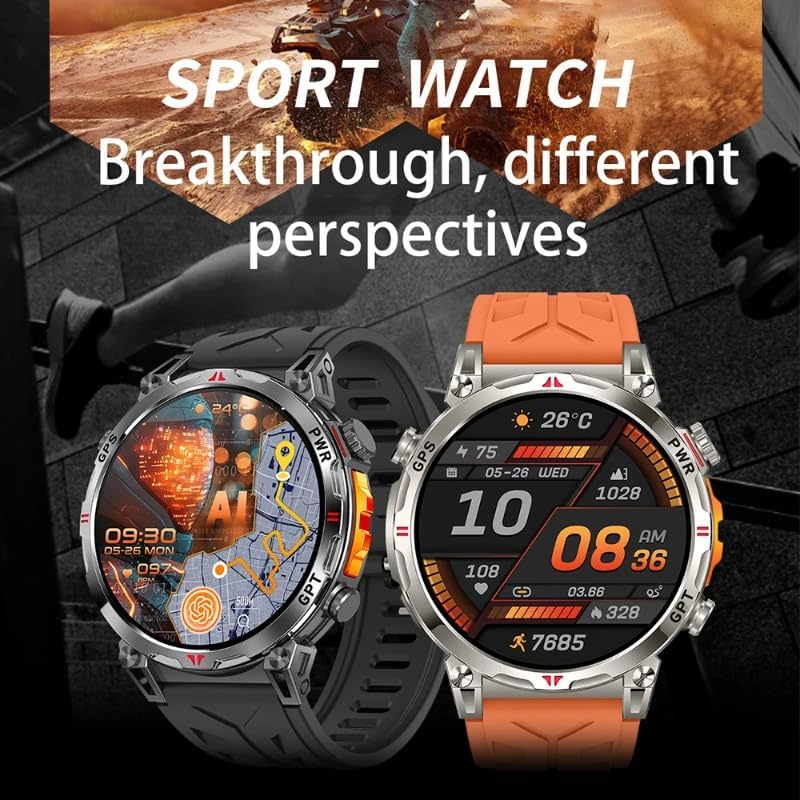
Image 1.1: The JINSHANGZI KC93 Smart Watch in black and orange variants, showcasing its design.
2. Setup
2.1 Unboxing and Initial Inspection
Upon opening the package, ensure all components are present. The box should contain the JINSHANGZI KC93 Smart Watch and a user manual. Inspect the watch for any visible damage.
2.2 Charging the Device
Before first use, fully charge your smart watch. The KC93 supports wireless charging. Connect the charging cable to a power source and place the watch on the charging pad. The watch display will indicate charging status. A full charge typically takes approximately 2 hours.
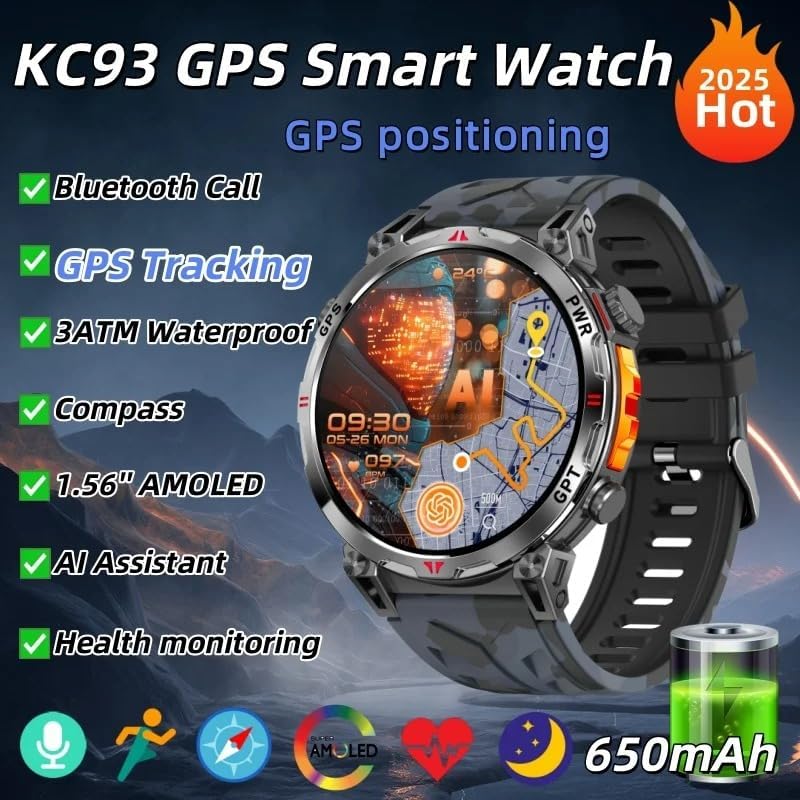
Image 2.1: The KC93 Smart Watch display showing GPS positioning and a 650mAh battery indicator.
2.3 App Installation and Pairing
- Download the DaFit App: Search for "DaFit" in your smartphone's app store (iOS or Android) and install it.
- Enable Bluetooth: Ensure Bluetooth is enabled on your smartphone.
- Open DaFit App: Launch the DaFit application and follow the on-screen instructions to create an account or log in.
- Add Device: In the DaFit app, navigate to the "Add Device" section. The app will search for available devices. Select "KC93" from the list.
- Confirm Pairing: A pairing request will appear on your watch and phone. Confirm the pairing on both devices. The watch uses Bluetooth version 5.3 for stable connectivity.
3. Operating Instructions
3.1 Basic Navigation
The KC93 Smart Watch features a full touch screen and physical buttons for navigation. Swipe left, right, up, or down on the screen to access different functions and menus. Press the side buttons to return to the home screen or access specific features.
3.2 User Interface (OS11)
The watch operates on OS11, featuring a redesigned user interface. Explore various watch faces by long-pressing the home screen and swiping to select. The watch supports multiple dials and customization options.
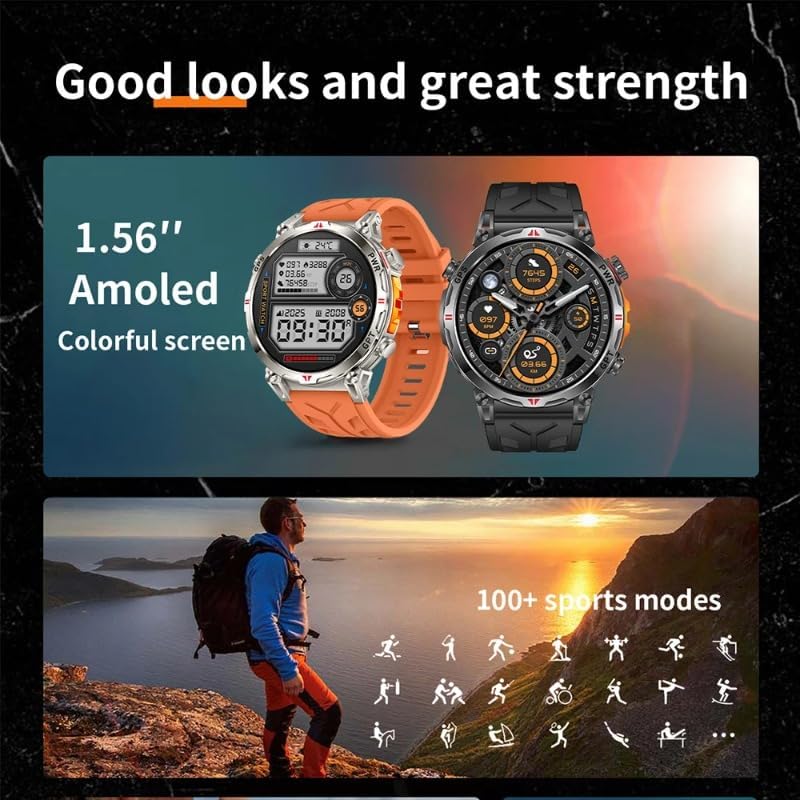
Image 3.1: The KC93 Smart Watch displaying its 1.56-inch AMOLED colorful screen and icons representing over 100 sports modes.
3.3 Key Features
- Bluetooth Call: Answer or dial calls directly from your watch.
- AI Assistant/Chatbot: Utilize the integrated AI assistant for various tasks and queries.
- Music Control: Control music playback on your connected smartphone.
- Local Music & E-books: The watch supports local music storage and e-book viewing.
- Custom Ringtones & Photo Album: Personalize your watch with custom ringtones and a local photo album.
- Calendar & Compass: Access calendar functions and a real compass.
- Always-On Display: Enable the always-on display mode for continuous time visibility.

Image 3.2: The KC93 Smart Watch showing weather forecasts for a week, illustrating its convenient life features.
4. Health Monitoring
The KC93 Smart Watch provides comprehensive health monitoring features to help you track your well-being.
- Heart Rate Monitor: Continuously monitors your heart rate.
- Sleep Monitor: Tracks your sleep patterns and quality.
- Blood Oxygen (SpO2) Monitor: Measures your blood oxygen saturation levels.
- Activity Tracker: Records steps taken, distance covered, and calories burned.

Image 4.1: The KC93 Smart Watch displaying real-time SpO2 data, indicating health monitoring capabilities.
5. GPS Tracking
The integrated GPS functionality allows for accurate location tracking during outdoor activities. The watch supports dynamic round-trip route planning, helping you navigate and return to your starting point.

Image 5.1: The KC93 Smart Watch demonstrating dynamic round trip route planning for outdoor activities.
6. NFC Access
The KC93 Smart Watch includes a built-in NFC chip for door access control. To use this feature, record the watch's NFC ID through your access control system. The watch can then function as an access card. Note: This NFC feature does not support payment functions.
7. Water Resistance
The KC93 Smart Watch is rated 3 ATM waterproof, meaning it is resistant to splashes, rain, and can be worn during hand washing. However, it is not suitable for swimming, bathing, or diving. Avoid submerging the watch in water. If the watch gets wet, use the built-in drainage function to expel water. Prevent contact with corrosive liquids such as hand sanitizer or soap, as these can damage internal components.
8. Maintenance
- Cleaning: Regularly clean the watch screen and strap with a soft, dry cloth. If necessary, use a slightly damp cloth, then dry thoroughly.
- Charging: Use only the provided wireless charger. Avoid exposing the charging contacts to moisture or dirt.
- Storage: Store the watch in a cool, dry place when not in use.
- Software Updates: Keep the DaFit app updated to ensure your watch receives the latest software enhancements and bug fixes. Information regarding guaranteed software updates is currently unknown.
9. Troubleshooting
- Watch not turning on: Ensure the watch is fully charged. Connect it to the charger for at least 30 minutes.
- Cannot pair with phone:
- Ensure Bluetooth is enabled on your phone and the watch.
- Make sure the watch is within range of your phone.
- Restart both the watch and your phone, then try pairing again.
- Check if the DaFit app is updated to the latest version.
- Inaccurate health data: Ensure the watch is worn snugly on your wrist, not too tight or too loose. Clean the sensor on the back of the watch.
- Screen unresponsive: Try restarting the watch by pressing and holding the power button. If unresponsive, allow the battery to drain completely, then recharge.
10. Specifications
| Feature | Specification |
|---|---|
| Model | KC93 |
| Display | 1.57-inch AMOLED Touch Screen |
| CPU Model | JL7012A7S |
| Bluetooth Version | 5.3 |
| Battery Capacity | 650 mAh (approximate, based on imagery) |
| Water Resistance | 3 ATM Professional Waterproof |
| Application Name | DaFit |
| Compatibility | Android OS, iOS |
| Weight | 100 g |
| Case Material | Alloy |
| Strap Material | Silica Gel |
| Integrated Features | GPS, Voice Assistant, NFC (Door Access) |
| Supported Languages | English, Russian, Spanish, Polish, Portuguese, Turkish, Italian, French, German, Norwegian, Korean, Japanese, Ukrainian, Hebrew, Dutch, Arabic, Indonesian, Greek |
11. Warranty and Support
For warranty information and technical support, please refer to the documentation included with your purchase or contact the seller directly. The product includes a user manual, though language availability may vary. Keep your purchase receipt for warranty claims.