
1. Introduction
Thank you for choosing the ST-CARE C60 Fitness Tracker. This manual provides essential information for the proper setup, operation, and maintenance of your device. Please read it thoroughly to ensure optimal performance and longevity of your fitness tracker.
2. Product Overview
2.1 Package Contents
- ST-CARE C60 Fitness Tracker
- Charging Cable
- User Manual
2.2 Key Features
The ST-CARE C60 Fitness Tracker is designed to support your health and fitness journey with a range of advanced features:
- All-day Activity Tracking: Monitors daily steps, calories burned, workout distance, and active time.
- 1.10-inch AMOLED HD Touch Color Screen: Provides a clear and vibrant display for easy interaction.
- 5 ATM Waterproof Rating: Suitable for washing hands, bathing, and swimming.
- 25 Professional Sport Modes: Tracks various exercises including walking, running, cycling, and more, recording workout time, heart rate, and distance.
- 24/7 Health Monitoring: Includes real-time dynamic heart rate, body temperature, blood oxygen, and blood pressure monitoring.
- Sleep Tracking: Analyzes deep sleep, light sleep, and awake stages to provide insights into sleep quality.
- Smart Functions: Call and message reminders, remote camera control, drink water reminders, sedentary reminders, female health tracking, family health monitoring, alarm clock, stopwatch, and 'Find Device' feature.
- Long Battery Life: Up to 10-14 days of regular use, with magnetic fast charging.
- Wide Compatibility: Connects with both iPhone and Android smartphones via the 'Keep Health' app.

Image: The ST-CARE C60 Fitness Tracker, showcasing its sleek design and vibrant display.
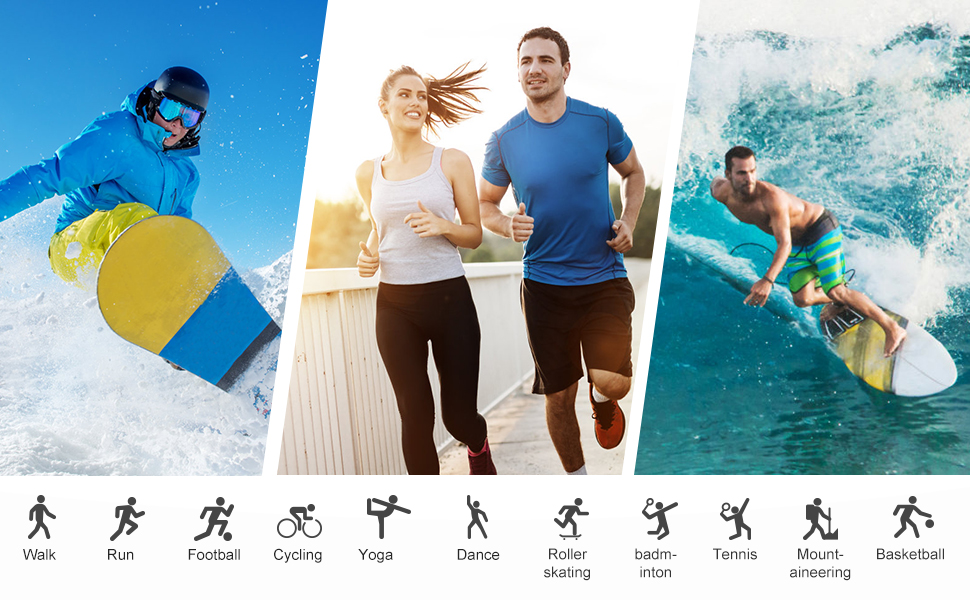
Image: Visual representation of the 25 professional sports modes available on the fitness tracker, including walking, running, cycling, and yoga.
3. Setup
3.1 Charging the Device
Before initial use, fully charge your ST-CARE C60 Fitness Tracker. Use the provided magnetic charging cable. Align the magnetic pins of the charger with the charging contacts on the back of the tracker. The screen will indicate charging status. A full charge typically takes approximately 2 hours and provides up to 10-14 days of regular use or 30 days standby.
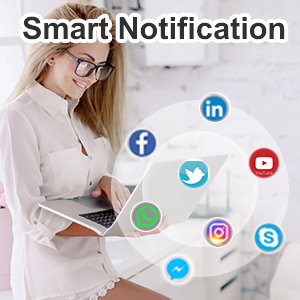
Image: Icon representing the long battery life feature of the fitness tracker.
3.2 App Installation
To unlock all features and synchronize data, download the 'Keep Health' app on your smartphone:
- Search for "Keep Health" in your smartphone's App Store (iOS) or Google Play Store (Android).
- Download and install the app.
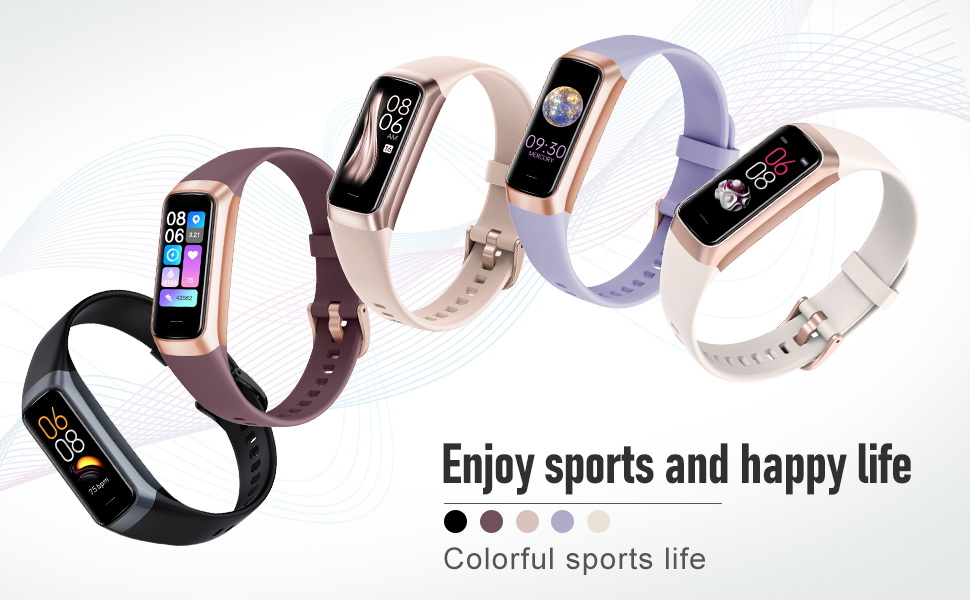
Image: Screenshots of the 'Keep Health' application interface, showing various health data displays.
3.3 Device Pairing
Pair your fitness tracker with the 'Keep Health' app:
- Ensure your phone's Bluetooth is enabled.
- Open the 'Keep Health' app.
- Navigate to the 'Device' section within the app.
- Select 'Add Device' and search for your tracker (e.g., "C60-****").
- Tap on your device name to connect. Follow any on-screen prompts to complete the pairing process.
Video: Instructions on how to connect the ST-CARE C60 Fitness Tracker to the 'Keep Health' app on a smartphone.
4. Operating Instructions
4.1 Basic Navigation
The C60 Fitness Tracker features a touch screen for easy navigation:
- Wake Screen: Lift your wrist or press the touch button to wake the screen.
- Swipe: Swipe up/down or left/right to browse different functions and data screens.
- Tap: Tap an icon or option to select it or enter a sub-menu.
- Long Press: Press and hold the touch button for 3 seconds to change the watch face or enter certain modes.
Video: Demonstration of basic navigation and interaction with the fitness tracker's touch screen and button.
4.2 Activity Tracking
Your C60 tracker automatically records your daily activity:
- Steps: Counts your total steps throughout the day.
- Calories: Estimates calories burned based on your activity.
- Distance: Calculates the distance covered.
View detailed activity data in the 'Keep Health' app.
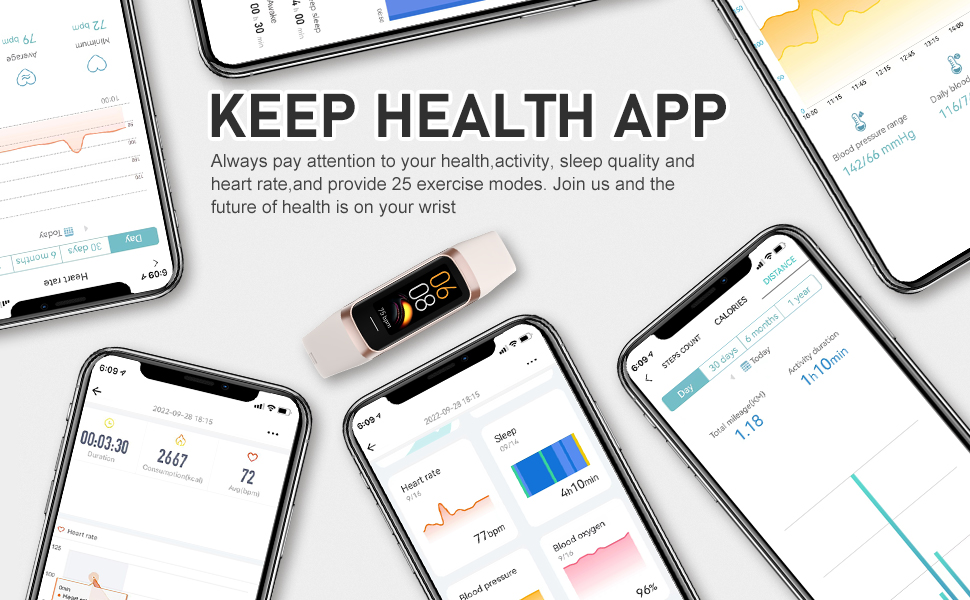
Image: Display showing the fitness tracker's all-day activity tracking capabilities, including steps, distance, and calories burned.
4.3 Health Monitoring
The C60 provides continuous health monitoring:
- Heart Rate: Real-time dynamic heart rate monitoring.
- Body Temperature: Measures your body temperature.
- Blood Oxygen (SpO2): Monitors blood oxygen levels.
- Blood Pressure: Provides blood pressure readings.
- Sleep: Automatically tracks your sleep patterns.
For accurate readings, ensure the tracker is snug on your wrist. Consult the app for historical data and trends.
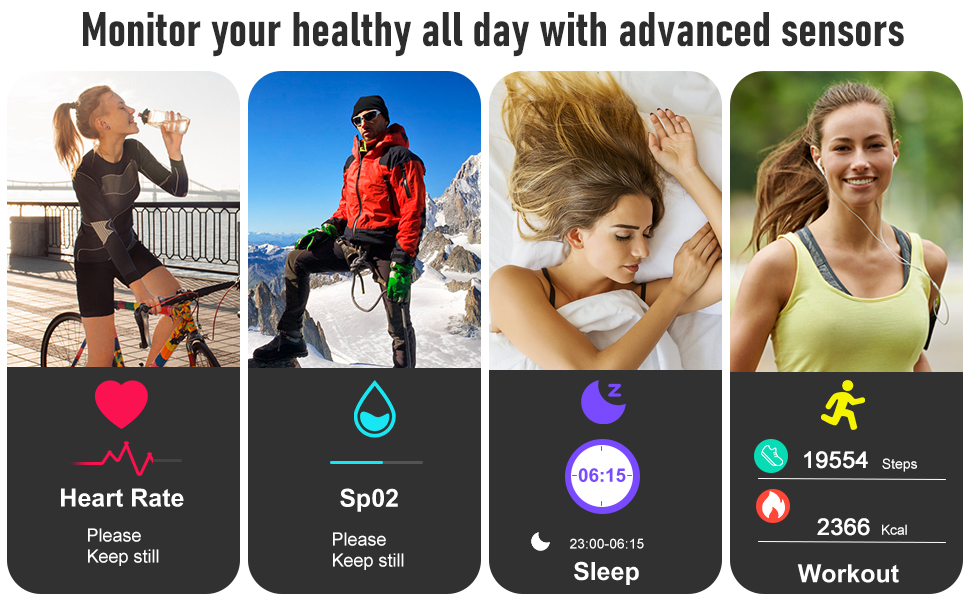
Image: Visuals illustrating the comprehensive health metrics monitored by the tracker, including heart rate, blood oxygen, and blood pressure.

Image: A person sleeping with the fitness tracker, demonstrating its intelligent sleep monitoring feature and data display.
Video: A short guide on how to set up and use the sleep mode feature on the fitness tracker.
4.4 Sport Modes
The tracker supports 25 professional sport modes:
- Swipe to the 'Workout' or 'Sport Modes' section on your tracker.
- Tap to select your desired sport (e.g., Running, Cycling, Yoga).
- The tracker will begin recording your workout time, heart rate, and distance.
- End the workout by swiping or tapping the appropriate option.
Video: An overview of the AMOLED Fitness Tracker, highlighting its step counter, calorie tracking, and various sport modes.
4.5 Smart Functions
Utilize the smart features for enhanced convenience:
- Call & Message Reminders: Receive notifications for incoming calls and messages directly on your wrist. Configure in the 'Keep Health' app.
- Remote Photograph: Use your tracker as a remote shutter for your phone's camera.
- Drink Water & Sedentary Reminders: Set reminders to stay hydrated and move throughout the day.
- Female Health & Family Health: Track specific health data and share with family members (via app).
- Alarm Clock & Stopwatch: Access these tools directly from your tracker.
- Find Device: Use the app to make your tracker vibrate if misplaced.
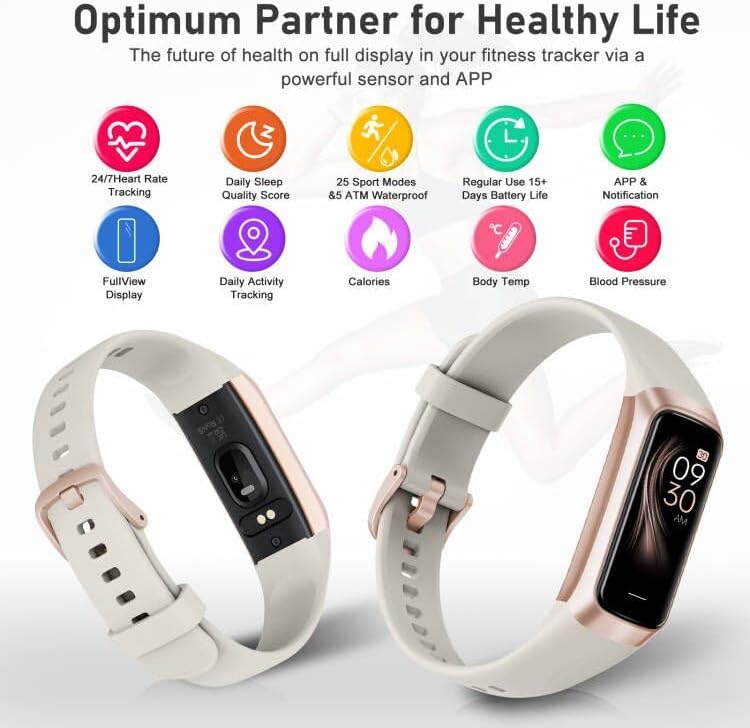
Image: A collage showing various practical functions of the health tracker, including stopwatch, remote music control, sedentary reminder, and camera control.
5. Maintenance
5.1 Cleaning
To maintain your tracker's performance and prevent skin irritation:
- Regularly clean the device and strap with a soft, damp cloth.
- Ensure the charging contacts and sensors are free of dirt and debris.
- Avoid using harsh chemicals or abrasive materials.
5.2 Waterproofing
The C60 Fitness Tracker has a 5 ATM waterproof rating. This means it can withstand pressures equivalent to a depth of 50 meters. It is suitable for:
- Washing hands
- Taking a bath or shower (avoid hot water and steam)
- Swimming in shallow water
It is not recommended for diving, high-speed water sports, or prolonged submersion in deep water. After contact with water, especially saltwater, dry the device thoroughly.

Image: The fitness tracker submerged in water, illustrating its 5 ATM waterproof capability.
6. Troubleshooting
If you encounter issues with your ST-CARE C60 Fitness Tracker, try the following:
- Device not turning on: Ensure the device is fully charged.
- Cannot connect to app: Check if Bluetooth is enabled on your phone. Ensure the app is updated to the latest version. Try restarting both your phone and the tracker.
- Inaccurate readings: Ensure the tracker is worn snugly on your wrist, not too tight or too loose. Clean the sensors regularly.
- Notifications not appearing: Check app settings to ensure notification permissions are granted and enabled for the desired apps.
- Screen unresponsive: Try restarting the device (if applicable) or charging it.
For further assistance, refer to the FAQ section within the 'Keep Health' app or contact customer support.
7. Specifications
| Feature | Detail |
|---|---|
| Brand | ST-CARE |
| Model Name | C60 |
| Material | Silicone |
| Color | White |
| Compatible Devices | Smartphones (iPhone, Android) |
| Screen Size | 1.1 Inches AMOLED |
| Item Weight | 0.05 Kilograms |
| Battery Life | Up to 14 days (regular use) |
| Sensor Type | Optical, Thermometer, Pedometer |
| Waterproof Rating | 5 ATM |
8. Warranty & Support
8.1 Warranty Information
The ST-CARE C60 Fitness Tracker comes with a 12-month warranty from the date of purchase. This warranty covers manufacturing defects and malfunctions under normal use. It does not cover damage caused by misuse, accidents, unauthorized modifications, or normal wear and tear.
8.2 Customer Support
If you have any questions, concerns, or require technical assistance, please contact ST-CARE customer support through the retailer where you purchased the product or via the contact information provided in the 'Keep Health' app or on the official ST-CARE website.
