
Introduction
This manual provides essential information for using your Creality Ender PETG 3D Printer Filament. PETG combines the advantages of PLA and ABS, offering an eco-friendly, odorless, and user-friendly 3D printing experience. It features enhanced toughness that effectively resists cracking and warping, ensuring smooth and successful prints.
Creality Ender PETG filament is known for its high precision, strong toughness, and better flow characteristics, making it a reliable choice for various 3D printing projects.
Product Specifications
| Product Name | Ender PETG |
| Material | Polyethylene Terephthalate Glycol (PETG) |
| Filament Diameter | 1.75mm (±0.02mm) |
| Net Weight | 1KG (2.2 lbs) |
| Density | 1.23g/cm³ |
| Tensile Strength | 51MPa |
| Flexural Strength (X-Y) | 82MPa |
| Elongation at Break (X-Y) | 11% |
| Certifications | RoHS, REACH, MSDS |
Recommended Printing Parameters
| Printing Temperature | 210-250°C |
| Recommended Hot Bed Temperature | 60-80°C |
| Recommended Print Speed | 30-200mm/s |
| Recommended Fan Speed | 100% |
| Recommended Print Surface | Carborundum glass platform, PEI platform, Crepe tape, PVP glue |

Image: Recommended printing parameters for optimal print quality with Creality Ender PETG filament.
Setup and Loading
Follow these steps to prepare and load your Creality Ender PETG filament:
- Unpacking: Carefully remove the filament spool from its vacuum-sealed packaging. Ensure the desiccant packet is present to maintain dryness.
- Preheat Printer: Refer to your 3D printer's specific instructions. Generally, preheat the hot end to the lower end of the recommended printing temperature (e.g., 210°C) and the print bed to 60°C.
- Loading Filament: Insert the filament into the extruder and feed it until it extrudes smoothly and consistently from the nozzle. Ensure the filament is neatly wound on the spool to prevent tangles during printing.
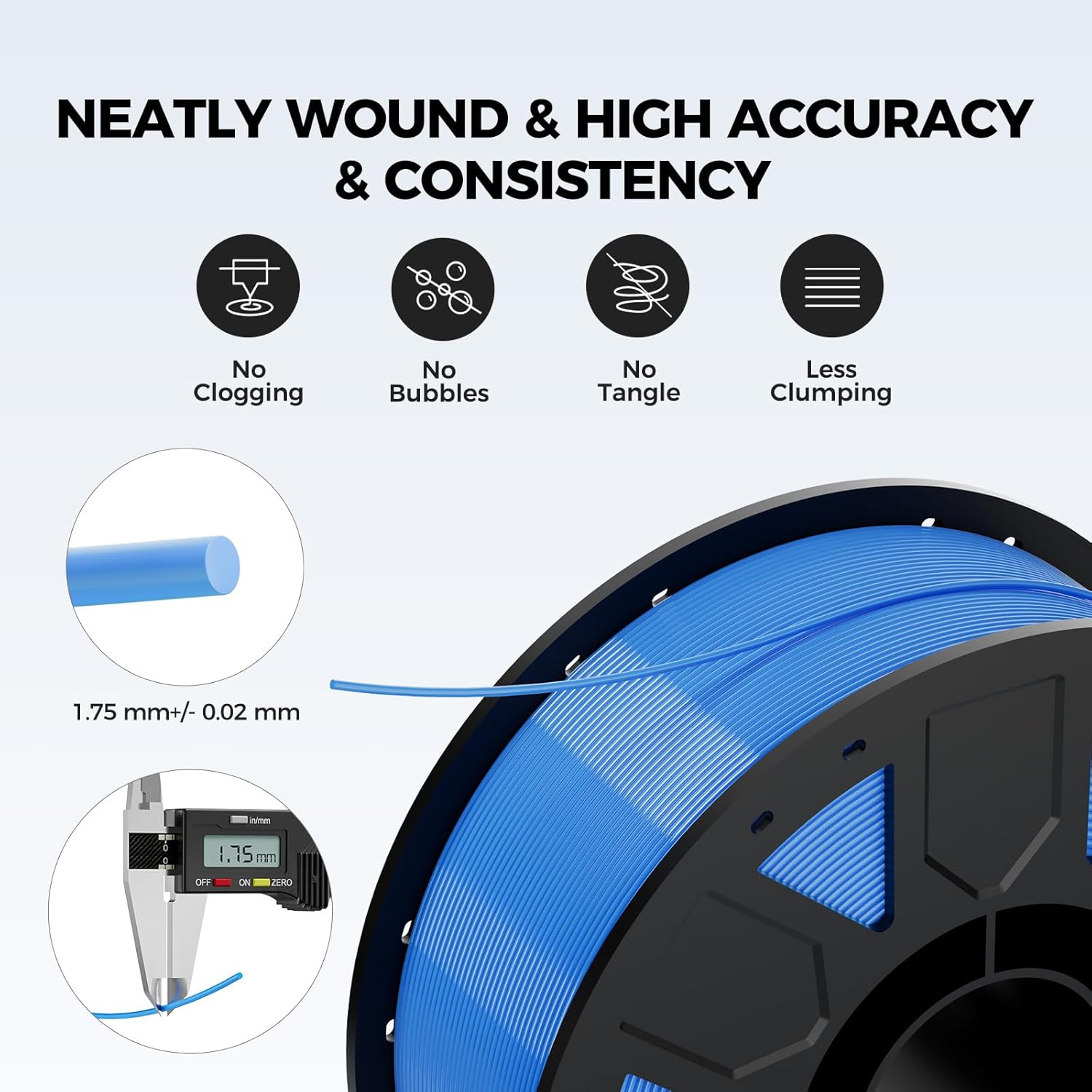
Image: A spool of Creality Ender PETG filament, highlighting its neatly wound structure and precise 1.75mm diameter with a caliper measurement.
Operating for Optimal Prints
Achieve the best results with your Creality Ender PETG filament by following these operational tips:
- Temperature Tuning: Start with the recommended printing temperature of 230°C and bed temperature of 70°C. Adjust in small increments (±5°C) to find the optimal settings for your specific printer and desired print quality. Higher temperatures can improve layer adhesion, while lower temperatures can reduce stringing.
- Print Speed: Begin with a moderate print speed (e.g., 50-60mm/s) and gradually increase if your printer can handle it without compromising quality. For detailed prints, a slower speed is often beneficial.
- Cooling: Use 100% cooling fan speed after the first few layers to improve bridging, overhangs, and reduce stringing.
- First Layer Adhesion: Ensure your print bed is clean and level. Apply a suitable adhesive (like a glue stick or hairspray) if needed, especially for larger prints, to prevent warping and ensure strong first layer adhesion.

Image: Visual representation of Creality filament's quality, demonstrating no clogging, no bubbles, uniform wire diameter, and neat winding for reliable printing.
Maintenance and Storage
Proper maintenance and storage are crucial for preserving the quality of your PETG filament:
- Moisture Protection: PETG is hygroscopic, meaning it readily absorbs moisture from the air. Always store unused filament in its original vacuum-sealed bag with the desiccant packet. If the bag is damaged, transfer the spool to an airtight container with fresh desiccant.
- Drying Filament: If you notice signs of moisture absorption (e.g., popping sounds during printing, excessive stringing, or poor layer adhesion), the filament needs to be dried. A dedicated filament dryer or a convection oven set to 60-70°C for 4-6 hours can effectively remove moisture.
- Environmental Conditions: Store the filament in a cool, dry, and ventilated environment. Avoid exposure to high temperatures, direct sunlight, or humid conditions, as these can degrade the filament over time.

Image: A Creality Ender PETG filament spool shown in its vacuum-sealed packaging, emphasizing moisture protection and proper storage.
Troubleshooting Common Issues
Here are solutions to common problems encountered when printing with PETG filament:
- Clogging:
- Ensure your nozzle is clean and free of debris.
- Verify the printing temperature is within the recommended range (210-250°C).
- Check for filament dust buildup in the extruder gears.
- Bubbles/Popping Sounds During Printing:
- This is a strong indicator of moisture absorption. Dry the filament thoroughly before use.
- Warping (Corners Lifting from Bed):
- Ensure proper bed adhesion by cleaning the print surface and applying an adhesive if necessary.
- Increase the bed temperature within the recommended range (60-80°C).
- Consider using an enclosure for larger prints to maintain a stable ambient temperature.
- Excessive Stringing or "Cobwebbing":
- Adjust retraction settings (distance and speed) in your slicer. Start with higher retraction distances and speeds.
- Ensure the filament is dry, as moisture can exacerbate stringing.
- Slightly lower the printing temperature.
- Poor Layer Adhesion:
- Increase the printing temperature slightly (e.g., by 5-10°C).
- Reduce the print speed to allow more time for layers to bond.
- Ensure your print bed is perfectly leveled.

Image: A visual comparison demonstrating the superior print quality and layer adhesion achieved with Creality filament compared to other brands.
Product Features in Detail
Why Choose Ender PETG?
Ender PETG combines the best characteristics of both ABS and PLA filaments. It offers the durable strength, high toughness, and heat resistance typically found in ABS, along with the ease of use, good stability, and high precision associated with PLA. This makes it a versatile material for a wide range of applications.

Image: An infographic illustrating the combined benefits of ABS (Durable Strength, High Toughness, Heat Resistance) and PLA (Easy to Use, Good Stability, High Precision) found in Ender PETG filament.
Excellent Mechanical Properties
This PETG filament boasts high strength, impact resistance, and temperature resistance. Its low shrinkage and high elongation at break ensure that printed models remain sturdy and durable, even when subjected to repeated bending or stress. This makes it ideal for functional parts.

Image: A visual showing a flexible 3D printed bike bottle cage, demonstrating the strong toughness and impact resistance of the filament.
High Clarity & Glossy Finish
Creality Ender PETG delivers outstanding transparency and light transmission, making it perfect for visually detailed projects such as lampshades and display cases. The surface finishes with a smooth, glossy appearance, enhancing the aesthetic appeal of your prints.

Image: A collage featuring a 3D printed pineapple lamp demonstrating exceptional light transmittance, and garden tools highlighting waterproof and durable usage.
Reliable Printing & Broad Compatibility
The filament is dried, vacuum-sealed, and tangle-free, which significantly minimizes common printing issues such as clogging, bubbling, and snapping. With a precise diameter of 1.75mm (±0.02mm), it feeds smoothly and is compatible with most FDM 3D printers on the market, offering greater performance with Creality 3D printers.

Image: A display of various Creality 3D printers alongside a filament spool, illustrating the high compatibility of the filament with most FDM printers.
Creative Applications
Creality Ender PETG filaments are suitable for a wide range of creative applications, enabling you to print practical tools, engaging toys, intricate artworks, and decorative ornaments.

Image: A collage of diverse 3D printed objects, including practical tools, toys, hobbies, ornaments, and artworks, demonstrating the versatility of Creality Ender PETG filaments.
Demonstration Videos:
Video: A demonstration of printing a practical tool using Creality Ender PETG filament, showcasing its functional application.
Video: A demonstration of printing a merry-go-round model using Creality Ender PETG filament, highlighting its use for intricate and decorative prints.
Video: A demonstration of printing an artwork using Creality Ender PETG filament, showcasing its capability for detailed artistic creations.
Warranty and Support
Creality stands behind its products. This Ender PETG filament comes with a 12-month after-sales service and 24-hour support. For any product-related issues, technical assistance, or inquiries, please contact Creality customer service through their official channels.
Important Note on Storage: To ensure the longevity and optimal performance of your filament, always store it in a dry and ventilated environment. Avoid exposure to high temperatures, direct sunlight, or excessively humid conditions.


