
1. Introduction
Thank you for choosing the SEDETA Corner Gaming Computer Desk. This manual provides essential information for the safe assembly, proper operation, and effective maintenance of your new desk. Please read these instructions thoroughly before beginning assembly or use to ensure a smooth experience and to maximize the lifespan of your product.
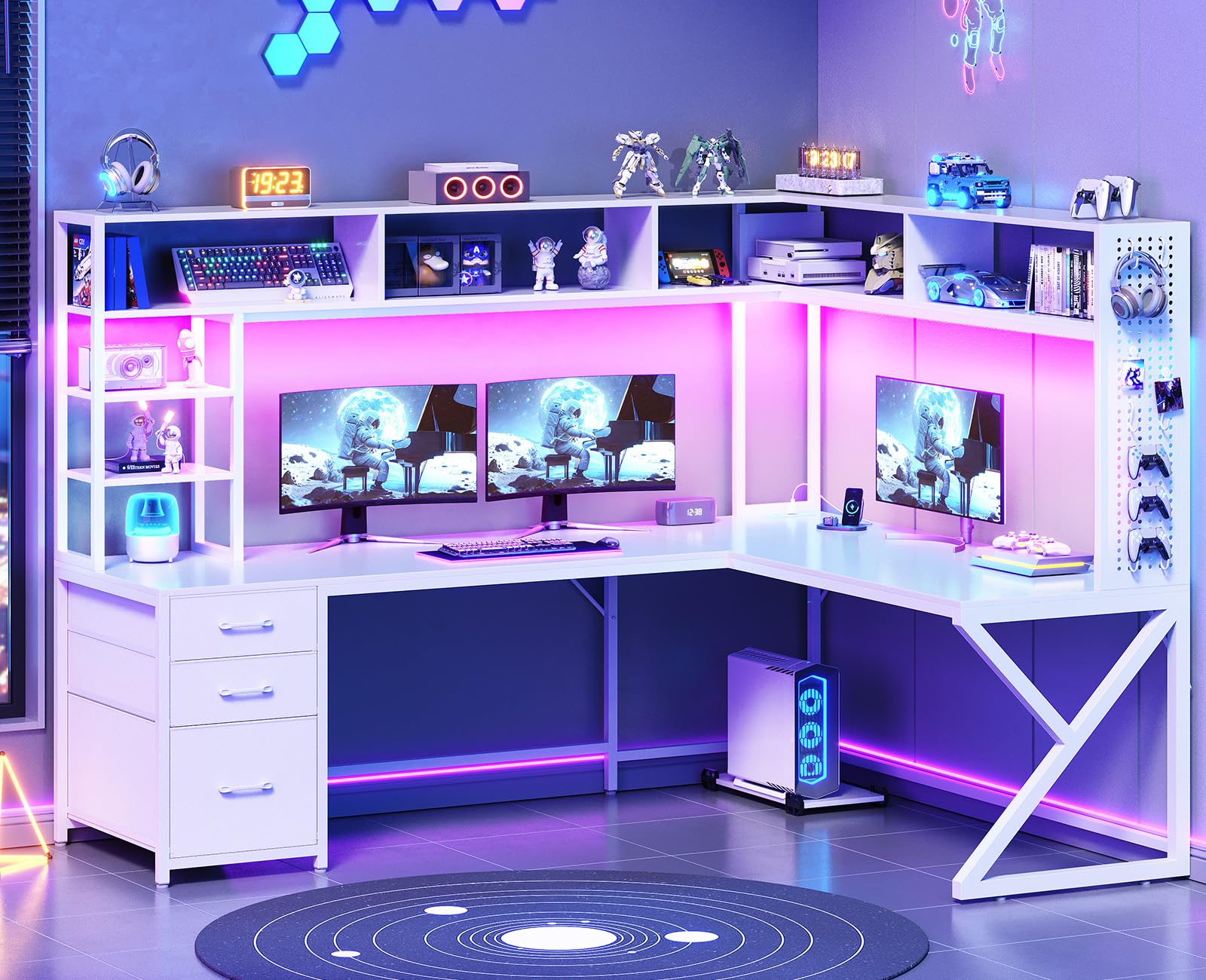
Image 1.1: The SEDETA Corner Gaming Computer Desk in White, showcasing its L-shaped design with hutch, drawers, and LED lighting.
2. Safety Information
- Read all instructions: Before assembly and use, carefully read and understand all instructions provided in this manual.
- Keep children and pets away: During assembly, keep small parts and tools out of reach of children and pets.
- Two-person assembly recommended: For safety and ease, it is recommended that two adults assemble this desk.
- Use on a level surface: Assemble and use the desk on a flat, stable surface to prevent tipping.
- Do not overload: Adhere to the weight limits for the desktop and shelves to prevent damage or injury.
- Electrical safety: When using the integrated power outlet, ensure all connected devices are within the specified voltage and current limits. Do not expose the power strip to liquids.
- Cable management: Properly route all cables to prevent tripping hazards and damage.
3. Package Contents
Before beginning assembly, verify that all parts listed in the included assembly guide are present and undamaged. If any parts are missing or damaged, do not proceed with assembly. Contact customer support for assistance.

Image 3.1: Detailed diagram illustrating the dimensions and various components of the desk, including the hutch, drawers, and leg structure.
The package typically includes:
- Desktop panels (L-shaped or straight configuration)
- Hutch shelves and support frames
- Drawer unit with 3 fabric drawers
- Metal frame components (K-shaped legs, support bars)
- Pegboard and 6 S-hooks
- Movable CPU stand
- Integrated power strip with 2 AC outlets and 2 USB ports
- RGB LED light strip with remote control
- Assembly hardware (screws, bolts, Allen wrenches)
- Detailed assembly instructions
4. Setup and Assembly
Assembly is required for this desk. Follow the step-by-step instructions provided in the separate assembly manual included with your product. It is crucial to pay close attention to the orientation of parts and the positioning of holes to ensure correct and stable construction.
4.1. General Assembly Tips
- Clear Workspace: Prepare a spacious, clean, and level area for assembly.
- Organize Parts: Lay out all components and hardware according to the assembly guide's numbering/lettering system.
- Do Not Overtighten: Tighten screws firmly but avoid overtightening, which can strip threads or damage wood.
- Adjustable Leg Pads: Ensure the adjustable leg pads are used to stabilize the desk on uneven floors and protect flooring.
4.2. Convertible Desk Configuration
This desk offers a convertible design, allowing it to be set up as an L-shaped corner desk (66.1"L x 47.2"W) or a straight-row desk (94.5"L). Refer to the assembly manual for specific instructions on how to configure your desired layout. Note that the desk is not reversible in its L-shaped configuration, meaning the orientation of the hutch and drawers is fixed once assembled in that form.
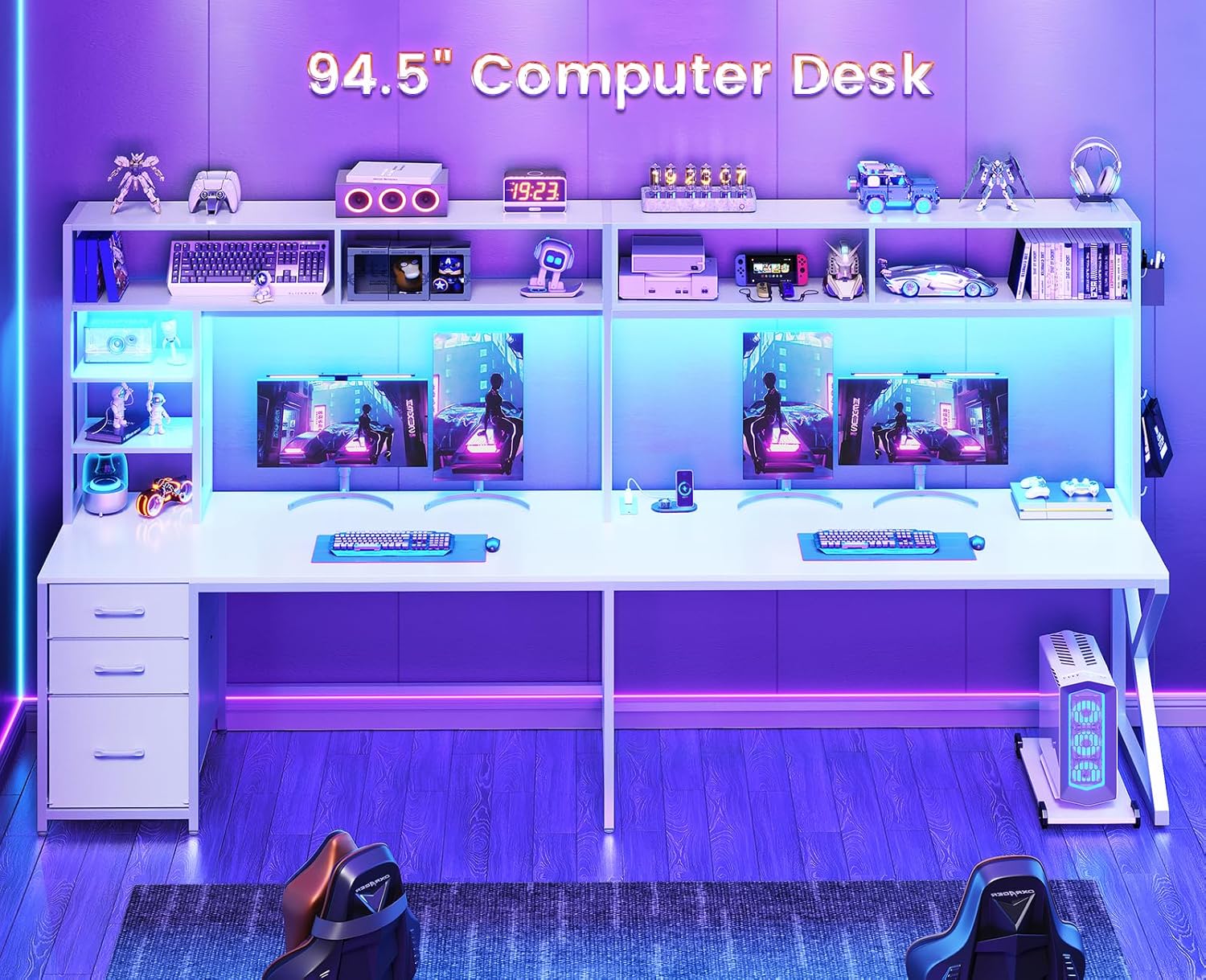
Image 4.1: The SEDETA desk configured as a 94.5-inch straight computer desk, suitable for two-person use or an extended workspace.

Image 4.2: The SEDETA desk configured as an L-shaped desk, highlighting the integrated LED lighting and ample workspace.
4.3. Assembly Video
Video 4.1: An official seller video demonstrating the assembly process and features of the SEDETA L Shaped Desk with Hutch. This video provides visual guidance for setup.
5. Operating Instructions
5.1. LED Lighting System
The desk includes an RGB LED light strip. Connect the LED strip to a power source. Control the lighting effects, colors (over 60,000 options), and 29 flashing modes using the provided remote control or via a dedicated mobile application. Refer to the LED light strip's separate instructions for detailed pairing and operation of the app control features.

Image 5.1: The L-shaped gaming desk illuminated by its integrated LED lights, demonstrating various color options and the overall aesthetic.
5.2. Integrated Power Outlet
A built-in power strip with 2 AC outlets (120V/12A) and 2 USB ports (5V/2A) is provided for convenient charging of your electronic devices. Plug the desk's power cord into a wall outlet. Use the outlets and USB ports to power or charge computers, monitors, phones, and other compatible accessories. Ensure devices do not exceed the power strip's maximum load capacity.

Image 5.2: A close-up view of the convenient charging station, featuring two AC outlets and two USB ports for powering various devices.
5.3. Storage Features
- Fabric Drawers: The desk includes three easy-to-assemble fabric drawers. The bottom drawer is designed to accommodate Legal, Letter, and A4 size files, while the two upper drawers are suitable for general office or personal items.
- Open Shelves: Utilize the seven open shelves in the hutch for storing books, decorative items, or small electronics.
- Pegboard: The integrated pegboard provides a customizable area for hanging accessories using the included S-hooks or other compatible pegboard accessories.
- Movable CPU Stand: A separate CPU stand is included to keep your computer tower off the floor, protecting it from dust and moisture, and allowing for flexible placement.

Image 5.3: An overview of the desk's large storage capacity, pointing out the seven open shelves, three fabric drawers, pegboard with hooks, and the movable CPU stand.

Image 5.4: A demonstration of the three fabric drawers, illustrating their capacity for various file sizes including Legal, A4, and Letter.
6. Maintenance
- Cleaning: Wipe surfaces with a soft, damp cloth. Avoid harsh chemicals or abrasive cleaners, which can damage the finish.
- Dusting: Regularly dust all surfaces, including shelves and the hutch, to prevent buildup.
- Hardware Check: Periodically check all screws and bolts to ensure they remain tight. Retighten as necessary to maintain stability.
- Fabric Drawers: The fabric drawers can be spot cleaned with a mild detergent and damp cloth. Allow to air dry completely.
- LED Lights: Ensure the LED strip and its connections are free from dust and moisture.
7. Troubleshooting
| Problem | Possible Cause | Solution |
|---|---|---|
| Desk is wobbly or unstable. | Loose hardware; uneven floor; incorrect assembly. | Ensure all screws and bolts are securely tightened. Adjust the leg pads on the bottom of the desk to compensate for uneven flooring. Review assembly instructions to confirm all parts are correctly installed. |
| LED lights are not working. | Power connection issue; remote control battery dead; LED strip damage. | Check that the LED strip is properly connected to the power source and the wall outlet. Replace the battery in the remote control. If using the app, ensure proper pairing. Inspect the LED strip for any visible damage. |
| Power outlets/USB ports not functioning. | Desk power cord not plugged in; circuit breaker tripped; faulty connection. | Verify the desk's main power cord is securely plugged into a working wall outlet. Check your home's circuit breaker. Ensure the internal connections for the power strip are secure (refer to assembly guide). |
| Difficulty with screw insertion during assembly. | Misalignment; incorrect screw type; manufacturing defect. | Ensure parts are perfectly aligned before attempting to insert screws. Use the correct screw type for each hole as indicated in the manual. If a screw seems too short or won't thread, do not force it; contact customer support. Using your own screwdriver may provide better leverage than included tools. |
| Desk feels too small for multiple monitors/equipment. | Space planning mismatch; L-shape configuration limitations. | Consider utilizing the desk in its 94.5-inch straight configuration if more linear space is needed. Optimize monitor placement and use vertical space with the hutch shelves. Review the desk dimensions (66.1"L x 47.2"W for L-shape) to ensure it meets your specific needs. |
8. Specifications
| Brand | SEDETA |
| Model Number | gaming-desk |
| Color | White |
| Shape | Rectangular (convertible to L-shape) |
| Product Dimensions (L-shape) | 66.1"L x 18.9"D x 61.8"H (overall) |
| Product Dimensions (Straight) | 94.5"L (approximate, when converted) |
| Top Material Type | Wood (FSC Certified) |
| Frame Material Type | Metal |
| Item Weight | 85 pounds |
| Number of Drawers | 3 (Fabric, File/Box Drawer) |
| Number of Shelves | 7 (Open shelves in hutch) |
| Power Outlet | 2 AC Outlets (120V/12A), 2 USB Ports (5V/2A) |
| LED Lights | RGB, Over 60000 colors, 29 flashing modes, APP/Key control |
| Additional Features | Pegboard with 6 hooks, Movable CPU stand, Adjustable leg pads |
9. Warranty and Customer Support
For detailed warranty information, please refer to the warranty card or documentation included with your product. SEDETA stands behind the quality of its products. If you encounter any issues during assembly or use, or if you have questions regarding your desk, please contact SEDETA customer support.
Contact Information: Please refer to the contact details provided in your product packaging or visit the official SEDETA website for the most up-to-date support information.
Note: Keep your purchase receipt and model number (gaming-desk) handy when contacting support.
