
Introduction
Thank you for choosing the MOFII Wireless Ergonomic Keyboard and Mouse Combo. This product is designed to provide a comfortable and efficient computing experience with its split curved keyboard, integrated wrist rest, and vertical ergonomic optical mouse. This manual will guide you through the setup, operation, and maintenance of your new device.
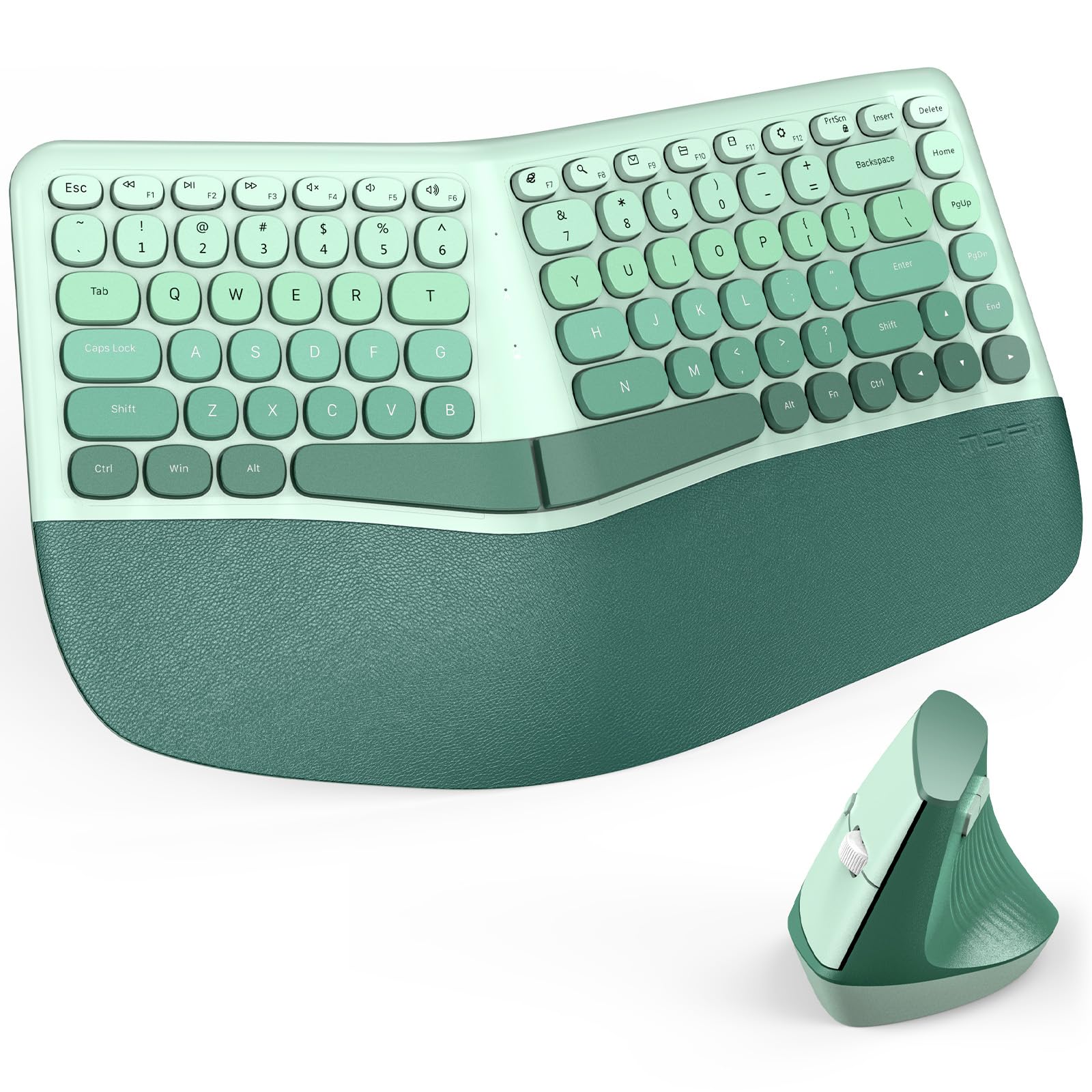
Image: The MOFII Wireless Ergonomic Keyboard and Mouse Combo in green, featuring a split and curved design, positioned on a desk with a laptop and monitor. A user's hands are shown comfortably typing, illustrating the ergonomic posture.
Package Contents
Please check the package contents to ensure all items are present:
- 1 x MOFII Wireless Ergonomic Keyboard
- 1 x MOFII Wireless Vertical Ergonomic Optical Mouse
- 1 x USB Nano Receiver (stored inside the mouse)
- 1 x User Manual (this document)
Setup Instructions
1. Install Batteries
Both the keyboard and mouse require batteries for operation. Please follow these steps:
- For the Keyboard:
- Locate the battery compartment on the underside of the keyboard.
- Open the battery compartment cover.
- Insert the required batteries (typically 2x AAA, not included) ensuring correct polarity (+/-).
- Close the battery compartment cover securely.
Video: This video demonstrates the process of installing batteries into the MOFII ergonomic keyboard, showing the battery compartment location and proper battery insertion.
- For the Mouse:
- Locate the battery compartment on the underside of the mouse.
- Open the battery compartment cover.
- Insert the required battery (typically 1x AA, not included) ensuring correct polarity (+/-).
- Close the battery compartment cover securely.
- The USB nano receiver is stored inside this compartment. Remove it before closing the cover.

Image: A close-up view of the MOFII ergonomic vertical mouse being held, illustrating its natural grip. The underside of the mouse is visible, indicating the location of the battery compartment and the USB nano receiver storage.
2. Connect the USB Nano Receiver
The keyboard and mouse share a single USB nano receiver. This receiver is typically stored inside the mouse's battery compartment.
- Remove the USB nano receiver from the mouse's battery compartment.
- Plug the USB nano receiver into an available USB port on your computer (PC, laptop, or desktop).
- Your computer should automatically detect and install the necessary drivers. No additional software installation is required.
Once connected, the keyboard and mouse should be ready for use.
Operating Instructions
Keyboard Features
- Ergonomic Split and Curved Design: The keyboard's design promotes a more natural hand and wrist posture, reducing strain during extended typing sessions.
- Integrated Wrist Rest: The padded wrist rest provides comfortable support for your palms, further enhancing ergonomic comfort. The leather-like surface is designed for durability and easy cleaning.
- Multimedia Keys: The keyboard includes dedicated multimedia keys for quick access to volume control, playback, and other functions.

Image: A close-up of the MOFII ergonomic keyboard's integrated palm rest, highlighting its leather-like cushioning and internal layers (soft synthetic leather, high-density foam, memory foam) designed for comfort and support.
Mouse Features
- Vertical Ergonomic Design: The mouse is shaped to fit the natural curve of your palm, reducing wrist pressure and promoting a neutral hand position.
- Adjustable DPI: The mouse features 3 adjustable DPI levels (Dots Per Inch) to customize cursor sensitivity. Press the DPI button (usually located near the scroll wheel) to cycle through the settings. This allows for precise control for different tasks.
Auto Power Saving Mode
To conserve battery life, both the keyboard and mouse will enter a sleeping mode after more than 10 minutes of inactivity. To wake them up, simply press any key on the keyboard or move/click the mouse. The devices will reconnect automatically.

Image: The MOFII keyboard and mouse setup on a desk, illustrating the auto power-saving feature. A graphic indicates that the devices enter sleep mode after 10 minutes of inactivity to conserve battery.
Compatibility
The MOFII Wireless Ergonomic Keyboard and Mouse Combo is compatible with a wide range of operating systems and devices:
- Operating Systems: Windows XP, Vista, 7, 8, 10, 11.
- Compatible Devices: Personal Computers (PC), Laptops, Desktops.

Image: The MOFII keyboard and mouse combo shown in a multi-device setup, connected to both a laptop and a desktop computer. Icons below confirm compatibility with Desktop, Laptop, and Windows operating systems.
Maintenance
- Cleaning: Use a soft, dry cloth to clean the surfaces of the keyboard and mouse. For stubborn dirt, a slightly damp cloth with mild soap can be used, ensuring no liquid enters the devices. Avoid harsh chemicals or abrasive cleaners.
- Battery Replacement: Replace batteries when performance degrades or the low battery indicator (if present) illuminates. Always use fresh batteries of the specified type.
- Storage: When not in use for extended periods, remove batteries to prevent leakage. Store the devices in a cool, dry place.
Troubleshooting
- No connection/Device not working:
- Ensure batteries are correctly installed and not depleted. Replace if necessary.
- Verify the USB nano receiver is securely plugged into a working USB port on your computer.
- Try plugging the receiver into a different USB port.
- Restart your computer.
- If the devices entered power-saving mode, press a key or move the mouse to wake them up.
- Lagging or intermittent connection:
- Ensure the devices are within the 10-meter (33 ft) operating range of the USB receiver.
- Reduce interference by moving other wireless devices or large metal objects away from the receiver.
- Ensure the receiver has a clear line of sight to the keyboard and mouse if possible.
- Mouse cursor movement is too fast or too slow:
- Adjust the DPI setting on the mouse using the DPI button.
- Adjust mouse sensitivity settings in your computer's operating system.
Specifications
| Brand | MOFII |
| Model | B0FRZ2N1Y9 |
| Connectivity Technology | USB Wireless (2.4GHz) |
| Operating Range | Up to 10 meters (33 ft) |
| Keyboard Layout | QWERTY |
| Mouse DPI Levels | 3 adjustable levels |
| Compatible Operating Systems | Windows XP/Vista/7/8/10/11 |
| Item Weight | 1.25 Kilograms (Keyboard and Mouse) |
| Manufacturer | Shenzhen Mofii Technology Co., Ltd |
Warranty and Support
This MOFII product comes with a 1-year manufacturer's warranty. Additionally, you may be eligible for a 30-day money-back guarantee. For warranty claims, technical support, or further assistance, please contact the seller or refer to the MOFII official website for contact information.
Please retain your proof of purchase for warranty purposes.

