
1. Introduction
This manual provides detailed instructions for the MECHEN X55-C MP3 Player. Please read this manual thoroughly before using the device to ensure proper operation and to maximize its features. Keep this manual for future reference.
2. Package Contents
Verify that all items are present in the package:
- 1 x MECHEN X55-C MP3 Player
- 1 x USB Cable (Type-C)
- 1 x Audio Headphones
- 1 x Screen Protector
- 1 x Protective Case
- 1 x User Manual

Image: Contents of the MECHEN X55-C MP3 Player retail box, showing the player, USB cable, headphones, screen protector, protective case, and user manual.
3. Product Overview
The MECHEN X55-C is a portable MP3 player featuring a 4-inch touchscreen display and an Android 10 operating system. It is designed for multimedia playback, including music and videos, with extensive connectivity options.
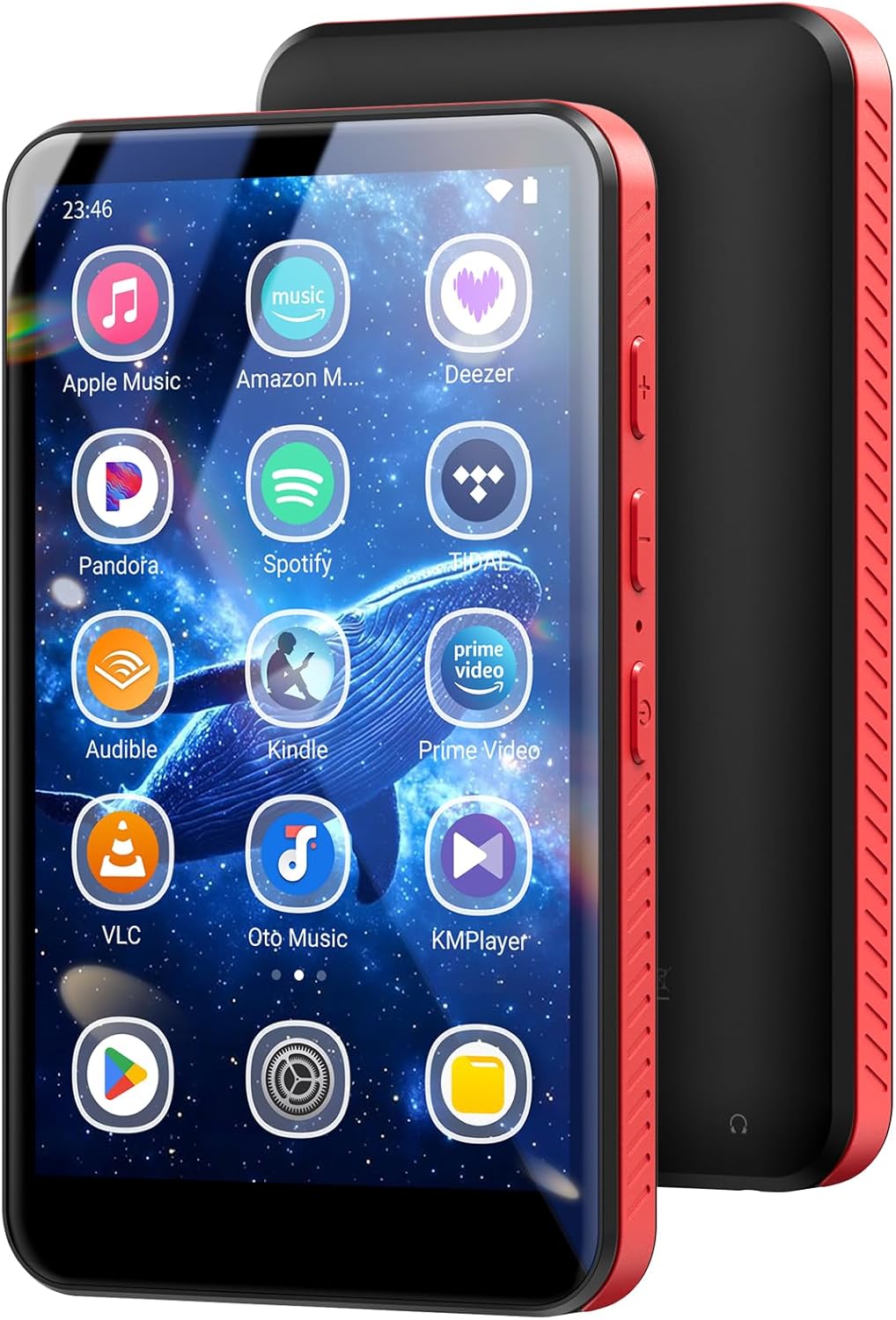
Image: Front and side view of the MECHEN X55-C MP3 Player, showcasing its 4-inch display with app icons and the red textured side buttons.
Key Features:
- Operating System: Android 10
- Processor: 8-core MTK6750 chipset
- RAM: 3GB
- Display: 4-inch (480x800) IPS touchscreen
- Internal Storage: 32GB ROM (expandable up to 1TB via TF card)
- Connectivity: Wi-Fi (2.4G/5G), Bluetooth 4.1
- Battery: 2000mAh Lithium-ion
- Audio Formats: MP3, AAC, OGG, WMA, FLAC, ALAC, APE, WAV, DSD (DSF/DFF), MQA, AIFF
- Video Formats: MP4, AVI, MKV, MOV, WMV, MPEG, FLV, WebM, TS, RMVB, DAT, RM

Image: Diagram illustrating the internal components of the MECHEN X55-C, highlighting the Android 10 OS, dual-band Wi-Fi support, MTK6750 8-core chipset, and Bluetooth 4.1 multi-connection.
4. Setup
4.1 Initial Charging
Before first use, fully charge the device using the provided USB Type-C cable and a certified 5V/1A charger. Avoid using fast chargers or wireless chargers as incompatible chargers may activate overvoltage protection.

Image: The MECHEN X55-C MP3 Player connected to a USB-C charging cable, displaying a charging indicator on its screen. The image also shows battery life estimates for music and video playback.
4.2 Power On/Off
- To Power On: Press and hold the power button on the side of the device until the screen lights up.
- To Power Off: Press and hold the power button, then select 'Power Off' from the options on the screen.
4.3 Wi-Fi Connection
- Go to Settings > Network & internet > Wi-Fi.
- Toggle Wi-Fi On.
- Select your desired Wi-Fi network from the list.
- Enter the password if prompted and tap Connect.
4.4 Google Account Setup
To access the Google Play Store and other Google services, you will need to sign in with a Google account. Follow the on-screen prompts during initial setup or go to Settings > Accounts > Add account > Google.
5. Operating Instructions
5.1 Music Playback
The device supports various audio formats and allows streaming from services like Spotify, Amazon Music, and Apple Music (with subscription for offline use). You can also play local files.

Image: The MECHEN X55-C MP3 Player displaying its music library interface, showing recently added songs and an equalizer settings screen with various presets like Classical, Flat, and Folk.
5.2 Video Playback
The 4-inch IPS screen is suitable for portable video viewing. The device supports multiple video formats without conversion, including MKV and AVI, through players like VLC or KMPlayer.
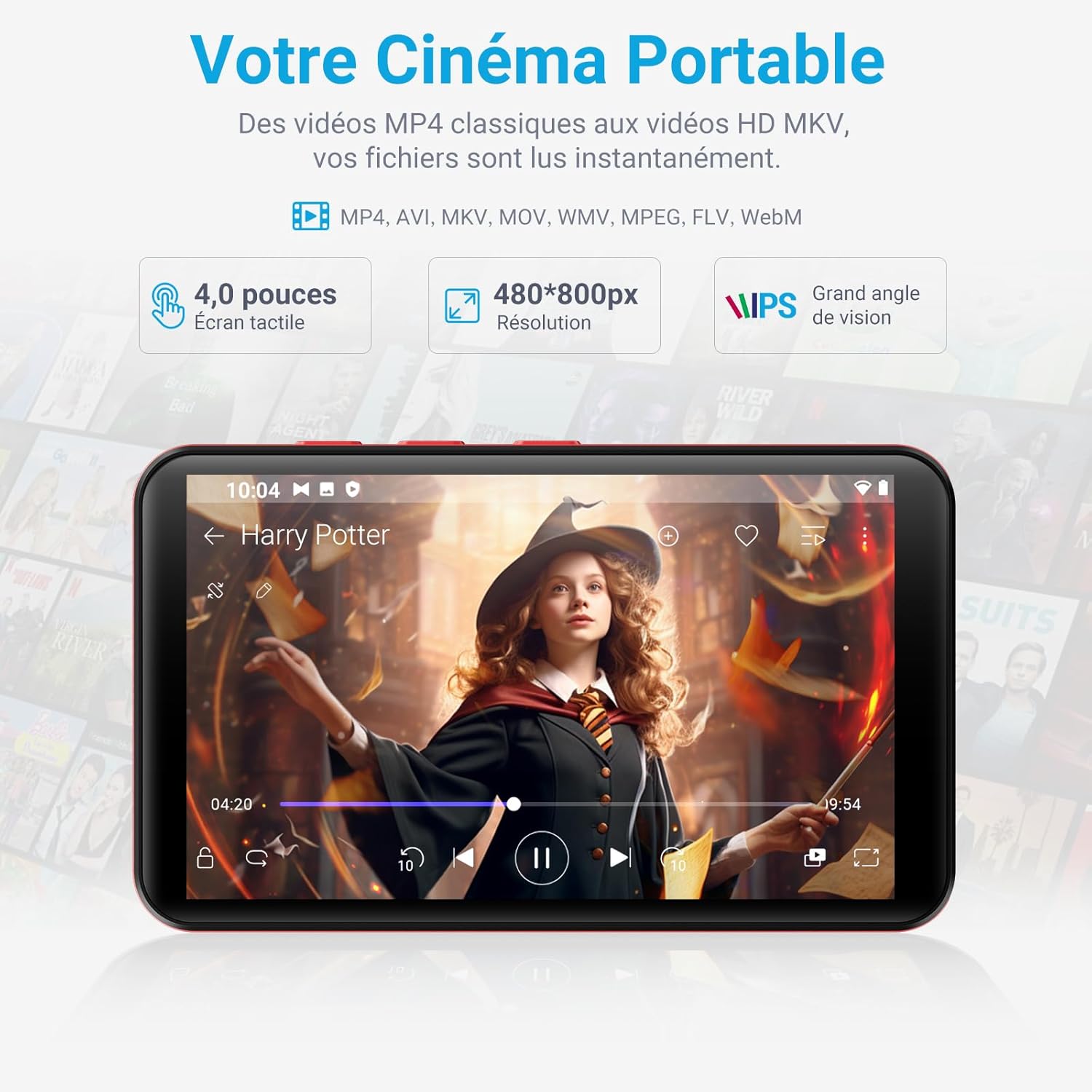
Image: The MECHEN X55-C MP3 Player displaying a video in landscape mode, demonstrating its portable cinema capability.
5.3 Bluetooth Connectivity
Connect Bluetooth headphones or speakers for wireless audio playback.
- Ensure your Bluetooth accessory is in pairing mode.
- On the X55-C, go to Settings > Connected devices > Bluetooth.
- Toggle Bluetooth On.
- Select your accessory from the list of available devices to pair.
5.4 Using Applications
The device comes with pre-installed applications and supports downloading more from the Google Play Store.

Image: The MECHEN X55-C MP3 Player screen showing various popular pre-installed applications such as Spotify, Amazon Music, Audible, and YouTube.
5.5 Parental Control (Family Link)
The MECHEN X55-C includes a parental mode feature, allowing parents to manage internet usage and content access for younger users. This can be configured using Google Family Link.
- Install the Family Link app on a parent's device.
- Link the X55-C device using a pairing code.
- Define usage limits and content filters through the Family Link app on the parent's device.

Image: A visual representation of the Family Link parental control feature on the MECHEN X55-C, emphasizing secure screen time for children.
6. Maintenance
6.1 Storage Management
The device comes with 32GB of internal storage and a free 64GB microSD card, allowing for ample space for music and videos. The TF card slot supports expansion up to 1TB.
- Regularly check storage usage in Settings > Storage.
- Delete unnecessary files or applications to free up space.
- To insert a microSD card, locate the TF card slot on the side of the device and gently push the card in until it clicks.

Image: An illustration detailing the storage capabilities of the MECHEN X55-C, showing 3GB RAM, 32GB ROM, a 64GB SD card, and support for up to 1TB expansion.
6.2 Cleaning the Device
Use a soft, dry, lint-free cloth to clean the screen and body of the device. Avoid using harsh chemicals or abrasive materials.
7. Troubleshooting
This section addresses common issues you might encounter with your MECHEN X55-C MP3 Player.

Image: A troubleshooting guide for the MECHEN X55-C, covering correct charging, Google account management, and parental control setup.
7.1 Charging Issues
- Device not charging: Ensure you are using a certified 5V/1A charger and the provided USB-C cable. Incompatible chargers may trigger overvoltage protection.
- Slow charging: Verify the charger output. A lower amperage charger will result in slower charging times.
7.2 Google Account Problems
- Cannot sign in or persistent login loop: Before performing a factory reset, disconnect your Google account from the device. You can also remove the device from your Google account settings at google.com/devices.
7.3 Parental Control Configuration
- Issues with Family Link: Ensure the Family Link app is correctly installed on both the parent's device and the X55-C. Verify the pairing code and internet connection.
7.4 General Performance Issues
- Device is slow or unresponsive: Close unused applications. Clear cache from apps in Settings > Apps > [App Name] > Storage & cache. Restart the device.
- Apps crashing: Ensure apps are updated to their latest versions. Clear app data or reinstall the app.
8. Specifications
| Brand | MECHEN |
| Model Name | X55-C |
| Operating System | Android 10 |
| Processor | 8-core MTK6750 Chipset |
| RAM | 3 GB |
| Internal Storage | 32 GB |
| Expandable Storage | Micro SD (TF card) up to 1 TB |
| Screen Size | 4 Inches |
| Screen Resolution | 480 x 800 pixels |
| Connectivity | Bluetooth 4.1, Wi-Fi (2.4G/5G) |
| Battery Type | Lithium-ion |
| Battery Capacity | 2000 mAh |
| Charging Port | USB Type-C |
| Special Features | Equalizer, FM Radio, Recorder, Calendar |
| Compatible Devices | Headphones, Speakers, Personal Computer, Smartphone |
9. Warranty and Support
9.1 Manufacturer's Warranty
The MECHEN X55-C MP3 Player comes with a 1-year manufacturer's warranty. Please retain your proof of purchase for warranty claims.
9.2 Customer Support
For further assistance, technical support, or warranty inquiries, please contact MECHEN customer service through the retailer where the product was purchased or visit the official MECHEN website for contact information.

