
WERHY H5
WERHY H5 Electric Scooter User Manual
Model: H5
1. Introduction
This manual provides essential information for the safe operation, assembly, maintenance, and troubleshooting of your WERHY H5 Electric Scooter. Please read this manual thoroughly before your first ride to ensure proper usage and to maximize the lifespan of your scooter.
The WERHY H5 Electric Scooter is designed for personal transportation, offering a blend of power, range, and portability. It features a 350W brushless motor, a maximum speed of 19 MPH, and a range of up to 15 miles on a single charge. Its lightweight, foldable design and smart app control enhance the riding experience.

Image: A person riding the WERHY H5 Electric Scooter, with an overlay highlighting key features such as 19 MPH max speed, 15 miles max range, 350W motor, 8.5-inch solid tires, 3-second folding, and 264 lbs max load.
2. Safety Warnings
- Always wear a helmet and appropriate safety gear (knee pads, elbow pads) when riding.
- Do not ride in heavy rain, snow, or icy conditions.
- Avoid riding on uneven surfaces, potholes, or obstacles.
- Ensure both brakes are functioning correctly before each ride.
- Do not allow children under the age of 16 to operate the scooter.
- Adhere to local traffic laws and regulations.
- Do not perform stunts or sudden maneuvers.
- Maintain a safe distance from other vehicles and pedestrians.
- Do not carry passengers or heavy loads that exceed the maximum weight limit of 264 lbs (120 kg).
- Keep hands and feet on the handlebars and footboard while riding.
3. Package Contents
Upon opening the package, verify that all items listed below are present and in good condition:
- WERHY H5 Electric Scooter
- Power Adapter/Charger
- User Manual
- Assembly Tools (if required)
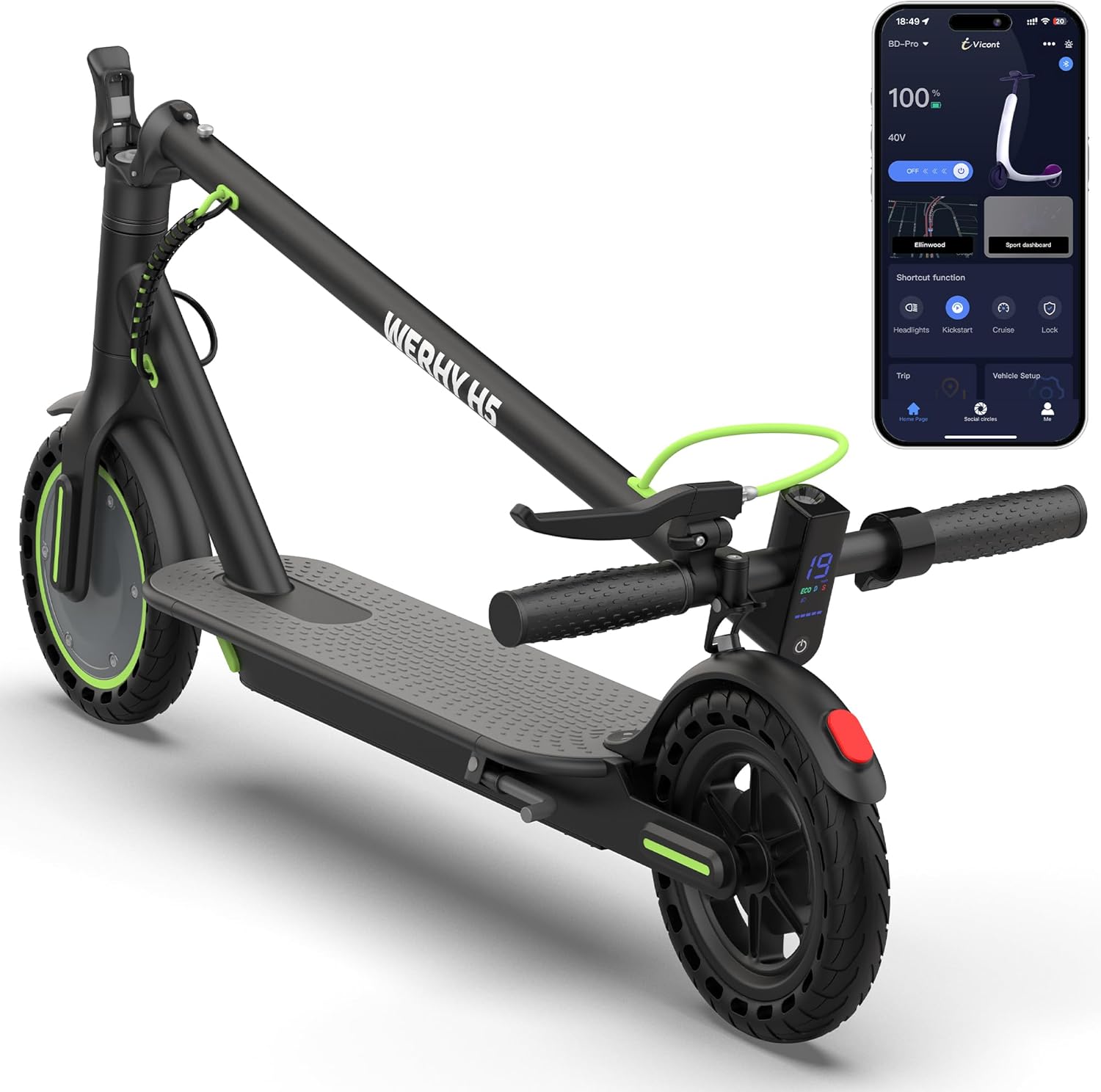
Image: The WERHY H5 Electric Scooter shown alongside a smartphone displaying its companion app interface.
4. Setup and Assembly
The WERHY H5 Electric Scooter comes mostly pre-assembled. Minor assembly is required before first use.
- Unfolding the Scooter: Carefully lift the stem until it locks into the upright position. Ensure the folding mechanism is securely latched.
- Attaching the Handlebars: Insert the handlebar assembly into the stem. Align the holes and secure it with the provided screws and tools. Ensure all screws are tightened firmly.
- Initial Charge: Before the first ride, fully charge the scooter's battery. Connect the power adapter to the charging port and then to a power outlet. The indicator light on the charger will change when charging is complete (typically 3-4 hours).

Image: A person demonstrating the one-step folding mechanism of the WERHY H5 Electric Scooter, preparing it for storage or transport.

Image: The WERHY H5 Electric Scooter in its folded state, easily fitting into the trunk of a car, highlighting its portability.
5. Operating Instructions
5.1 Power On/Off
- To power on, press and hold the power button on the display for a few seconds.
- To power off, press and hold the power button again until the display turns off.
5.2 Riding the Scooter
- Place one foot firmly on the footboard.
- Push off with your other foot to gain initial momentum.
- Once moving, gently press the accelerator lever to engage the motor.
- Place your second foot on the footboard.
5.3 Speed Modes
The scooter features three speed modes: Eco, Drive, and Sport. These can be switched via the display or the companion app.
- Eco Mode (E): Approximately 7 MPH, for energy saving and beginners.
- Drive Mode (D): Approximately 11 MPH, for balanced performance.
- Sport Mode (S): Up to 19 MPH, for maximum speed and performance.

Image: Visual representation of the three speed modes (E, D, S) available on the WERHY H5 Electric Scooter, indicating their respective maximum speeds.
5.4 Braking System
The WERHY H5 is equipped with a dual braking system for enhanced safety:
- Front EABS Regenerative Anti-lock Brake: Provides efficient stopping power and helps recharge the battery.
- Rear Drum Brake: Offers reliable mechanical braking.
To brake, gently squeeze the brake levers on the handlebars. Apply both brakes simultaneously for optimal stopping performance.

Image: Close-up view of the WERHY H5 Electric Scooter's braking system, highlighting the electronic handbrake and rear drum brake components.
5.5 Lighting
The scooter includes a bright headlight and a taillight for visibility, especially during low-light conditions or night riding. Activate lights via the display or the app.

Image: The WERHY H5 Electric Scooter with its headlight and taillight illuminated, demonstrating visibility features for night riding.
6. Smart App Control
The WERHY H5 Electric Scooter can be connected to a smartphone app for enhanced control and monitoring. The app allows you to:
- Switch between 3 speed modes (Eco/Drive/Sport).
- Activate cruise control.
- Check scooter status (battery level, mileage).
- Lock/unlock the scooter digitally.
- Control lights.
Download the official WERHY app from your smartphone's app store. Follow the in-app instructions to pair your scooter via Bluetooth.

Image: The WERHY H5 Electric Scooter's LCD display showing speed and mode, alongside a smartphone screen demonstrating the smart app interface for control.
7. Maintenance
Regular maintenance ensures the longevity and safe operation of your scooter.
- Cleaning: Wipe the scooter with a damp cloth. Do not use high-pressure water or immerse the scooter in water.
- Battery Care:
- Charge the battery fully before first use.
- Avoid completely draining the battery.
- If storing for extended periods, charge the battery to 50-70% every 30-60 days.
- Use only the original charger provided.
- Tires: The scooter uses 8.5-inch solid rubber tires, which do not require inflation. Regularly inspect them for wear or damage.
- Brakes: Periodically check the brake levers and cables for proper tension and function. Adjust if necessary.
- Fasteners: Ensure all screws and bolts are tight before each ride.

Image: A close-up view of the WERHY H5 Electric Scooter's 8.5-inch solid tire, highlighting its honeycomb structure designed for comfort and stability without punctures.
8. Troubleshooting
| Problem | Possible Cause | Solution |
|---|---|---|
| Scooter does not power on. | Low battery; loose connections; power button malfunction. | Charge the battery; check all connections; contact support if issue persists. |
| Motor not engaging. | Scooter not pushed off to gain initial speed; accelerator fault. | Ensure you push off to at least 3 MPH before engaging the accelerator; contact support. |
| Reduced range or speed. | Low battery charge; heavy load; riding uphill; cold weather. | Fully charge battery; reduce load; avoid steep inclines; battery performance may decrease in cold temperatures. |
| Brakes feel loose or ineffective. | Brake cable tension too low; worn brake pads. | Adjust brake cable tension; inspect and replace brake pads if worn. |
| App not connecting to scooter. | Bluetooth off; scooter off; app not updated. | Ensure Bluetooth is enabled on your phone; power on the scooter; update the app to the latest version. |
9. Specifications
| Feature | Detail |
|---|---|
| Brand | WERHY |
| Model Name | H5 |
| Motor Power | 350W Brushless |
| Max Speed | 19 MPH (30 km/h) |
| Max Range | 15 Miles (24 km) |
| Battery | 36V/5.2Ah |
| Charging Time | 3-4 Hours |
| Weight Limit | 264 lbs (120 kg) |
| Scooter Weight | 25 lbs (11.3 kg) |
| Wheel Size | 8.5 Inches |
| Wheel Type | Solid Rubber |
| Braking System | Front EABS Regenerative, Rear Drum Brake |
| Material | Aircraft-grade Aluminum Frame |
| Special Features | Foldable, Smart App Control, Headlight, Taillight, Cruise Control |

Image: Diagram illustrating the dimensions of the WERHY H5 Electric Scooter and its recommended rider height and load capacity.
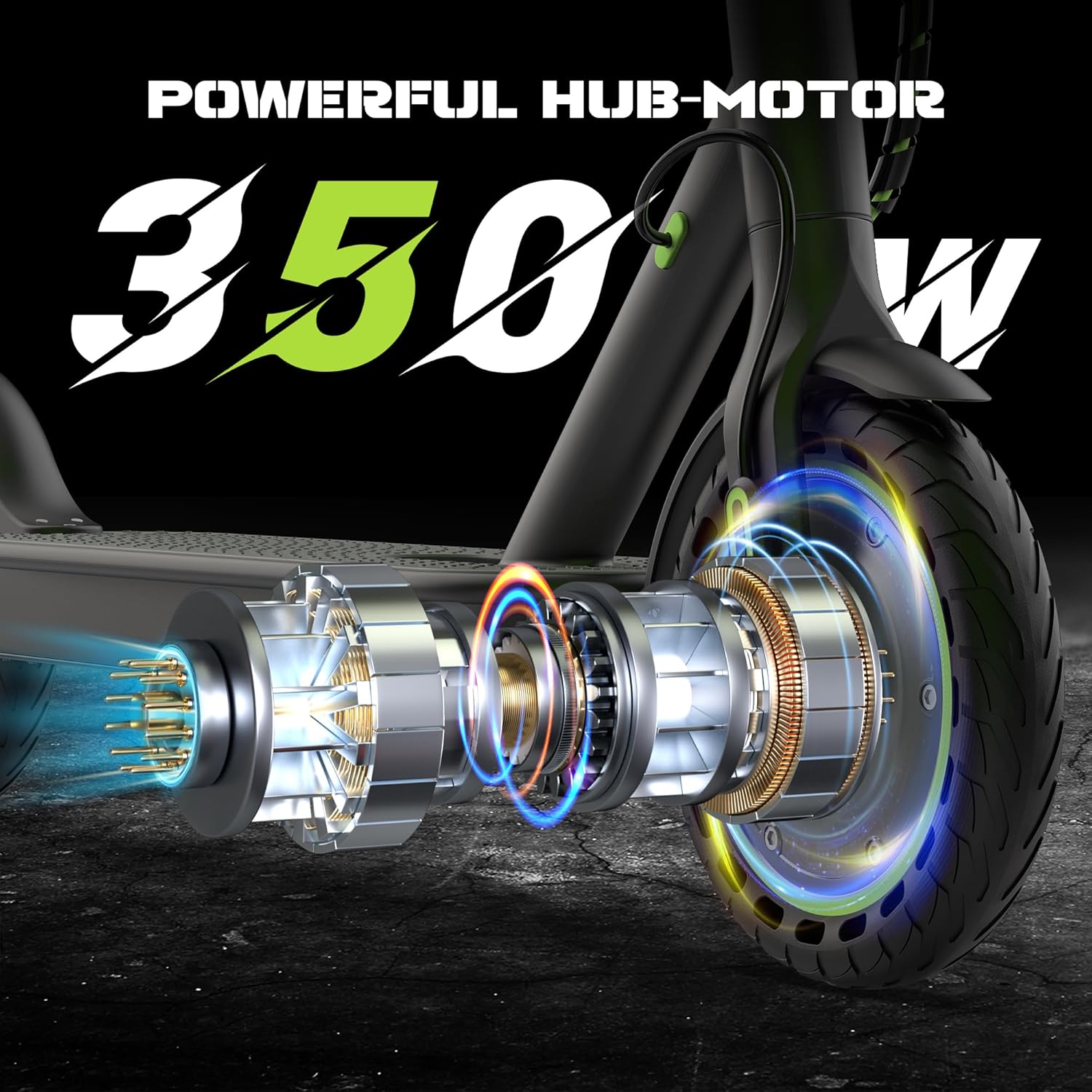
Image: An exploded view diagram of the WERHY H5 Electric Scooter's 350W powerful hub motor, showing its internal components and integration with the wheel.
10. Warranty and Support
WERHY provides a limited warranty for the H5 Electric Scooter:
- Warranty Period: 12-month or 180-day warranty on various parts, as specified by the manufacturer. Refer to the warranty card included with your product for detailed terms.
- Customer Support: For any inquiries, technical assistance, or warranty claims, please contact the dedicated WERHY customer support team. Contact information can typically be found on the official WERHY website or on the product packaging.
Additional protection plans may be available for purchase. Please refer to your retailer for details.
Ask a question about this manual
Ask about setup, troubleshooting, compatibility, parts, safety, or missing instructions. Manuals+ will review the question and use this page’s manual context to help answer it.