
Introduction
Thank you for purchasing the Audizio SW80D Active HiFi Subwoofer. This manual provides essential information for the safe and efficient operation of your device. Please read it thoroughly before use and retain it for future reference. The Audizio SW80D is designed to enhance your audio experience by delivering powerful, deep bass for home cinema, gaming, TV, and HiFi systems.
Safety Instructions
To ensure safe operation, please observe the following precautions:
- Do not expose the unit to rain or moisture to prevent electric shock.
- Do not open the housing. There are no user-serviceable parts inside. Refer all servicing to qualified personnel.
- Place the unit on a stable, level surface to prevent it from falling.
- Ensure adequate ventilation around the unit. Do not block ventilation openings.
- Keep the unit away from heat sources such as radiators, heat registers, stoves, or other apparatus that produce heat.
- Protect the power cord from being walked on or pinched, particularly at plugs, convenience receptacles, and the point where they exit from the apparatus.
- Unplug the unit during lightning storms or when unused for long periods.
What's in the Box
Carefully unpack your Audizio SW80D subwoofer and check that all items are present:
- Audizio SW80D Active HiFi Subwoofer
- Power Cable(s)
- Instruction Manual (this document)
Product Features
- Delivers rich, room-filling bass with a robust 20cm driver and 80W RMS output.
- Built-in Class-D amplifier and adjustable crossover (60-250Hz) for distortion-free low frequencies.
- Discreet black design with a removable front grille to suit any decor.
- Versatile RCA and 3.5mm aux connectivity for integration with various audio systems.
- Aux out allows for linking multiple subwoofers or speakers.
- Stable silicone feet and a bass reflex enclosure reduce resonance.
- Optional phase control (0°/180°) for optimal sound harmonization.
Controls and Connections

Close-up of the Audizio SW80D subwoofer's rear control panel, detailing the LED, Power switch, Volume, Low Pass, Phase switch, Line In (RCA), Aux Out, and DC In connections.

Straight rear view of the Audizio SW80D subwoofer, highlighting the control panel with various inputs and adjustments.
Rear Panel Controls:
- LED Indicator: Illuminates when the subwoofer is powered on.
- POWER Switch: Toggles the subwoofer's power on or off.
- VOLUME Knob: Adjusts the overall output level of the subwoofer.
- LOW PASS Knob (60-250Hz): Controls the upper frequency limit of the subwoofer. Frequencies above this setting will be filtered out.
- PHASE Switch (0°/180°): Adjusts the phase of the subwoofer's output to match the main speakers.
- LINE IN (RCA L/R): Stereo RCA inputs for connecting to an amplifier, AV receiver, or other audio source.
- AUX OUT: 3.5mm auxiliary output for linking to additional subwoofers or other audio devices.
- DC IN: Power input for connecting the provided power cable.
Front Panel:
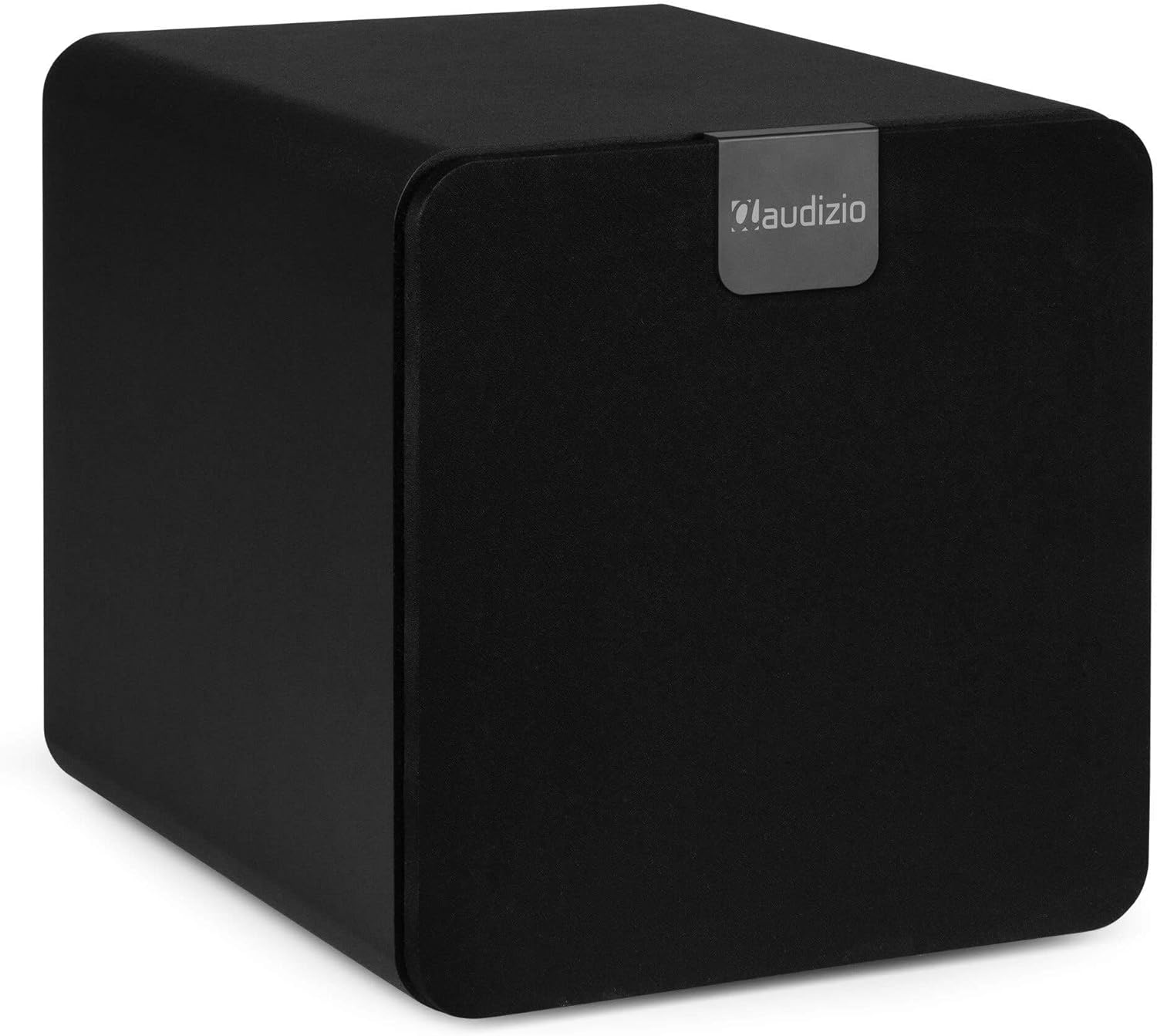
Audizio SW80D subwoofer with its front grille attached, showcasing its discreet black design.
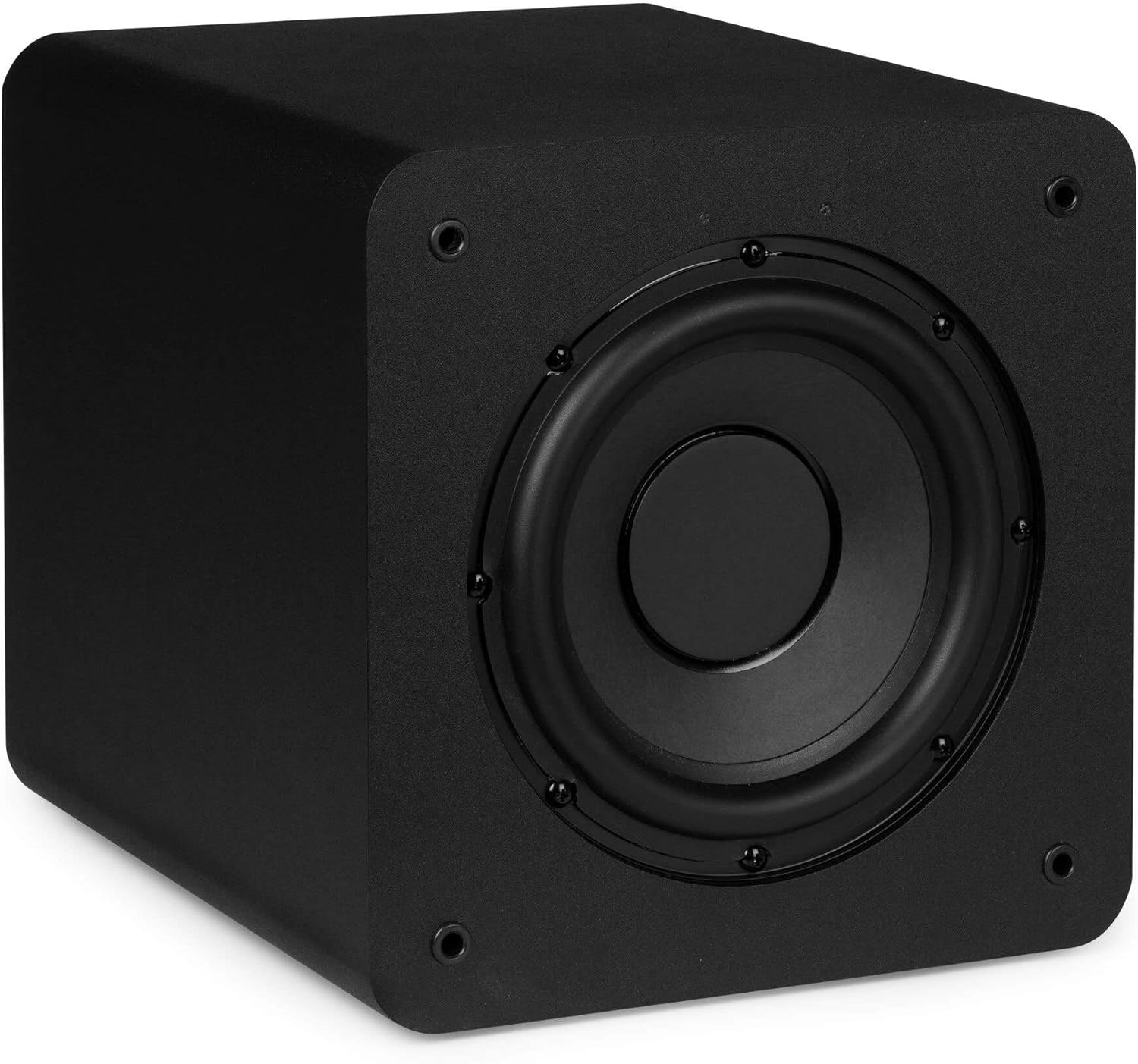
Audizio SW80D subwoofer with the front grille removed, revealing the 20cm driver.
The front of the subwoofer features a removable grille. You can choose to keep the grille on for a discreet look or remove it to expose the 20cm driver.
Side Panel:
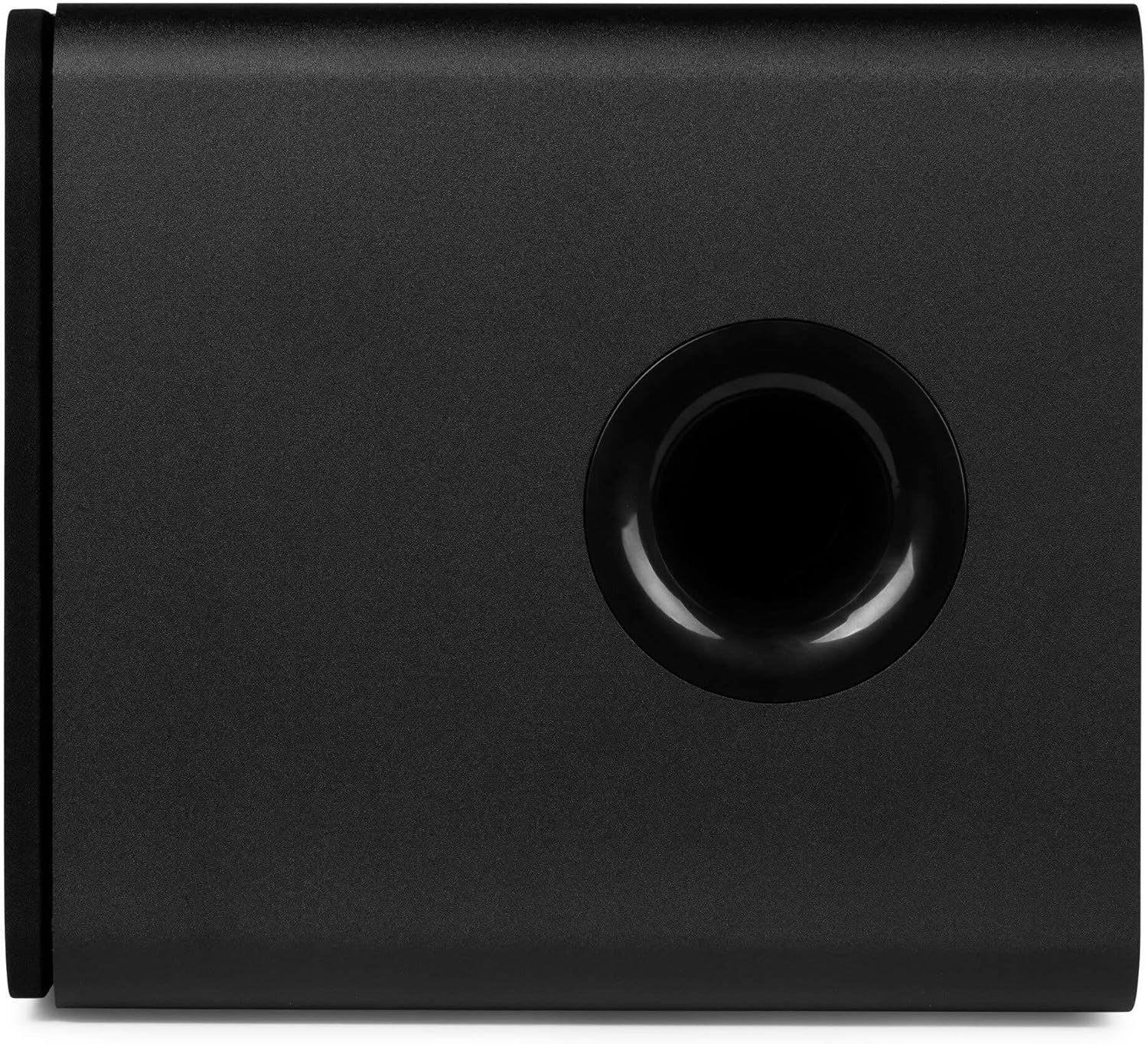
Side view of the Audizio SW80D subwoofer, featuring the bass reflex port.
The side panel includes a bass reflex port, which enhances low-frequency output.
Setup
1. Placement
- Place the subwoofer on a stable, level surface. The front-firing design and bass reflex port allow for flexible placement, even in tight spaces.
- Experiment with different locations in your room to find the best bass response. Corner placement often enhances bass output.
- Ensure there is adequate space around the bass reflex port for optimal air movement.
2. Connections
- Power Connection: Connect the provided power cable to the DC IN port on the rear panel of the subwoofer and then to a suitable power outlet.
- Audio Input:
- RCA Connection: Use RCA cables to connect the LINE IN (Left and Right) ports on the subwoofer to the subwoofer output (LFE or Sub Out) of your amplifier or AV receiver. If your source has only one subwoofer output, connect it to the Left (white) RCA input on the subwoofer.
- 3.5mm AUX Connection: If your source device has a 3.5mm auxiliary output, you can connect it to the LINE IN (Left) port using an appropriate adapter cable (not included).
- Auxiliary Output (Optional): If you wish to connect additional subwoofers or other audio devices in series, use a 3.5mm cable from the AUX OUT port to the input of the next device.
Operating Instructions
- Power On: After making all connections, switch the POWER button on the rear panel to the 'ON' position. The LED indicator will illuminate.
- Volume Adjustment: Start with the VOLUME knob set to a low level. Play audio through your main system and gradually increase the subwoofer's VOLUME until the bass blends smoothly with your main speakers.
- Low Pass Crossover Adjustment: The LOW PASS knob (60-250Hz) determines the highest frequency the subwoofer will reproduce. Adjust this setting to match the low-frequency capabilities of your main speakers. A good starting point is typically around 80-100Hz, or slightly above the lowest frequency your main speakers can reproduce.
- Phase Adjustment: The PHASE switch (0°/180°) helps integrate the subwoofer's output with your main speakers. Listen to music with strong bass and toggle the switch between 0° and 180°. Choose the setting that provides the most impactful and coherent bass response. This often depends on the subwoofer's placement relative to your main speakers.
- Fine-Tuning: Continue to adjust the VOLUME, LOW PASS, and PHASE settings until the bass sounds natural, powerful, and well-integrated with your overall audio system.
Maintenance
- Cleaning: Use a soft, dry cloth to clean the exterior of the subwoofer. Do not use abrasive cleaners, waxes, or solvents.
- Grille Care: The front grille can be removed for cleaning. Gently wipe it with a soft cloth.
- Ventilation: Ensure that the ventilation openings and bass reflex port remain clear of dust and obstructions.
- Storage: If storing the subwoofer for an extended period, disconnect it from power and store it in a cool, dry place, preferably in its original packaging.
Troubleshooting
No Sound from Subwoofer:
- Check if the subwoofer is powered on and the LED indicator is lit.
- Ensure the power cable is securely connected to both the subwoofer and the power outlet.
- Verify that the audio input cables (RCA) are correctly connected to both the subwoofer and your audio source/receiver.
- Increase the VOLUME knob on the subwoofer.
- Check the volume settings on your amplifier/receiver and ensure the subwoofer output is enabled.
- Test with a different audio source or cable if possible.
Distorted or Boomy Bass:
- Reduce the VOLUME knob on the subwoofer.
- Adjust the LOW PASS crossover frequency. Try lowering it to prevent the subwoofer from reproducing frequencies that your main speakers are already handling.
- Experiment with the PHASE switch (0°/180°) to find the setting that provides the cleanest bass.
- Try repositioning the subwoofer. Moving it away from corners or walls can sometimes reduce boominess.
Humming or Buzzing Noise:
- Ensure all audio cables are securely connected.
- Try connecting the subwoofer to a different power outlet.
- Disconnect all audio input cables from the subwoofer. If the hum stops, the issue is likely with the audio source or cables.
- Use shielded audio cables to minimize interference.
Specifications
| Feature | Specification |
|---|---|
| Model Number | SW80D |
| Speaker Size | 8 Inches (20cm) |
| Speaker Maximum Output Power | 160 Watts |
| RMS Output Power | 80 Watts |
| Low Pass Crossover | 60 - 250 Hz (Adjustable) |
| Phase Control | 0° / 180° |
| Connectivity | RCA Line In (L/R), 3.5mm Aux Out |
| Mounting Type | Tabletop Mount |
| Product Dimensions (D x W x H) | 15.75 x 13.98 x 15.16 inches (40 x 35.5 x 38.5 cm) |
| Item Weight | 15.73 pounds (7.15 Kilograms) |
| Manufacturer | Tronios B.V. |
Warranty and Support
Audizio products are designed and manufactured to the highest standards. In the unlikely event that you experience a problem with your product, please contact your retailer for assistance. Please retain your proof of purchase as this will be required for any warranty claims. For further support or inquiries, please refer to the contact information provided by your retailer or visit the official Audizio website.


