
1. Product Overview
The BestGod Incline Under Desk Treadmill, Model 480A-A, is designed for convenient indoor exercise, offering a compact and versatile solution for walking, jogging, and light running. Its innovative design includes an adjustable incline and a quiet motor, making it suitable for various home and office environments.

Figure 1: BestGod Incline Under Desk Treadmill in operation.
2. Setup
2.1 Unpacking and Placement
- Carefully remove the treadmill from its packaging. The unit comes pre-assembled.
- Place the treadmill on a flat, stable surface. Ensure there is adequate space around the unit for safe operation.
2.2 Incline Adjustment
The treadmill features a 5° foldable incline design to simulate outdoor climbing and engage different muscle groups. To activate the incline:
- Locate the adjustable support feet at the front of the treadmill.
- Extend the support feet to raise the front of the treadmill, creating a 5° incline. Ensure both feet are securely locked in place.
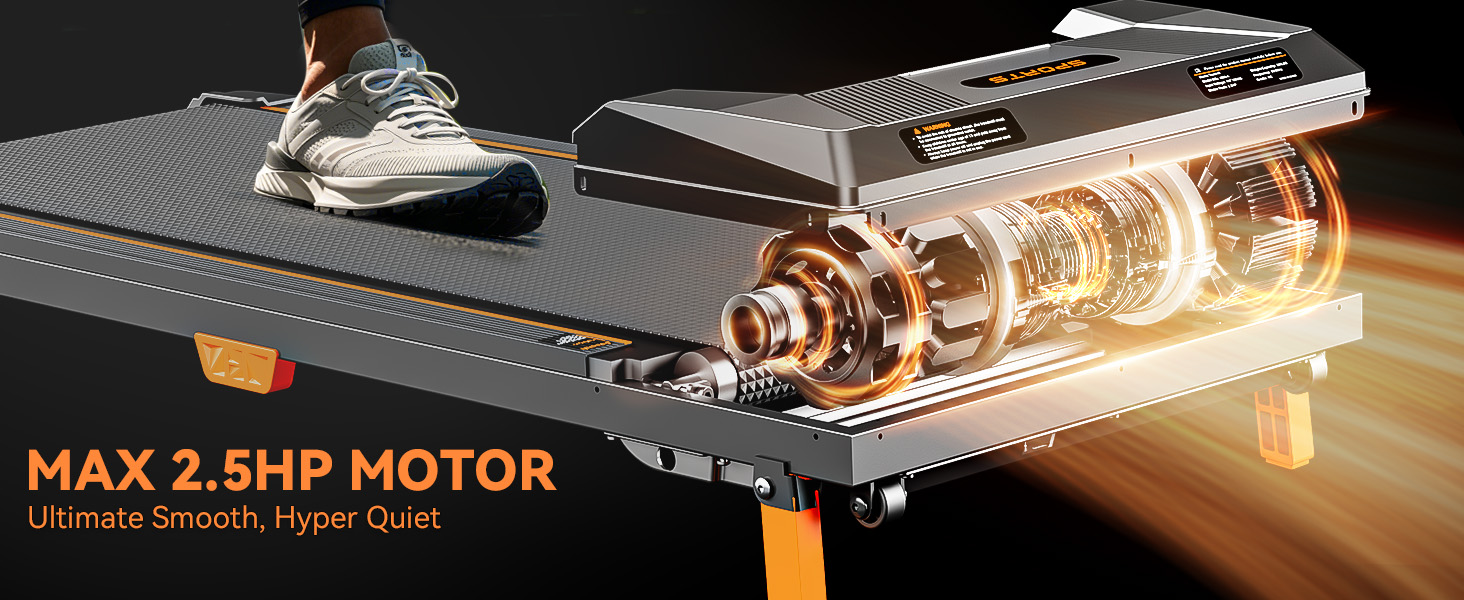
Figure 2: Adjustable support feet for 5° incline.
2.3 Power Connection
- Connect the power cord to the treadmill and then to a properly grounded electrical outlet.
- Ensure the power switch, typically located at the rear of the treadmill, is in the 'ON' position.
3. Operating Instructions
3.1 Remote Control Functions
The treadmill is operated via a compact remote control. Ensure the remote has a working battery (an extra battery is included in the tool kit).
- Power Button: Turns the treadmill on or off.
- Play/Pause Button: Starts or pauses the treadmill belt movement.
- '+' Button: Increases the speed.
- '-' Button: Decreases the speed.
- 'M' Button (Mode): Cycles through different display modes or pre-set programs (if applicable).

Figure 3: Treadmill remote control.
3.2 Speed Settings
The treadmill offers a speed range of 0.6 to 4.0 MPH, catering to various exercise intensities:
- Walking: 0.6 - 1.5 MPH
- Jogging: 1.0 - 2.5 MPH
- Running: 3.0 - 4.0 MPH
3.3 LED Display
The integrated LED display provides real-time feedback on your workout progress:
- TIME: Duration of your workout.
- SPEED: Current speed of the treadmill belt.
- DIST: Distance covered during your workout.
- CAL: Estimated calories burned.
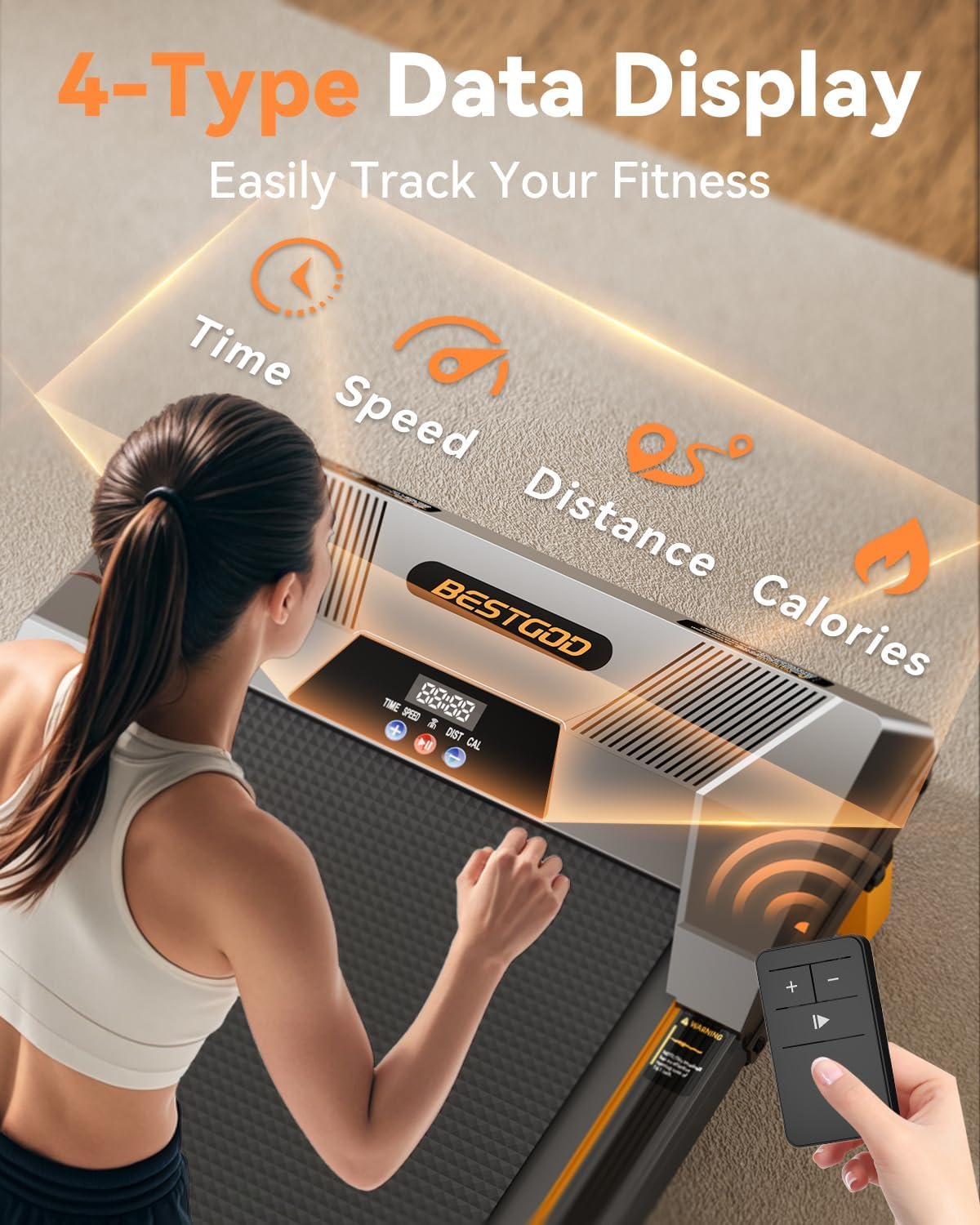
Figure 4: LED display with Time, Speed, Distance, and Calories.
4. Maintenance
4.1 Lubrication
Regular lubrication of the running belt is crucial for optimal performance and longevity. A bottle of lubricant is included in the tool kit.
- Power off and unplug the treadmill.
- Carefully lift one side of the running belt.
- Apply 5ml of lubricant to the middle of the running board.
- Lower the belt and power on the treadmill. Run it at the lowest speed (0.6 MPH) for 1-2 minutes to spread the lubricant evenly.
- Frequency: For light use (once a week), lubricate every 3 months. For frequent use (several hours daily), lubricate monthly.
4.2 Belt Centering and Tension
If the running belt shifts to one side or feels too loose/tight, adjustments can be made using the included hex tool.
- Belt Shift: If the belt shifts to the left, turn the left idler roller screw clockwise 1/4 of a turn. If it shifts to the right, turn the right idler roller screw clockwise 1/4 of a turn. Run the treadmill for 1-2 minutes and repeat until the belt is centered.
- Belt Tension: If the belt feels too loose or too tight, adjust both idler roller screws evenly (e.g., 5 full turns on each side) until the desired tension is achieved.
Video 1: Official BestGod video demonstrating treadmill features and operation. This video is provided by the seller.
4.3 Cleaning
Wipe down the treadmill's surfaces with a damp cloth after each use to remove sweat and dust. Avoid using abrasive cleaners.
5. Troubleshooting
If you encounter any issues with your BestGod treadmill, please refer to the following common solutions:
- Treadmill not powering on: Ensure the power cord is securely plugged into both the treadmill and a grounded outlet. Check the power switch on the unit.
- Belt slipping or uneven movement: Refer to Section 4.2 for instructions on belt centering and tension adjustment.
- Unusual noise: Ensure the treadmill is on a flat surface. Check for any loose parts or debris under the belt. Lubricate the belt if necessary (Section 4.1).
- Remote control not responding: Check the battery in the remote control and replace if needed.
For further assistance, please contact customer support.
6. Specifications
| Feature | Detail |
|---|---|
| Brand | BestGod |
| Model Name | 480A-A |
| Color | Black |
| Product Dimensions | 19.7"D x 42.9"W x 3.85"H |
| Item Weight | 33.5 Pounds |
| Material | Aluminum |
| Maximum Speed | 4 Miles per Hour |
| Minimum Speed | 0.6 Miles per Hour |
| Special Feature | Lightweight, Portable, Shock Absorbent, Wheeled |
| Maximum Horsepower | 2.5 Horsepower |
| Maximum Weight Recommendation | 330 Pounds |
| Assembly Required | No |
| Display Type | LCD |
| Metrics Measured | Calories Burned, Distance, Speed, Time |
| Included Components | Remote Control, Tool Kit, User Manual |
| UPC | 762221239668 |
7. Warranty and Support
7.1 Warranty Information
The BestGod Incline Under Desk Treadmill comes with a 1-year warranty from the date of purchase.
7.2 Customer Support
For damaged or defective products, questions, replacement parts, or any other service support, please contact our customer service department:
- Email: BG1Treadmill@outlook.com
- Please include your Amazon Order Number in your email or text to get a quick response.
- Please contact customer service before returning any product.

Figure 5: Dedicated customer support for BestGod products.