
1. Introduction
This manual provides essential instructions for the setup, operation, and maintenance of your taopodo TG36-QSEU1-GD Smartwatch. This device is designed to assist with fitness tracking, health monitoring, and communication functionalities.
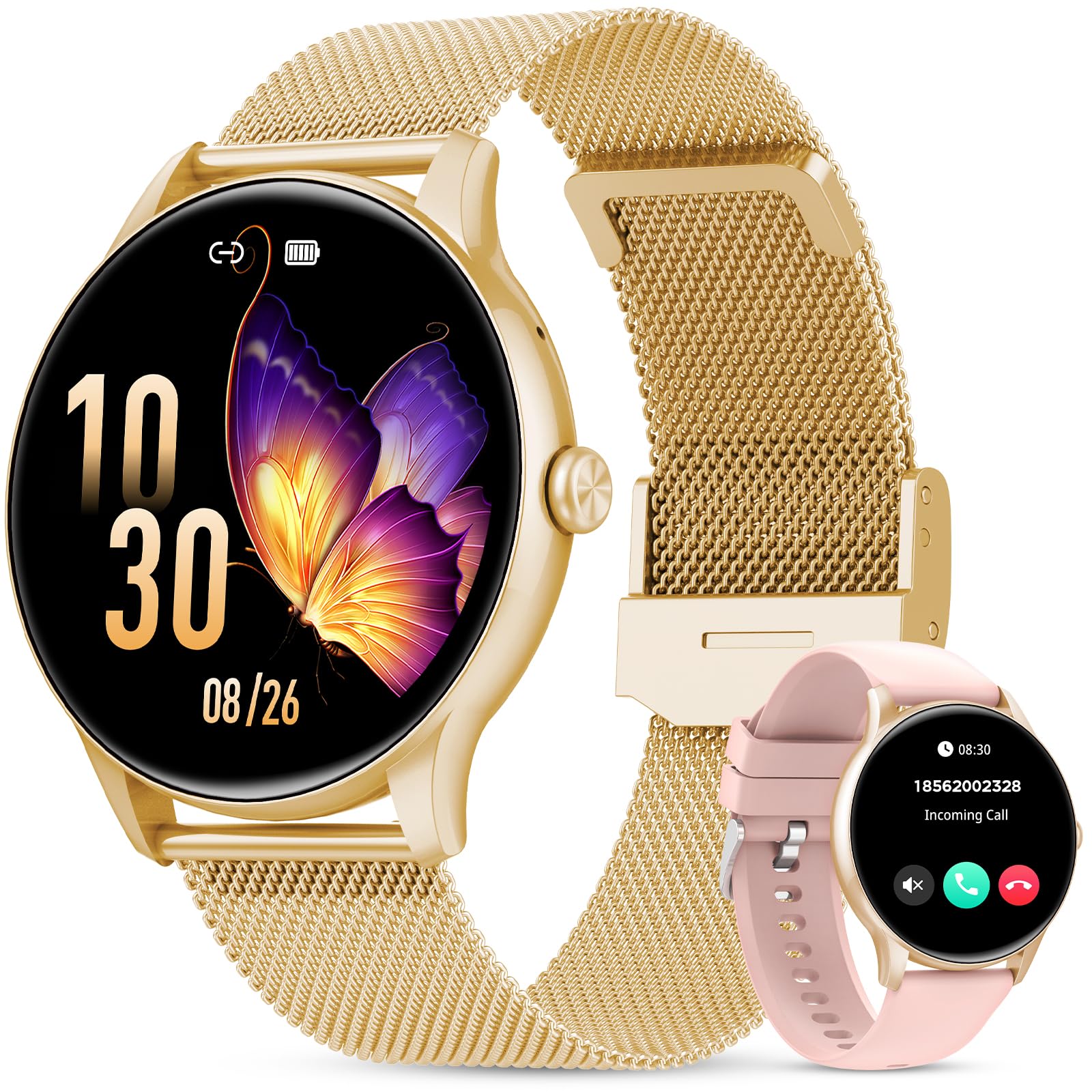
Figure 1: The taopodo TG36-QSEU1-GD Smartwatch featuring a 1.39-inch HD touchscreen with 360x360 resolution and 365 PPI, offering a 90% viewing area. The watch is designed to be ultra-lightweight at 25g.
2. Setup
2.1 Initial Charging
Before first use, fully charge the smartwatch. Connect the magnetic charging cable to the charging contacts on the back of the watch and plug the USB end into a standard USB power adapter (not included). The watch display will indicate charging status.
2.2 App Installation
To access all features, download and install the companion application on your smartphone. Search for the app name (usually found in the watch's packaging or quick start guide) in your device's app store (Google Play Store for Android, Apple App Store for iOS).
2.3 Device Pairing
- Ensure your smartphone's Bluetooth is enabled.
- Open the companion app on your smartphone.
- Follow the in-app instructions to add a new device. The app will search for available smartwatches.
- Select 'TG36-QSEU1-GD' or the corresponding device name from the list.
- Confirm the pairing request on both your smartphone and the smartwatch if prompted.
Once paired, the watch will synchronize data with your phone, and you can customize settings through the app.
3. Operating Instructions
3.1 Basic Navigation
- Touchscreen: Tap to select, swipe left/right/up/down to navigate menus and screens.
- Side Button: Press to wake the screen, return to the home screen, or access the app list (functionality may vary based on context).
3.2 Bluetooth Calling & Message Notifications
After successful Bluetooth pairing, the smartwatch can receive incoming call alerts and display message notifications from linked applications on your smartphone. You can answer or reject calls directly from the watch and view message content.

Figure 2: The smartwatch on a wrist, demonstrating Bluetooth calling and message notification capabilities. Icons for various communication apps are shown, along with screens for incoming calls, contact lists, and a dial pad. Note: To make a call, the watch must be connected to your phone via Bluetooth.
3.3 Sports Modes
The smartwatch supports over 110 sports modes. To access:
- Swipe on the watch face to find the 'Sports' or 'Workout' menu.
- Select your desired activity (e.g., Walking, Running, Cycling).
- Tap to start tracking. The watch will record data such as calorie burn, heart rate, and workout duration.
- Swipe right or press the side button to pause or end the activity.
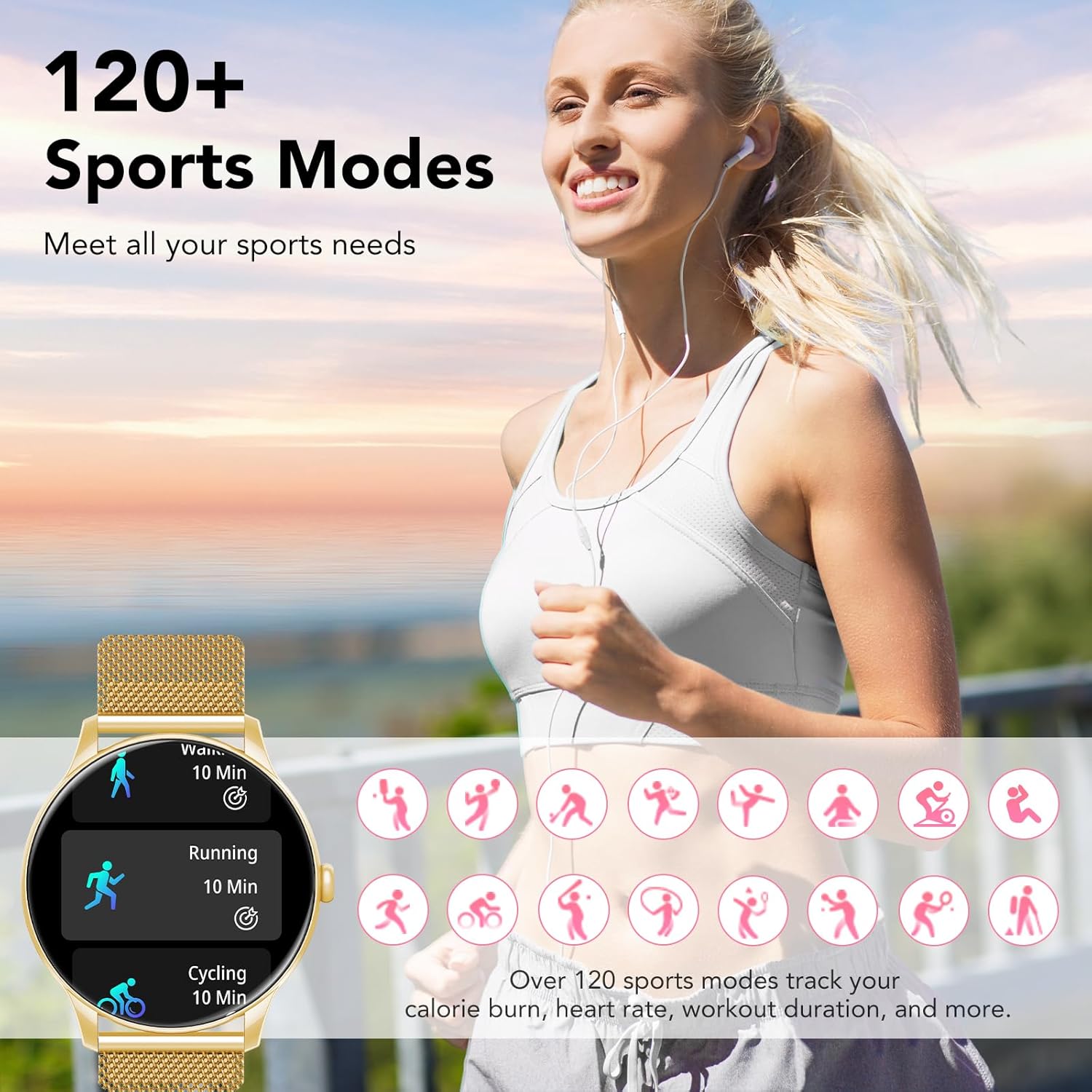
Figure 3: A user engaging in outdoor activity with the smartwatch, illustrating the availability of over 120 sports modes. The watch tracks metrics like calorie burn, heart rate, and workout duration for various activities.
3.4 Health Monitoring
The smartwatch provides comprehensive health monitoring features:
- Heart Rate Monitoring: Real-time heart rate tracking. Access this feature from the health menu on the watch.
- Blood Pressure Monitoring: Provides estimated blood pressure readings. For accurate medical data, consult a healthcare professional.
- Sleep Monitoring: Automatically tracks sleep patterns, including deep sleep, light sleep, and REM sleep. View detailed reports in the companion app.

Figure 4: Visual representation of the smartwatch's comprehensive health monitoring capabilities, including real-time blood pressure and heart rate tracking, and detailed sleep monitoring showing deep, light, and REM sleep stages.
3.5 Menstrual Cycle Monitoring
This feature allows for smart prediction and tracking of menstrual cycles. To set up:
- Open the companion app and navigate to the 'Women's Health' or 'Cycle Tracking' section.
- Input your cycle data (last period start date, cycle length).
- The watch will then display predictions for menstrual periods and ovulation.

Figure 5: The smartwatch displaying a physiological cycle calendar, highlighting predicted menstrual periods and ovulation dates, demonstrating its menstrual cycle monitoring feature.
4. Maintenance
4.1 Cleaning
Regularly clean your smartwatch and strap. Use a soft, dry, lint-free cloth. For stubborn dirt, slightly dampen the cloth with water. Avoid harsh chemicals, abrasive cleaners, or solvents.
4.2 Water Resistance (IP67)
The smartwatch is IP67 rated, meaning it is protected from dust and can withstand immersion in water up to 1 meter for 30 minutes. It is suitable for daily use and light splashes. However, it is not recommended for swimming, showering with hot water, or diving, as steam and high water pressure can compromise the seals.
4.3 Battery Care
To prolong battery life, avoid extreme temperatures. Charge the device regularly and avoid letting the battery completely drain for extended periods.
5. Troubleshooting
- Watch not turning on: Ensure the watch is fully charged. Connect it to the charger for at least 30 minutes.
- Unable to pair with smartphone:
- Ensure Bluetooth is enabled on your phone.
- Make sure the watch is within range of your phone.
- Restart both the watch and your phone.
- Clear Bluetooth cache on your phone (Android) or forget the device and re-pair (iOS).
- Notifications not appearing:
- Check app notification permissions on your phone.
- Ensure the watch is connected via Bluetooth.
- Verify notification settings within the companion app.
- Inaccurate health readings: Ensure the watch is worn snugly on your wrist, not too tight or too loose. Clean the sensor on the back of the watch. Readings are for reference and not for medical diagnosis.
6. Specifications
| Feature | Detail |
|---|---|
| Model Number | TG36-QSEU1-GD |
| Brand | taopodo |
| Connectivity Technology | Bluetooth |
| Wireless Communication Standard | Bluetooth |
| Screen Size | 1.39 Inches |
| Colour | Gold |
| Human Interface Input | Microphone, Touchscreen |
| Water Resistance | IP67 |
| Box Contents | User Manual |

Figure 6: Detailed dimensions of the smartwatch. The watch face measures 45.5mm in width, with a 22mm strap. The adjustable strap accommodates wrist sizes from 145mm to 225mm.
7. Warranty and Support
Your taopodo TG36-QSEU1-GD Smartwatch comes with a standard manufacturer's warranty. Please refer to the warranty card included in your product packaging for specific terms and conditions, including warranty duration and coverage details.
For technical support, troubleshooting assistance, or warranty claims, please contact taopodo customer service through the contact information provided in your product documentation or on the official taopodo website.