
XIAOMI 15T
Xiaomi 15T Ai 5G Smartphone User Manual
Model: 15T (25069PTEBG)
Introduction
This manual provides essential instructions for setting up, operating, and maintaining your Xiaomi 15T Ai 5G smartphone. Please read this guide thoroughly to ensure proper use and to maximize the device's capabilities.
What's in the Box
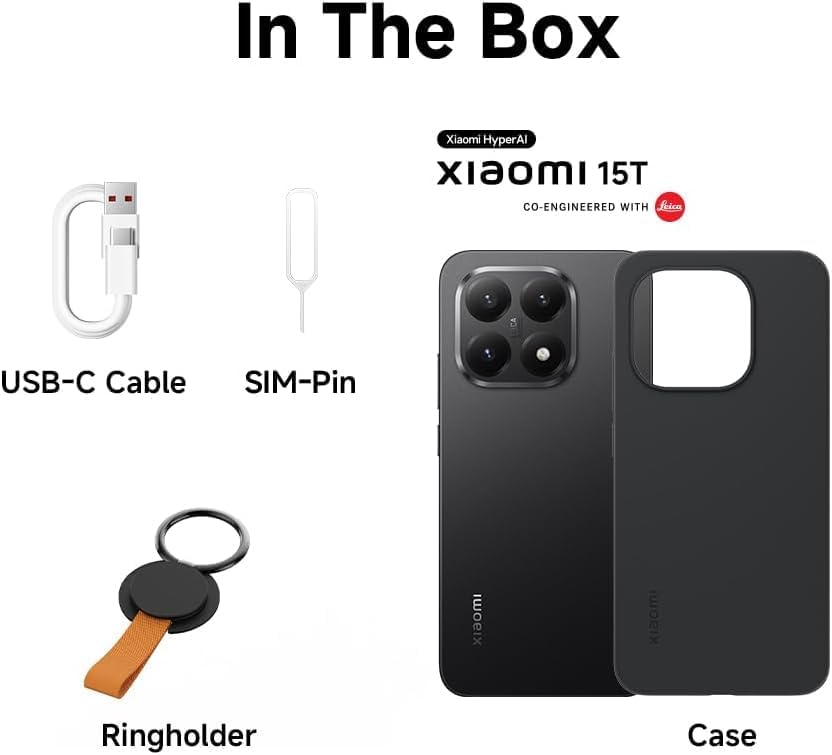
Image Description: An image displaying the items typically found inside the Xiaomi 15T Ai 5G product box. These include the smartphone itself, a USB-C charging cable, a SIM tray ejector tool, and a protective phone case.
- Xiaomi 15T Ai 5G Smartphone
- USB Type-C Cable
- SIM Tray Ejector
- Phone Case
- User Manual (this document)
Note: A power adapter is not included in the box and is sold separately. A 67W power adapter or above is recommended for optimal charging.
Device Overview
Familiarize yourself with the physical components of your Xiaomi 15T Ai 5G smartphone.
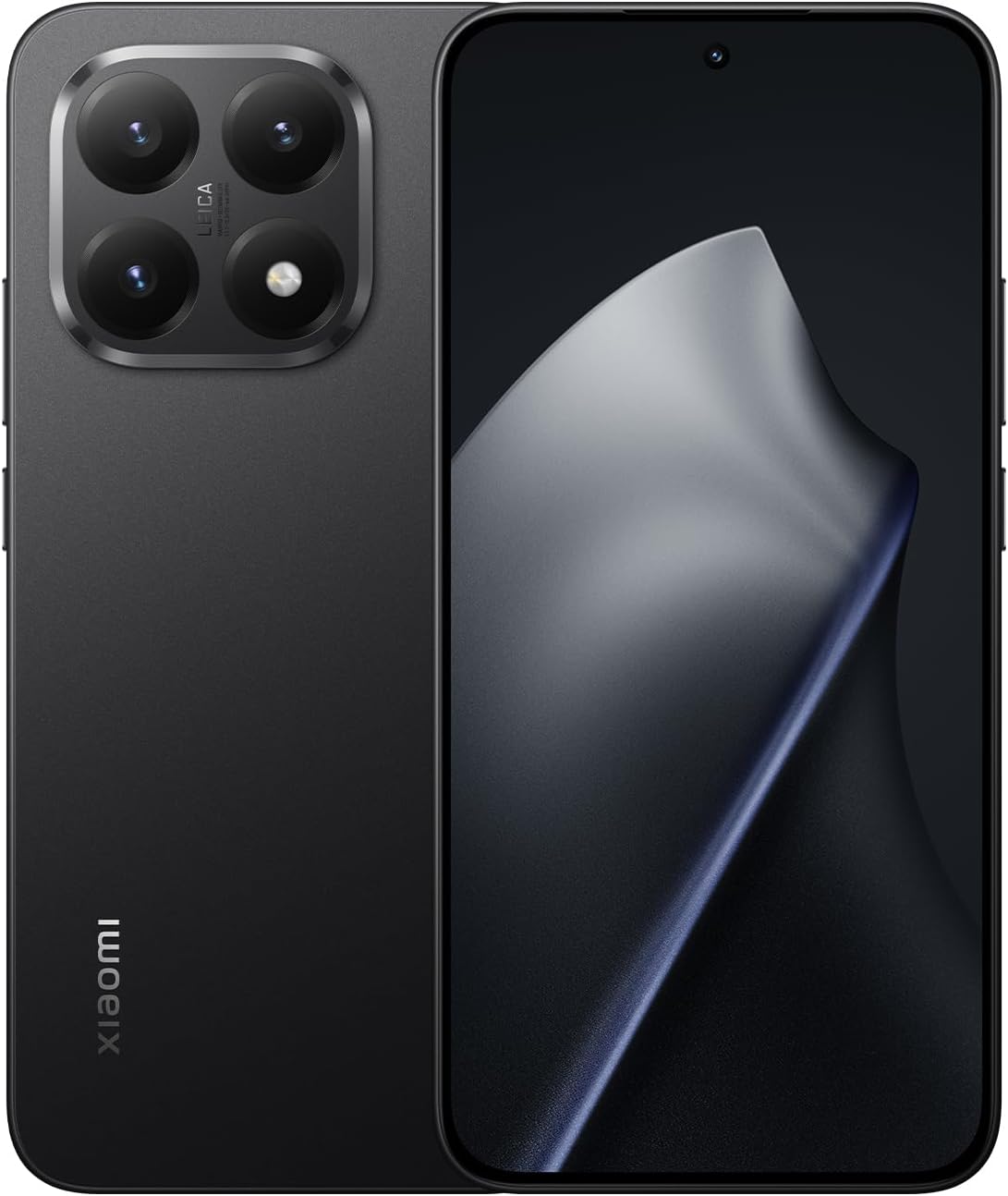
Image Description: A clear view of the Xiaomi 15T Ai 5G smartphone, showing both its front display and the rear panel with the camera module. The device is black.

Image Description: A detailed rear view of the Xiaomi 15T Ai 5G, focusing on the distinctive Leica triple camera system and the textured back finish.

Image Description: A view of the top and bottom edges of the Xiaomi 15T Ai 5G, illustrating the USB-C port, speaker grille, microphone, and SIM tray slot.
- Front Camera: Located at the top center of the display.
- Volume Buttons: On the right side of the device.
- Power Button: Below the volume buttons, also houses the fingerprint sensor.
- USB-C Port: At the bottom for charging and data transfer.
- Speaker: Located at the bottom.
- SIM Tray: On the bottom edge, next to the USB-C port.
- Leica Triple Camera System: On the rear panel.
Setup
1. Insert SIM Card(s) / Activate eSIM
- Locate the SIM tray on the bottom edge of the phone.
- Insert the SIM ejector tool into the small hole next to the tray and press firmly until the tray pops out.
- Place your Nano-SIM card(s) into the tray with the gold contacts facing down. The Xiaomi 15T supports Dual Nano SIM and eSIM.
- Carefully reinsert the SIM tray into the phone.
- For eSIM activation, follow the on-screen prompts during initial setup or navigate to Settings > Network & internet > SIMs.
2. Power On and Initial Configuration
- Press and hold the Power button on the right side of the phone until the Xiaomi logo appears.
- Follow the on-screen instructions to select your language, connect to a Wi-Fi network, and set up your Google account.
- Configure security features such as fingerprint unlock and AI face unlock.
3. Charging the Device
- Connect the USB Type-C cable to the phone's charging port and the other end to a compatible power adapter (sold separately).
- The device supports 67W HyperCharge. Use a Xiaomi 67W or higher power adapter for fast charging.
- The battery indicator on the screen will show charging status.
Operating Instructions
Display Features

Image Description: An infographic detailing the display features of the Xiaomi 15T Ai 5G, including 447 ppi pixel density, 12-bit color depth, 5,000,000:1 contrast ratio, 120Hz refresh rate, 480Hz touch sampling rate, and 2560Hz instantaneous touch sampling rate.
- The 6.83-inch AMOLED display features a 120Hz refresh rate for smooth visuals.
- Peak brightness of 3200 nits ensures clear readability even in bright sunlight.
- TÜV Rheinland certifications for Low Blue Light, Flicker Free, and Circadian Friendly ensure eye comfort.
- Wet touch technology allows for screen interaction even with wet fingers.
Camera Usage

Image Description: A collage showcasing key features: the Leica Summilux optical lens, the MediaTek Dimensity 8400-Ultra processor, the 6.83" 120Hz eye-care display, and the 5500mAh battery with 67W HyperCharge.
- The device features a Leica triple camera system:
- Main Camera: 50MP with Light Fusion 800 image sensor, OIS.
- Telephoto Camera: 50MP.
- Ultra-wide Camera: 12MP with 120° field of view.
- Supports 4K video recording at 30/60 fps and various slow-motion modes.
- The 32MP in-display selfie camera offers HDR, Portrait mode, and 4K video recording.
- Explore various photography features like HDR, Portrait mode, Palm shutter, and Timed burst.
AI Features
- Utilize Google Gemini and Google's tailored AI assistant for enhanced productivity.
- Features include AI Interpreter, AI Notes, AI Recorder, AI Subtitles, AI Film, AI image editing, and AI Portrait.
- "Circle to Search with Google" allows for quick information retrieval by circling content on your screen.
Security and Connectivity

Image Description: The Xiaomi 15T Ai 5G smartphone held in hand, showing an active call with a strong signal, set against a backdrop of mountains and water, illustrating its communication capabilities.
- Fingerprint Sensor: In-screen fingerprint sensor for secure unlocking.
- AI Face Unlock: Convenient facial recognition for quick access.
- Network: Supports 5G (NSA + SA), 4G LTE, and 3G/2G networks. Compatible with T-Mobile, Mint, Tello, and global networks. Note: Not compatible with Verizon, Sprint, Boost, Metro PCS, AT&T, Cricket in the USA.
- GPS: Integrated GPS (L1+L5), Galileo, GLONASS, Beidou, QZSS, NavIC for precise location services.
Maintenance
Battery Care
- To prolong battery life, avoid extreme temperatures.
- Use the recommended 67W HyperCharge adapter for efficient and safe charging.
- Avoid fully discharging the battery frequently.
Software Updates
- Regularly check for and install system updates to ensure optimal performance and security. Navigate to Settings > About phone > MIUI version to check for updates.
Cleaning Your Device
- Use a soft, lint-free cloth to clean the screen and body.
- Avoid using harsh chemicals or abrasive materials.
Water Resistance

Image Description: An image depicting the Xiaomi 15T Ai 5G smartphone with water splashing around it, indicating its upgraded water resistance feature.
- The device features upgraded water resistance up to depths of 3 meters.
- While water resistant, avoid intentional submersion and exposure to high-pressure water jets.
Troubleshooting
| Issue | Possible Solution |
|---|---|
| Device not powering on | Ensure the battery is charged. Connect to a charger for at least 15 minutes, then try powering on again. |
| Poor network signal | Check SIM card insertion. Ensure you are in an area with network coverage. Verify device compatibility with your carrier (T-Mobile, Mint, Tello, Global only in USA). |
| Apps crashing or freezing | Clear the app's cache (Settings > Apps > [App Name] > Storage > Clear cache). Restart the device. Ensure apps are updated. |
| Fingerprint sensor not working | Ensure your finger is clean and dry. Re-register your fingerprints in Settings > Password & security > Fingerprint unlock. |
| Battery draining quickly | Check battery usage in Settings > Battery to identify power-hungry apps. Reduce screen brightness, disable unnecessary features (GPS, Bluetooth, Wi-Fi) when not in use. |
Specifications
| Feature | Detail |
|---|---|
| Model Name | 15T (25069PTEBG) |
| Display | 6.83-inch AMOLED, 2772 x 1280 resolution, 120Hz refresh rate, 3200 nits peak brightness, Corning Gorilla Glass 7i |
| Processor | MediaTek Dimensity 8400-Ultra (4nm) |
| RAM | 12 GB |
| Storage | 512 GB |
| Rear Camera | Leica Triple Camera: 50MP Main (OIS), 50MP Telephoto, 12MP Ultra-wide |
| Front Camera | 32MP in-display selfie camera |
| Battery | 5500mAh (typ) with 67W HyperCharge support |
| Operating System | Android |
| Connectivity | 5G, Wi-Fi, Bluetooth, NFC, GPS (L1+L5) |
| SIM Support | Dual Nano SIM + eSIM |
| Dimensions | 3.94 x 59.06 x 5.91 inches (Product), 7.5mm thin design |
| Weight | 1.1 pounds (0.5 kg) |
| Special Features | In-screen fingerprint sensor, AI face unlock, IR blaster, Upgraded water resistance |
Warranty and Support

Image Description: An overview of potential benefits for the Xiaomi 15T Series, including free access to streaming services, AI features, and various service coverages like screen replacement and VIP customer support.
This is an international model. There is no warranty in the US for this device. For support and service inquiries, please refer to the documentation provided by your retailer or visit the official Xiaomi website for global support resources.
Additional benefits may include:
- Free screen replacement within 6 months (check regional availability).
- One (1) Out-Of-Warranty Service with free Labor Costs within 1 year (check regional availability).
- VIP Customer Service within 2 years (check regional availability).
Please note that availability of these benefits may vary by region and purchase location. Always consult your purchase documentation for specific terms.
Related documents15T


Ask a question about this manual
Ask about setup, troubleshooting, compatibility, parts, safety, or missing instructions. Manuals+ will review the question and use this page’s manual context to help answer it.