
1. Introduction
Thank you for choosing the KNKA APH3000 Air Purifier. This device is designed to improve indoor air quality by efficiently removing airborne particles and odors. Please read this manual thoroughly before operation to ensure proper use, maintenance, and safety.
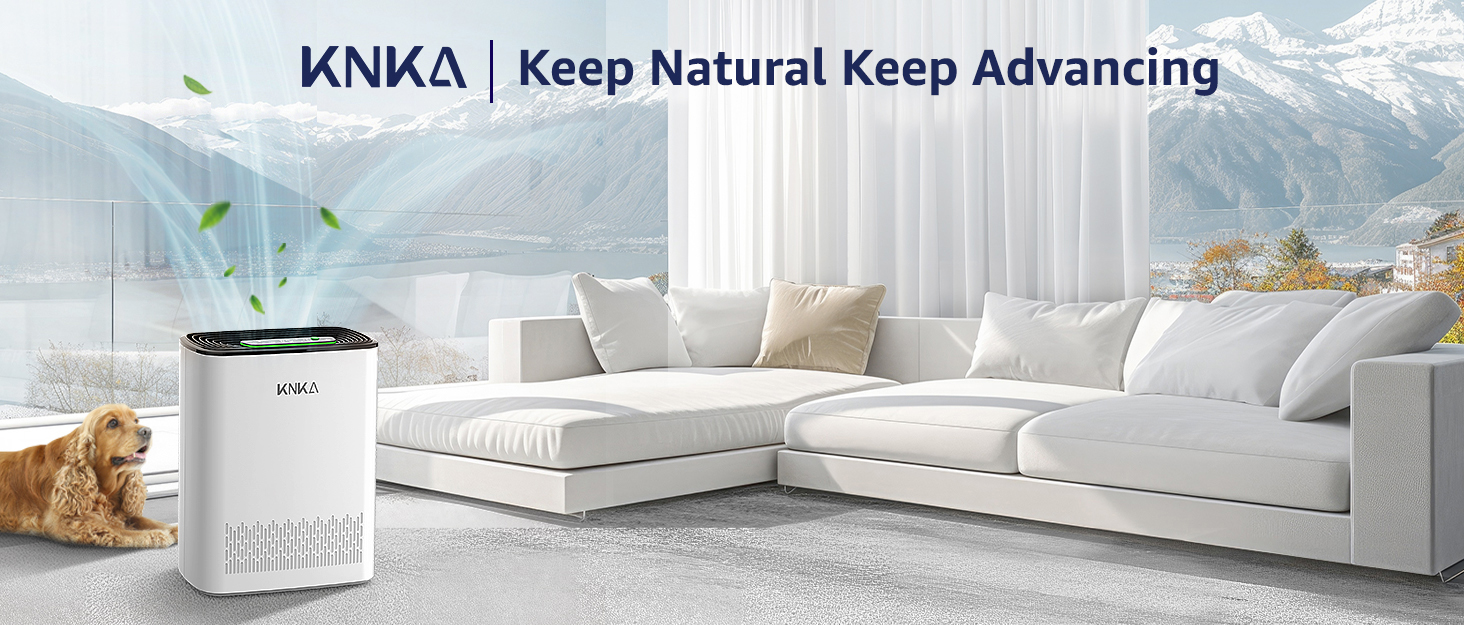
Figure 1: KNKA APH3000 Air Purifier in a home environment.
2. Safety Instructions
- Always place the air purifier on a firm, level surface.
- Ensure adequate clearance (at least 15 cm / 6 inches) around the air inlet and outlet for optimal airflow.
- Do not block air openings.
- Unplug the device before cleaning or performing any maintenance.
- Do not use the device near water or in excessively humid environments.
- Keep out of reach of children and pets. Use the child lock feature when necessary.
- Only use essential oils in the designated aroma pad compartment; do not apply directly to filters.
3. Package Contents
Verify that all items are present in the package:
- 1 x KNKA APH3000 Air Purifier
- 1 x 3-Stage Original Filter (Pre-Installed)
- 1 x User Manual (this document)
4. Product Overview
The KNKA APH3000 Air Purifier is designed for efficient air purification in large rooms, covering up to 234 square feet. It features an advanced 3-stage filtration system and intelligent controls.
Key Features:
- 3-Stage Filtration System: Includes a washable pre-filter, H13 True HEPA filter, and activated carbon filter to capture particles as small as 0.3 microns and absorb odors.
- Real-Time AQI Display: Built-in air quality sensor provides live PM2.5 readings and color-coded indicators (Excellent, Moderate, Poor, Unhealthy).
- Multiple Operating Modes: Auto Mode, Turbo Mode for rapid purification, and Ultra-Quiet Sleep Mode (as low as 24dB).
- User-Friendly Controls: Touch control panel with child safety lock, filter replacement indicator, and adjustable timer (1-12 hours).
- Aromatherapy Diffuser: Integrated compartment for essential oils (oils not included).

Figure 2: Advanced 3-Stage Filtration System.
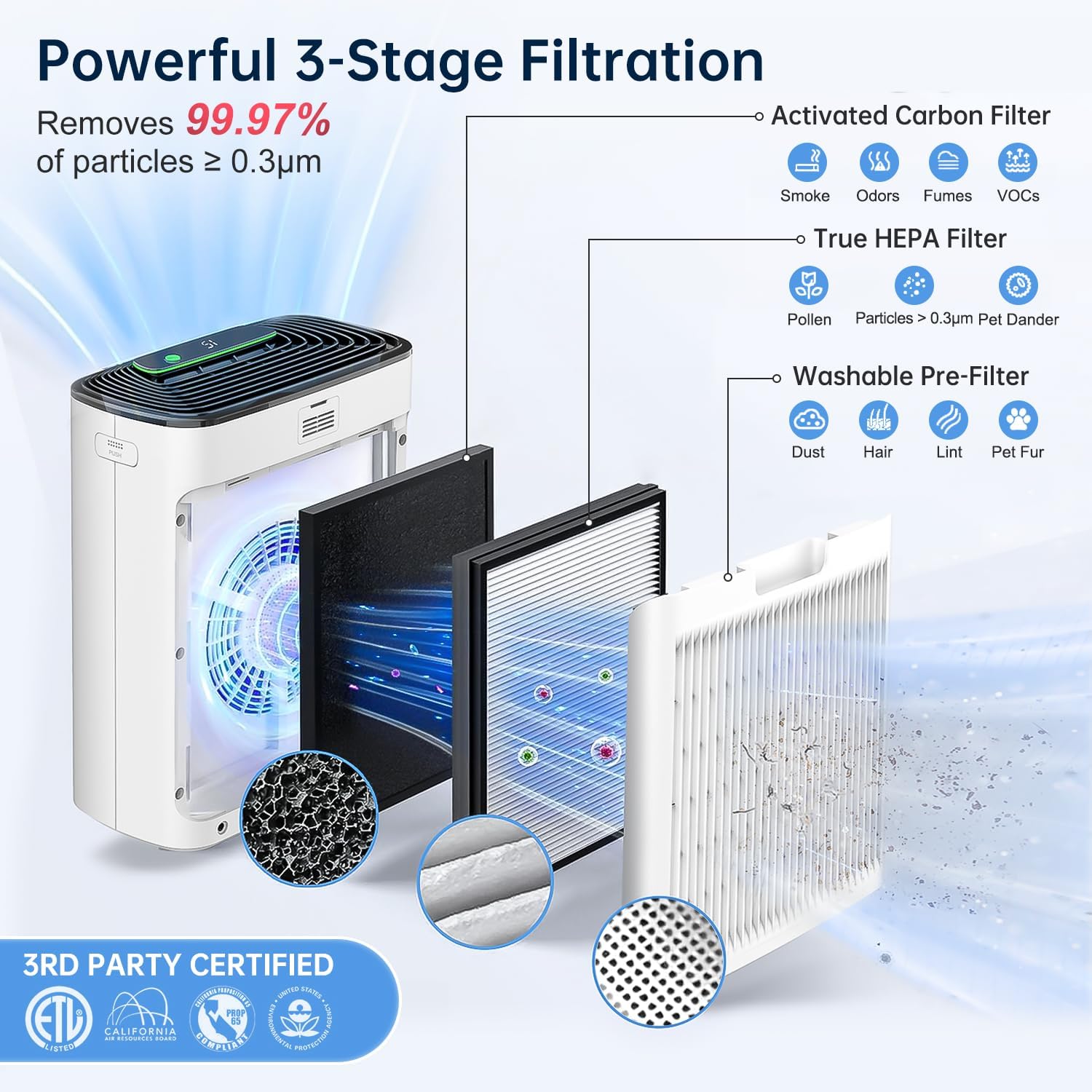
Figure 3: Effortless Touch Operation Control Panel.
5. Setup
- Unpack the Air Purifier: Carefully remove the air purifier and all packaging materials from the box.
- Remove Filter Packaging: The 3-stage filter is pre-installed but wrapped in plastic for protection. Open the back cover of the air purifier, remove the filter, and discard the plastic packaging.
- Reinstall Filter: Place the filter back into the unit, ensuring it is correctly oriented (refer to arrows on the filter for direction). Close the back cover securely.
- Position the Unit: Place the air purifier on a flat, stable surface. Ensure there is at least 6 inches (15 cm) of space around all sides for proper air circulation.
- Connect Power: Plug the power adapter into the air purifier and then into a standard electrical outlet.

Figure 4: Removing filter packaging before first use.
Video 1: Demonstrates the unboxing and filter installation process for the KNKA APH3000 Air Purifier.
6. Operating Instructions
Power On/Off
- Press the Power Button () to turn the unit on or off.
Mode Selection
- Auto Mode: Press the Auto Button () to enable. The fan speed will automatically adjust based on the detected air quality.
- Turbo Mode: Press the Turbo Button () for maximum fan speed and rapid air purification.
- Sleep Mode: Press the Sleep Mode Button () for ultra-quiet operation with the display lights off.
Timer Function
- Press the Timer Button () to set the operating duration (1-12 hours). The unit will automatically turn off after the set time.
Child Lock
- Activate the Child Lock () by pressing and holding the button for 3 seconds to prevent accidental changes to settings. Repeat to unlock.
Air Quality Display (AQI)
- The LED display shows real-time PM2.5 levels in µg/m³.
- A color-coded light ring indicates overall air quality: Green (Excellent), Blue (Moderate), Orange (Poor), Red (Unhealthy).

Figure 5: Real-Time PM2.5 Detection and Air Quality Display.
Aromatherapy Function
- Open the aroma pad compartment (usually located on the side or back).
- Add a few drops of essential oil to the aroma pad (oils not included).
- Close the compartment. The fragrance will be diffused with the purified air.
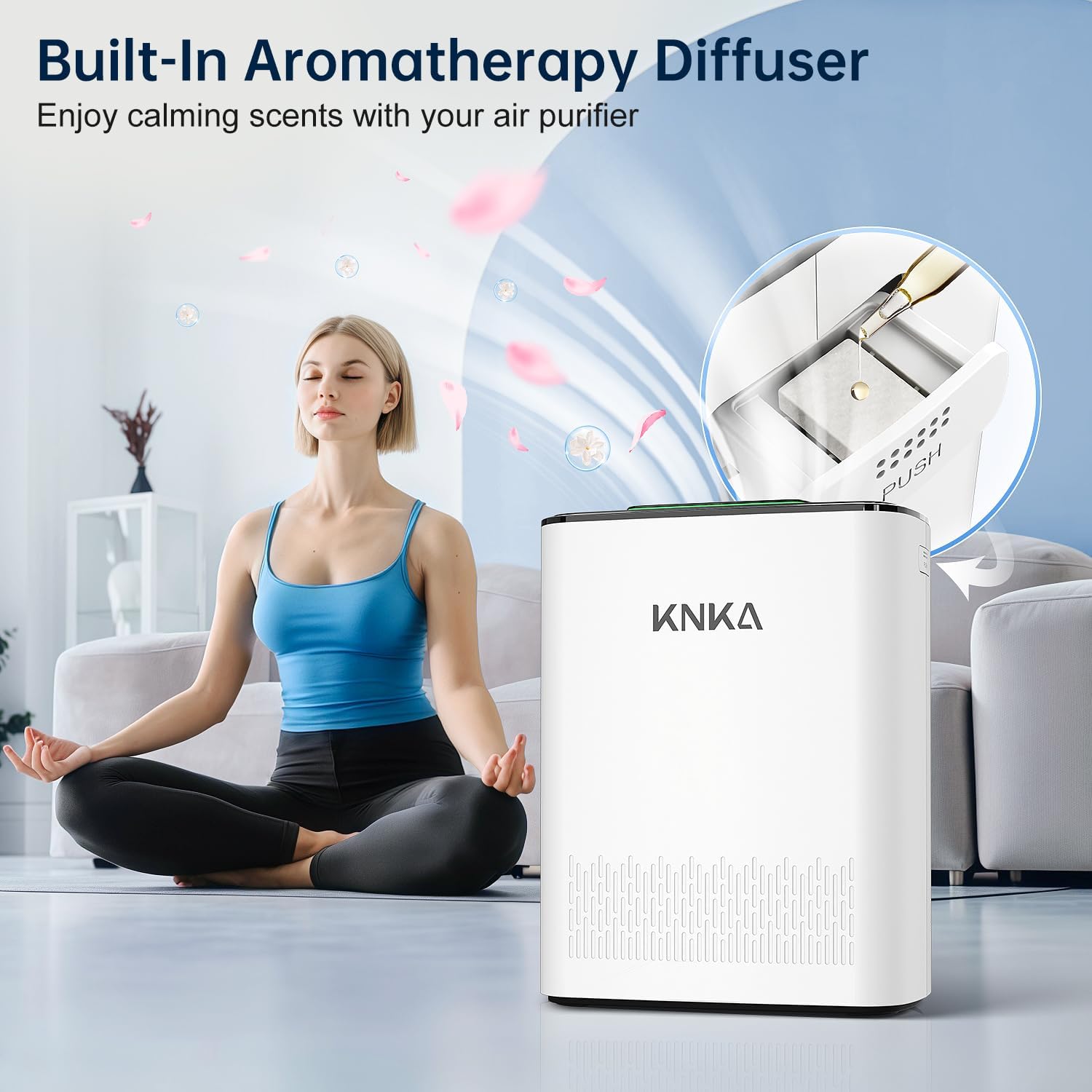
Figure 6: Built-In Aromatherapy Diffuser.
7. Maintenance
Filter Replacement
- The filter replacement indicator () will illuminate when it's time to replace the filter.
- For optimal performance, replace the filter every 3-6 months, depending on usage and air quality.
- Compatible filter models: B0DDKMTRXK and B0D9PVNF1K (available on Amazon).
- To reset the filter indicator after replacement, press and hold the filter button for 3 seconds.

Figure 7: Filter Alert Indicator.
Washable Pre-Filter Cleaning
- The outermost pre-filter layer is washable. Regularly clean it to extend the life of the HEPA and activated carbon filters.
- Remove the back cover and carefully detach the pre-filter.
- Rinse the pre-filter under running water until clean. Allow it to air dry completely before reinstalling.

Figure 8: Washable Pre-Filter and Magnetic Back Cover.
Sensor Cleaning
- Periodically clean the air quality sensor to maintain accurate readings.
- Open the sensor back cover (use a coin or screwdriver if needed).
- Gently wipe the sensor area with a cotton swab or soft cloth. Cool air from a hairdryer can improve cleaning.
- Reinstall the sensor cover.

Figure 9: How to Clean the Sensor.
8. Troubleshooting
If you encounter issues with your KNKA APH3000 Air Purifier, please refer to the following common solutions:
- Unit not turning on: Ensure the power cord is securely plugged into both the unit and a working electrical outlet. Check if the filter is correctly installed and its plastic packaging removed.
- Poor air purification: Check if the filters are dirty and require cleaning or replacement. Ensure there is no obstruction to the air inlet or outlet.
- Unusual noise: Verify that the unit is placed on a stable, flat surface. Check for any foreign objects inside the unit or around the fan.
- AQI reading seems inaccurate: Clean the air quality sensor as described in the Maintenance section.
For further assistance, please contact KNKA customer support.
9. Specifications
| Specification | Detail |
|---|---|
| Model Number | APH3000 |
| Product Dimensions | 6.22 x 11.73 x 14.92 inches |
| Item Weight | 7.9 Pounds |
| Power Source | AC/DC |
| Control Method | Touch |
| Filter Type | 3-Stage Filter (Washable Pre-Filter, H13 True HEPA, Activated Carbon) |
| Floor Area Coverage | 234 Square Feet |
| Noise Level | 24 Decibels (Sleep Mode) |
| Contaminant Filtration Capability | Dust, Pet Dander, Pollen, Smoke, Odors |
| Special Features | 24dB Operation, Air Quality Readings, Turbo & Auto & Sleep Mode, Washable Pre-Filter, Child Lock, Aroma Pad Compartment |
| Certification | CARB Certified |
| Color | White |
10. Warranty and Support
For warranty information, product registration, or technical support, please visit the official KNKA brand store or contact their customer service directly.
KNKA Official Store: KNKA Store on Amazon
Please retain your proof of purchase for any warranty claims.


