
1. Introduction
Thank you for choosing the Armocity Small Folding Desk with Outlets. This versatile and space-saving desk is designed to provide a functional workspace for various needs, including home offices, craft rooms, and small living areas. It features integrated power outlets, adjustable storage, and a creative blackboard surface. This manual provides essential information for safe assembly, operation, and maintenance of your new desk.
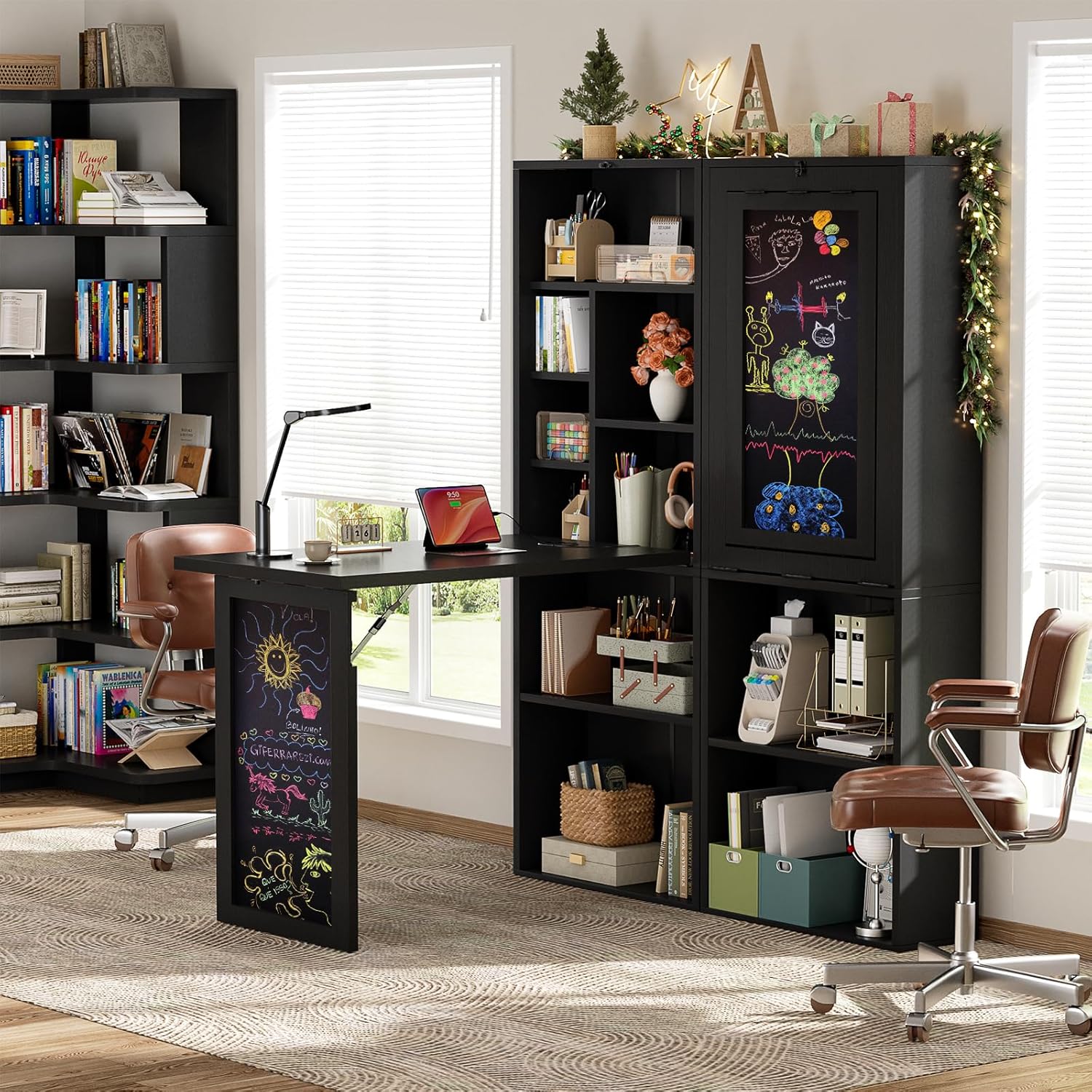
Image 1.1: The Armocity Small Folding Desk in an open configuration within a home office environment.
2. Safety Information
WARNING: To prevent tipping, this desk MUST BE ANCHORED TO THE WALL using the provided anti-tipping device. This is crucial for stability and safety, especially in households with children or pets. Failure to secure the desk to the wall can result in serious injury.
- Always follow assembly instructions carefully.
- Do not overload shelves or the desktop.
- Keep children away from the desk during assembly.
- Ensure all electrical connections are secure and comply with local safety standards.
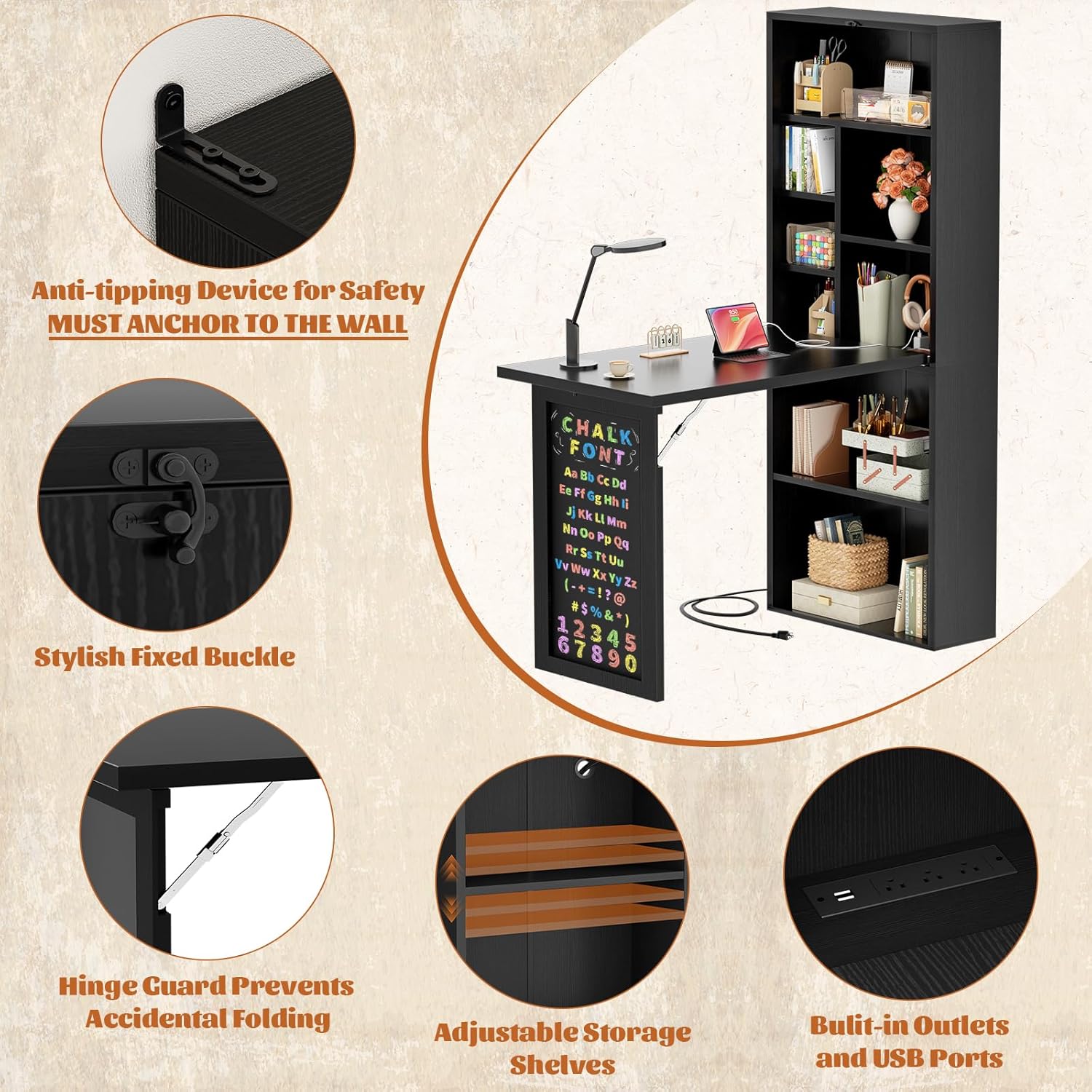
Image 2.1: Detailed view of the anti-tipping device for wall anchoring, a critical safety feature.
3. Product Features
- Space-Saving Foldable Design: The desk can be easily folded for compact storage, making it suitable for small living spaces.
- Integrated Power Outlets: Features built-in power sockets and USB charging ports for convenient device charging and power access.
- Optimized Multi-Layer Storage: Multiple shelving tiers provide ample space for organizing essentials. The shelving board under the desktop is height-adjustable.
- Creative & Functional Blackboard: An integrated blackboard panel serves as a durable writing surface for notes, reminders, or creative expression.
- Versatile Compact Solution: Adaptable for various uses, including a writing desk, drawing table, craft table, makeup vanity, manicure table, or sewing machine stand.
Video 3.1: Demonstration of the Armocity Small Folding Desk's space-saving design and versatility, showcasing its ability to fold out instantly and its built-in storage features.
4. Specifications
| Attribute | Detail |
|---|---|
| Brand | Armocity |
| Model | B0FRN6HX5J |
| Product Dimensions (Folded) | 7.9"D x 20"W x 61"H |
| Product Dimensions (Open) | Approx. 32"D x 20"W x 61"H (desktop height 29.72") |
| Material | Engineered Wood |
| Color | Black |
| Special Feature | Folding, Built-in Outlet, Built-in USB Port, Blackboard |
| Number of Shelves | 2 (adjustable) + multiple open compartments |
| Assembly Required | Yes |
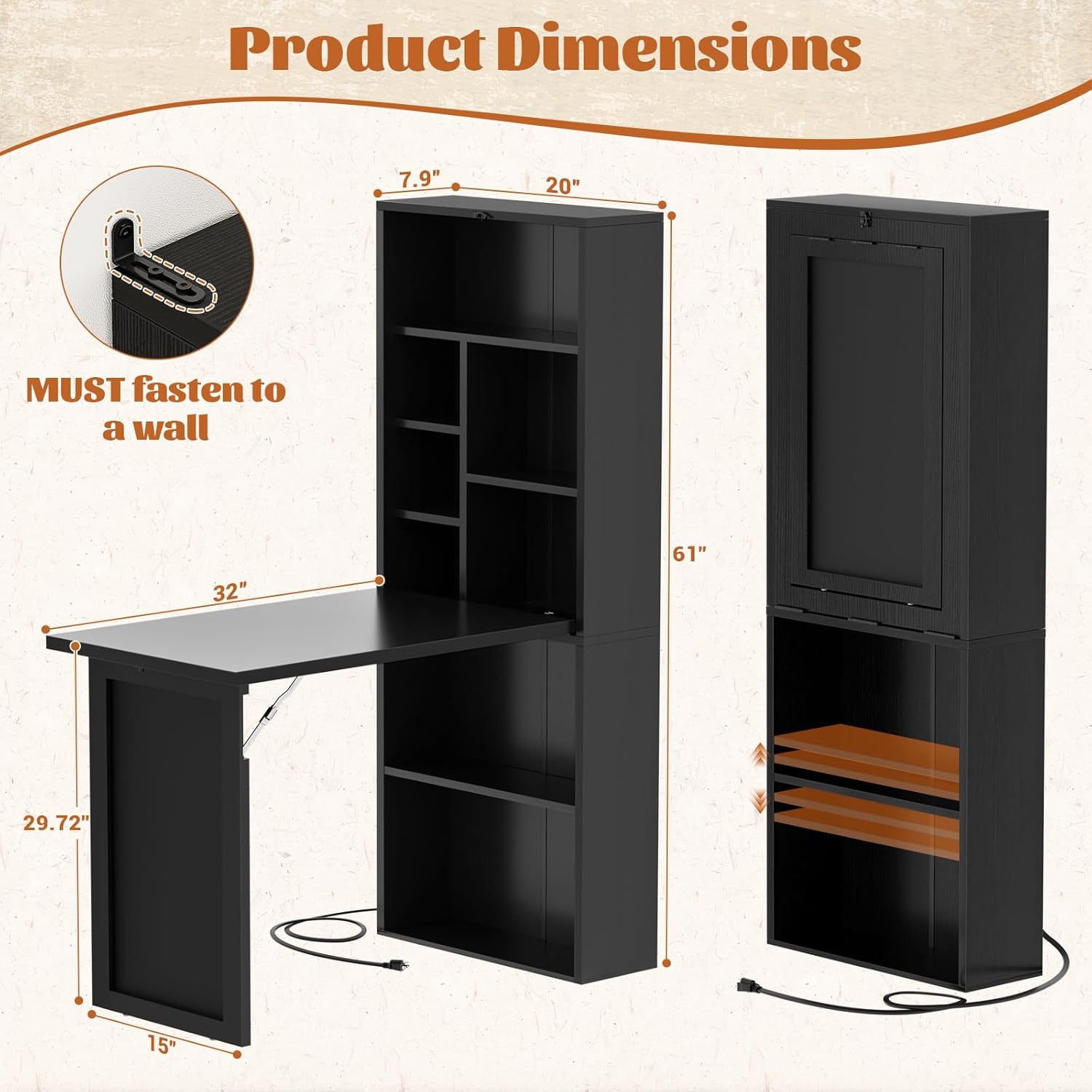
Image 4.1: Detailed product dimensions and a reminder to fasten the unit to a wall.
5. Setup and Assembly
Basic assembly is required for this product. While some tools may be included, it is recommended to have a standard set of household tools available. Please follow the step-by-step instructions provided in the separate assembly guide included in your product packaging.
Key Assembly Steps:
- Unpack all components and verify against the parts list in your assembly guide.
- Assemble the main cabinet structure according to the diagrams.
- Attach the folding desktop and its support mechanisms.
- Install the integrated power outlets and ensure proper cable management.
- Crucial Step: Securely fasten the anti-tipping device to the wall using appropriate hardware for your wall type. This step is essential for safety.
6. Operating Instructions
Folding and Unfolding the Desk:
- To Unfold: Release the stylish fixed buckle (refer to Image 2.1). Gently pull the blackboard panel outwards and down until the desktop is horizontal and supported by the blackboard leg. Ensure the hinge guard prevents accidental folding.
- To Fold: Lift the blackboard panel upwards, guiding the desktop back into its vertical position against the cabinet. Secure it with the fixed buckle.
Using Power Outlets and USB Ports:
Plug the desk's power cord into a standard wall outlet. The integrated power outlets and USB ports on the desktop are now ready for use. Always ensure devices are compatible with the power specifications.
Adjusting Storage Shelves:
The shelving board located under the desktop is height-adjustable. To adjust, remove the shelf, reposition the shelf pins to the desired height, and reinsert the shelf. Ensure the shelf is level and secure before placing items on it.
Using the Blackboard:
The blackboard surface can be used with standard chalk. To clean, wipe with a damp cloth. Avoid abrasive cleaners that may damage the surface.

Image 6.1: The desk in use, demonstrating the blackboard feature and its dual functionality as a leg when open.
7. Maintenance
- Cleaning: Wipe surfaces with a soft, damp cloth. Avoid harsh chemicals or abrasive cleaners. For the blackboard, use a damp cloth or a specialized blackboard cleaner.
- Hardware: Periodically check all screws and fasteners to ensure they are tight. Retighten as necessary.
- Wall Anchor: Regularly inspect the wall anchor to ensure it remains securely attached to the wall and the desk.
- Electrical Components: Ensure the power cord and outlets are free from damage. Do not use if any electrical components are frayed or broken.
8. Troubleshooting
Desk feels unstable:
- Ensure the desk is properly anchored to the wall.
- Verify all assembly screws are tightened.
- Check that the floor is level.
Power outlets not working:
- Confirm the desk's main power cord is securely plugged into a functional wall outlet.
- Check if the wall outlet itself is working by plugging in another device.
- Inspect the desk's power strip for any visible damage.
Difficulty folding/unfolding:
- Ensure the fixed buckle is fully released.
- Check for any obstructions in the folding mechanism.
- Do not force the mechanism; if resistance is met, re-check the process.
9. Warranty and Support
This Armocity product comes with a limited warranty. Please refer to the warranty card included in your packaging for specific terms and conditions. For technical support, missing parts, or warranty claims, please contact Armocity customer service directly through their official website or the retailer where the product was purchased.