
Termitor D5S
Termitor D5S LED Headlight Bulbs Instruction Manual
Model: D5S
1. Introduction
Thank you for choosing Termitor D5S LED Headlight Bulbs. These high-performance bulbs are designed to replace your vehicle's existing D5S Xenon HID bulbs, providing significantly brighter and clearer illumination for enhanced driving safety. Featuring advanced LED technology, a 6500K cool white light output, and a plug-and-play design, these bulbs offer a superior lighting experience.
Please read this manual thoroughly before installation and use to ensure proper operation and longevity of your new bulbs.
2. Safety Information
- Always disconnect the vehicle's battery before performing any electrical work to prevent electrical shock or damage.
- Wear appropriate safety gear, such as gloves and eye protection, during installation.
- Avoid touching the LED chips directly, as oils from your skin can reduce their lifespan and performance.
- Ensure the bulbs are securely installed to prevent vibration damage.
- Do not operate the bulbs outside of their specified voltage range.
- Dispose of old bulbs responsibly according to local regulations.
3. Package Contents
Verify that all items are present in your package:
- 2 × Termitor D5S LED Headlight Bulbs
- 1 × Instruction Manual (this document)
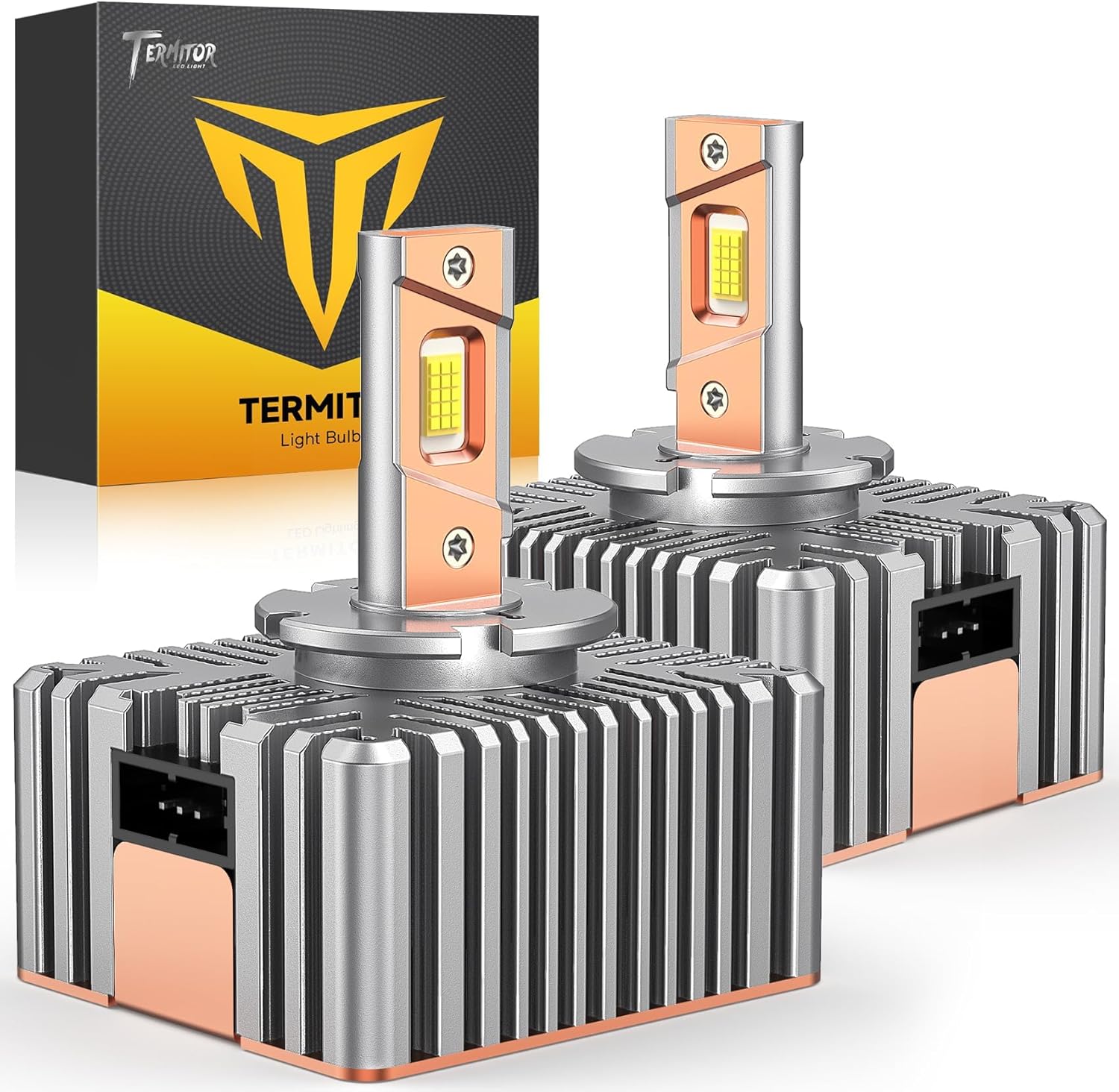
Image: The Termitor D5S LED Headlight Bulbs shown with their retail packaging.
4. Specifications
| Feature | Specification |
|---|---|
| Model | D5S |
| Brightness | 45,000 Lumens (per pair) |
| Color Temperature | 6500K Cool White |
| Lifespan | Up to 70,000 Hours |
| Operating Voltage | Vehicle Specific (CANBUS Ready) |
| Waterproof Rating | IP68 |
| Cooling System | Aircraft Aluminum Heat Sink, 22,000 RPM Cooling Fan |
| Beam Pattern | 1:1 HID Size, Sharp Cutoff Line |

Image: A close-up view of two Termitor D5S LED bulbs, highlighting their compact design and heat sink fins.
5. Installation Guide
The Termitor D5S LED bulbs are designed for a Plug & Play installation, typically taking around 3 minutes per bulb. No additional wiring or tools are usually required. However, always refer to your vehicle's owner's manual for specific headlight assembly access and bulb replacement procedures.
5.1 Pre-Installation Check
Before starting, it is crucial to confirm that the D5S bulb type is correct for your vehicle. Online fitment guides may not always be 100% accurate. The most reliable method is to check your vehicle's owner's manual or inspect your existing stock bulb for its type (e.g., D5S).

Image: Visual guide on verifying bulb compatibility by checking the vehicle's manual or existing bulb type.
5.2 Step-by-Step Installation
- Step 1: Access the Headlight Assembly. Open your vehicle's hood and locate the headlight assembly. Depending on your vehicle model, you may need to remove covers or other components to gain access to the existing bulb.
- Step 2: Remove the Old Bulb. Carefully twist or unclip the old D5S Xenon HID bulb from its socket. Disconnect any electrical connectors. Handle the old bulb by its base to avoid touching the glass.
- Step 3: Insert the New Termitor D5S LED Bulb. Align the new Termitor D5S LED bulb with the headlight socket. Insert it firmly and twist or clip it into place until it is secure. Ensure the bulb is seated correctly and facing the proper direction for optimal beam pattern.
- Step 4: Connect the Electrical Connector. Reconnect the vehicle's electrical connector to the new LED bulb. The Termitor D5S bulbs are designed for a direct fit.
- Step 5: Test and Secure. Before reassembling the headlight housing, turn on your vehicle's headlights to test the new LED bulbs. Check for proper illumination and ensure there are no error messages on your dashboard. Once confirmed, reassemble any covers or components removed in Step 1.

Image: A visual representation of the simple three-step plug-and-play installation process for the D5S LED bulbs.

Image: Another detailed illustration of the installation process, showing removal of the old bulb and insertion of the new LED bulb.
6. Operating Instructions
Once installed, Termitor D5S LED Headlight Bulbs operate automatically with your vehicle's existing headlight system. Simply turn on your headlights as you normally would. The bulbs are designed to provide instant, full brightness without any warm-up time.
- Beam Pattern: These bulbs are engineered to replicate the factory HID beam pattern with a sharp cutoff line, ensuring maximum road visibility without causing glare to oncoming traffic.
- CANBUS Ready: The integrated smart technology ensures compatibility with 99%+ of vehicles, preventing flickering or dashboard error messages.

Image: A visual demonstrating the 6500K cool white light output and precise beam pattern, designed to avoid blinding other drivers.
7. Maintenance
Termitor D5S LED Headlight Bulbs are designed for long-term, maintenance-free operation. Due to their robust construction and efficient cooling system, regular maintenance is generally not required.
- Cleaning: If the headlight lens becomes dirty, clean it with a soft cloth and appropriate automotive cleaning solution to maintain optimal light output.
- Inspection: Periodically check the headlight assembly for any signs of damage or loose connections.
- Durability: The bulbs feature an IP68 waterproof rating and a robust aircraft aluminum body with a high-speed cooling fan (22,000 RPM) for extended durability and performance in various weather conditions.

Image: A visual representation of the bulbs' IP68 waterproof rating, showcasing their resilience in various environmental conditions like rain, snow, and dust.
8. Troubleshooting
If you encounter any issues after installing your Termitor D5S LED bulbs, refer to the following common troubleshooting steps:
- Bulbs Not Turning On:
- Ensure all electrical connectors are securely plugged in.
- Check your vehicle's fuses related to the headlight system.
- Verify the bulb is correctly seated in the headlight housing.
- Flickering or Error Messages on Dashboard:
- Although Termitor D5S bulbs are CANBUS ready for 99%+ of vehicles, some sensitive vehicle systems may still require an additional CANBUS decoder. If flickering or errors persist, contact Termitor support for assistance.
- Ensure the vehicle's battery voltage is stable.
- Poor Beam Pattern or Uneven Light:
- Recheck the bulb's orientation in the headlight housing. Ensure it is installed correctly and not rotated.
- Confirm that the headlight assembly itself is clean and free from obstructions.

Image: A visual comparison of a vehicle dashboard, illustrating how Termitor bulbs prevent error messages compared to other bulbs.
9. Warranty and Support
Termitor stands behind the quality of its products. For warranty information, technical support, or any questions regarding your D5S LED Headlight Bulbs, please contact Termitor customer service. You can typically find contact details on the product packaging or the official Termitor website.
When contacting support, please have your product model (D5S) and purchase information ready.
Ask a question about this manual
Ask about setup, troubleshooting, compatibility, parts, safety, or missing instructions. Manuals+ will review the question and use this page’s manual context to help answer it.