
1. Introduction
Thank you for choosing the PETGUGU Smart Pet Identifier and PF1 Automatic Cat Water Fountain. This innovative bundle is designed to enhance your pet's well-being by providing fresh, filtered water and intelligent health monitoring. The PF5 Pet Identifier tracks individual drinking habits, activity, and usage, while the PF1 Automatic Water Fountain encourages hydration with continuously flowing, multi-filtered water. This manual provides essential information for setup, operation, maintenance, and troubleshooting to ensure optimal performance and a healthy environment for your beloved pet.
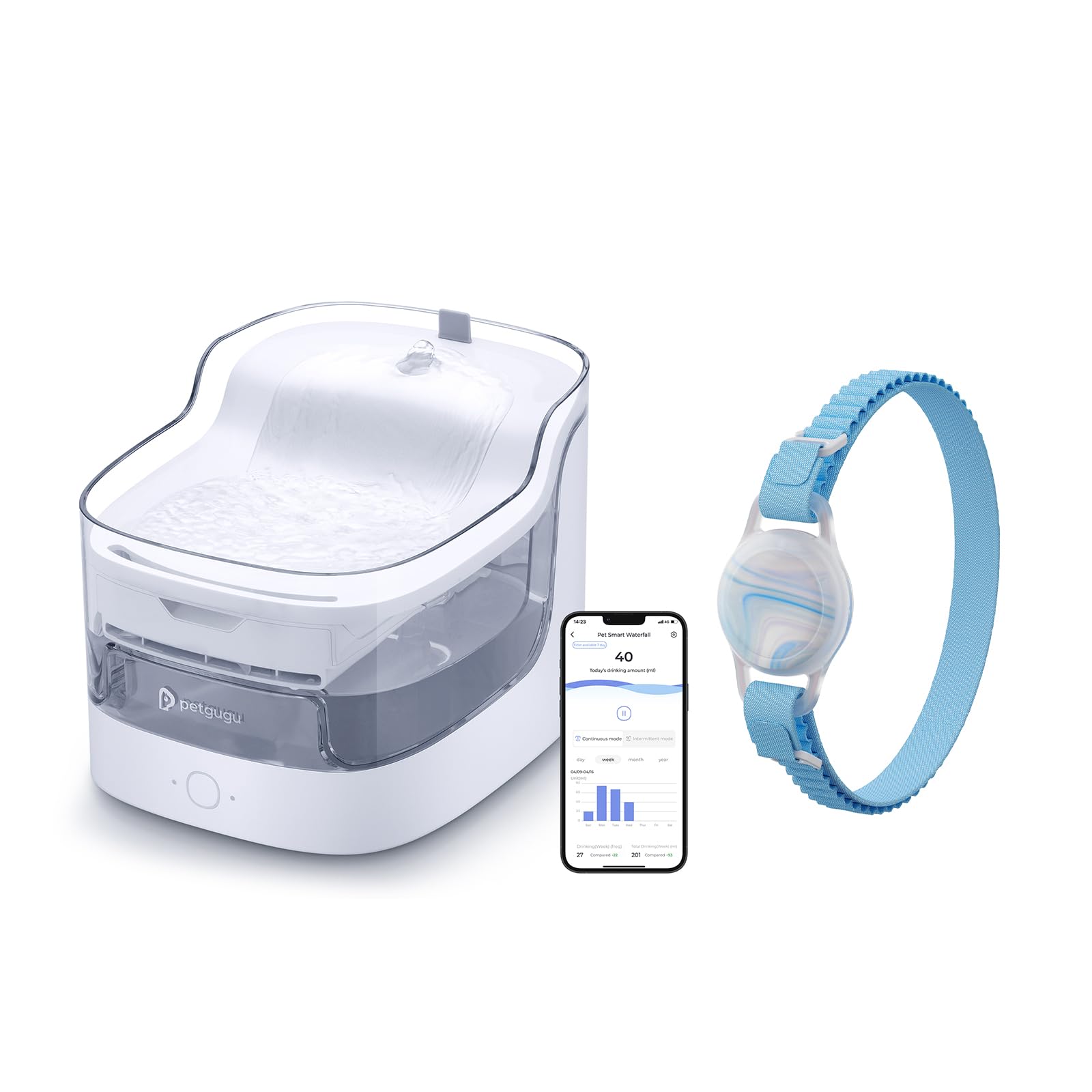
Image 1: PETGUGU Smart Pet Identifier and PF1 Automatic Cat Water Fountain.
2. Key Features
- Smart Pet Identifier (PF5): Tracks individual pet drinking habits, activity, and usage data.
- Automatic Water Fountain (PF1): 2-liter capacity, provides continuously flowing, filtered water.
- Multi-Layer Filtration: Features an 8-layer filtration system to remove impurities, hair, debris, and odors.
- Wireless Water Pump: Separates water and electricity for enhanced safety.
- Dry Burning Protection: Automatic power-off when water levels are low, with app reminders.
- App Connectivity: Connects to your smartphone for real-time data, hydration insights, and filter replacement reminders.
- Health Data Recording: Generates weekly reports on drinking, eating, toilet, and activity data.
3. What's in the Box
Upon unboxing, please ensure all the following components are present:
- PETGUGU PF1 Water Fountain Base
- Water Tank (Clear)
- Water Pump with Tube
- Filter Tray
- Filter Element
- Power Adapter
- PETGUGU PF5 Pet Identifier (Collar tag)
- User Manual
4. Setup Instructions
4.1. Water Fountain Assembly (PF1)
- Prepare the Filter: Rinse the filter cartridge with water for 2 minutes before initial use.
- Install Water Pump: Refer to the diagram below. Install the water pump cartridge into the designated slot in the water tank.
- Position Guide Pipe: Keep the guide pipe straight when placed in the tank. Ensure the bottom of the pump is close to the inner wall of the tank.
- Place Filter Tray and Element: Place the filter tray over the pump, then insert the filter element into the tray.
- Fill Water Tank: Fill the water tank with clean water up to the maximum fill line.
- Secure Top Cover: Place the top cover onto the water tank, ensuring it is properly seated.
- Connect Power: Place the device on a stable, horizontal surface, ensuring it is at least 3 cm away from other objects. Connect the power adapter. The machine will start working.

Image 2: Wireless water pump and component assembly diagram.

Image 3: Detailed view of the 8-layer filtration design.
4.2. App Download & Wi-Fi Configuration
- Download App: Scan the QR code provided in the Quick Guidance sheet or search for "petgugu" in your device's app store (iOS or Android).
- Register & Login: After installation, register an account and log in according to the app guidance.
- Wi-Fi Connection: Ensure your home Wi-Fi network is 2.4GHz. The device may not operate properly on 5GHz networks. Make sure your mobile phone is connected to the same 2.4GHz Wi-Fi network before pairing.
- Add Device: In the app, navigate to the "Devices" page and click "Add Device" to pair your PETGUGU fountain and identifier. Follow the on-screen instructions.
5. Operating Instructions
5.1. Water Fountain Operation (PF1)
- The fountain provides a continuous flow of water, mimicking a natural spring to encourage pets to drink more.
- Use the PETGUGU app to switch between continuous and intermittent water dispensing modes.
- The fountain features dry burning protection, automatically powering off when water levels are low. The app will send a reminder to replenish water.

Image 4: Dry burning protection and low water level alert via app.
5.2. Smart Pet Identifier (PF5) & Health Monitoring
- Attach the PF5 Pet Identifier to your cat's collar. The identifier works in conjunction with the water fountain and app to track individual pet data.
- The system accurately records each cat's water intake, activity levels, and can integrate with other PETGUGU devices (like feeders) to track food intake and bathroom patterns.
- Monitor your pet's health data in real-time through the PETGUGU app.

Image 5: App displaying individual cat's water intake data.

Image 6: Intelligent Identifier tracking multiple cats' health data.
6. Health Monitoring & App Features
- Real-time Data: View your pet's drinking, eating, and activity data in real-time.
- Weekly Reports: The app generates comprehensive weekly reports on your pet's living conditions, helping you identify trends and potential health changes.
- Smart Alerts: Receive notifications for low water levels, filter replacement reminders, and alerts if your pet's hydration or activity patterns deviate from normal.
- Multi-Pet Support: Ideal for multi-cat households, allowing individual tracking for each pet.

Image 7: Weekly health report generated by the app.

Image 8: Health data recording requires use with Petgugu water dispenser & feeder.
7. Maintenance
7.1. Filter Replacement
- It is recommended to replace the filter element every 30-60 days, depending on usage and water quality.
- The app will provide reminders for filter replacement.
- Replacement filters can be purchased separately. PETGUGU PF1/PF1L Replacement Filters
7.2. Cleaning the Fountain
- Regular cleaning of the water tank and pump is essential to prevent slime buildup and ensure fresh water.
- The water fountain base is not washable due to electronic components. Clean it with a damp cloth.
- The water tank, filter tray, and pump can be disassembled for thorough cleaning.
8. Troubleshooting
- Device not connecting to Wi-Fi: Ensure your phone is connected to a 2.4GHz Wi-Fi network. The device does not support 5GHz networks.
- No water flow: Check if the water level is sufficient. Ensure the pump is correctly installed and free from obstructions. Clean the pump if necessary.
- App alerts for low water, but tank is full: Verify the water level sensor is clean and unobstructed.
- Inaccurate data tracking: Ensure the PF5 Pet Identifier is securely attached to your pet's collar and is within range of the fountain.
9. Specifications
| Feature | Detail |
|---|---|
| Brand Name | PETGUGU |
| Model | PF5 (Identifier), PF1 (Water Fountain) |
| Water Fountain Capacity | 2 Liters |
| Filtration System | 8-Layer |
| Connectivity | App-controlled (2.4GHz Wi-Fi required) |
| Target Audience | House Cats, Small Dogs |
10. Warranty & Support
Your PETGUGU product is covered by a 24 Months Warranty from the date of purchase. For any inquiries or assistance, please contact our 7/24 Hour Customer Service.
For further support and product information, please visit the official PETGUGU store: PETGUGU Store on Amazon.

Image 9: PETGUGU customer service is available 24/7.
11. Safety Information
- Always unplug the device before cleaning or performing maintenance.
- Do not immerse the power adapter or the fountain base in water.
- Keep the device out of reach of children and pets when not in use or during maintenance.
- Use only the original power adapter provided with the product.
- Ensure the power cord is not damaged or chewed by pets.