
Introduction
This manual provides detailed instructions for the installation, operation, and maintenance of your Lamomo COB LED Strip Lights Pro. This 32.8ft warm white LED strip is dimmable, self-adhesive, flexible, cuttable, and waterproof (IP65 rated), designed for various indoor and outdoor lighting applications.
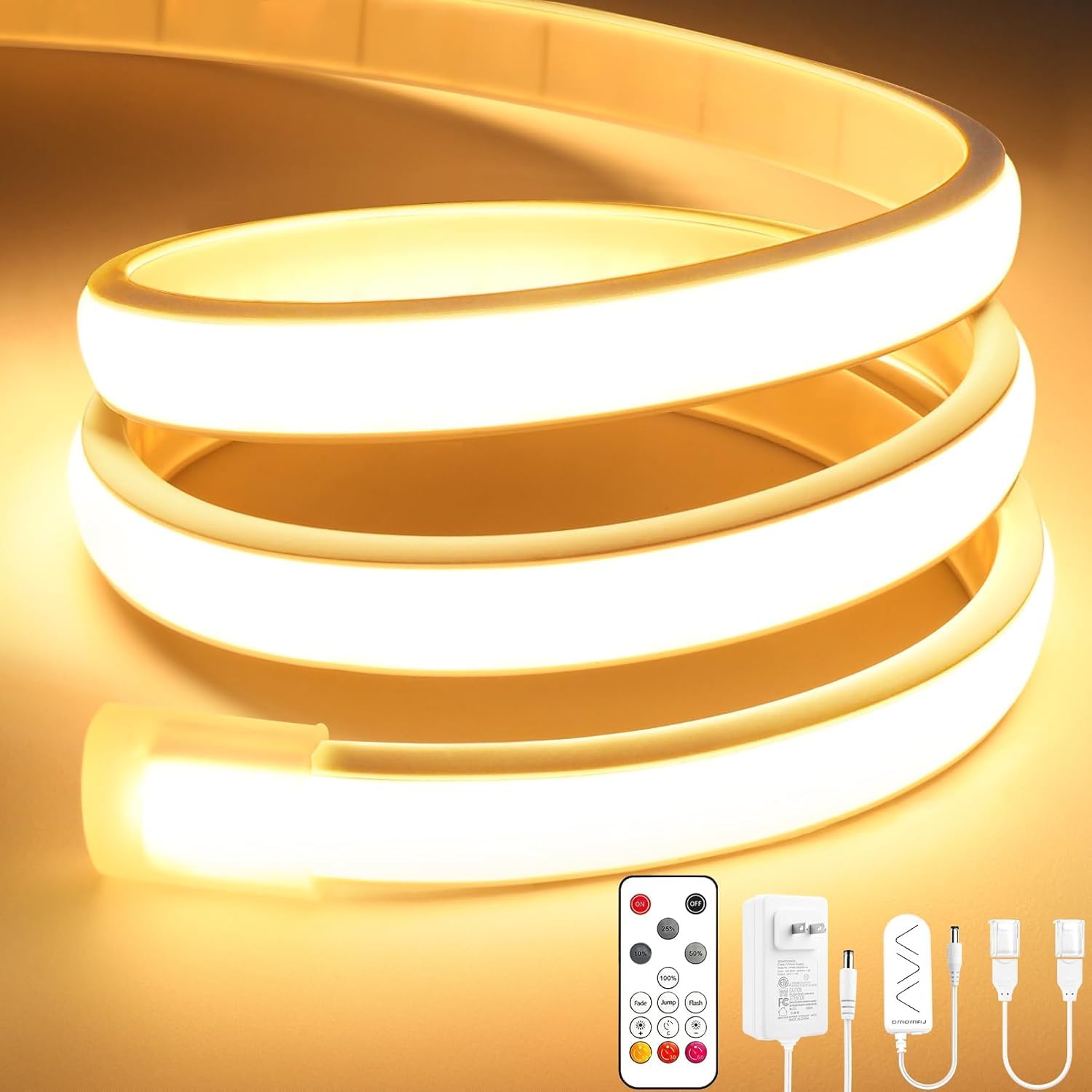
Image: Lamomo COB LED Strip Lights Pro, showcasing the warm white illumination.
Package Contents
Please verify that all items listed below are included in your package:
- 1 x 32.8ft COB LED Strip (Warm White)
- 1 x 24V 2A Power Supply
- 1 x Controller
- 1 x Remote Control
- 10 x Mounting Clips and Screws
- 1 x Quick Connect Cord

Image: Visual representation of all included components in the package.
Setup & Installation
Follow these steps for proper installation of your LED strip lights:
- Prepare the Surface: Ensure the installation surface is clean, dry, and smooth. Wipe away any dust or debris.
- Measure and Cut (Optional): The LED strip can be cut every 5cm (1.96 inches) at designated marking lines. Use the included quick connectors for rejoining sections if needed. No soldering is required.
- Apply the Strip: Peel off the protective backing from the self-adhesive strip and firmly press the LED strip onto the desired surface. The exclusive self-adhesive backing provides ultra-strong adhesion.
- Secure with Mounting Clips: For enhanced stability and grip, especially in challenging environments or for long-term installations, use the provided mounting clips and screws.
- Connect Power: Connect the LED strip to the controller, and then connect the controller to the 24V 2A power supply. Plug the power supply into a standard electrical outlet.

Image: Visual guide demonstrating surface cleaning, cutting, and adhering the LED strip during installation.

Image: Illustrates the flexibility and cuttable nature of the LED strip for DIY projects.
Video: An unboxing, assembly, and demonstration of the Lamomo COB LED Strip Lights Pro. The video shows the components, how to connect them, and a practical application in a child's bunk bed, highlighting the warm white light and remote control functions.
Operating Instructions
The Lamomo COB LED Strip Lights Pro can be controlled using the included RF wireless remote control or the inline controller.
Remote Control Functions:
- ON/OFF: Press the red "ON" button to turn the lights on, and the black "OFF" button to turn them off.
- Brightness Adjustment: Use the 25%, 50%, 100% buttons for quick brightness levels, or the '+' and '-' buttons for stepless dimming from 0-100%.
- Dynamic Modes: Select from "Fade," "Jump," or "Flash" modes for various lighting effects.
- Timer Function: Utilize the triple-timer function to schedule automatic on/off times for the light strip.
- Memory Function: The lights will remember your last settings when turned off and on again.

Image: The RF wireless remote control, showing buttons for power, brightness, dynamic modes, and timer functions.

Image: Demonstrates the dimming capability of the LED strip from 0% to 100% brightness.
Inline Controller:
The inline controller, located on the power cable, provides basic ON/OFF and brightness adjustment directly on the strip. It features an adhesive back for convenient placement.

Image: Illustrates the "One to Many Control" feature, allowing a single remote to control multiple light strips or multiple remotes to control one strip.
Maintenance
The Lamomo COB LED Strip Lights Pro are designed for durability and minimal maintenance.
- Cleaning: Gently wipe the silicone surface with a soft, damp cloth. Avoid harsh chemicals or abrasive cleaners.
- Water Resistance: The strip is IP65 waterproof, making it suitable for outdoor use and areas exposed to moisture. However, the power plug and end caps are not waterproof and must be protected from water.
- Heat Dissipation: The silicone material provides effective heat dissipation, ensuring a long lifespan for the LEDs.
- Adhesion: If the self-adhesive backing weakens over time, reinforce with additional mounting clips or suitable adhesive.

Image: Highlights the IP65 waterproof rating and superior flexibility of the LED strip.
Troubleshooting
If you encounter any issues with your Lamomo COB LED Strip Lights Pro, please refer to the following common solutions:
- Lights Not Turning On:
- Check if the power supply is securely plugged into a working outlet.
- Ensure all connections between the strip, controller, and power supply are firm.
- Verify the remote control battery is functional.
- Remote Control Not Responding:
- Replace the remote control battery.
- Ensure there are no obstructions between the remote and the controller.
- Uneven Brightness or Flickering:
- Check for any loose connections.
- Ensure the power supply is adequate for the length of the strip.
- Adhesion Issues:
- Clean the surface thoroughly before re-applying.
- Use additional mounting clips or a stronger adhesive if necessary.
For further assistance, please contact Lamomo customer support.
Specifications
| Brand | Lamomo |
| Model Number | COB-320D-WW-10MUS |
| Color | Warm White |
| Light Source Type | LED |
| Color Temperature | 3000 Kelvin |
| Number of Light Sources | 3200 |
| Item Length | 32.8ft (394 Inches) |
| Voltage | 24 Volts |
| Wattage | 48 watts |
| Ingress Protection (IP) Rating | IP65 (Strip only; power plug and end caps are not waterproof) |
| Special Features | Dimmable, Flexible, Remote Controlled, Self-Adhesive, Waterproof |
| Indoor/Outdoor Usage | Indoor, Outdoor |
| Material | Silicone |
| Control Method | Remote Control |

Image: Close-up of the LED strip highlighting its 3000K warm white color and high density of 3200 LEDs.
Safety Information
- The LED strip operates on 24V low-voltage, ensuring safety during use.
- Always ensure the power plug and end caps are protected from water, as they are not waterproof.
- Do not attempt to modify or repair the product yourself. Contact qualified personnel for service.
- Keep out of reach of children.

Image: Shows the 24V power adapter, emphasizing its safety features with extra low voltage.
Warranty & Support
For warranty information or technical support, please refer to the product packaging or contact Lamomo customer service directly through their official website or the retailer where the product was purchased.
