1. Product Overview
The E-YOOSO Hz-61 is a 60% compact RGB mechanical gaming keyboard featuring advanced Hall Effect magnetic switches. Designed for high-performance gaming, it offers rapid response times, customizable actuation, and a durable build. This manual provides instructions for setup, operation, and maintenance of your Hz-61 keyboard.
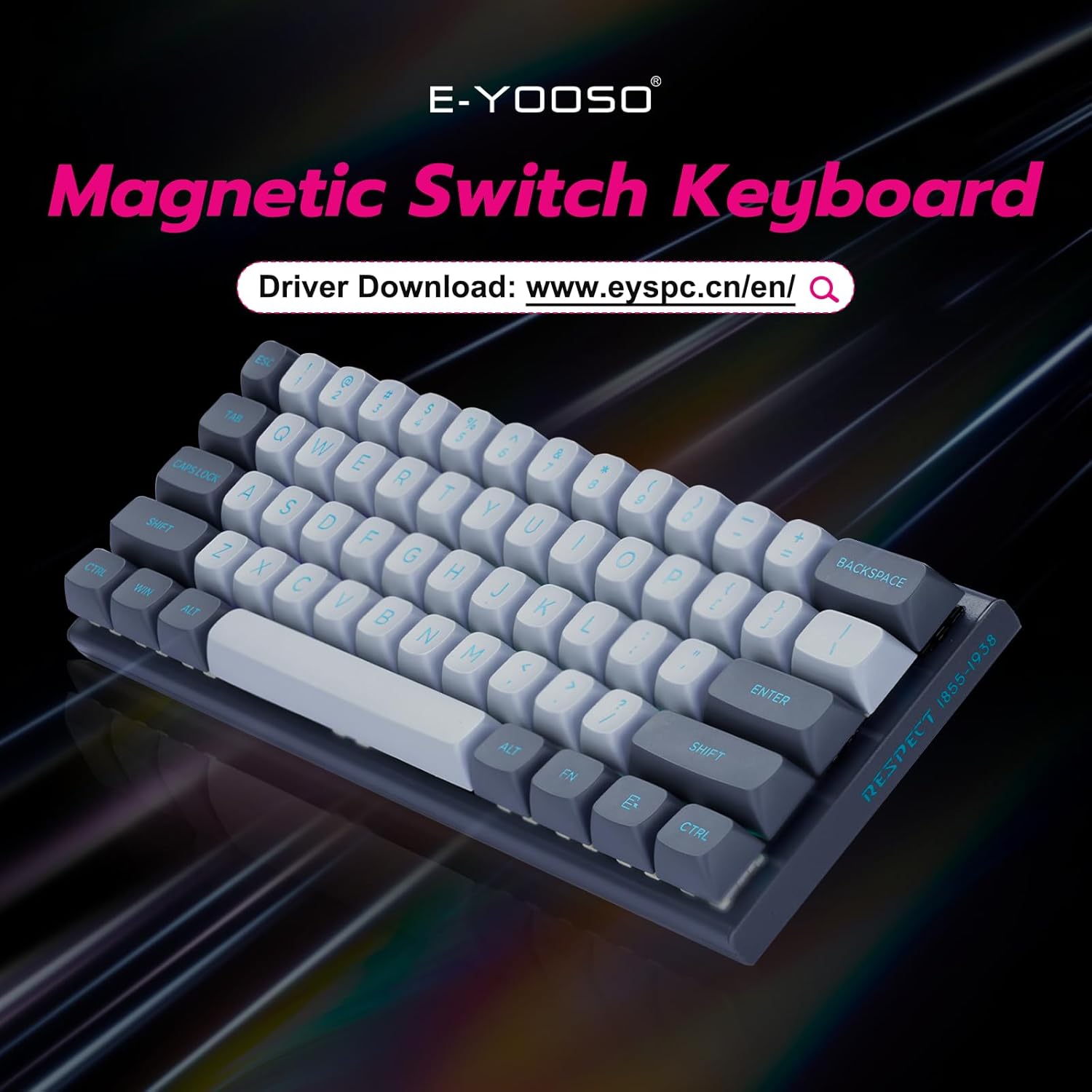
Figure 1: E-YOOSO Hz-61 60% RGB Mechanical Gaming Keyboard.
Key Features:
- High-Performance Magnetic Switches: Utilizes Hall Effect magnetic switches for precise and rapid trigger response without physical contact, reducing wear.
- 8000 Hz Polling Rate: Ensures ultra-fast response times for competitive gaming.
- Customizable Driver Software: Supports Rapid Trigger, DKS (Dynamic Key Stroke), MT (Macro Trigger), and TGL (Toggle) functions for personalized settings and macro commands.
- Hot-Swappable Design: Allows easy replacement of both switches and keycaps (tools included).
- Durable PBT Keycaps: Double-shot injection molded PBT keycaps provide clear, fade-resistant legends and enhanced durability.
- Vibrant RGB Backlighting: Features 14 RGB lighting effects, 5 brightness levels, and 5 speed settings.
- Compact 60% Layout: Space-saving design for portability and a clutter-free desktop.
- Wide Compatibility: Compatible with Windows and Mac systems via a detachable Type-C cable.
2. Setup Guide
2.1 Package Contents
- E-YOOSO Hz-61 Mechanical Gaming Keyboard
- Detachable USB Type-C Cable
- Keycap Puller
- Switch Puller
- Extra Magnetic Switches (2 pieces)
- User Manual (this document)
2.2 Connecting the Keyboard
- Locate the USB Type-C port on the side of the keyboard.
- Connect the detachable USB Type-C cable to the keyboard's Type-C port.
- Connect the other end of the USB cable to an available USB port on your computer (PC or Mac).
- The keyboard will automatically be recognized by your operating system.

Figure 2: Connecting the USB Type-C cable to the side-mounted port.
2.3 Adjusting Keyboard Angle
The keyboard features adjustable feet on the underside to set your preferred typing angle. Flip out the feet for an elevated position or keep them folded for a flatter profile.

Figure 3: Adjustable keyboard feet for ergonomic comfort.
3. Operating Instructions
3.1 Basic Key Functions
The Hz-61 is a 60% layout keyboard, meaning some functions are accessed via the FN key in combination with other keys. Refer to the diagram below for common combinations.

Figure 4: FN key combinations for various functions.
- FN + W/A/S/D: Toggles between standard arrow keys and WASD for gaming.
- FN + WIN: Locks/unlocks the Windows key to prevent accidental presses during gaming.
- FN + M: Adjusts lighting brightness.
- FN + ALT: Switches between different RGB lighting modes.
- FN + < / >: Adjusts lighting speed.
- FN + 1-12: Accesses F1-F12 functions.
3.2 RGB Lighting Control
The Hz-61 keyboard features customizable RGB backlighting. Use the FN key combinations mentioned above to cycle through 14 lighting effects, adjust 5 brightness levels, and set 5 different speeds.

Figure 5: RGB lighting in action on the Hz-61 keyboard.
3.3 Driver Software for Advanced Customization
For advanced customization, including Rapid Trigger settings, DKS, MT, TGL functions, macro commands, and key rebindings, download the official E-YOOSO driver software. Visit the E-YOOSO official website for the latest driver version.

Figure 6: E-YOOSO driver software interface for customization.
The driver allows you to fine-tune actuation points and reset points for each key, providing a competitive edge in gaming. You can also create complex macros to streamline your workflow.
3.4 Magnetic Switch Technology
The Hz-61 utilizes Hall Effect magnetic switches, which detect key presses based on magnetic fields rather than physical contact. This design offers superior durability, faster response, and allows for features like Rapid Trigger, where key actuation and de-actuation can be customized based on travel distance.

Figure 7: Detailed view of a Hall Effect magnetic switch.
The 8000 Hz polling rate ensures that every key press is registered almost instantaneously, providing a significant advantage in fast-paced applications and games.

Figure 8: Visual representation of the 8K polling rate for ultra-fast response.
4. Maintenance
4.1 Cleaning the Keyboard
The Hz-61 features a floating keycap design, which makes cleaning easier. To clean your keyboard:
- Disconnect the keyboard from your computer.
- Use a can of compressed air to blow away dust and debris from between the keycaps.
- Wipe the keycaps and keyboard surface with a soft, slightly damp cloth. Avoid excessive moisture.
- For deeper cleaning, you can remove the keycaps using the included keycap puller.

Figure 9: Floating keycap design for easy cleaning.
4.2 Hot-Swappable Switches and PBT Keycaps
The Hz-61 supports hot-swappable switches, allowing you to change switches without soldering. The included keycap and switch pullers facilitate this process.
- Use the keycap puller to gently remove the desired keycap.
- Once the keycap is removed, use the switch puller to carefully grip and pull out the switch.
- Align the pins of the new switch with the holes on the PCB and gently press it into place until it clicks.
- Replace the keycap.

Figure 10: Durable PBT keycaps.

Figure 11: Hot-swappable switches for easy customization.
The keyboard comes with two extra magnetic switches for convenience.
5. Troubleshooting
- Keyboard Not Responding:
- Ensure the USB Type-C cable is securely connected to both the keyboard and your computer.
- Try connecting the keyboard to a different USB port on your computer.
- Test the keyboard on another computer to rule out system-specific issues.
- RGB Lighting Not Working:
- Check FN key combinations for lighting control (FN + ALT for modes, FN + M for brightness).
- Ensure the driver software is installed and updated, and check its settings for lighting control.
- Keys Not Registering or Double-Typing:
- This can sometimes be resolved by reseating the switch. Use the switch puller to remove and reinsert the affected switch.
- Ensure the driver software is correctly configured, especially if using advanced features like Rapid Trigger.
- If the issue persists, try replacing the switch with one of the included spare switches.
- Driver Software Issues:
- Download the latest driver from the official E-YOOSO website.
- Ensure your operating system is up to date.
- Temporarily disable any antivirus or firewall software that might interfere with the driver installation.
6. Specifications
| Model Number | Hz-61 |
| Layout | 60% (61-key) |
| Switch Type | Hall Effect Magnetic Switches |
| Polling Rate | 8000 Hz |
| Keycaps | Double-shot PBT |
| Backlighting | RGB (14 effects, 5 brightness, 5 speed) |
| Connectivity | Wired USB Type-C (detachable) |
| Compatible Devices | Laptop, PC |
| Operating System | Windows, Mac |
| Product Dimensions | 11.4 x 4.1 x 1.3 inches (28.96 x 10.41 x 3.3 cm) |
| Item Weight | 1.7 pounds (0.77 kg) |
| Manufacturer | Eastern Times Technology Co., Ltd. |
7. Warranty and Support
E-YOOSO products are designed for reliability and performance. For warranty information, technical support, or to download the latest driver software, please visit the official E-YOOSO website or contact customer service through your retailer.
Please retain your proof of purchase for any warranty claims.
8. Product Video Demonstration
Video 1: Official E-YOOSO Hz-61 60% Wired Gaming Keyboard demonstration, showcasing features like RGB lighting, hot-swappable switches, and compact design.


